

- The current public entry handles one link at a time. Batch-link and account-wide extraction are not active features in this workflow.
- Parsing success, complete media output and useful source quality are separate checks.
- The visible saving actions cover video, covers and image-post images; this guide does not promise a separate audio-extraction action.
- Support depends on the actual source and its access state. No universal platform or every-link guarantee applies.
- Open saved local files and record their source context before using them in a video, reference analysis or asset library.
Treat extraction as source preparation, not a finished edit
Media link extraction takes a supplied link, attempts to parse it and presents available material you can inspect and save. It is a preparation step. The output still needs checks for completeness, playback, relevance and suitability for the next editing task.
This tutorial covers the current single-link workflow for video and image-post results. It shows how to distinguish a usable local asset from a title, cover or incomplete response, and how to hand the result to video splitting or another editing process. It does not describe a batch crawler or account archive.
The capability description is based on a read-only review of the current client implementation and the product guide. The worked example is hypothetical. No particular platform was tested for this article, and no claim is made that every public, private or login-dependent link can be parsed.
Understand the current scope before supplying a link
Use the Single Link Extraction entry under Media Link Extraction. The currently exposed tab handles one source link. The batch-link and account-homepage tabs are inactive in the reviewed implementation, so a list of links or an entire creator account is outside this tutorial's supported workflow.
The result area distinguishes video and image-post content. Depending on the returned material, visible actions can save a video, save a cover, save individual images or save all returned images. The separate audio-saving controls are not active in the reviewed source. Do not assume a video result includes a supported standalone audio export.
Prepare these items before parsing:
- One source link that identifies the intended post or video.
- A clear reason for using the material, such as preparing your own footage or analyzing a reference.
- A destination for the files you choose to save.
- A note of what you expect: a moving video, an image set or simply a reference cover.
- A way to open and inspect the saved result locally.
Check the original source in its ordinary viewing context if available. A deleted post, restricted account or page that requires access may fail differently from an ordinary public post. Accessing a page in your browser also does not guarantee that the parser can retrieve its media. Keep that distinction clear before blaming a later save operation.
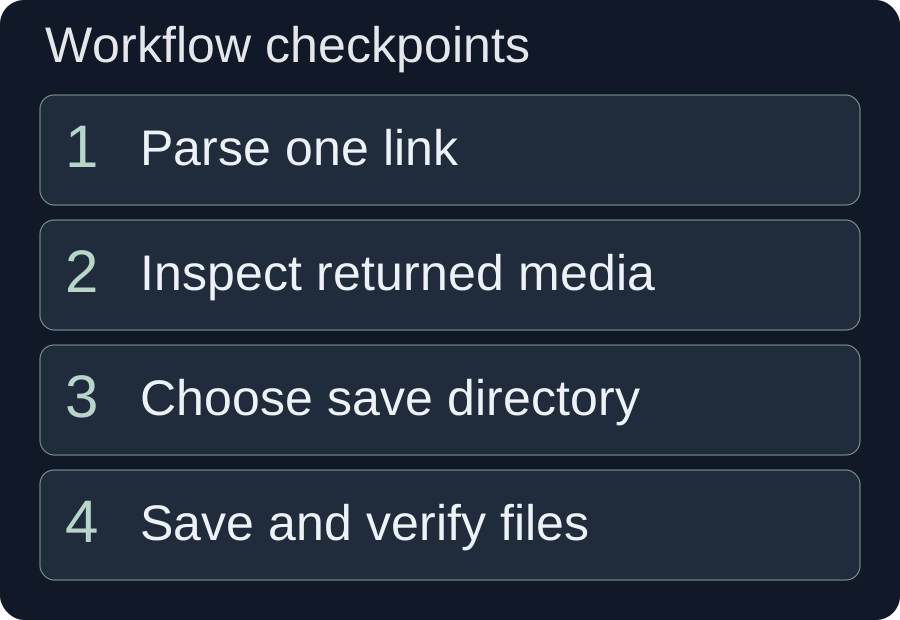
Supply a clean source link and inspect parsing separately
Paste the intended source link into the single-link input, then run parsing and read the result. The current input handling can extract the first HTTP or HTTPS URL from pasted share text, but a clean link reduces ambiguity when the text contains more than one address.
- Identify the actual post. Copy the link to the video or image post you mean to process, rather than an unrelated homepage or a general search result.
- Check pasted share text. If it contains several links, keep only the intended source so the first extracted URL is not the wrong one.
- Submit one link. Wait for parsing to finish and inspect any reported error.
- Check the returned identity. Compare the title, cover or available preview with the intended source.
- Inspect the media branch. Determine whether the result is a video or an image post and which saving actions are actually offered.
MDN's URL explanation distinguishes the scheme, host, path and other parts of an address. For this workflow, the practical question is whether the link identifies the intended resource. A plausible-looking domain alone does not identify the right post.
Do not treat a displayed cover as proof that the full video is available. A response can identify a source while returning only some of its material. Inspect the result itself: what can you preview, what can you save, and what information is still missing?
If the parser reports a failure, retain the specific message and the link you submitted. Repeating the same request without changing the source state or correcting the input may produce the same failure. Do not interpret a parsing failure as evidence that another source is supported or that an account-wide route exists.
Save only the available material, then verify the local file
Choose the action that matches the returned media. A video-saving action and a cover-saving action produce different kinds of material. An image-post result requires inspection of the image set, not an assumption that a moving video exists.
Before saving, choose a writable local save directory in the interface. Then select Save Video, Save Cover or Save Images according to the returned material, and confirm that a file was created in that directory.
For a video result
Use the visible video-save option if the result provides it. After saving, open the local file and inspect the beginning, a representative middle section and the ending. Check whether it is the expected content, whether important action is present, and whether any audio you need is actually audible. This playback check is distinct from a separate audio-extraction feature, which this entry does not currently expose.
Inspect the cover independently if you save it. A cover can help organize references, but it cannot substitute for missing video footage. If the cover shows an action that the video does not contain, do not use it as evidence that the action was demonstrated in the clip.
For an image-post result
Inspect the returned images and save the relevant individual items, or use the save-all action for the returned set. Open the files locally to confirm they are readable and complete enough for your task. Compare the sequence with the original post when that context is available; do not assume a partial result contains every image.
Keep a simple source record
Record the supplied link, retrieval date, a short description and what was actually saved. Add any known gap, such as “cover only” or “one image missing from returned set.” This can be a manual note; the tutorial does not claim the extractor automatically maintains a full provenance register.
Keep the original saved file separate from later crops or edits so you can return to it when a project needs another shot. The point is practical traceability: you should be able to identify what a local asset came from and whether it was altered before use.
Worked example: prepare your own desk-assembly post
This hypothetical example uses a post you created yourself. Assume it explains assembling a desk organizer, and you need material for a shorter instructional edit. The example demonstrates decisions after parsing, not a tested result from a named platform.
Brief: show the parts, the central assembly action and the finished arrangement. Keep the instruction accurate and avoid implying that a cover image proves an unshown step. Submit the single link for this post and inspect what the parser returns.
Branch A: the result contains a video
Save and open the video. Build a small inventory: opening parts view, assembly action, final arrangement. If the action is continuous, preserve enough of it for the viewer to understand the change. If you later split the footage, inspect the boundaries so a cut does not interrupt the important movement.
| Needed instruction | Material to inspect | Next decision |
|---|---|---|
| Identify the parts | Opening view of the loose components | Use only if the parts are visible and recognizable. |
| Show how two pieces connect | Continuous assembly movement | Keep the complete action or supply clearer footage if hands hide the connection. |
| Show the finished arrangement | Final view of the organizer on the desk | Use a shot that actually shows the completed item rather than the promotional cover. |
A possible narration line is “Align the two pieces, then check the connection from the side.” Only use it if those actions are shown or otherwise supported by your source. Extraction does not establish that an instructional sentence is correct.
Branch B: the result contains an image set
Save and inspect the images. If the set shows loose parts, a connected intermediate state and the completed organizer, label those states accurately. Still images may support a step sequence, but they may not show the exact motion needed to connect the pieces. Do not describe a movement the images cannot establish. Add your own demonstration footage or revise the instruction.
Branch C: only a cover or incomplete media is available
Record the limitation and return to your own original files if available. A cover can identify the topic, but it is not enough for a complete assembly tutorial. If only the final image is usable, create a brief focused on the final arrangement rather than pretending to have extracted the whole demonstration.
Hand the result to the right next workflow
Choose the next tool according to the material you have and the task you need to complete. Extraction retrieves available media; other workflows divide footage, inspect speech or assemble an edit.
| Next task | Input you need | What to check first |
|---|---|---|
| Split footage into reusable shots | A playable local video | Actions and sentences are complete before deciding clip boundaries. |
| Review spoken information | Media with the needed intelligible audio | The narration or dialogue is actually present, not inferred from a cover. |
| Organize a reusable asset collection | Verified local video or image files | Descriptions and source notes distinguish each item and its limitations. |
| Assemble a narrated explanation | Approved copy and footage that supports it | The library contains a suitable shot for every important visual claim. |
The video assembly workflow is useful once your material coverage is clear. The reference-analysis guide provides another route when your goal is to describe a supplied video's structure rather than produce a local shot library.
For audio information, W3C's transcript guidance explains how text can represent media content. A transcript and a saved media file serve different purposes: text can help inspect what was said, but it does not supply missing footage or verify a visual action.
A parsing result also does not certify permission, factual accuracy or suitability for publication. Make the same editorial decisions you would make when using a file supplied through any other route. This is a source-preparation workflow, not an automatic approval process.
Troubleshoot the source, response or save stage
Find the stage that failed: identifying the link, accessing the source, parsing media, saving a file or using that file. Each stage gives you a different next action.
| Symptom | Check | Next action |
|---|---|---|
| The result belongs to another post | First URL in pasted share text | Supply only the intended post link and parse again. |
| The source cannot be accessed | Deleted, restricted or login-dependent source state | Check ordinary source availability. Use your own original files when available; do not assume access can be bypassed. |
| Parsing returns an unsupported or error message | Exact source and reported message | Correct the link if needed, or choose a source available through the supported workflow. |
| A title or cover appears but no usable video does | Available media actions | Treat it as partial output. A cover does not establish a complete video result. |
| An image set seems incomplete | Returned count and original sequence | Record the gap and avoid claiming the saved set contains every source image. |
| A save action fails | Reported save state and destination | Check the chosen location and retry as indicated. Confirm a real local file exists before editing. |
| The file opens but is unsuitable for the edit | Content, clarity and complete action | Use better source material or narrow the editing brief to what the file supports. |
If an error exposes an HTTP status, MDN's HTTP status reference can help interpret the response category. It does not diagnose the extractor's internal state or prove that a failed request will work later. Keep the application's specific message alongside that context.
Do not repeatedly save a poor-quality response hoping the file will gain missing detail. Parsing and saving cannot establish content that the returned media does not contain.
Finish with a small, verifiable asset set
A successful extraction task ends with material you can open, identify and use for a defined purpose. Review the saved files before moving on to a larger edit.
- The supplied link identifies the intended source.
- The saved result matches the returned media type.
- Videos play and images are readable in a local viewer.
- Missing items and partial outputs are recorded honestly.
- The selected material supports the planned narration or visual explanation.
- Source notes make the files recognizable later.
Start with one representative source, verify it completely, and choose the next editing step from the actual output. A small set of useful material is a better foundation than an unexplained folder of covers, incomplete clips and duplicate saves.
Frequently asked questions
Can I extract several links or an entire account at once?
The currently active public entry is single-link extraction. Batch-link and account-homepage extraction are inactive in the reviewed client implementation and should not be treated as released features.
Does media link extraction support every platform?
No universal support is promised. Availability depends on the source, the link's access state and the parser's current capabilities. Inspect the actual response for each supplied link.
Can I save images instead of a video?
When parsing returns image-post material, the visible workflow offers individual-image and save-all actions for the returned set. Inspect the images locally and check whether the set is complete enough for your task.
Is there a separate audio-extraction action?
The reviewed entry exposes saving for video, cover and image results. Its standalone audio-saving controls are inactive, so this guide does not describe audio extraction as an available action.
Based on read-only review of src/renderer/src/pages/Download/index.jsx and its singleExtract/index.jsx implementation on 10 October 2026. The client was not operated, no named platform was tested and no successful parse or download is claimed. The desk-assembly post is hypothetical and self-owned. Audio, batch-link and account-homepage controls are inactive in the reviewed source. Official external sources were read on the same date.