

- Agent Creation is a separate content workspace. Its currently exposed tools handle Skills, content-engine projects and task status, not the editor's full timeline toolset.
- A useful brief includes the reader, purpose, language, source material and intended deliverable before generation begins.
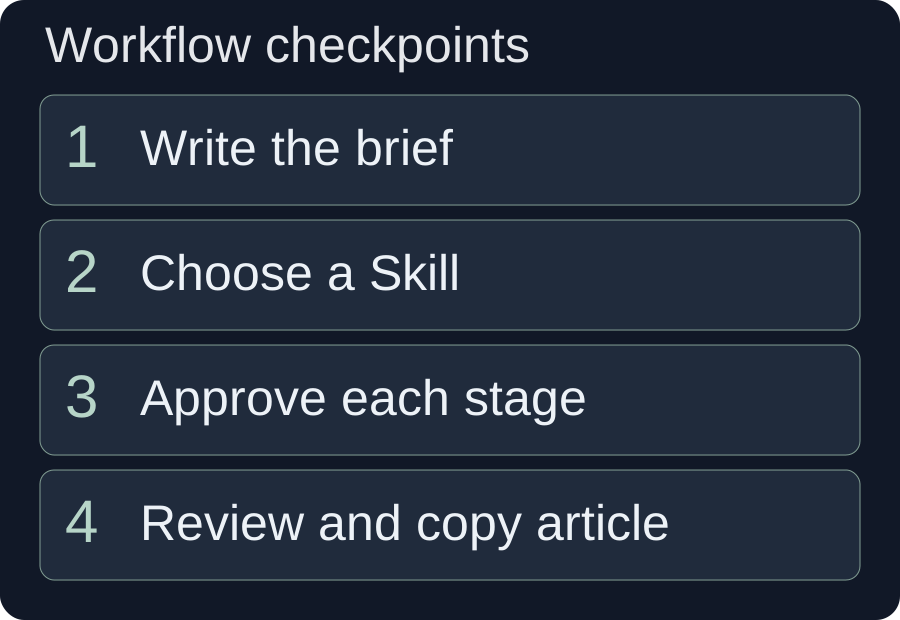
- Outline, article, review and image-generation stages require their own approval. A submitted task and a finished artifact are different states.
- For the current WeChat workflow, the final artifact is formatted rich content to copy into the WeChat editor. It does not automatically publish the article.
Choose the content workspace for an article task
Agent Creation is the desktop client's independent workspace for content-production conversations. You select a relevant Skill or describe your request, supply the necessary context and review the results returned by the content workflow. Its currently exposed tools support Skill management, content-engine projects and task-status queries.
This article follows the built-in WeChat article workflow because it provides a concrete path from a brief to an outline, an article, a review and copyable rich content. It explains the decisions and failure states a creator needs to understand. The community-workshop example is hypothetical, and no content generation or WeChat publication was performed for this tutorial.
Use the AI editing assistant when the task is changing footage or tracks inside a video project. Agent Creation does not inherit the editor's entire toolset just because both interfaces offer conversation and Skills. A selected Skill can organize the tools that exist; it cannot grant a missing shell, video editor or external publishing connection.
The product guide is useful for choosing the correct entry before starting. Here, the desired deliverable is a reviewed content artifact and a clear handoff into a publishing editor.
Prepare a brief and a source packet
Prepare the information the article needs before requesting prose. A well-defined source packet reduces guessing and makes the final factual review possible.
Collect the topic, intended reader, purpose, tone, language, desired length and source URLs or supplied materials. Specify what the reader should be able to do afterward. An event invitation should answer attendance questions; an explanatory article should clarify a topic; a product tutorial should support a reproducible task. These purposes require different structures.
Separate confirmed facts from preferences. “The workshop starts at 10:00” is a factual statement that needs a source. “Use a welcoming tone” is a writing preference. “Mention that places are limited” is not a harmless stylistic request if the source does not establish a capacity limit.
Label missing information explicitly. Tell the workflow to omit an unknown price, leave a visible editorial question or ask you to provide it. Do not let a polished draft turn “we have not decided” into a confident answer merely to complete a familiar article structure.
Provide the destination and the desired handoff. For the current WeChat workflow, ask for an outline, drafted body, review and formatted content that can be copied into the WeChat editor. Do not describe “publish it to our account” as the expected supported action when this entry's built-in workflow ends with a manual copy step.
“Create an invitation article for adults interested in a beginner repair workshop. Use the attached organizer notes for all event details. Explain what participants should bring. Do not invent a price, instructor credential or registration deadline. Ask about missing details before including them. Finish with content formatted for review in the WeChat editor.”
The example defines both the editorial task and its limits. It is a proposed brief, not an instruction to execute a paid workflow in this tutorial.
Select a relevant Skill and connect the workflow
Choose the Skill that matches the output rather than one whose name merely sounds related. The Agent Creation entry includes a WeChat article shortcut and a Skill picker, and it also accepts a direct description of the task.
- Open Agent Creation from the desktop navigation.
- Use the WeChat article entry or open the Skill picker and select the appropriate content workflow.
- Check the connection and account state shown in the panel.
- Provide the brief, source packet and any required theme or layout preference.
- Read requests for missing context before approving generation.
A Skill is a set of reusable task instructions. Anthropic's official Skills overview describes the general idea of packaging instructions and resources for specialized work. In this client, capabilities still depend on the tools supplied to the separate creation workspace. This citation explains the concept; it does not establish compatibility with every external Skill.
The audited creation toolset can create or query a content project, generate an outline and body, review an article, request images and render WeChat-ready content. It can also query an image task's status. Do not expect the workspace to edit your video timeline, execute arbitrary local scripts or publish through an external account simply because you request those actions in the chat.
If the content engine reports unavailable credentials, follow the client error and return when access is available. The built-in workflow does not require you to paste a secret key into the conversation. A connectivity error is not solved by adding more creative detail to the brief.
Review the stages and their approval requests
Treat each generation stage as a separate operation with a reviewable result. The current creation workflow requests host approval before outline generation, body generation, article review and image generation. Project creation, project queries and WeChat rendering are separate unpaid stages in this workflow.
| Stage | Your decision | Evidence to inspect |
|---|---|---|
| Project preparation | Does the brief contain the intended task and sources? | The project context and unresolved input questions. |
| Outline generation | Does the proposed order answer the reader's questions? | Sections, scope and source-dependent claims. |
| Article generation | Does the prose follow the accepted structure? | Body text, factual statements and missing details. |
| Article review | Which issues remain for an editor? | The actual review result, not the word “reviewed” in chat. |
| Image generation, if requested | Are the proposed images necessary and appropriate? | Completed image results and any task failures. |
| WeChat rendering | Is the formatted artifact readable and complete? | The rich article card and copyable content. |
Approve a stage only when its scope matches your intention. An outline may reveal that the workflow is heading toward a general topic essay rather than the event invitation you need. Correct that before generating a full article. Similarly, a complete body may still contain unsupported details; an attractive layout should not hide those defects.
Optional image work is its own decision. A text-first invitation may be clearer with one genuine event photo than several generated illustrations. If you request generated images, identify their intended role and review the actual returned assets before they enter the formatted article.
A chat response describing upcoming work is not evidence that a generation call was submitted or completed. Inspect returned project and task state. This matters particularly for a long-running image task, where the request can exist before the image is ready.
Hypothetical example: a community repair-workshop article
Hypothetical planning example: A community organizer wants a WeChat article inviting adults to a beginner repair workshop. The supplied notes confirm the venue, an organizer contact and a list of small items participants may bring. The price, registration deadline and instructor biography are not yet confirmed.
The creator chooses the built-in WeChat workflow and provides those notes as the factual source packet. The brief asks for an approachable article that explains the workshop's purpose, what participants can expect and what to bring. It explicitly excludes unsupported claims about expert credentials or guaranteed successful repairs.
The first outline should put practical attendance information where a prospective participant can find it. A long introductory essay about sustainability would not serve the task if it delays the venue and preparation advice. The creator requests an outline centered on the reader's actual questions.
| Proposed content | Source state | Editorial decision |
|---|---|---|
| Venue and organizer contact. | Confirmed in supplied notes. | Include accurately and verify again before handoff. |
| Items participants may bring. | Confirmed list. | Use the list without broadening it to unmentioned equipment. |
| Price and registration deadline. | Not confirmed. | Ask the organizer or omit; do not invent plausible values. |
| Instructor described as an expert. | No supporting biography. | Remove the credential claim. |
| Generated image of a crowded venue. | Illustration, not a real event photograph. | Label its illustrative nature or use a suitable supplied image instead. |
Suppose the body draft says that every participant will leave with a repaired item. The creator removes that promise because the notes do not support it. The article can instead explain that the session introduces basic diagnosis and guided practice, but only if the organizer confirms that description.
After the review stage, the creator chooses a restrained theme and a readable layout, renders the rich article and copies it into the WeChat editor. The final platform preview is another check, especially for contact details, line breaks and images. This is a hypothetical decision sequence with no claimed generated draft, attendance result or automatic publication.
Check facts, images and format as separate outputs
Review content and presentation separately. A readable article can contain false details, and a factually sound draft can still fail when pasted into the destination editor.
Verify the factual layer
Compare names, dates, quantities, quotations and instructions with the supplied material. Inspect confident claims that were not in the brief. If a source is a promotional description, do not turn its assertion into a verified result without further evidence. Keep unresolved questions visible to the responsible editor.
The content engine's review is useful input, but the editor still needs to judge its findings. NIST's AI Risk Management Framework provides a general basis for evaluating AI output in context. Here, the practical application is to check whether the article supports the reader's task and whether its factual statements remain traceable.
Inspect the visual layer
Review generated or supplied images for their actual subject and purpose. An illustration should not be presented as documentary evidence of a real event or product result. Check whether a caption or surrounding prose makes its status clear.
W3C's image decision tree distinguishes informative, functional and decorative images when deciding how to provide text alternatives. Use that distinction as an editorial aid: identify what useful information each image adds, and ensure the text still explains essential facts where the destination platform's image-description behavior is uncertain.
Inspect the delivery layer
The WeChat workflow offers named themes and four layout profiles: balanced, compact, airy and magazine. Pick a profile to suit the content rather than assuming a denser layout will make a long article easier to read. Preview headings, lists, tables and image spacing in the destination.
Changing the theme or layout invokes rendering rather than regenerating or re-reviewing the article. A layout change therefore does not repair an unsupported sentence. Correct content through the appropriate article workflow before relying on the final presentation.
Recover from interrupted or failed stages without duplicating work
Read project or task status before retrying an uncertain operation. A timeout or interrupted conversation does not establish that a paid generation never started, and a repeated submission can create unnecessary work.
The current workflow preserves a content project's identity and revision across stages. From the creator's perspective, that means you should resume the existing project and ask what was completed rather than start a fresh project whenever the chat stops updating. The status-query tools exist for that purpose.
- Generation is still in progress: Query the current project or task and wait for its actual state. Do not submit another generation merely because a progress message has paused.
- An image task fails: Inspect the reported failure and decide whether a new paid attempt is necessary. If images are optional, an article may still be rendered without them.
- Article review fails: Query whether the body was saved. Preserve a visible review warning and do not label it reviewed. The current workflow can render an existing article while retaining that warning.
- The body exists but there is no copyable article: Complete the render stage. Markdown alone is an intermediate artifact for this WeChat workflow.
- A paid retry is needed: Confirm the new attempt's scope after checking existing state. The workflow does not automatically retry an unknown or failed paid generation.
Be precise about the final state. “Draft saved, review unavailable” is useful. “Done” is misleading if the only available material is an outline, an unfinished image task or unrendered Markdown. A handoff should name both the available artifact and any unresolved stage.
Copy the finished article and preserve the reusable method
The final WeChat artifact is a rich article card with a copy action for the WeChat editor. Click the copy control, paste into the destination editor and inspect that platform's preview. This workflow does not create a platform draft or publish through WeChat APIs.
Recheck factual details immediately before publishing, particularly event information that may have changed since drafting. Confirm that links, images and contact information survived the paste. Keep any unfinished review warning attached to the editorial handoff instead of losing it when the content leaves the chat.
Once the method is accepted, the Skill picker offers a route to ask for a reusable workflow. Capture the trigger, source requirements, structure, required reviews, approval stages and failure recovery. For an event article, that could include a rule to ask for missing logistics and prohibit invented credentials or capacity claims.
Review the proposed Skill before saving it. Its job is to retain a useful production method, not to bypass approvals or add tools the workspace does not expose. Keep its task narrow enough that the next creator understands which inputs are necessary.
For a campaign that also needs video, carry the approved message into the footage-assembly workflow or prepare the relevant assets through the asset-library tutorial. Those are separate production steps with their own footage and timeline checks. An accepted article does not prove that a matching video has been created.
The practical result is an article you can inspect, a format you can hand off and a record of what is still uncertain. That clarity matters more than a conversation that sounds finished while leaving the actual deliverable unresolved.
Frequently asked questions
Can Agent Creation directly publish to WeChat?
The current built-in WeChat workflow renders rich content to copy into the WeChat editor. It does not create drafts or publish through WeChat APIs. Inspect the pasted result and use the destination platform's publishing workflow yourself.
Is Agent Creation the same as the video editing assistant?
No. It is a separate content workspace with its own supplied tools. The currently audited toolset supports content-engine and Skill tasks, not the editor's full timeline operations.
What should I do if a generation stops responding?
Query the existing project or task status before starting another paid operation. Keep the saved artifact and any review warning, then decide whether a new attempt is necessary.
Prepared on 10 October 2026 from a read-only audit of the separate creation panel, its supplied tool whitelist and the built-in WeChat content workflow. No generation was executed and no platform article was published for this tutorial. Current tool availability, fees and approvals follow the installed client. The workshop brief and review decisions are hypothetical. Source material is treated as content to verify, not as an instruction to invoke tools.