01Ideas & inspiration
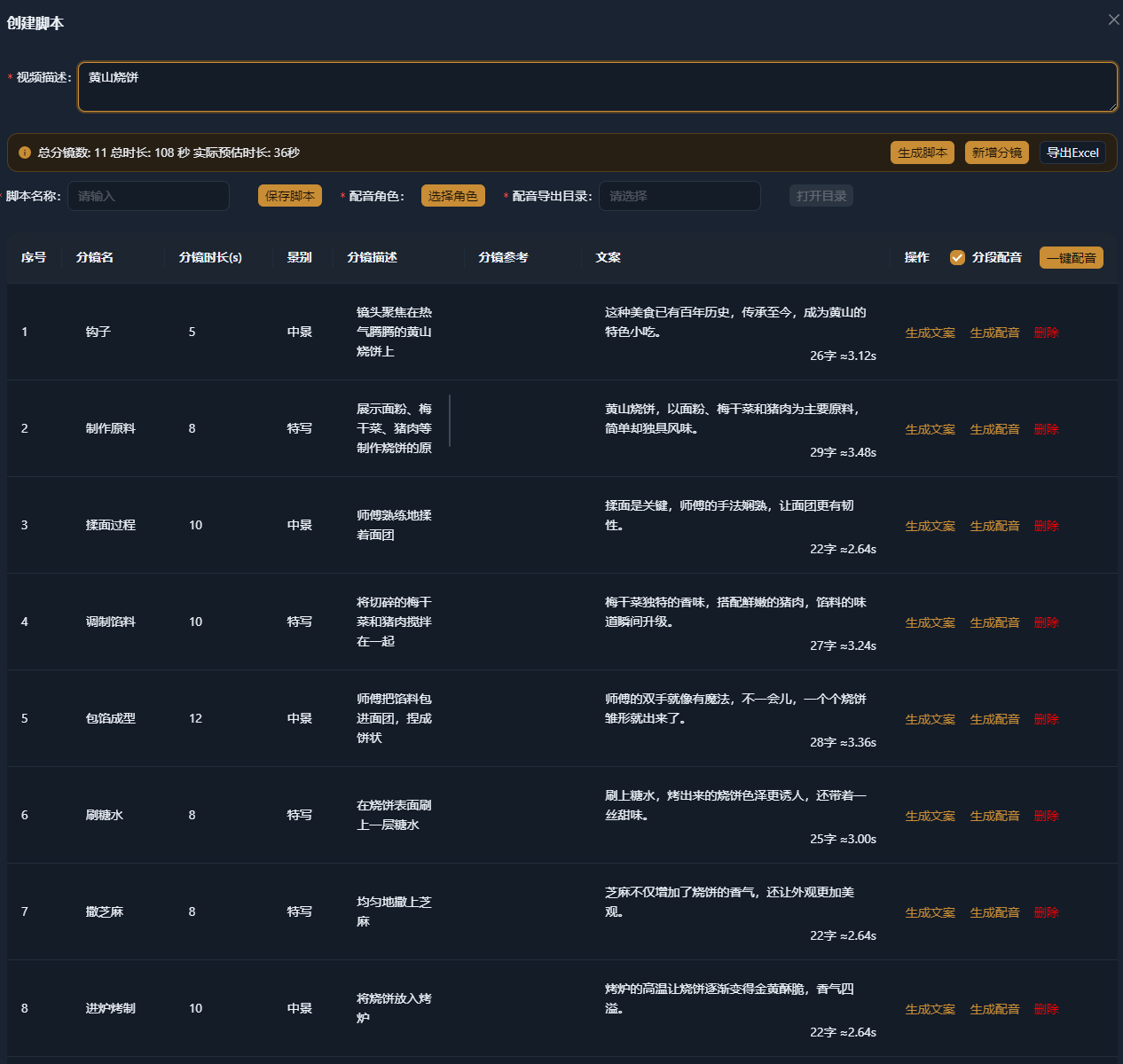
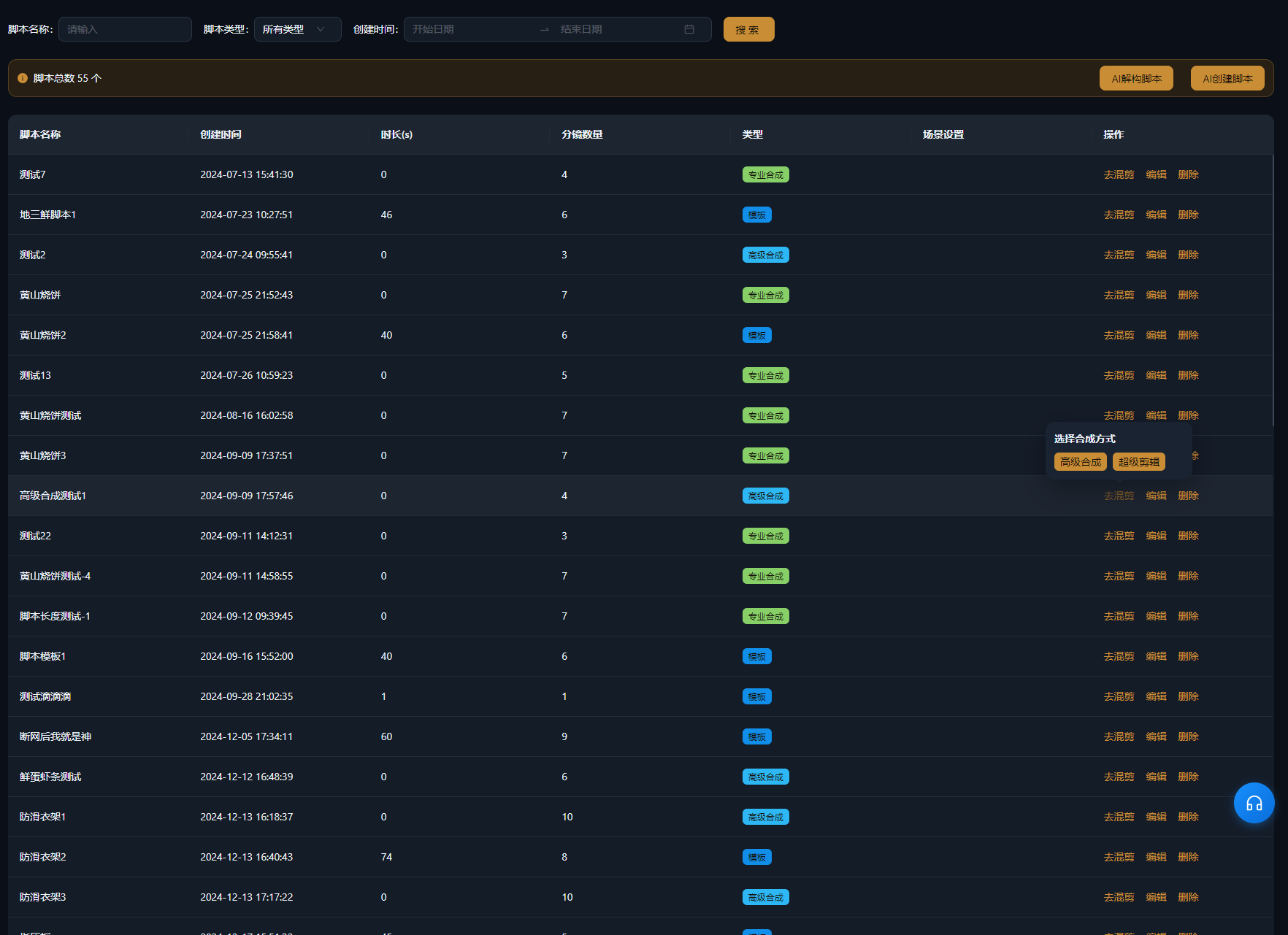
- Script management
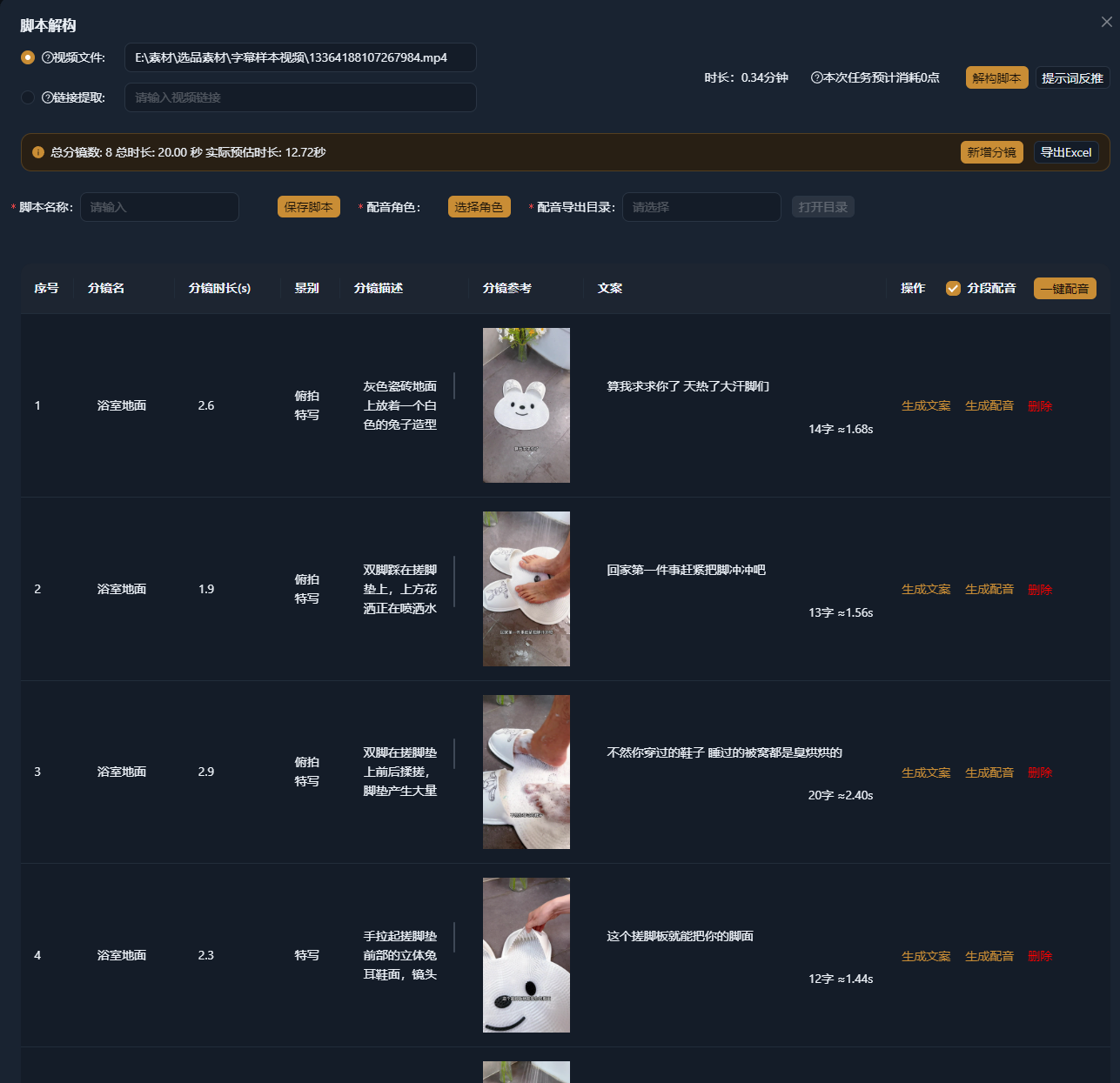
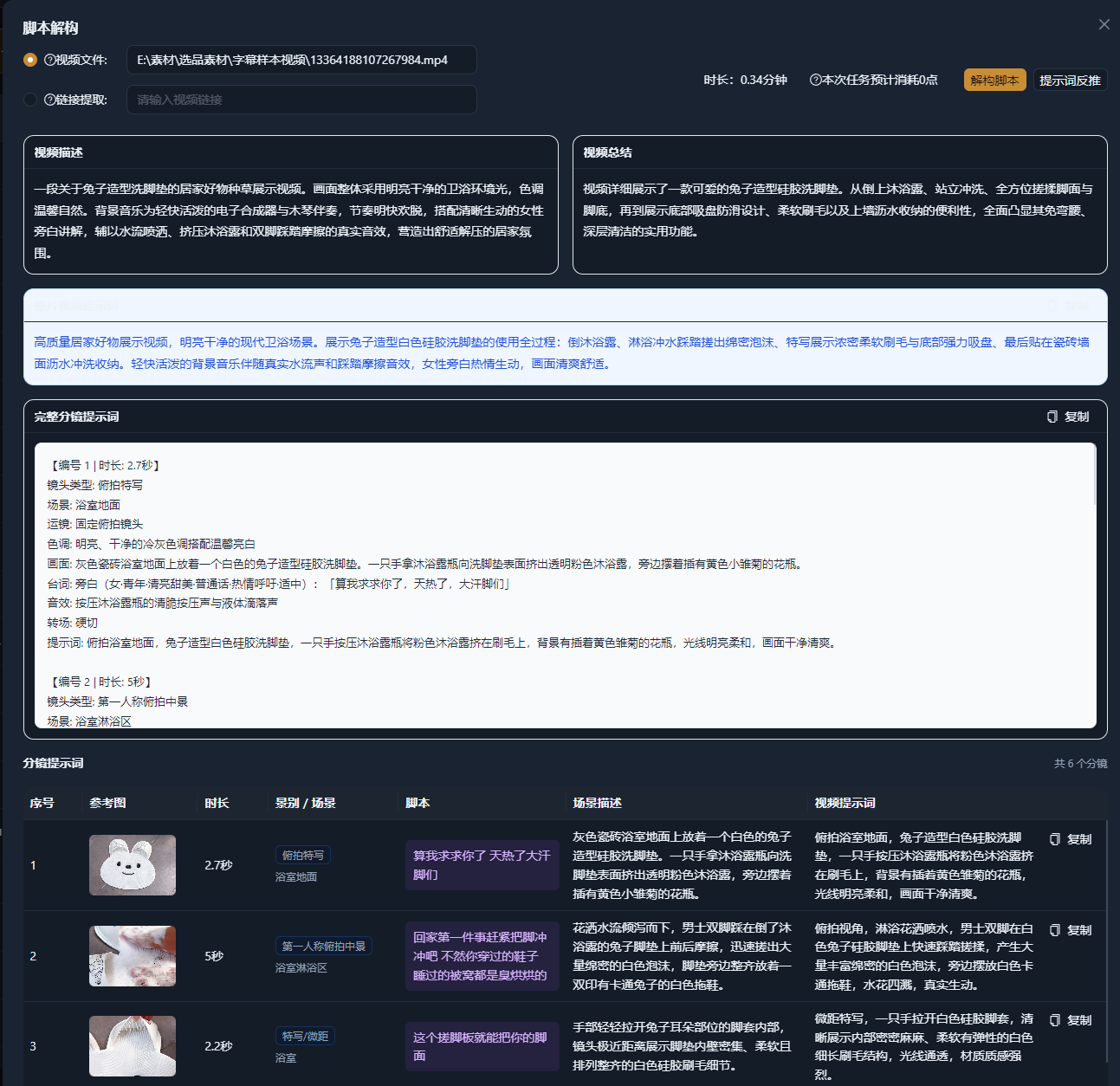
- AI script analysis → prompt reconstruction
- AI script generation
- Popular video templates
AIMIX STUDIO / PRODUCT GUIDE
AIMIX feature guide
Explore what each stage can do, from scripts and assets to audio, subtitles, and video editing, and see how batch creation fits together.
Explore the features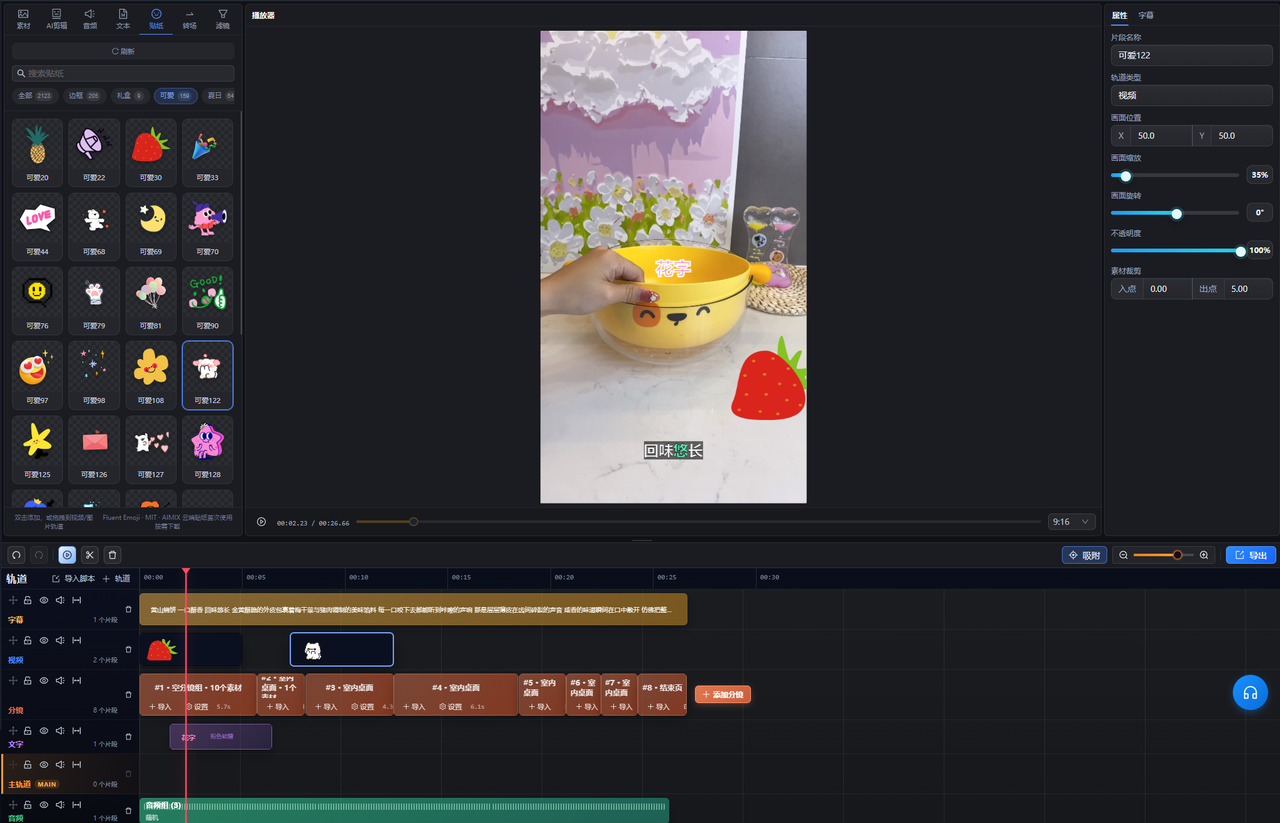
Explore eight areas of the creative workflow, all connected through AIMIX Studio.
See the publishing tools in the feature table below.
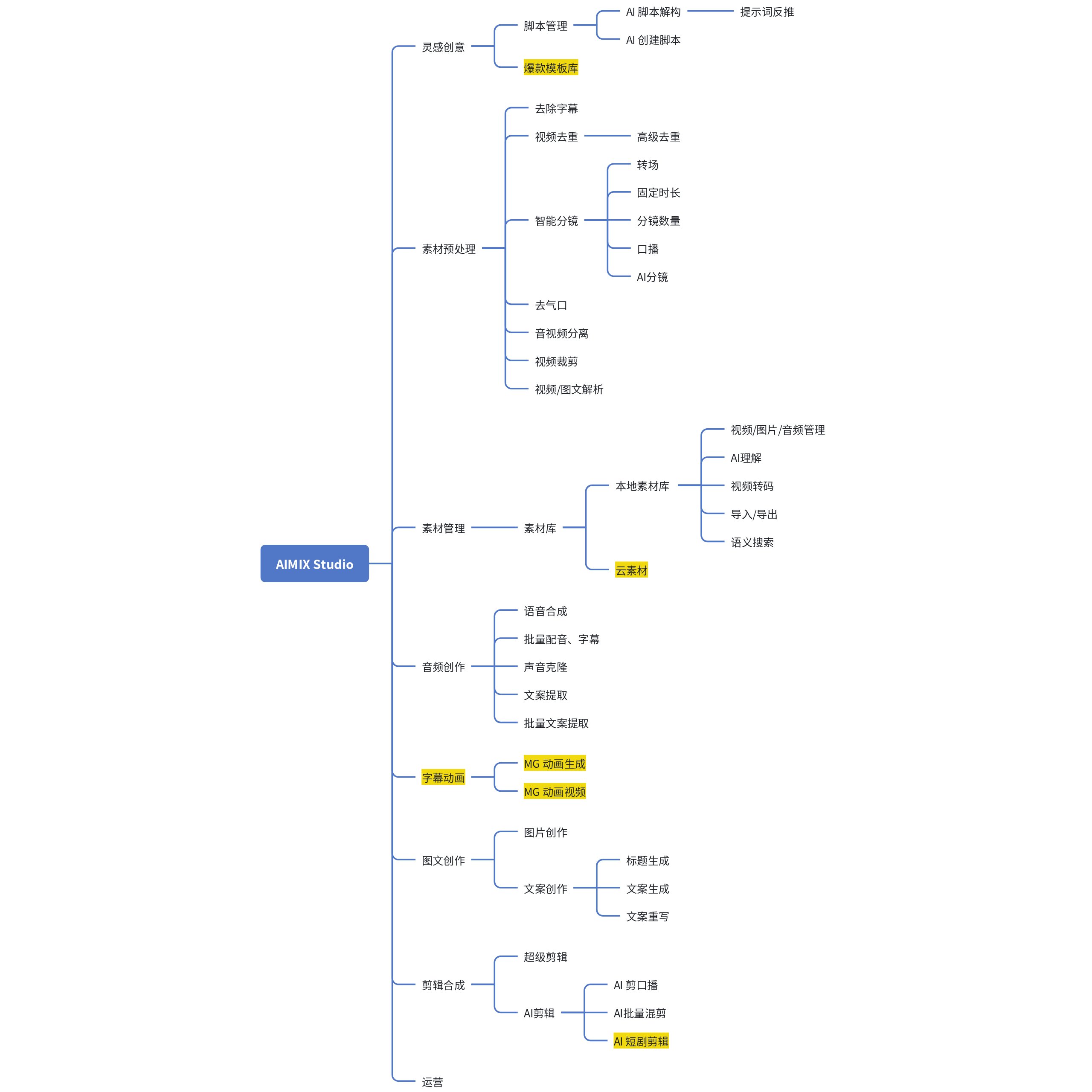
Click on the image to view full size in a new window.
Group candidate clips for each shot, then combine them with voiceovers, subtitles, text, music, and stickers.
Arrange shots in script order and add several candidate clips to each group.
Choose a clip from each group, then select a voiceover with subtitles, a text group, background music, and a sticker.
Keep the shot structure while combining different assets to create multiple video versions.
One candidate clip is selected at random from each group and placed on the shot track in order, from #01 to #04.
Combination 01: Clips, voiceover, subtitles, text, background music, and stickers form one video version.
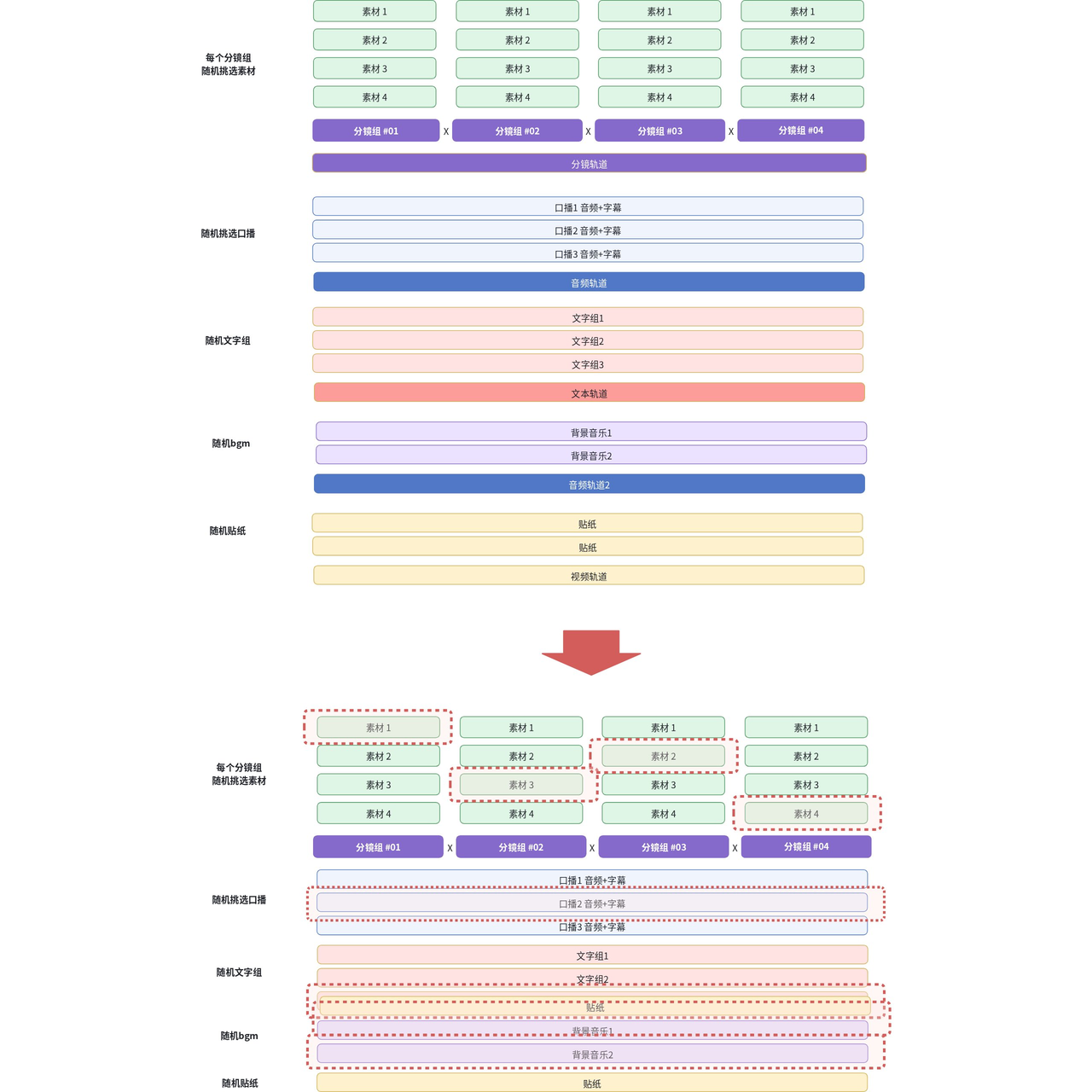
Click on the image to view full size in a new window.
Browse features, descriptions, and use cases by creative stage. Click a screenshot to enlarge it.
Screenshots and original diagrams retain the Chinese interface shown in the product documentation.
On a small screen, you can slide the table left or right to view the complete content.
| Creative stage | Feature | Description | Use cases | Screenshots |
|---|---|---|---|---|
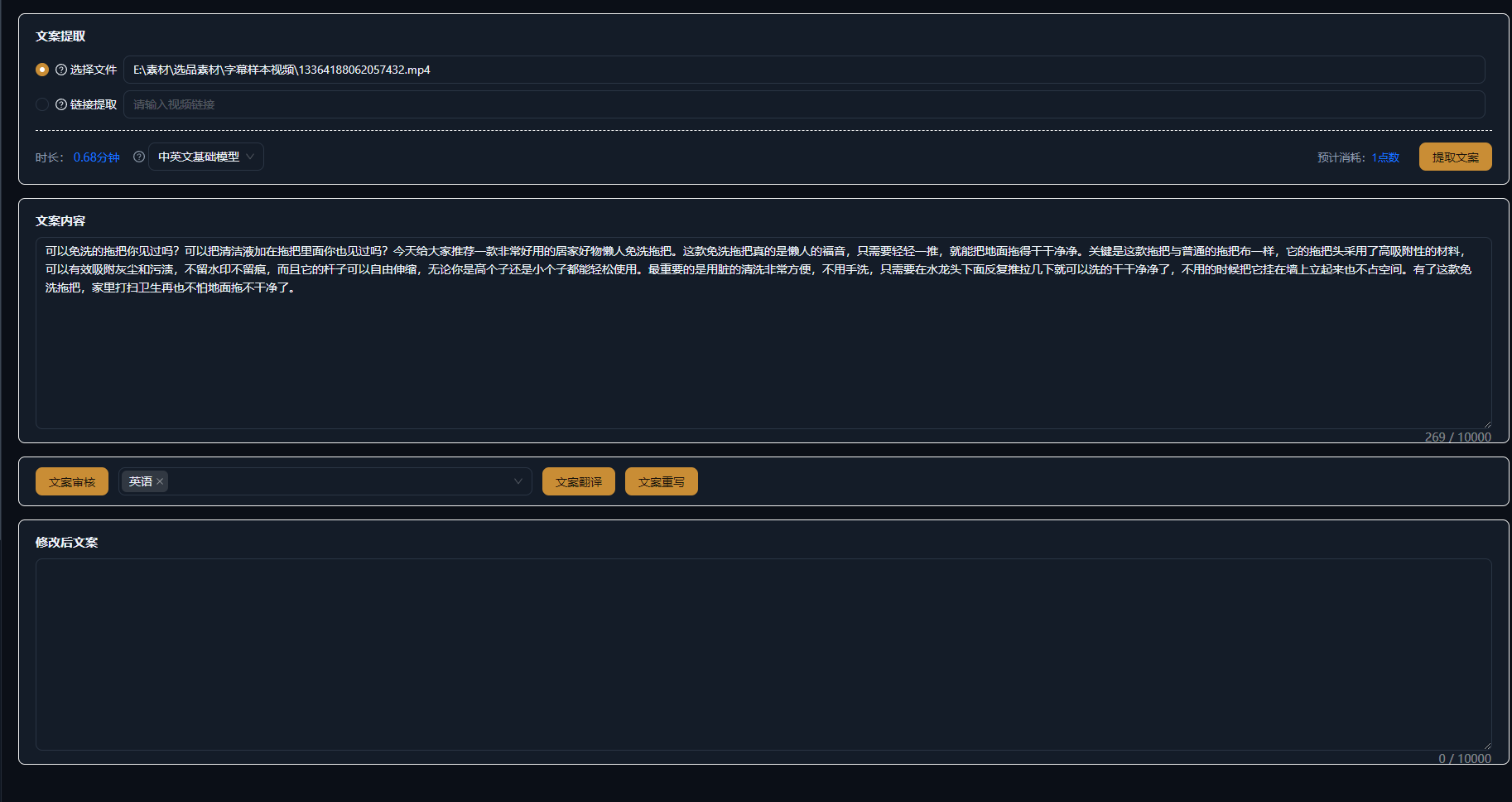
| 01Ideas & inspiration | AI script generation | Generate video scripts with one click. | — | |
| Popular video analysis | Analyze a reference video’s script structure, copy, and key hooks. | — | ||
| Video to prompt | Generate prompts for AI video models based on the creative approach of a reference video. | — | ||
| Script management | Manage video scripts and import them into the editing timeline with one click. | — | ||
| Video Templates | Browse, filter, preview and favorite templates. Import template content in the desktop app and adapt it to your footage and message. Browse templates: Open Video Templates under Creative Inspiration and find a suitable reference. Preview and save: Watch the sample and favorite useful templates. Import and adapt: Import through the template entry, then continue with your own footage, copy and brand information. | For creators who want a starting structure for their videos. | No screenshot provided | |
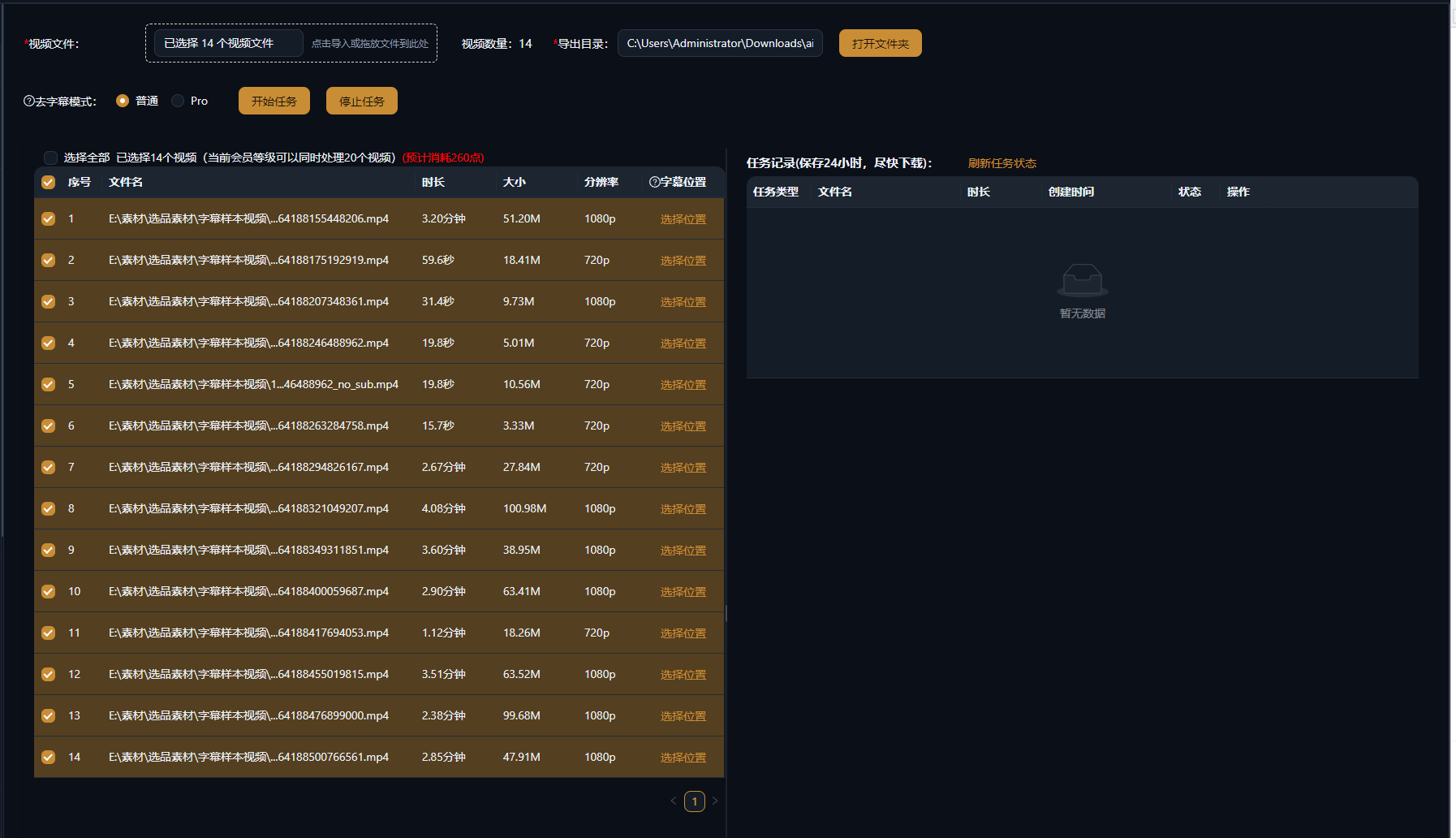
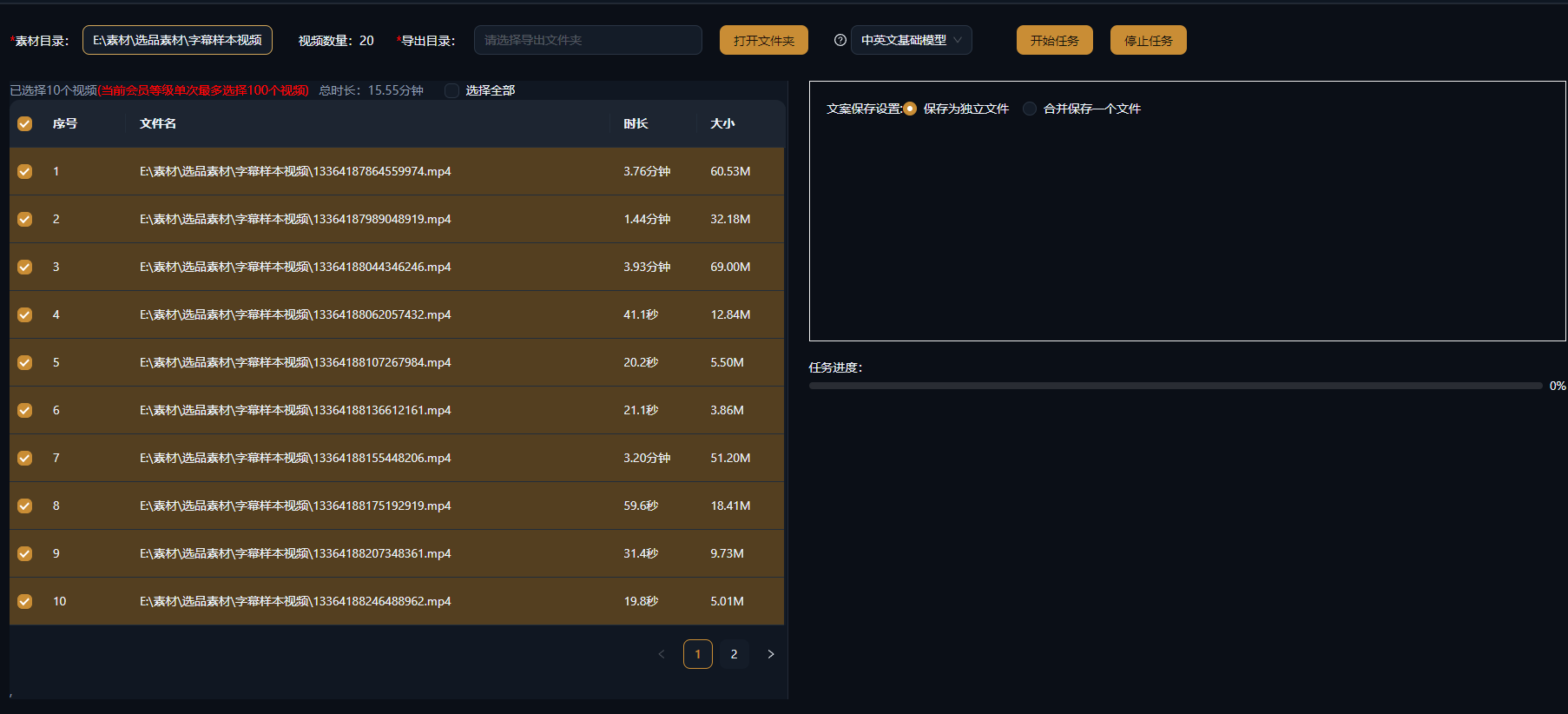
| 02Asset preparation | Subtitle removal | Remove subtitles, watermarks, logos, and other elements from video. Base uses the basic removal model; Pro uses the advanced removal model. | — | |
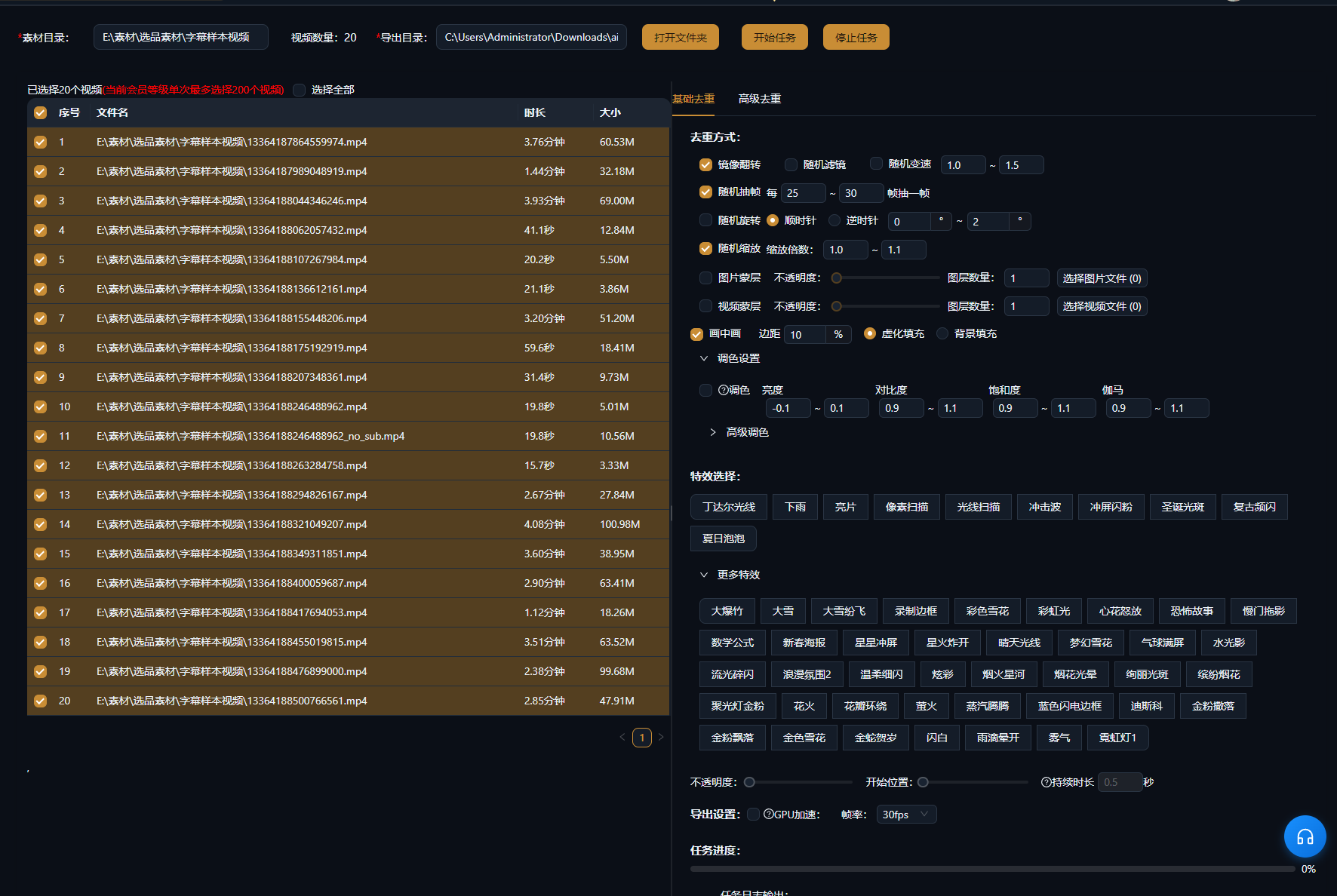
| Video variation | Create asset variants by changing visual elements. Basic mode changes multiple visual attributes. Advanced mode reconstructs the video in greater depth. | — | ||
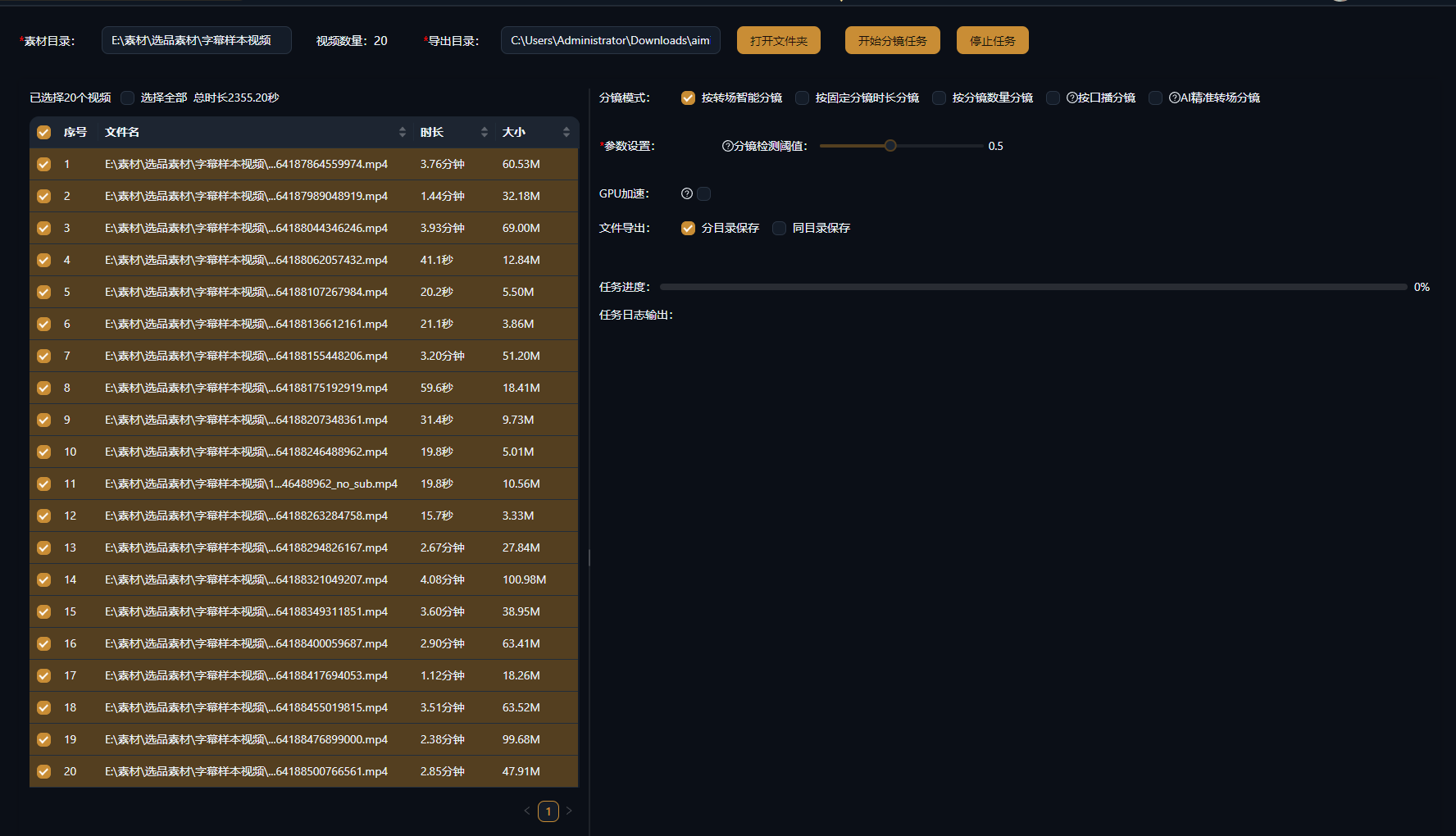
| Smart shot splitting | Import an existing video and split it by scene transitions, fixed duration or speech to prepare clips for organization and editing. | — | ||
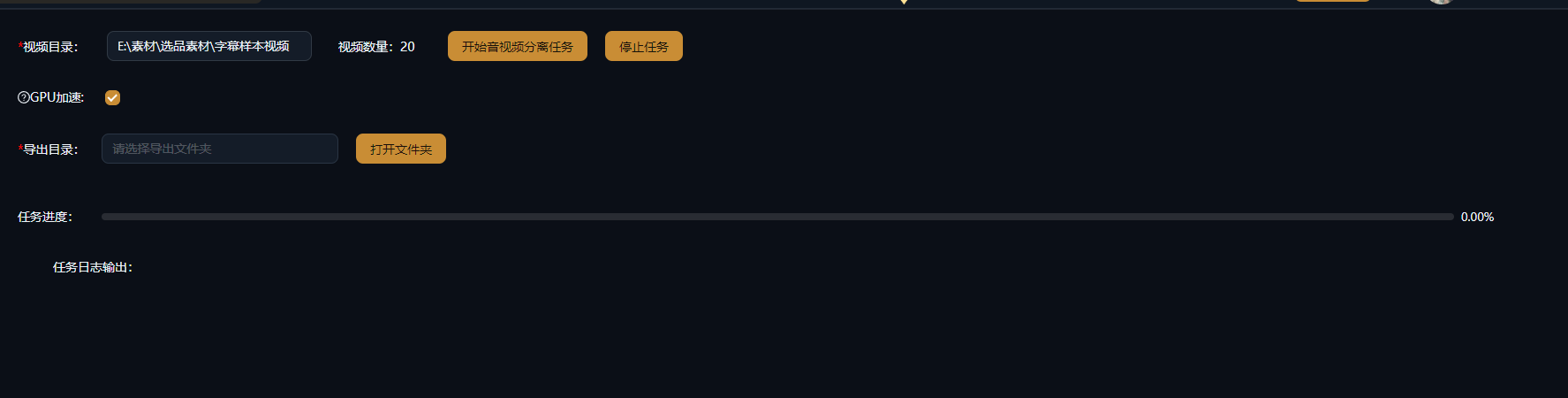
| Separate audio and video | Separate a video into its visual and audio tracks, exporting MP4 video and MP3 audio. | — | ||
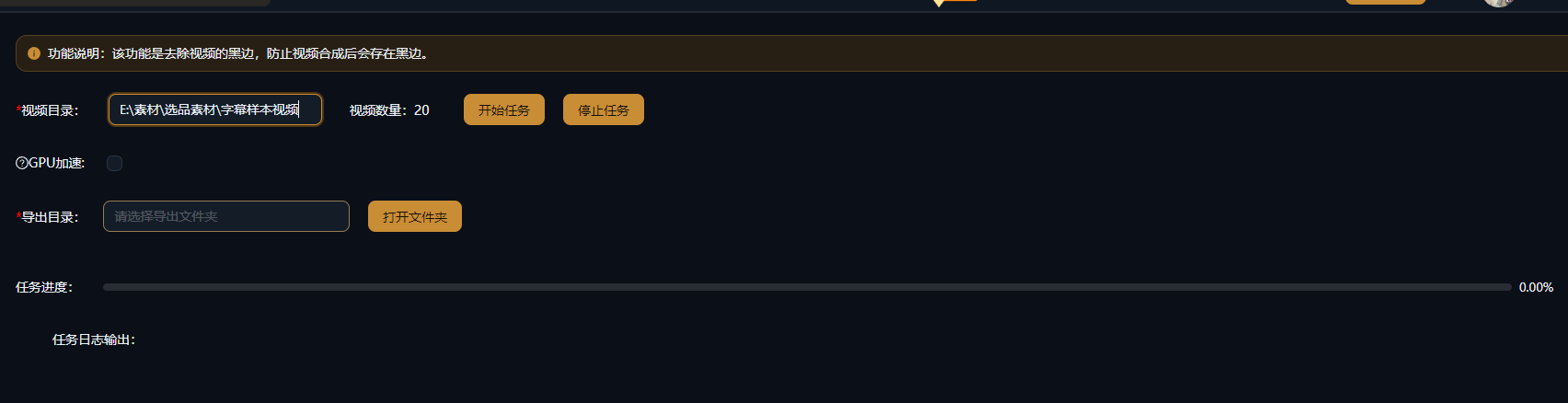
| Crop video | Remove black borders from source clips so they do not appear in the final video. | — | ||
| Media Link Extraction | Submit a single video or image-post link in the desktop app, inspect the parsing result and extract available assets for further organization or editing. Provide a link: Open the Single Link Extraction tab under Media Link Extraction and paste a link. Inspect the result: Run parsing and review returned assets or error messages. Prepare the assets: Extract available material using the provided options, then bring it into your workflow. | For workflows that prepare reference material one link at a time. | No screenshot provided | |
| Silence removal | Detect and remove quiet sections using an audio threshold for talking-head or course footage. Review pauses and sentence boundaries afterwards. | — | No screenshot provided | |
| Video rotation | Rotate video clockwise by 90°, 180° or 270° to correct orientation before editing. | — | No screenshot provided | |
| 03Asset management | Asset Library | Manage local videos, images and audio. Use asset understanding and semantic search in supported AI editing workflows to find footage for your projects. Organize assets: Open Local Assets and set an asset directory before importing. Video and audio are transcoded during import. Analyze footage: Run AI understanding on footage you want to search and check processing status. Find and use shots: Describe the scene in the library’s semantic search, or use an AI workflow that supports asset search. Inspect the matches. | For creators and teams with footage collections they reuse across projects. | No screenshot provided |
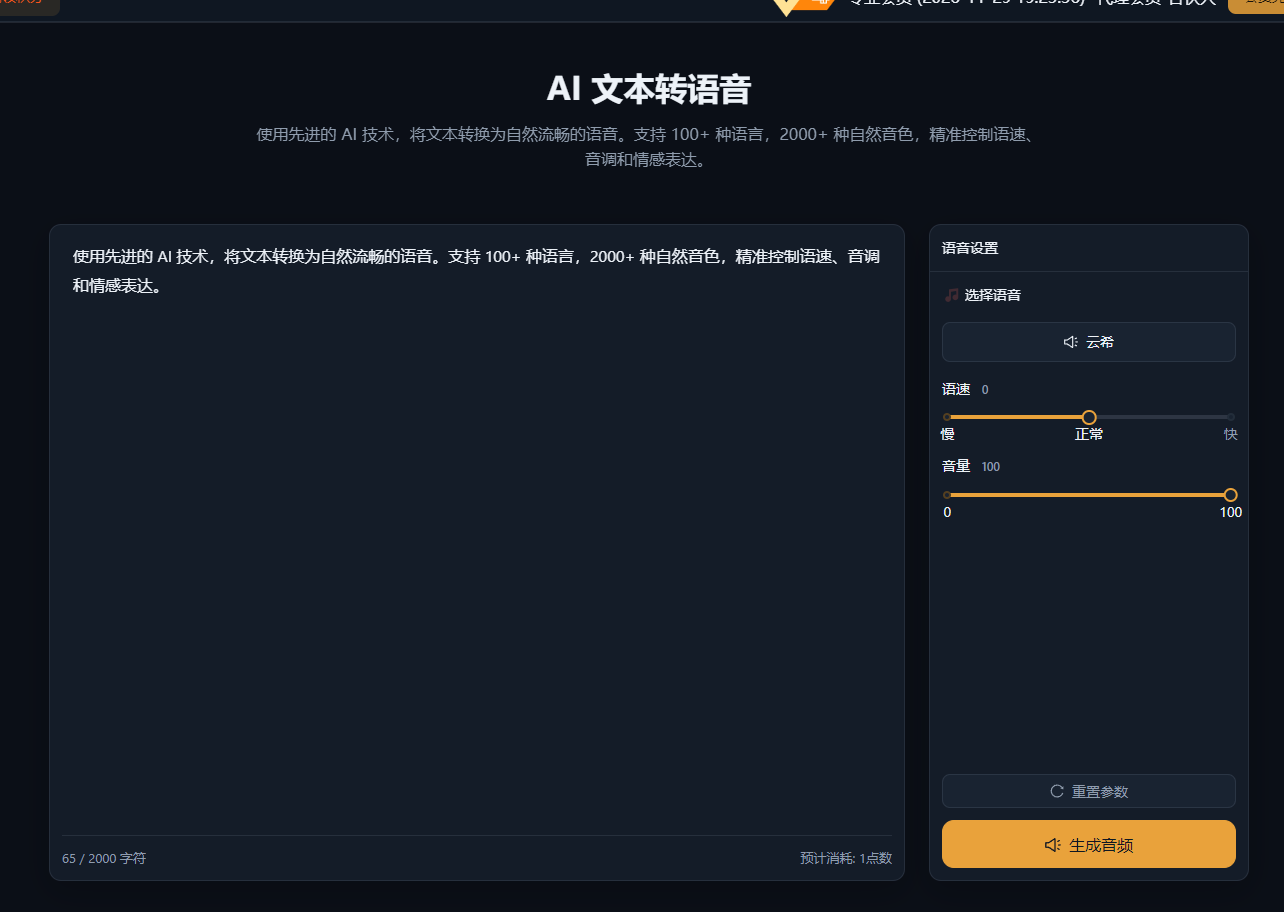
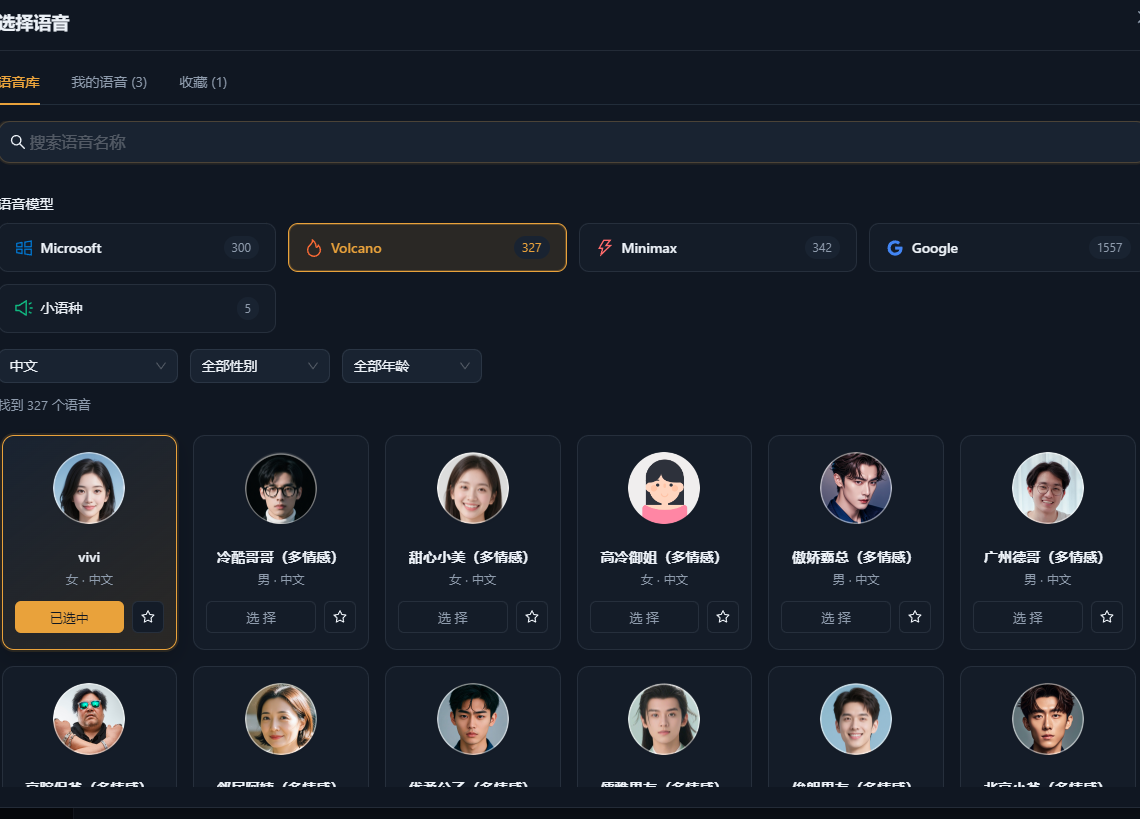
| 04Audio & subtitles | Text to speech | Convert text to speech with 100+ languages and 2000+ natural-sounding voices. | — | |
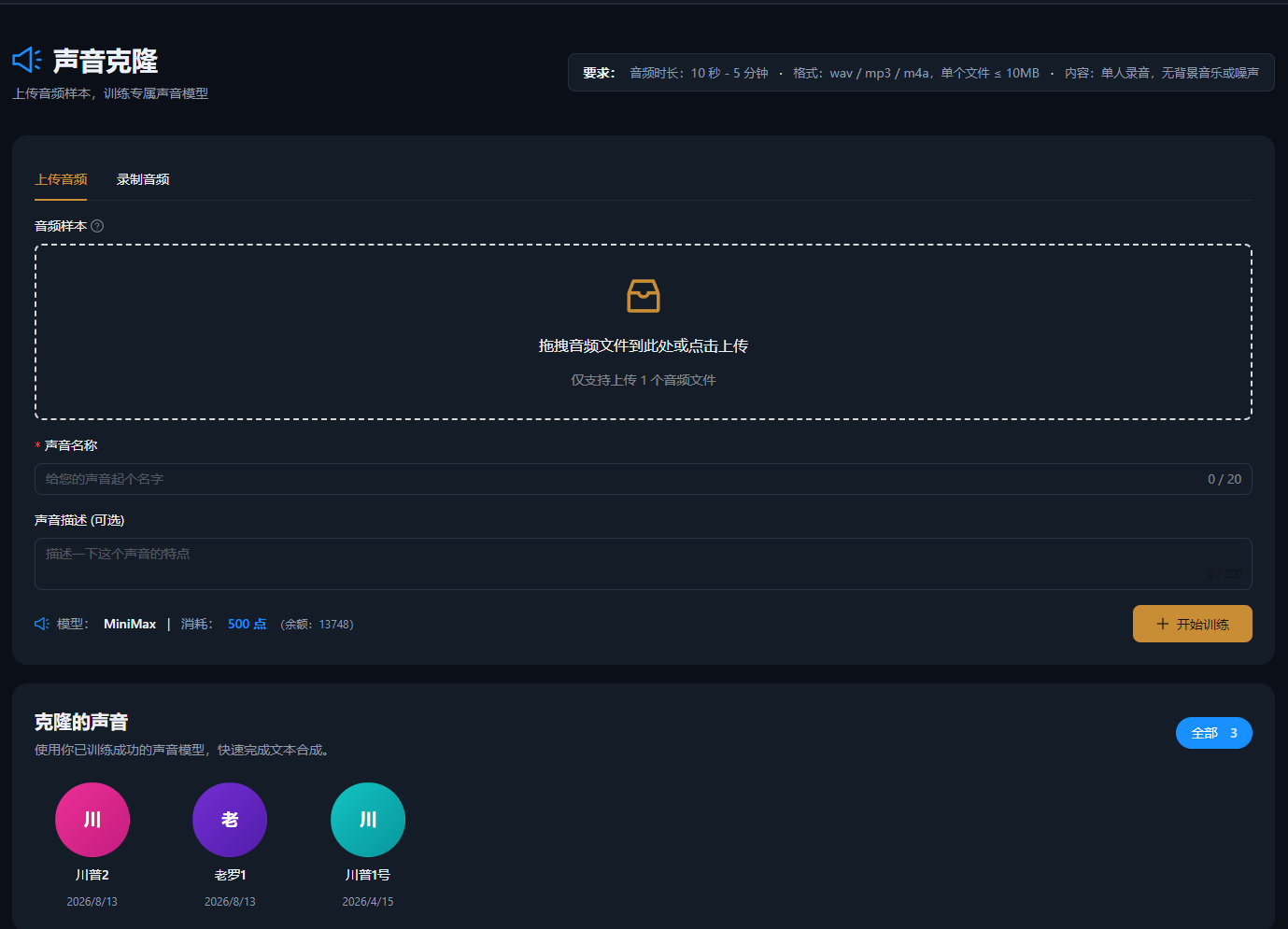
| Voice cloning | Create your own custom voice. | — | ||
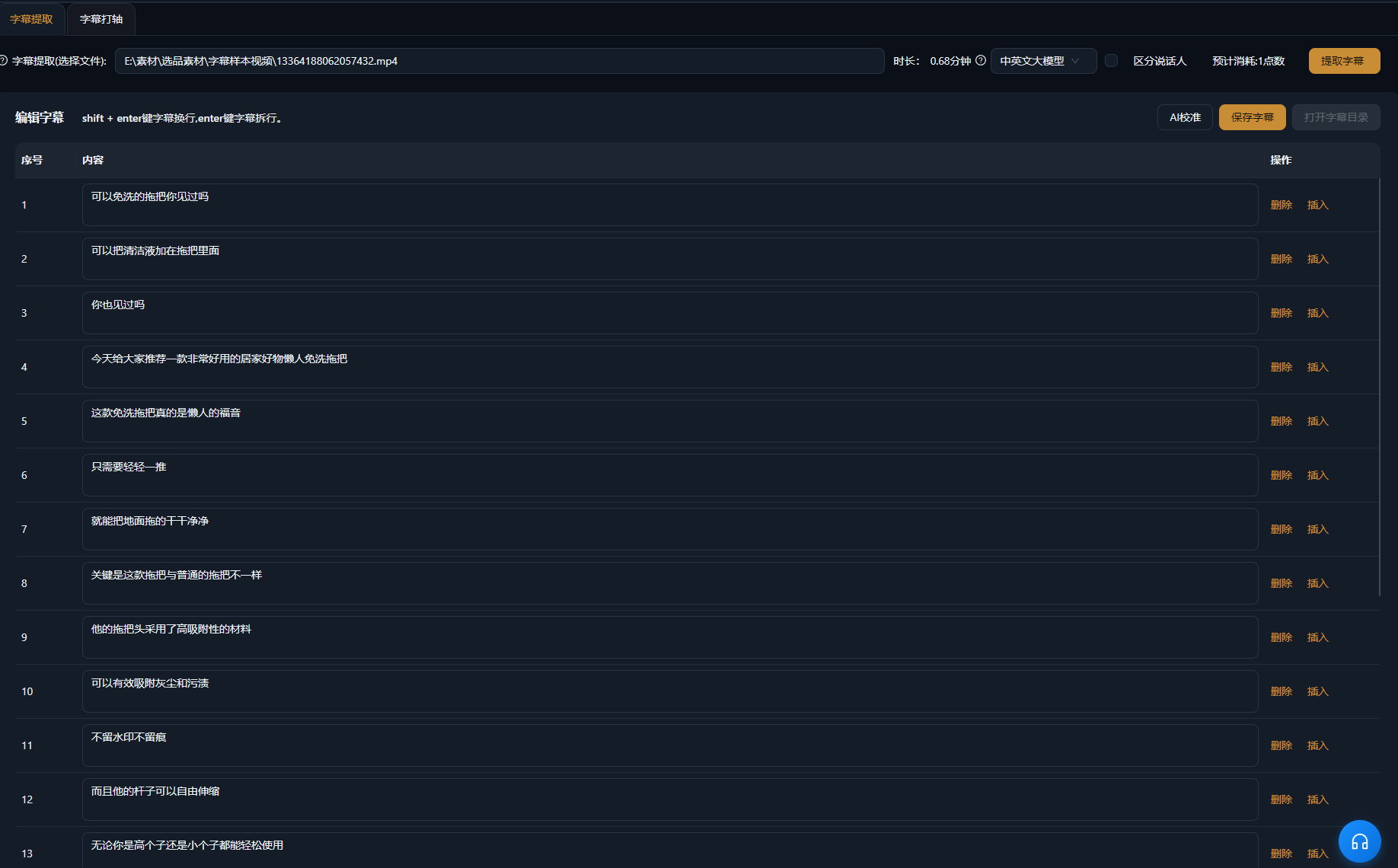
| Subtitle generation | Generate subtitles for audio and video, with AI correction and subtitle editing. | — | ||
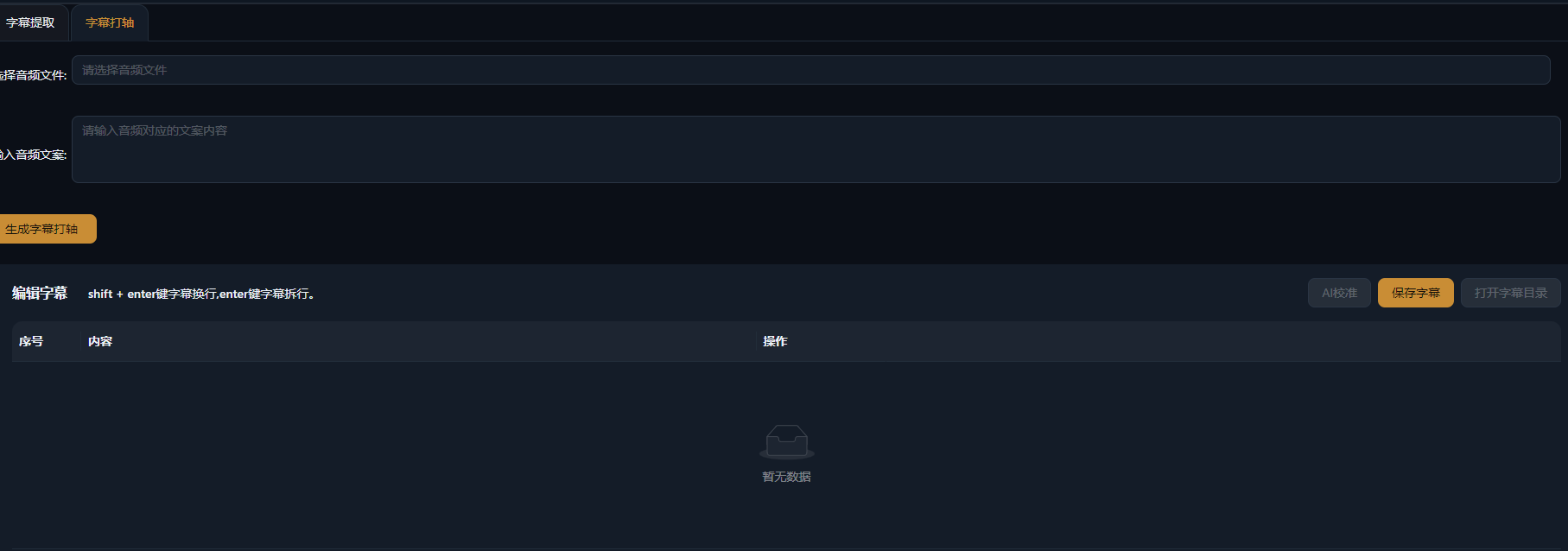
| Subtitle timing | Align subtitles to the supplied text and audio. | — | ||
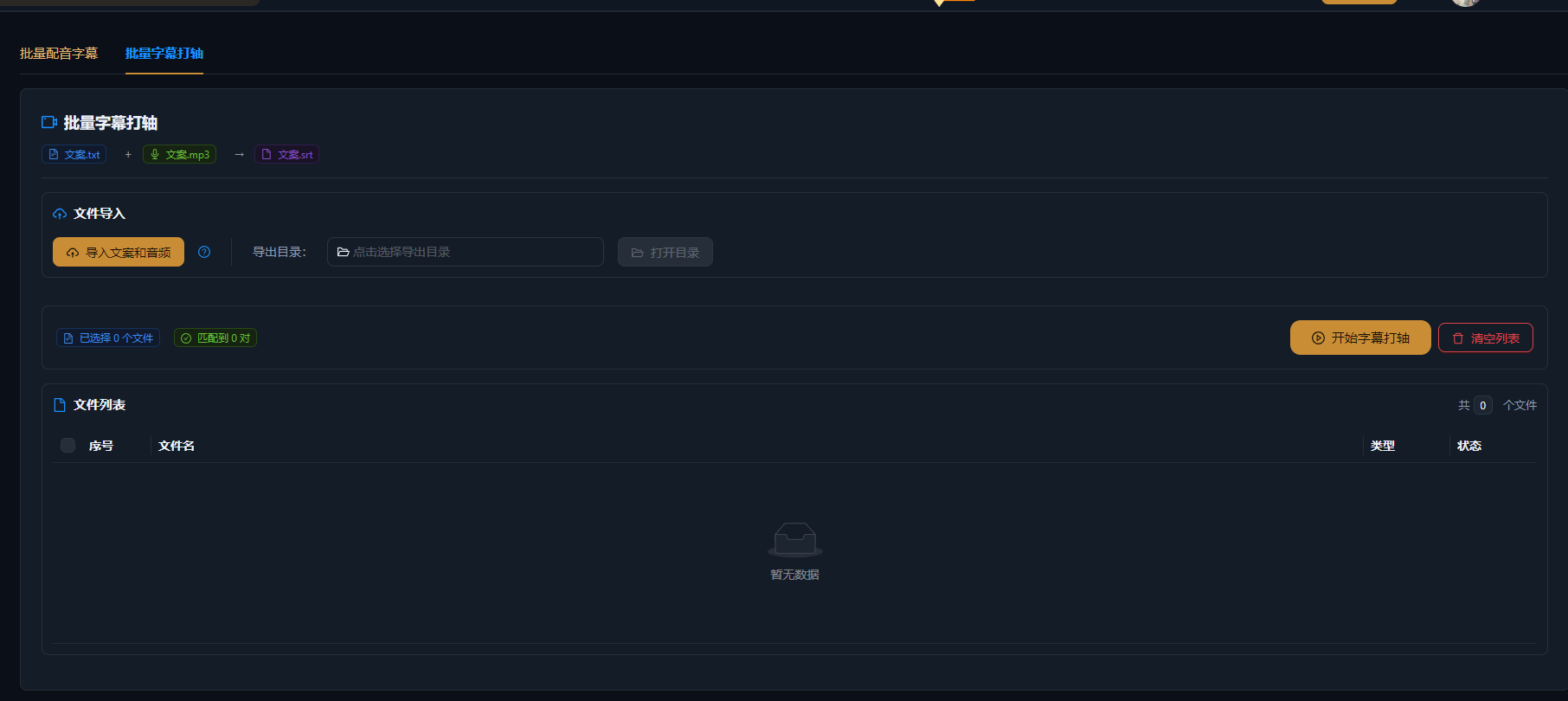
| Batch subtitle timing | Process multiple subtitle alignment tasks together. | — | ||
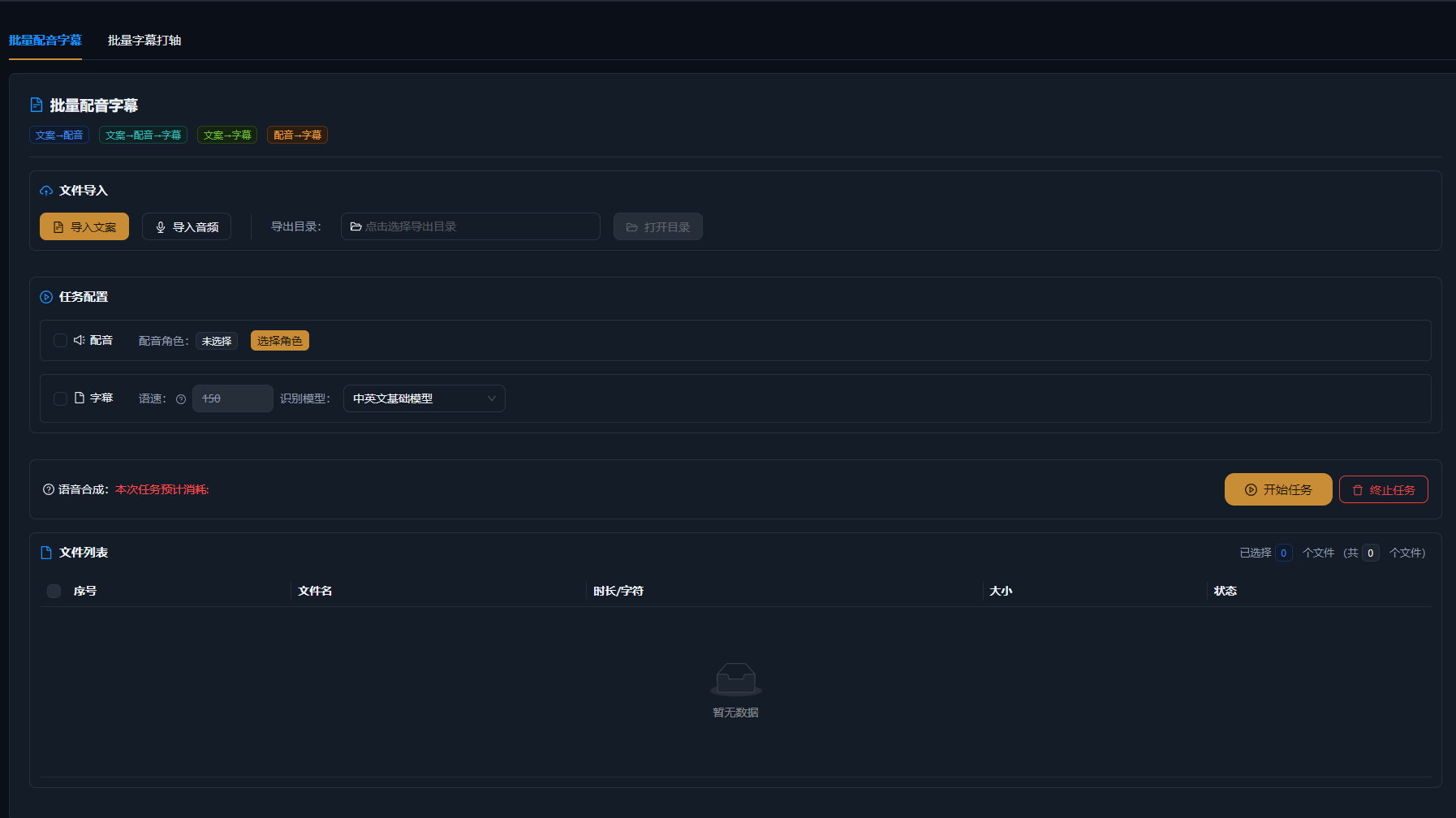
| Batch voiceovers + subtitles | Create voiceovers and subtitles in batches. | — | ||
| Transcription | Extract spoken text from audio and video, with support for multiple languages and speakers. | — | ||
| Batch transcription | Transcribe multiple files in a batch. | — | ||
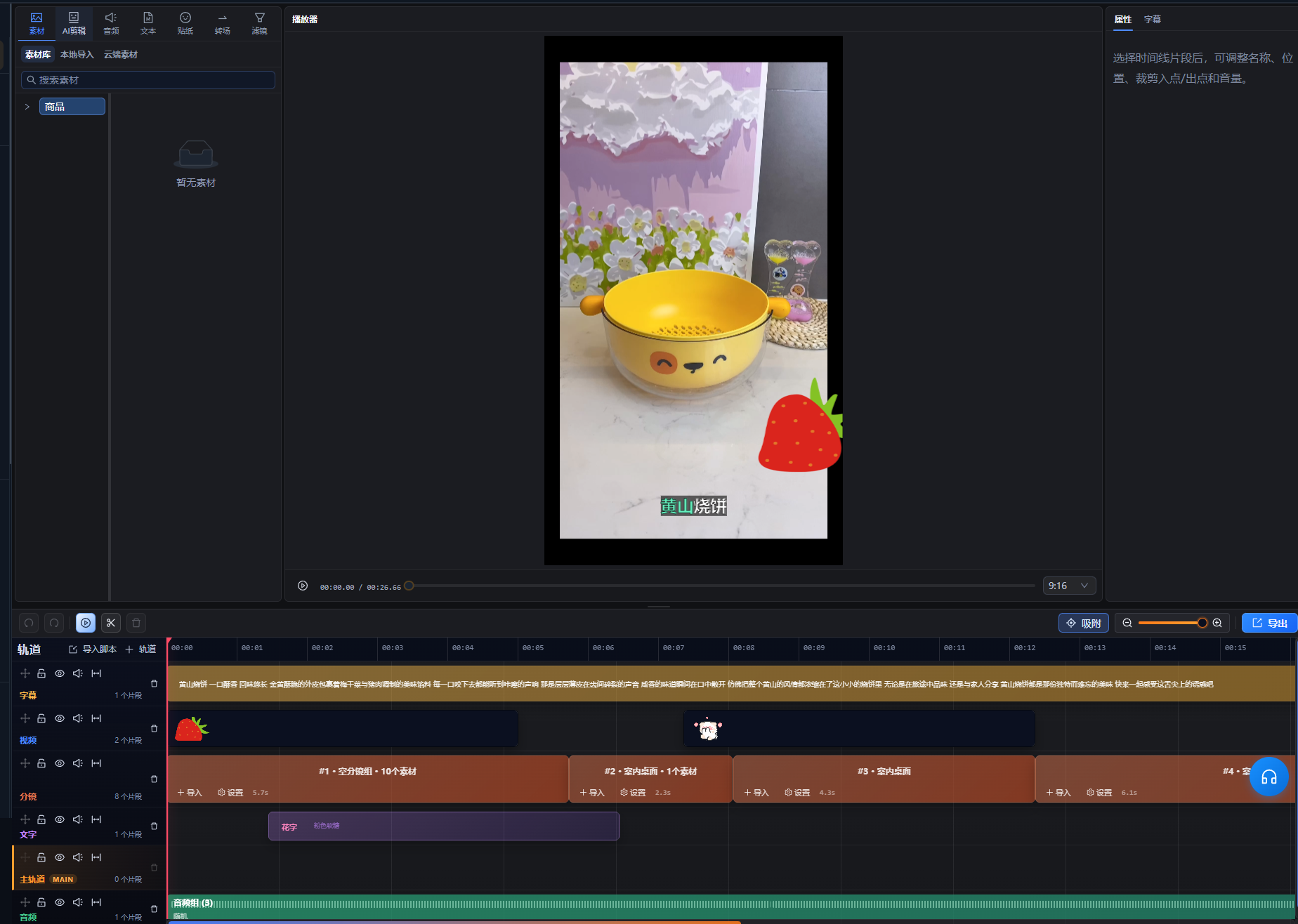
| 05Video editing | Super Editor | A professional video editor with asset management, AI editing, audio, text, stickers, transitions, and filters. Import scripts from script management and add shot groups to the shot track for batch editing. | — | |
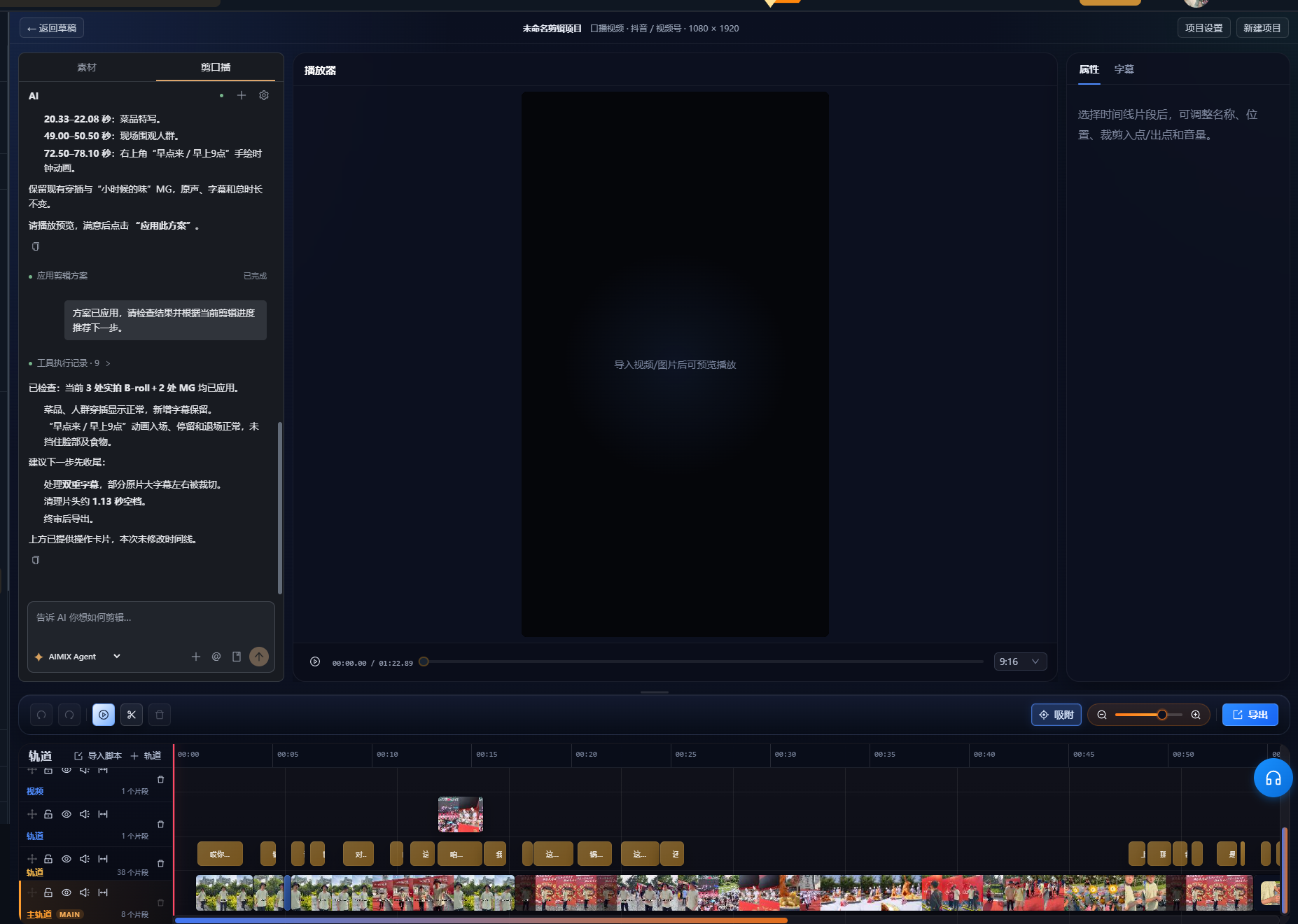
| AI talking-head editing | Remove breaths and pauses, match B-roll footage, and generate motion graphics. Edit videos through a local Codex connection or the built-in agent. | Marketing videos, lessons, and other talking-head content | ||
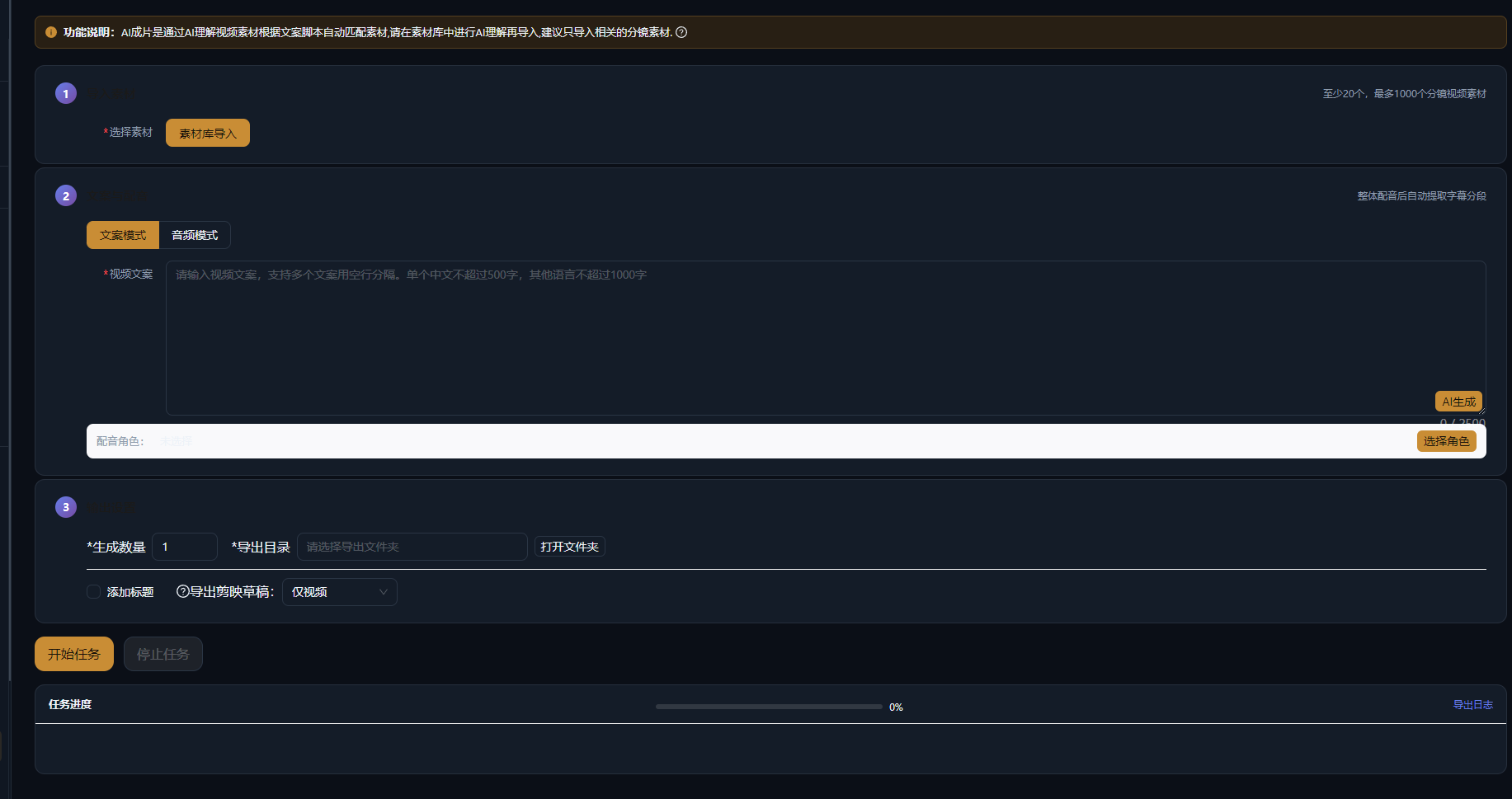
| AI video assembly | Provide copy or a reference video, choose an asset library and let AI match footage and arrange the timeline. Preview and refine the assembled project. | — | ||
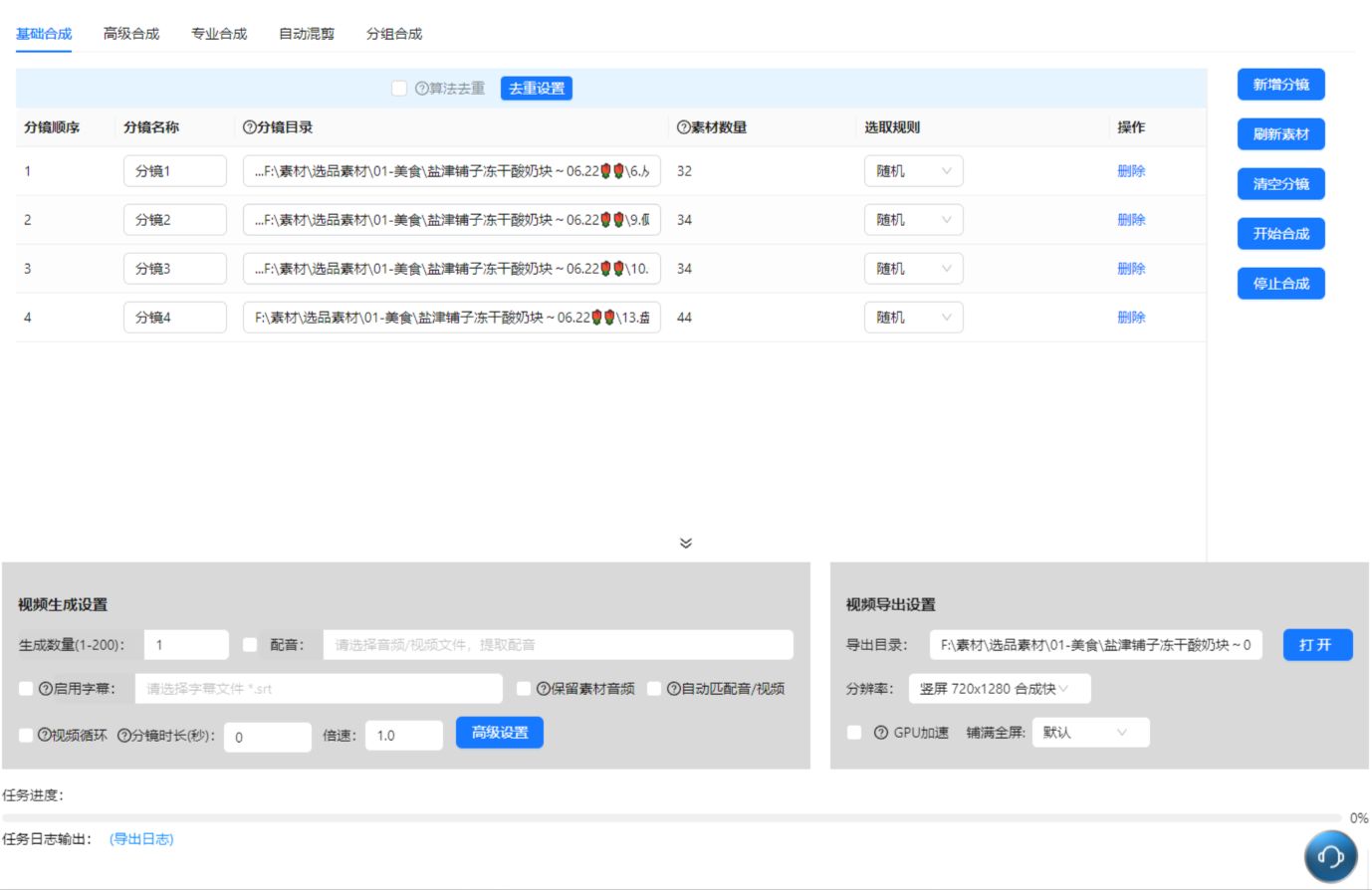
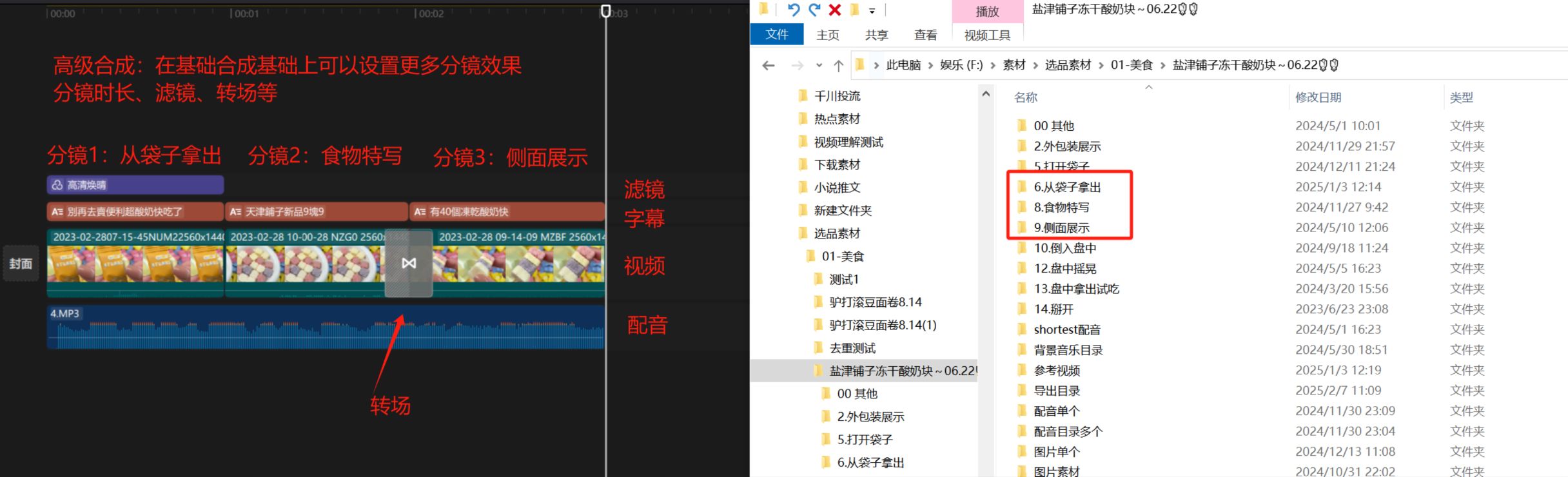
| Basic assembly | Join clips in shot order. | Product marketing, promotional videos, and other straightforward edits | ||
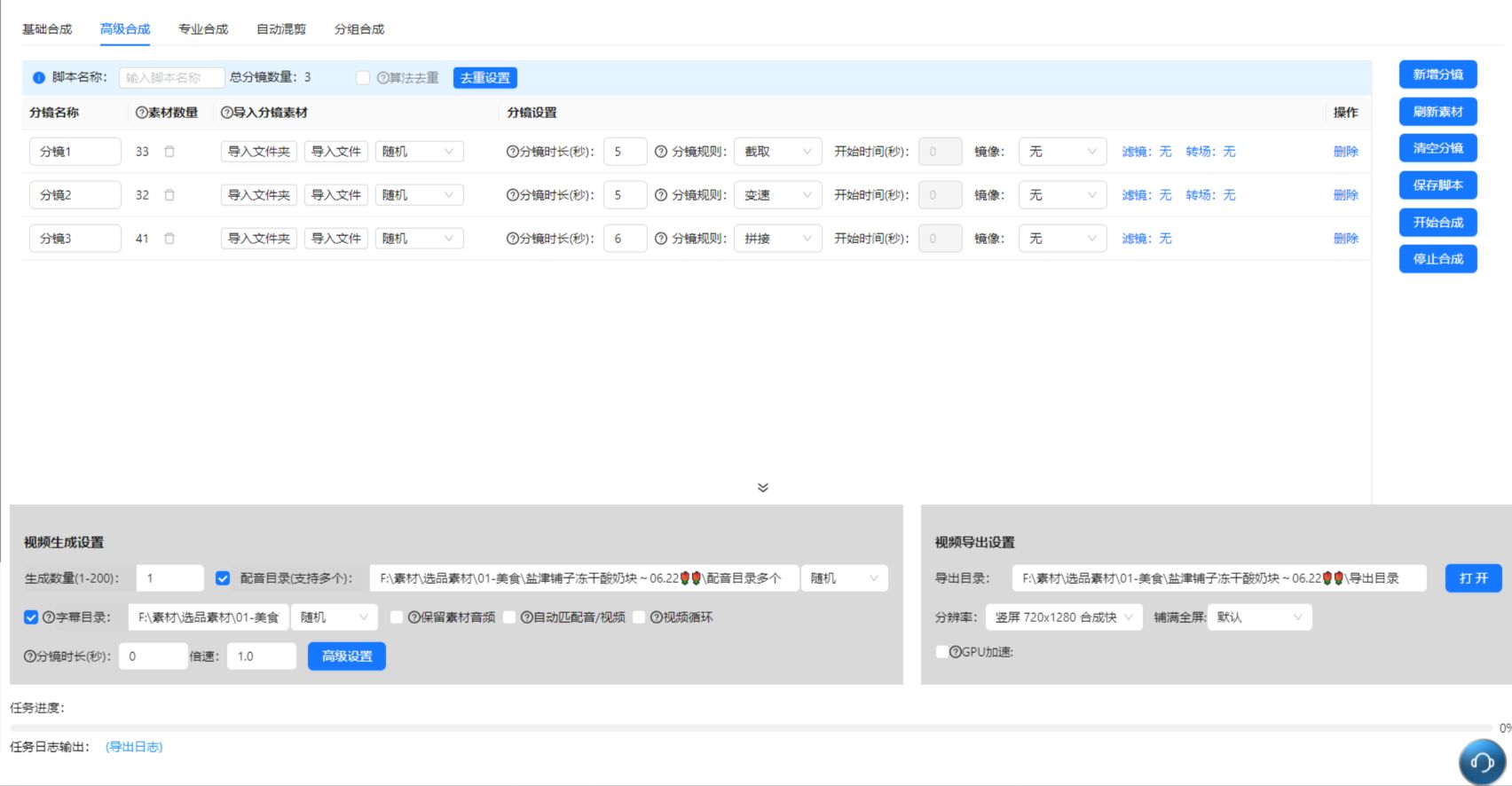
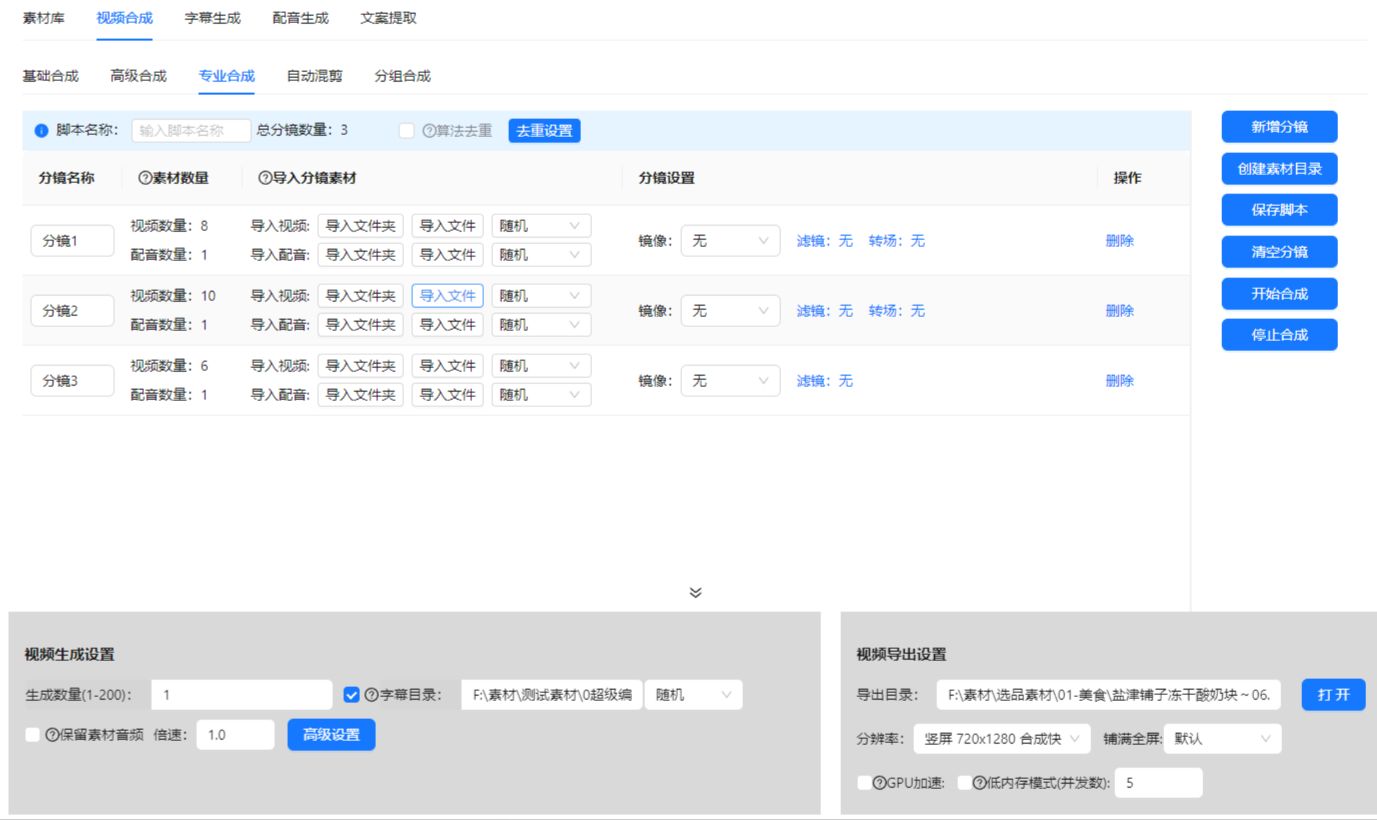
| Advanced assembly | Assemble shots in order, with fine control over shot duration, selection rules, filters, and transitions. | Talking-head videos and commentary on films or short dramas | ||
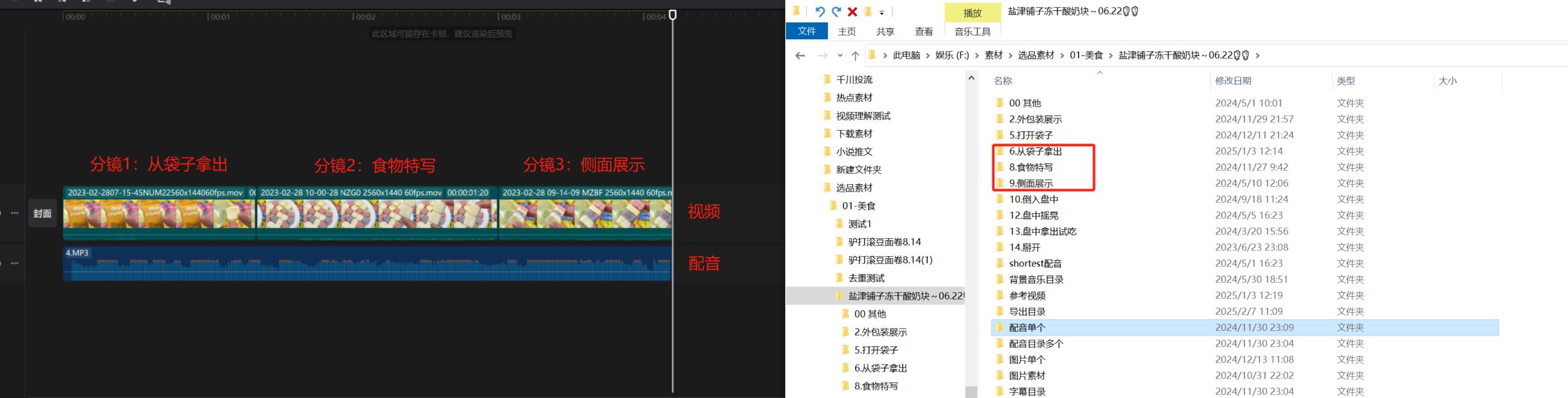
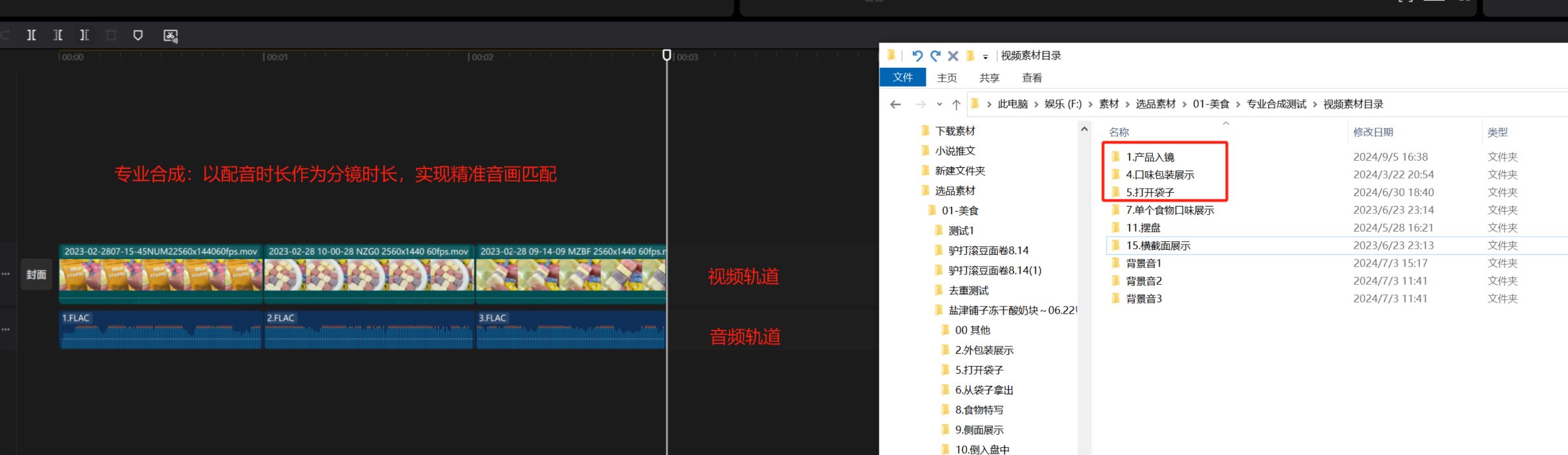
| Professional assembly | Precisely match audio and visuals. | Videos that require precise audio and visual alignment | ||
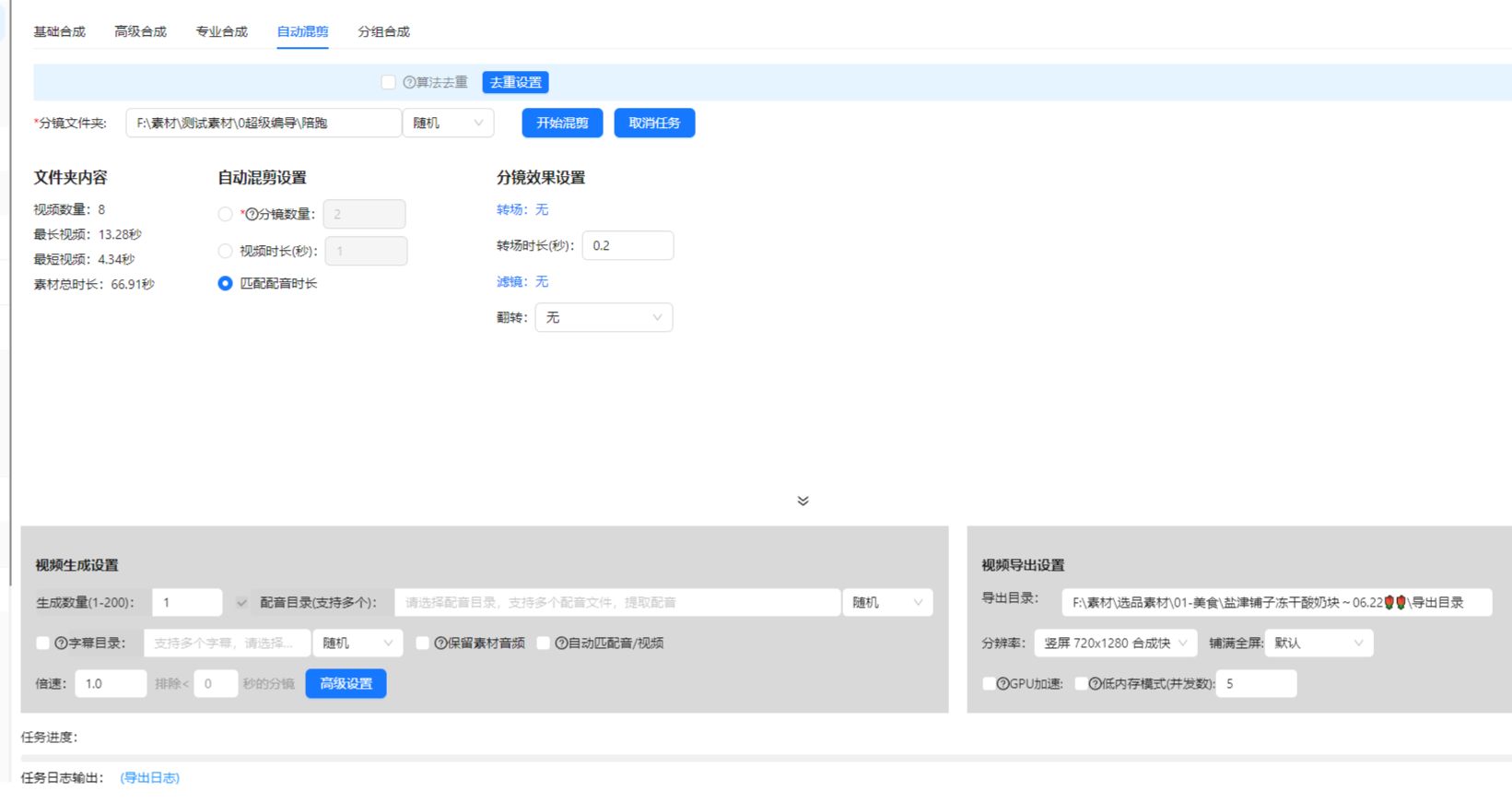
| Automatic remixing | Randomly select clips without defining shots, then assemble a video of the required duration. | Relaxing visuals, narrated fiction, and other content where shot order is less important | ||
| AI highlight extraction | Use AI to find video highlights and combine the selected clips. Supports film and TV highlights, product-selling highlights, long-video summaries, and custom extraction. | — | No screenshot provided | |
| AI Video Remix | Add a reference video and remix footage, choose narration, duration and output count, then generate and review video versions in AIMIX. Add your inputs: Open AI Video Remix, select one reference video and add your remix footage. Set up narration: Choose generated text, supplied text, the reference audio or your own audio. Set duration, captions and output count. Generate and review: Check task progress and inspect each output for footage, narration and caption alignment. | For marketing teams working with reference videos and their own footage. | No screenshot provided | |
| AI Editing Assistant | Describe your edit in the desktop editor. The assistant uses editing tools to work with footage, captions and the timeline, which you can inspect and refine. Open the editor: Import footage in Super Editor and open the AI assistant panel. Describe the edit: Specify the material, order and goal, such as removing repetition, changing the opening or adding cutaways. Inspect and refine: Review tool results and playback, then continue through conversation or manual editing. | For talking-head edits, long-form projects and iterative video production. | No screenshot provided | |
| AI Short Drama Narration | Import drama footage, organize themes and scenes, generate narration, configure captions and review the exported videos. Import footage: Open AI Short Drama Narration and choose source videos and an output folder. Analyze and narrate: Set parameters such as theme count and run the content analysis and narration workflow. Check the output: Configure captions and check story order, character details and narration alignment. | For creating narrated edits from short-drama footage. | No screenshot provided | |
| Motion Graphics | Choose MG templates or use supported AI tools to create animated graphics. Add titles and key points to your timeline and refine them in context. Choose a message: Decide which title, quotation or explanation to emphasize. Create the graphic: Choose an MG template in the editor or describe the graphic in an AI workflow that supports MG generation. Place and preview: Add the graphic to the timeline and adjust text, duration and placement. | For talking-head videos, explainers and videos that need visual emphasis. | No screenshot provided | |
| 06Images & copywriting | Title generation | Generate video titles for Xiaohongshu, Douyin, and WeChat Official Accounts. | — | No screenshot provided |
| Copy generation | Write copy for Xiaohongshu, Douyin, and WeChat Official Accounts. | — | No screenshot provided | |
| Copy rewriting | Adapt and rewrite articles. | — | No screenshot provided | |
| Agent Creation | Choose a Skill, such as WeChat article creation, or describe a task in the Agent Creation workspace. Review the content produced through the tool workflow. Choose a task: Open Agent Creation, select a Skill or describe the content you need. Provide context: Add the audience, references and format, and supply missing details as the workflow proceeds. Review the result: Check facts, tone and structure before preparing the final content. | For article creation and content tasks that follow repeatable workflows. | No screenshot provided | |
| 07Publishing tools | Restricted-word checks | Check wording against general restrictions, advertising rules, and social platform word lists. | — | No screenshot provided |
| 08AI applications | AI Chat | Ask questions and read replies in the AI Chat workspace. Use the separate Agent Creation entry for content workflows with Skills and tools. | — | No screenshot provided |
Reference document: AIMIX Product Documentation · The "—" in the table indicates that the applicable scenarios are not listed separately in the original text.
START CREATING