

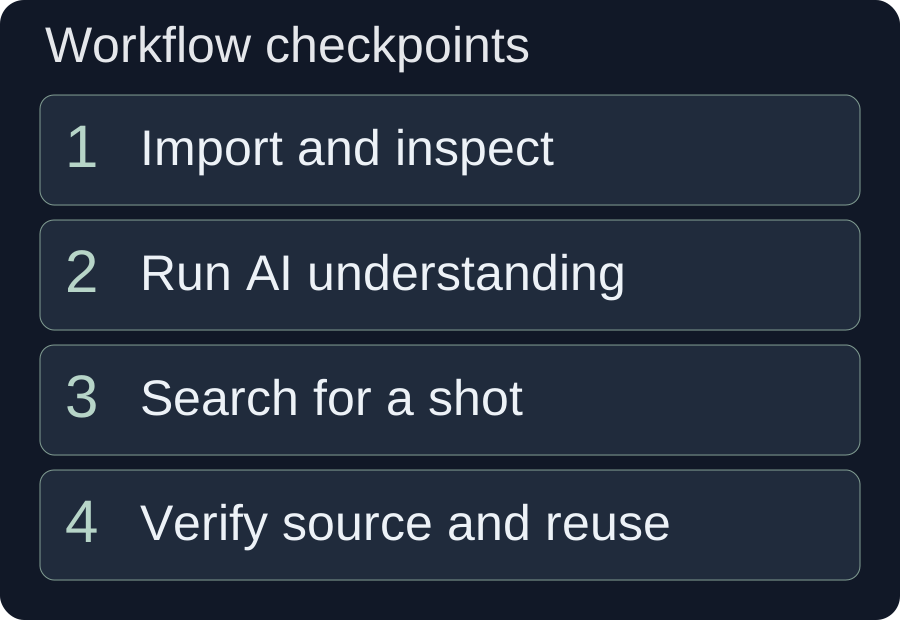
- Local storage, media import, AI understanding and semantic search are separate stages. A file can exist in the library without being ready for semantic retrieval.
- Video and audio imports are transcoded into the configured library directory; preserve the original recordings separately.
- Use filename search for known files and semantic search for visible actions or scenes, then inspect the results in playback.
- An empty or unsuitable result can mean incomplete analysis, a weak query or missing footage. Search does not generate the missing shot.
A useful library makes footage findable and trustworthy
An asset library should help you find a suitable shot and establish what it actually shows. The desktop library combines local media organization, imported video, audio and image assets, AI understanding and semantic search. These are related capabilities, but they do not happen at the same time or prove the same thing.
This tutorial follows the local-library workflow from choosing a storage directory to selecting footage for an edit. It explains how to separate import problems from search problems, avoid unnecessary repeat understanding and turn a scene description into a useful query. The backpack example is a hypothetical shot-planning exercise, not a report of tested search accuracy.
Start by deciding what the footage will support. A reusable product library should contain identifiable actions, views and results, not just a large number of files. Good organization helps when you know a filename; AI understanding helps when you remember a scene but not the recording's name.
The product guide lists the library and adjacent creation tools. Before moving into AI video assembly, prepare enough footage to cover the intended script. Assembly and search cannot establish that a product action was recorded if the source collection lacks it.
Separate storage, import, understanding and retrieval
Diagnose the library by stage. Finding a file in a folder is not the same as successfully importing it, and a successful import is not the same as having a useful semantic description.
| Stage | What it contributes | What it does not establish |
|---|---|---|
| Storage directory | A location for library-managed media and imported derivatives. | That a file was imported or analyzed. |
| Import and transcoding | Media the library can organize and use. | That every action in the footage has an accurate AI description. |
| AI understanding | Descriptions used by supported retrieval workflows. | Verified product identity, factual claims or perfect recall of every scene. |
| Semantic search | Ranked candidates related to a description. | The existence of the exact shot or approval for its use. |
| Editorial selection | A checked shot chosen for a specific message. | That it will remain suitable after cropping or adding captions. |
This distinction saves time during recovery. If playback fails, begin with the file and import status. If playback works but filename search is the only reliable route, inspect understanding status. If semantic results exist but show the wrong action, refine the query or add more relevant source material.
The separation also helps you manage cost. Understanding every old recording may not be necessary for the current project. First analyze the collection most likely to supply useful shots, inspect what is available and expand only when a real coverage gap remains.
Set a deliberate local directory and import the media
Choose a readable storage location with sufficient working space before a substantial import. The local library saves transcoded video and audio into its configured media directory, so the setting affects both organization and storage use.
- Open Local Assets in the asset-library entry.
- Inspect the current asset-save directory. Use the directory-setting action if you need to choose or change it.
- Create meaningful categories in the left-hand tree, then import the relevant videos, audio and images.
- Wait for the import workflow and inspect the new entries. Play representative media and resolve unreadable items before moving on to AI understanding.
The client can attempt to choose a directory automatically when one has not been set, and it also provides a manual choice. Do not treat an automatic location as a considered archive policy. Inspect where the working files are being stored, especially if an external drive or another volume holds the original recordings.
Organize by a stable retrieval need: product or subject, recording session and type of action. A project-only folder named after a temporary campaign can make reusable footage hard to locate later. Conversely, an excessively deep category tree requires everyone to remember the same detailed classification. Use a structure you can explain without a long set of exceptions.
Keep original recordings separate from imported working media. FFmpeg's documentation describes transcoding as decoding and encoding media rather than simply retaining the existing compressed stream. That general distinction is why a library derivative should not be assumed to replace the original camera file.
Check visual and audio quality after import. A file entry and a thumbnail do not prove that the complete clip plays, that its duration is correct or that the audio remains usable. Resolve those problems while the original recording is easy to identify.
Run understanding on footage you intend to retrieve
Run AI understanding on the material that needs scene-based retrieval, then inspect completion and failure information. This stage supplies descriptions for supported search; it is not a substitute for watching the footage you eventually select.
Select the relevant video entries and use the batch-understanding action. The current workflow asks for confirmation. If the selection includes already understood footage, it distinguishes processing only items without cached descriptions from understanding everything again. Choose deliberately rather than automatically accepting a repeat run.
The currently audited video-understanding path limits the selected total to 120 minutes and checks available points. If you exceed the duration check, split the selection into purposeful smaller groups. If points are insufficient, resolve the account condition before repeatedly submitting the same analysis task.
Previously understood footage can be skipped when no correction is needed. Re-understanding may be reasonable when a description is demonstrably unsuitable or a relevant analysis requirement changed, but a repeated search with slightly different wording does not automatically require reprocessing the entire library.
Read the actual outcome. A request that was submitted can fail for some files; a partially successful batch should not be described as a fully analyzed collection. Identify which files remain unresolved and inspect them individually. This is more useful than assuming every empty search result means the search model is poor.
Image assets also appear in supported understood-asset selection paths. Follow the current entry's processing options rather than applying video-duration rules to still images by analogy. The library stores audio too, but this tutorial does not promise that every imported audio file receives the same visual semantic-understanding capability.
Search for a visible action, then watch the candidates
Describe what can be seen in the footage instead of using only an abstract marketing goal. Semantic retrieval is most useful when the request names an object, an action and relevant surroundings.
Use the filename field when you know the recording's name or a naming convention. Use semantic search when you know the content, such as “a person opens the front pocket of a backpack at a desk.” These are different routes. Changing a filename query will not add a missing AI description to an imported asset.
Begin with the essential action. If the first results are broad, add the object or setting that separates a useful shot from an unsuitable one. “Outdoor lifestyle” could match many attractive scenes; “a person tightens the shoulder straps while wearing the backpack” identifies an observable action.
The current semantic-results view keeps relevance ordering rather than ordinary date sorting. Treat that order as a list of candidates, not a factual certification. Open the returned material and look for the specific segment, its usable duration, the visible product and any details that conflict with the current brief.
If the best-looking result shows a similar object but the wrong model, reject it for a product-specific claim. Likewise, a static close-up of a pocket does not demonstrate the act of opening it. A shot can be relevant to the subject without supporting the verb in the narration.
Change one part of the query at a time when diagnosing a weak result. Drop an unnecessary setting constraint, replace an ambiguous noun or state the action more concretely. If several reasonable descriptions still fail and the files are understood, inspect the collection directly before deciding to record the missing action.
Hypothetical example: build a backpack demonstration
Hypothetical planning example: A creator wants to make a short demonstration of a backpack's accessible front pocket and adjustable shoulder straps. The library contains recordings from a desk demonstration, a walk outdoors and a general product-detail session. The objective is to find existing footage that supports each spoken action.
The creator imports those sessions into a backpack category, verifies playback and understands the relevant video group. The planned narration contains three beats: open the front pocket, place a small item inside and adjust the straps before walking. These are example editorial requirements, not claims about a named commercial product.
| Needed beat | Scene query | Selection decision |
|---|---|---|
| Open the front pocket. | A hand opens the backpack's front pocket on a desk. | Keep a shot where the zipper and pocket opening are visible. |
| Place an item inside. | A person puts a small object into the open front pocket. | Reject a shot that only shows an object beside the bag. |
| Adjust the straps. | A person wearing the backpack tightens the shoulder straps. | Reject a generic walking shot that does not show the adjustment. |
Suppose the strap search returns a walking sequence and a close-up of a loose strap. The creator checks both and concludes that neither demonstrates adjustment. Instead of choosing the visually nearest result, the creator marks that beat as uncovered and records an additional demonstration or rewrites the narration to match what is genuinely available.
For the front-pocket shot, the creator tests the intended vertical crop before final selection. A landscape recording may show the action clearly until the zipper moves outside the crop. The shot is accepted only if the action remains visible in the eventual composition.
This plan makes the library's value concrete: it helps locate candidates and expose missing coverage. It does not claim a search-success percentage, a retrieval time or a generated final video. The visible action remains the acceptance criterion.
Use selected assets in the workflow that fits the task
Choose the next tool according to what you need to produce from the selected footage. A prepared library supports several workflows, but the downstream tool still needs a clear brief and a reviewable output.
For a specific timeline change, use the AI editing assistant to request a bounded placement and preview it. Name the accepted shot or describe the action the supporting footage must show. Do not ask for a general “better visual” if the real requirement is to preserve a particular product demonstration.
For a reference-led set of variants, follow the remix tutorial. Confirm the source-pool limits and narration mode, then check each output. Having several analyzed assets does not guarantee enough material for every narration line or every requested variant.
For an assembled project based on copy, match the script's beats against available material first. A script that repeatedly calls for an unrecorded action will remain difficult to illustrate no matter how well the library is organized.
Record why a selected shot was accepted when the decision is subtle. “Shows the zipper opening, usable in portrait, no conflicting logo” is a reusable production note. It is more useful than “good shot,” which requires the next editor to repeat the entire assessment.
Maintain the library and fix problems precisely
Keep storage and analysis state understandable as the collection grows. A dependable library comes from readable media, consistent categories and checked retrieval, not an assumption that AI will compensate for every organizational problem.
- Import does not complete: Check the configured save directory, available space and the source file's readability. Resolve the import before submitting understanding.
- File exists but semantic search misses it: Check whether the relevant file completed understanding. Try filename search or direct category browsing to separate retrieval from storage.
- Search returns attractive but wrong footage: Make the action or product constraint explicit, then inspect playback. A relevance score is not product verification.
- Only some files were understood: Identify the failed subset and its reported error. Avoid restarting already completed work without a reason.
- Current analysis selection is too long: Split the video group within the client limit and prioritize the recordings needed by the current project.
- A needed action was never recorded: Add new footage or revise the message. Semantic search cannot create a missing demonstration.
The library offers batch deletion. Read its confirmation carefully and treat deletion as a separate deliberate decision, not a way to experiment with classification. Preserve needed originals and project material before removing assets that might still be referenced.
AI descriptions and rankings require contextual evaluation. NIST's AI Risk Management Framework provides a general basis for ongoing evaluation; this article applies that idea by checking a retrieved shot against the specific editorial task. It does not claim the library itself has a particular external certification.
For the next session, import a clearly named group, verify it, understand the relevant material and run a few real project queries. Keep the accepted shots and uncovered beats visible in your production notes. That process gives the library a useful feedback loop without pretending that every search result is already ready for publication.
Frequently asked questions
Does the asset library generate footage when search finds nothing?
Semantic search retrieves existing material. If the necessary action is absent or not understood, add suitable footage, complete the appropriate analysis or change the request.
Should I re-understand every asset after a failed query?
No. First distinguish an incomplete analysis from an ambiguous query or a genuine coverage gap. The current video-understanding workflow lets you skip previously understood material or process only missing descriptions.
Are imported videos identical to the originals?
The local import workflow transcodes video and audio into the configured library directory. Keep the original recordings separately and inspect imported playback rather than assuming the derivative is an archival replacement.
Prepared on 10 October 2026 from a read-only audit of the local library implementation and official references. No import, analysis or retrieval benchmark was run. The 120-minute check applies to the currently audited video-understanding selection path. Follow the installed entry's rules for other asset types. The backpack collection, queries and decisions are hypothetical.