
Upload talking-head footage
Import your recorded talking-head footage in common formats; long clips are processed in automatic segments. Frontal face shots or waist-up framing work best.
Auto-Remove Mistakes and Silences, One Click from Raw Footage to Finished Video
Upload your talking-head footage and AI automatically detects and removes slips, filler words, and long pauses while keeping audio and video in sync — a rough cut of 30 minutes of footage is done in minutes. Built for knowledge creators, course instructors, and on-camera creators.
Download AIMIXOne hour of talking-head filming usually means two hours of editing: trimming slips, cutting silences, adding subtitles — all mechanical work. The AI talking-head editor compresses that workflow into a single pass: AI analyzes the transcript sentence by sentence and flags mistakes, repetitions, filler words, and overly long pauses. You confirm each item and delete with one click; video and audio tighten in sync, and the rough cut is done.
Import your recorded talking-head footage in common formats; long clips are processed in automatic segments. Frontal face shots or waist-up framing work best.
AI transcribes and analyzes line by line: slips and redone sentences, filler words (um, uh, you know), and silent pauses beyond the threshold are all flagged and highlighted on the timeline.
Check off each segment to remove — delete whole sentences or fine-tune the boundaries. Once confirmed, audio and video are deleted in sync and pacing tightens automatically; the rough cut flows straight into fine-tuning.
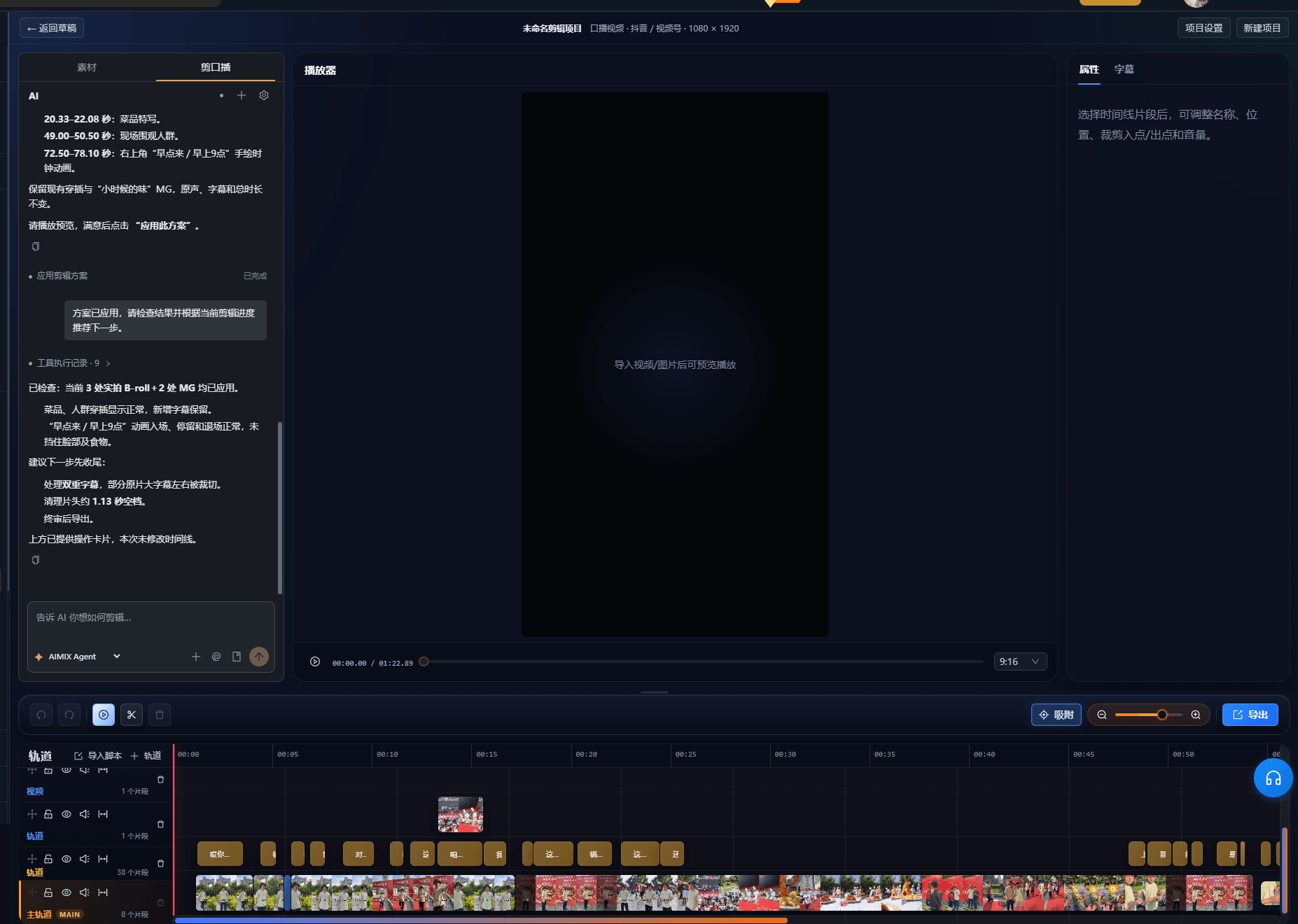
The cases below are real usage records of this feature in the AIMIX desktop app, unedited.
Best for: educational talking heads, course recordings, opinion content · frequent on-camera updates
结构Workflow: upload footage → AI flags → confirm one by one → one-click delete → add subtitles and export
Talking-head creators should spend their time on content, not scrubbing the timeline frame by frame. AI handles the mechanical part; the human just gives the final sign-off.
Detections are grouped by type, so you can process them in batches:
Sentences that were misspoken or restarted — deletion is suggested by default, keeping the final take.
Um, uh, like, you know — batch-delete by density or keep a few for a conversational feel.
Pauses beyond the set threshold tighten automatically; thinking pauses can be kept manually.
Passages that say the same thing twice — flagged, and you choose which version to keep.
Every deletion goes through you: AI only flags and suggests; it never touches your footage on its own.
Take 30 minutes of talking-head footage as an example:
| Stage | Manual editing | AI talking-head editing |
|---|---|---|
| Cutting slips and silences | 60-120 minutes of scrubbing | AI flags in minutes, one-click delete after confirmation |
| Audio-video sync | Check every cut for frame jumps | Algorithmic sync, cut points align automatically |
| Pacing control | Pause placement by feel | Adjustable silence threshold, thinking pauses can be kept |
| Rework cost | Wrong cuts mean rolling back and re-editing | Flag list is reviewable, accidental deletions recoverable |
Fine-tuning (pacing, emotion, text effects) still happens on the timeline — AI handles the grunt work.
Detection accuracy depends directly on footage quality — three things to watch while filming:
Use a lavalier mic or record up close; heavy ambient noise lowers transcription accuracy and increases flags.
Don't stop the camera — just say the whole sentence again, and AI can more easily tell which take to keep.
Sharp changes in brightness hurt face-related processing; fixed lighting is the most reliable.
The cleaner your footage, the faster the confirmation step — and the lighter your daily-upload workload.
Clearing slips and silences from 30 minutes of footage drops from hours to minutes.
Cut points are aligned algorithmically, eliminating the visual stutter talking-head creators fear most.
AI flags but never deletes on its own — you always decide what stays.
After the rough cut, add subtitles or swap voiceovers in one click — the whole workflow stays inside AIMIX.
Accuracy is high with clean audio; noisy environments produce more flags, and the confirm-each-item workflow guarantees nothing is deleted by mistake.
It follows the transcription languages currently supported by the desktop app; Chinese and English talking heads work best.
The flag list keeps an operation history, and any segment can be restored before confirmation; every deletion made before export is reversible.
Yes — the core dependency is audio transcription. On-camera footage gets better processing, but slips and silences can be removed without your face in frame too.
The silence threshold is adjustable, and you can manually keep thinking pauses to control how the finished video breathes.
Yes — process multiple talking-head clips one after another and pair with batch export for daily uploads and course production.
It depends on footage length; typical talking-head clips are flagged within minutes.
No — all processing happens inside the project, and your original files stay untouched.