
Import videos to process
Batch-import the footage you plan to distribute; process a single clip or an entire set.
Batch-Process Footage to Lower Duplicate-Content Flags
Apply combined processing such as mirroring, cropping, speed changes, noise, and color grading to batch-generate multiple differentiated versions, reducing the risk of duplicate-content flags when distributing across your account matrix.
Download AIMIXDistributing the same footage to multiple accounts or platforms is a recipe for "reposted duplicate" flags and throttling. Video Deduplication bundles a set of treatments into one batch process: every account receives a visually differentiated version, automating a foundational step of matrix distribution.
Batch-import the footage you plan to distribute; process a single clip or an entire set.
Freely combine mirror flips, cropping, speed changes, noise, and color tweaks, each with adjustable intensity.
One click batch-processes and outputs multiple versions; pair with batch editing to send each version to its account.
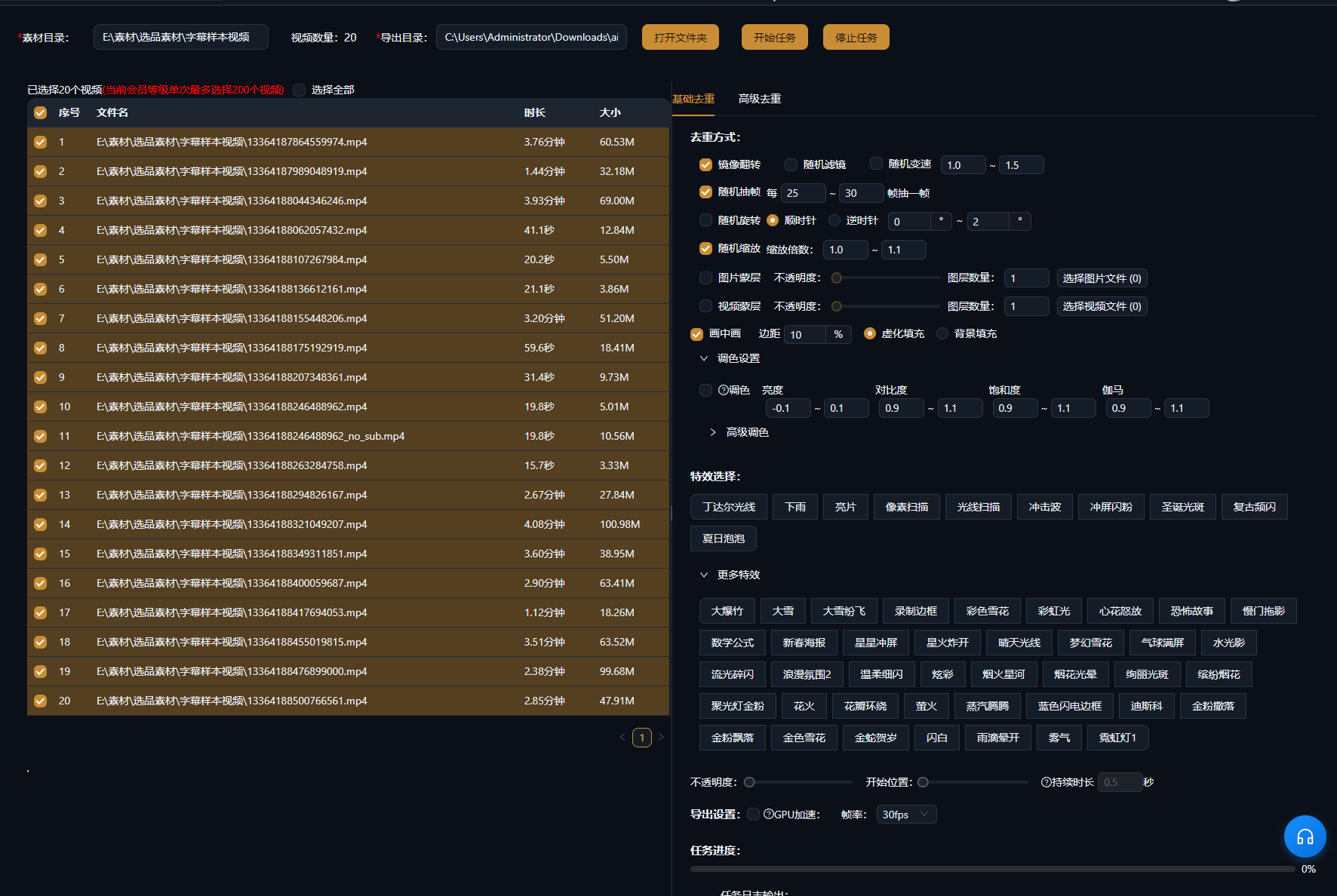
The cases below are real usage records of this feature in the AIMIX desktop app, unedited.
Best for: Local-life content, product recommendations, business account matrices · Distributing one source video across many accounts
结构Workflow: Final cut → Deduplication batch → Per-account distribution → Data collection
The reality of matrix operations: output is finite, accounts are not. Deduplication lets one set of quality footage cover more accounts while every version keeps its "independent content" fingerprint.
Each technique affects the viewing experience differently; combining them works best:
Flips the frame left to right; use with care on text-heavy or strongly directional shots.
Slightly trims the edges to change the framing ratio with almost no visible impact.
Micro speed shifts between 0.9x and 1.1x are invisible to the eye but change the file fingerprint.
Light noise plus subtle white balance and brightness tweaks widens the gap between versions.
We recommend combining at least three techniques and spot-checking the versions for a consistent look before export.
No manual per-clip tweaking — configure once and export the whole batch.
You control the processing intensity, balancing differentiation against visual quality.
Pairs with batch editing and batch voiceover for a complete multi-account content pipeline.
Light processing barely affects quality; excessive noise or cropping will degrade it, so keep the combination moderate.
Deduplication lowers the risk of duplicate flags, but platform rules change constantly and no absolute guarantee is possible.
Yes — video and audio processing are independent, so choose only what you need.
Different parameter combinations yield multiple versions; see the desktop client's batch settings for specifics.
Yes — both live in the batch workflow, and edit-first, deduplicate-second is the common order.
Batch jobs run as a queue; typical-length short videos usually finish the whole batch quickly.