
Paste your script
Paste the voiceover script into the synthesis box — one line or a whole column both work; long scripts are segmented automatically.
AI Voiceovers with 100+ Voices, One-Click Multi-Language Output
Hundreds of preset voices covering male and female voices, regional accents, and multiple languages. Paste your script for one-click voiceover synthesis, fine-tune speed and pitch, and turn an entire column of scripts into audio with batch tasks.
Download AIMIXVoiceover is the most underestimated step in short-video production: hiring voice actors is expensive, recording yourself is inconsistent, and free voice libraries all sound the same. Voice Synthesis puts the voice library, parameter tuning, and batch synthesis in one interface — the moment your script is written, the voice is ready.
Paste the voiceover script into the synthesis box — one line or a whole column both work; long scripts are segmented automatically.
Filter voices by gender, style, and language; preview and compare, then favorite the ones you use most.
Fine-tune speed, pitch, and volume until it sounds right, then synthesize; batch tasks render everything in one click.
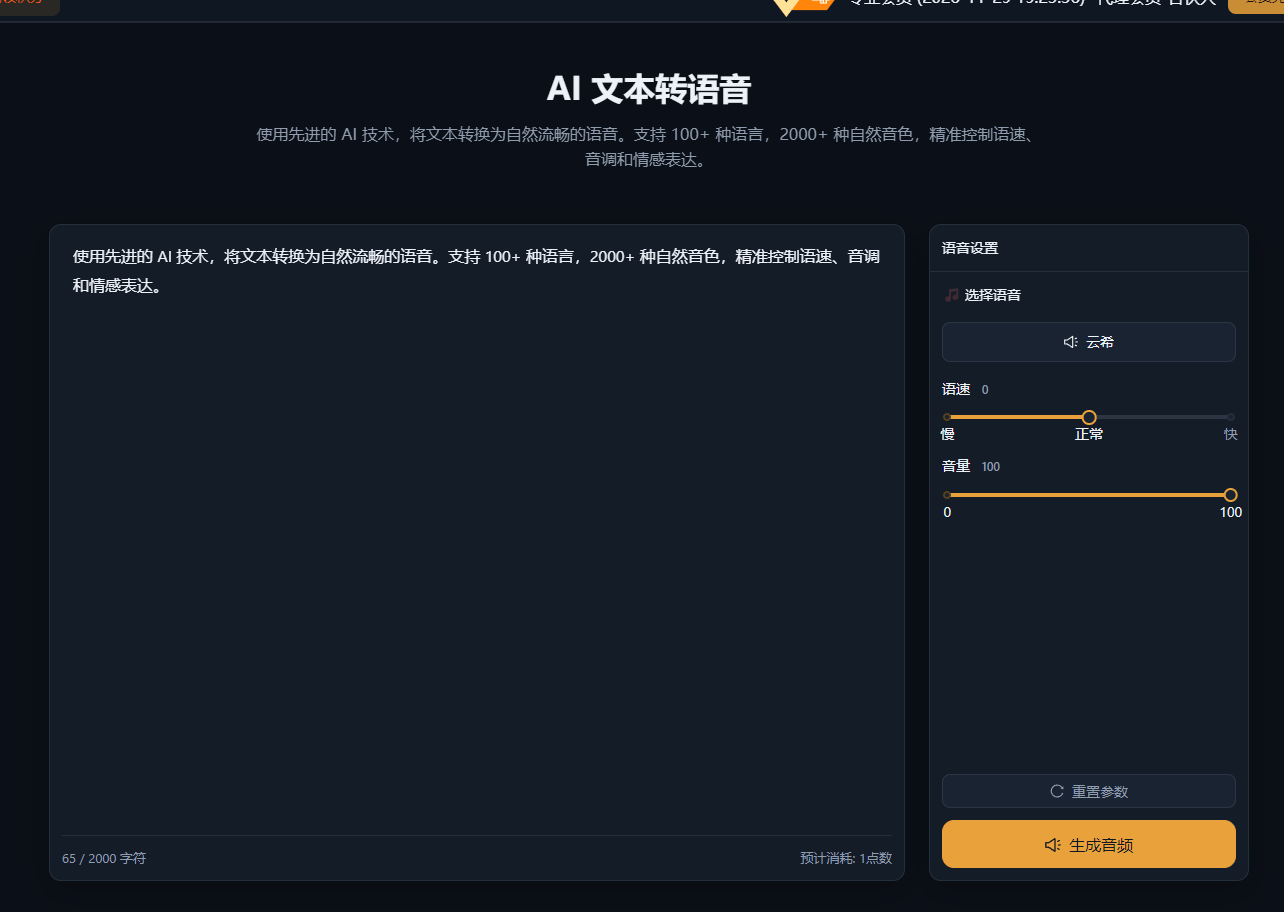
The cases below are real usage records of this feature in the AIMIX desktop app, unedited.
Best for: Educational talking-head videos, news and info accounts, product explainers · Heavy voiceover demand
结构Workflow: Script sheet → Batch synthesis → Review clip by clip → Import into editing
The voiceover bottleneck was never the recording itself — it is the endless exporting and previewing. With a fixed voice and parameter templates, voicing 30 scripts is just one click.
When the voice matches the tone of the content, viewers stay focused:
Choose a calm, clear young-adult voice at a slightly brisk pace for a stronger sense of information density.
Choose a warm, conversational voice with a bit more pitch variation to create a personal-recommendation feel.
Choose a standard broadcast-style voice at a steady, clear pace to project professionalism.
Once you settle on one, favorite it and stick with it — your voice becomes part of your account's identity.
Voice Synthesis is the shared voice library; Voice Cloning is your exclusive voice:
The library works out of the box for fast output while you validate content directions.
Unify the sound across all your accounts and sharpen your personal recognition.
When synthesizing one script into multiple languages, a cloned voice keeps the timbre consistent.
Switch between the two in the same synthesis interface — no workflow change required.
No voice actors, no studio time — pay only for the credits you actually use.
Turn one script into multiple language versions and roll out global content simultaneously.
A whole column of scripts becomes audio in one click — voiceover stops bottlenecking output.
Hundreds of preset voices covering common male and female voices, styles, and languages; see the desktop client's voice library for details.
Mainstream voices are already close to real human speech; pick the right style and speed and listeners will not need time to adjust.
Multi-language voices are supported — for foreign-language voiceovers, simply pick the voice for that language.
Speed, pitch, and volume are all finely adjustable; preview a short segment before synthesizing the full script.
Submit multiple lines of script as one batch task; each line is generated and exported together.
With the batch voiceover + subtitles feature, aligned subtitles are generated automatically after synthesis.