
Long Video to Shorts: Select and Finish Standalone Clips
Author
Date published

To turn a long video into useful shorts, select passages that answer one question or demonstrate one complete action, then edit each passage for a viewer who has not watched the original. AI can organize candidates, but the final selection still needs a context and completeness check. This guide covers livestreams, interviews and courses, from a clipping brief to the exported files. It also explains when combining separate excerpts helps an answer and when a shorter cut changes what the speaker actually meant.
Key takeaways
- Choose a standalone question and preserve its answer, necessary conditions and conclusion.
- Review candidate clips in their original source context before approving boundaries or combined excerpts.
- Set the delivery format around visible information and current destination requirements.
- Proofread captions and play every exported clip; more files do not mean more complete topics.
Choose a complete topic before choosing a duration
A useful short has a clear question and a complete answer. Begin by writing what a viewer should understand at the end. “Explain why the setting changes for a noisy recording” gives you an editorial test. “Find the best moments” does not explain what counts as useful.
Different source formats suggest different units. A course passage may contain a demonstration with a prerequisite. An interview passage may contain a claim and its supporting reasoning. A livestream passage may answer a product question while showing the action. Keep the parts that make that particular answer intelligible.
| Source | Possible standalone topic | Context to preserve |
|---|---|---|
| Course | How to configure one setting | Input conditions, steps and expected result |
| Interview | One claim with an explanation | The question, evidence and any qualification |
| Livestream | A product action or answer | The model being shown and what the action demonstrates |
Use the long-video clipping overview to understand the workflow. For repeated attempts within a single spoken explanation, the talking-head editing guide covers the more focused rough-cut decisions.
Prepare the recording and an editorial clipping brief
Keep the source available and define the intended audience, topic and delivery format before asking for candidates. If speech recognition supports the task, inspect the transcript around passages whose meaning depends on a name, number, negation or condition.
Write requirements that you can verify
- Audience: what does the viewer already know?
- Topic: what question should each clip answer?
- Essential content: which question, action, condition or conclusion must stay?
- Presentation: which face, product detail or control must remain visible?
- Delivery: which aspect ratio and duration requirement applies to the destination?
Illustrative brief: Organize candidate clips from this course, with one question per clip. Keep the necessary background, demonstration and conclusion. Preserve conditions explaining when an answer applies. Identify candidates that need earlier context before they can stand alone.
This request is a planning example, not a promise that the app returns a specific number or format of clips. Check the supported workflow, task availability and usage information in the app. Start with representative material so that you can review the selection approach before expanding the task.
Organize candidate clips in the editing workspace
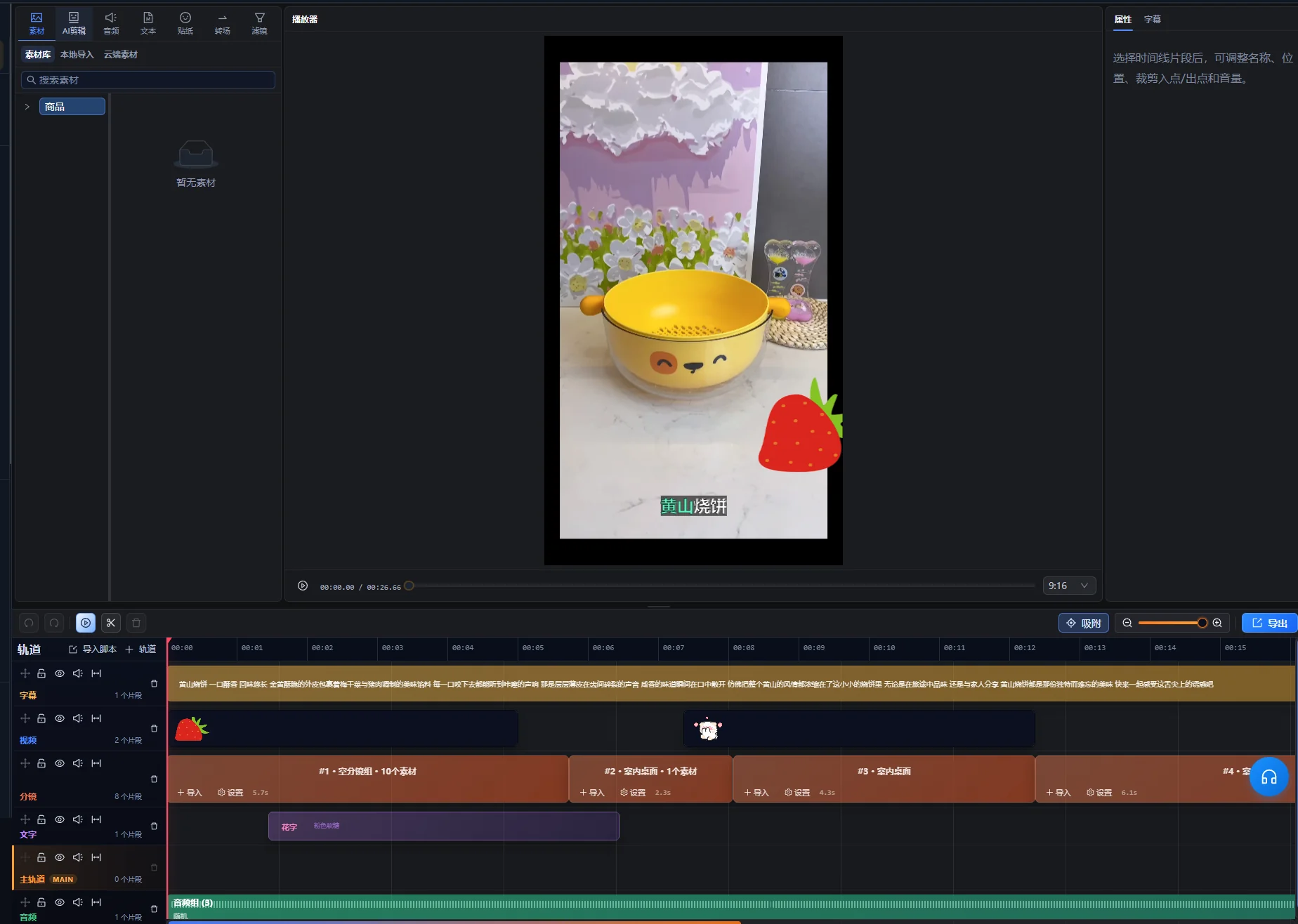
Use the AI assistant in the editing workspace to request candidate clips, then treat its selection as a starting set to review. The supported long-video workflow can organize excerpts and editable timelines, including non-contiguous passages where appropriate. That flexibility makes a meaning check necessary: two passages with the same keyword may still answer different questions.
- Import the long recording into the editing workspace and open the AI assistant.
- Provide the clipping goal and the content that must remain.
- Inspect the candidate preview and identify each proposed topic.
- Play the selected passages and their surrounding source context.
- Request a revised proposal where the answer or sequence is incomplete.
- After review, use the proposal’s apply control to create the approved edit, then continue refining each clip in the editing workspace.
The candidate preview is a pending proposal, not an already applied timeline edit. If changes to the source or timeline make the proposal stale, use the regenerate-preview control and review the new candidates before applying them. The interface’s actual control wording depends on its language; these instructions identify the actions rather than assuming an English label.
For every candidate, keep a source reference and a short reason for selecting it. A simple document can record the topic, source positions, required context and unresolved issues. This guide does not assume a separate automated clip-review dashboard.
The short-clip selection panel provides a title, duration and source positions for the candidate, with a selection playback action. Use that information to locate the source, then preview the actual passage. Treat its proposed title as a label to verify rather than an approved publishing headline.
The first verification is semantic: can you name the question and answer without guessing? If a candidate contains an interesting quotation but no intelligible subject, inspect earlier context before deciding whether to retain it.
Review openings, qualifications and endings in context
Check beyond the proposed in and out points. A missing sentence immediately before a clip can change the meaning of everything that remains, while a conclusion immediately afterward can be necessary to complete the answer.
| Check | What to listen or look for | Decision |
|---|---|---|
| Opening | “This,” “that option,” or an answer with no question | Retain enough earlier material or identify the subject clearly |
| Condition | “Only when,” “unless,” or a qualification tied to the claim | Keep the condition with the answer it limits |
| Demonstration | An action whose setup or result is missing | Preserve the parts needed to understand the step |
| Ending | An unfinished thought or omitted conclusion | Extend or revise the ending to complete the answer |
| Combined excerpts | A changed question, product, time period or speaker position | Check that the assembled sequence preserves the original meaning |
Review the clip once without relying on your memory of the long recording. If you need to explain what “this one” means while watching, the clip likely needs more context. An accurate title can identify the topic, but it should not add a stronger claim than the source supports.
When combining separate passages, watch them in their original contexts as well as the new sequence. Keep a qualification attached to the relevant statement even if a simpler assembly would be shorter.
Worked example: turn one course answer into a short
This fictional course passage illustrates selection and review. It is not a real clipping result or a performance case study. A learner asks how to remove unwanted quiet gaps from a recording without losing soft speech.
Map the source before cutting
| Source component | Information it supplies | Editorial decision |
|---|---|---|
| Question | The recording contains gaps and quiet words | Retain the problem, or identify it accurately at the opening |
| Long introduction | The instructor discusses unrelated earlier exercises | Exclude material not needed for this answer |
| Demonstration | The instructor tests the setting on a representative passage | Keep the step and enough playback to judge it |
| Condition | An aggressive setting may remove quiet speech | Keep beside the demonstration |
| Conclusion | Listen to the sample and adjust before processing more material | Retain as the completed recommendation |
Build an answer with a beginning and an end
Open with the problem or a concise statement of the task, then show the representative test. Preserve the instructor’s condition about quiet speech and end on the recommendation to listen before applying the settings more widely.
If the demonstration and conclusion occur at separate source positions, they can form a useful sequence only when they concern the same setting and input. Check the intervening material for a changed scenario. Do not combine a test on a quiet recording with a conclusion that was explicitly about a noisy one.
Check the short as a new viewer
The viewer should know what problem is being solved, which control or action matters, what to listen for and how to respond when the setting removes useful speech. If the clip merely says “increase this value,” keep the missing identification or choose a more complete passage.
The acceptance test is whether the answer survives outside the course. Its length comes from the information needed to explain the action and condition. If it does not fit the destination, shorten unrelated setup or divide it into genuinely separate questions instead of deleting the limitation.
Set the delivery format and inspect every important crop
Choose the final frame around what the viewer needs to see. A vertical crop that retains the presenter’s face but removes the demonstrated control does not deliver the same explanation as the original.
As checked on October 10, 2026, YouTube’s Understand three-minute YouTube Shorts says that, for standard YouTube channels, square or vertical videos uploaded from October 15, 2024, up to three minutes long are categorized as Shorts. Official Artist Channels have a separate historical cutoff. Check the linked guidance for your channel and upload date when preparing delivery. This classification rule is not an app processing limit.
Review the frame through the complete action
- Check the opening composition and identify the subject.
- Follow faces, hands, products and demonstrated controls as they move.
- Inspect screen recordings for text that becomes too small after reframing.
- Reserve space for captions without covering required information.
- Review every transition between differently framed passages.
Use the cropping workflow and manual timeline refinement where needed. If one crop cannot show both a person and a wide demonstration, consider a different layout or source passage that preserves the explanation. Do not assume an automatic crop can decide which tiny control matters to the lesson.
Caption the final clip and preserve useful visual information
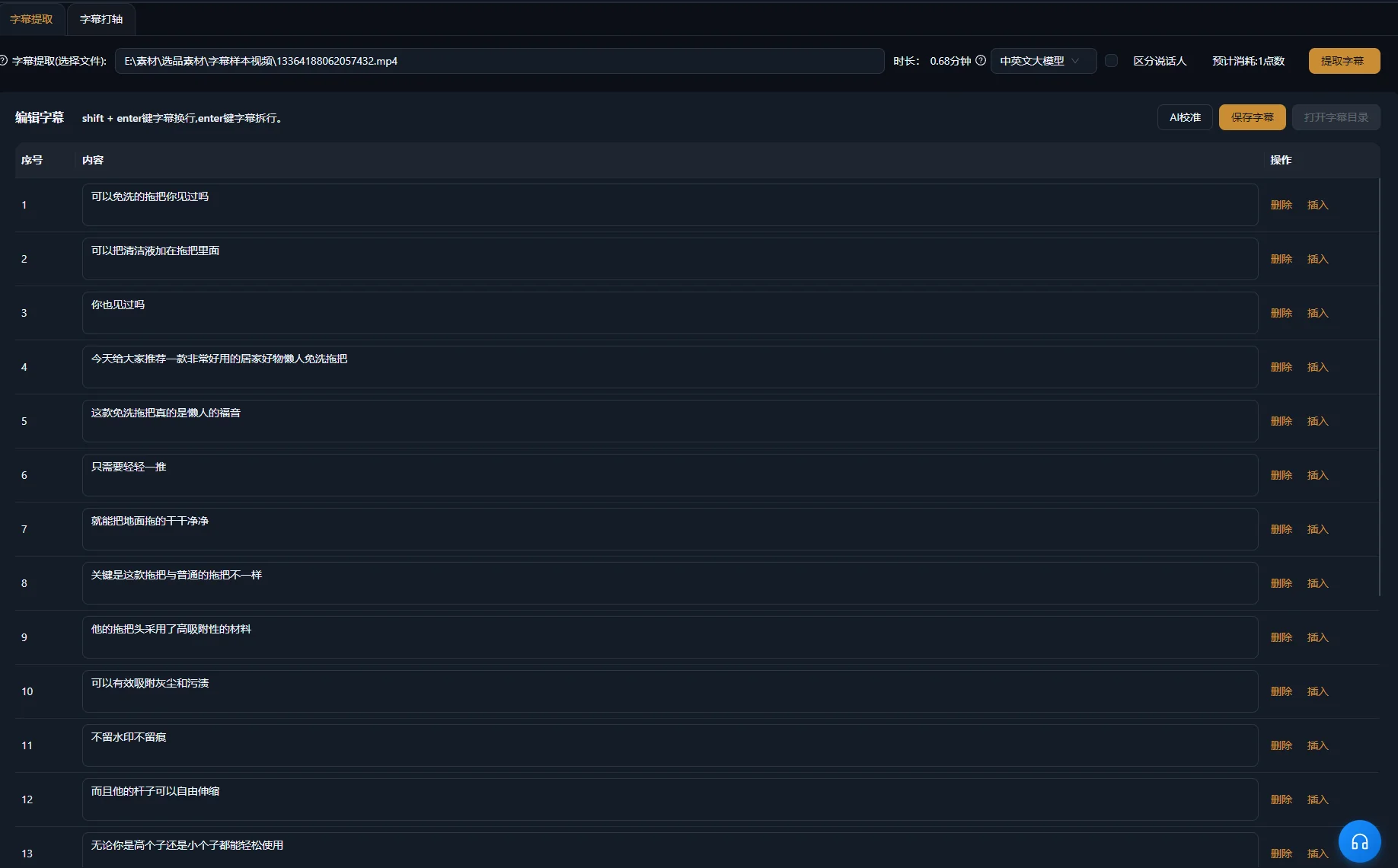
Generate or revise captions for the final edited clip, then inspect them against the speech. Source captions may no longer match after passages are removed or reordered. Pay particular attention to product names, quantities, conditions and negations.
W3C’s Captions/Subtitles guidance explains that accessible captions also convey relevant non-speech sound and speaker information. In an interview, speaker identification may matter. In a demonstration, an audible click may confirm that an action completed. Include the information needed for comprehension.
W3C’s Audio Content and Video Content also advises clear audio, readable overlay text and time to process information. Apply those checks to the short itself: a crop or a rapid sequence can make a previously clear demonstration hard to follow.
Check text and sound as separate layers
- Proofread captions against the final audio.
- Check timing and readable breaks.
- Inspect placement over faces, controls and product details.
- Listen across joins for clipped words or abrupt sound changes.
- Reduce competing music when it obscures the answer.
The caption generation overview covers the related product workflow. A caption should represent the spoken content accurately; changing it cannot repair a wrong or incomplete spoken answer.
Troubleshoot candidates that do not stand alone
Revisit the selection when the clip lacks a complete answer. Packaging can improve presentation, but it cannot make an unrelated excerpt supply missing reasoning.
| Symptom | Possible cause | Next check or fix |
|---|---|---|
| The opening answers an unknown question | The question or subject was excluded | Inspect earlier source context and retain or identify the necessary subject |
| The claim sounds broader than the source | A limitation was cut | Restore the qualification beside the claim |
| The demonstration ends before its result | The candidate boundary follows speech instead of the action | Extend or revise the ending to show the useful result |
| Combined excerpts contradict each other | They concern different scenarios or questions | Compare original contexts and separate the topics when necessary |
| The vertical clip hides a control | The crop prioritizes the wrong area | Reframe through the demonstration or use a suitable layout |
| Captions no longer match the order | They reflect the long source or an earlier cut | Check them against the finished clip |
| Several clips repeat the same answer | Selection favored similar passages over distinct topics | Compare the question and takeaway for each candidate |
When a topic still needs too much earlier explanation, it may be a better long-form passage than a short. Rejecting a candidate is a useful editorial outcome. The number of extracted files is not evidence that the source produced that many distinct, complete answers.
Review the exported clips and record their source context
Approve each exported file individually. Shared settings can reduce repetitive preparation, but every clip has its own boundaries, meaning and visible action. A clean first export does not establish that the rest are complete.
The supported clipping workflow can prepare independent clips for separate exports. Confirm which outputs are being delivered and play each resulting file. Keep independent topic clips separate unless the delivery brief explicitly calls for a compilation.
- The clip answers one identifiable question.
- The opening works for someone unfamiliar with the source.
- The necessary qualification, demonstration and conclusion remain.
- Combined excerpts preserve the source’s meaning.
- The important subject and action stay visible.
- Captions, speech and supporting sound are correct in the exported file.
- The file matches the chosen destination requirements.
Record the topic, source positions, finished filename and any editorial changes beside the project. Give the clip an accurate title based on its actual answer. If you later review distribution data, use these records to understand which content was published; production volume alone does not show that the selection was effective.
For the next source, choose one representative question and carry it through the entire process first. Once you can inspect the selection, framing, captions and export, expand to additional distinct topics.
Frequently asked questions
How many shorts should I make from one recording?
Choose the distinct topics that can become complete standalone clips. Some recordings contain many usable answers; others depend heavily on earlier context. Assess topic overlap and completeness rather than setting a quota from the recording’s duration.
Can a short combine passages from different source positions?
Supported workflows can organize non-contiguous excerpts. Check each passage in its original context and inspect the assembled meaning. Keep necessary conditions and avoid combining answers about different scenarios as if they were one statement.
Should every short begin with the conclusion?
Use the conclusion first when it is understandable and accurate without the earlier setup. Some demonstrations require the problem or condition before the answer. Choose the opening that makes the actual topic clear rather than applying the same structure to every source.
Can I use the same export for every platform?
Check the destination’s current format requirements and inspect how its viewing interface presents the clip. The same file may be usable in several places, but an appropriate duration or crop on one destination does not establish that it works equally well elsewhere.