
영상 업로드
새겨진 자막, 워터마크, 로고가 있는 영상을 하나든 여러 개든 불러오세요. 묶음 작업은 대기열에 쌓여 그냥 실행됩니다.
새겨진 자막, 워터마크, 로고를 AI로 원클릭 삭제
AI가 새겨진 자막, 워터마크, 채널 로고를 자동으로 감지해 지우고 깨끗한 화면을 복원합니다. 일괄 처리 지원 — 더빙, 번역, 리믹스 전에 거쳐야 할 필수 준비 단계입니다.
AIMIX 다운로드화면에 새겨진 자막과 워터마크는 일반 편집으로는 자르거나 흐리게 하는 수밖에 없어 화면을 상하게 하고 흔적을 남깁니다. 자막 제거는 AI로 오버레이 위치를 찾아 덮인 배경을 프레임 단위로 복구합니다. 제거 후 흔적이 거의 보이지 않아 소스가 다시 깨끗하게 쓸 수 있게 됩니다.
새겨진 자막, 워터마크, 로고가 있는 영상을 하나든 여러 개든 불러오세요. 묶음 작업은 대기열에 쌓여 그냥 실행됩니다.
자막과 워터마크 영역이 자동으로 위치 파악되고 배경이 프레임 단위로 복구됩니다. 감지가 놓치면 영역을 직접 지정해 다시 처리하세요.
미리보고 확인하고 내보내세요. 번역 더빙, 리믹스, 편집 워크플로의 다음 단계로 바로 쓸 수 있습니다.
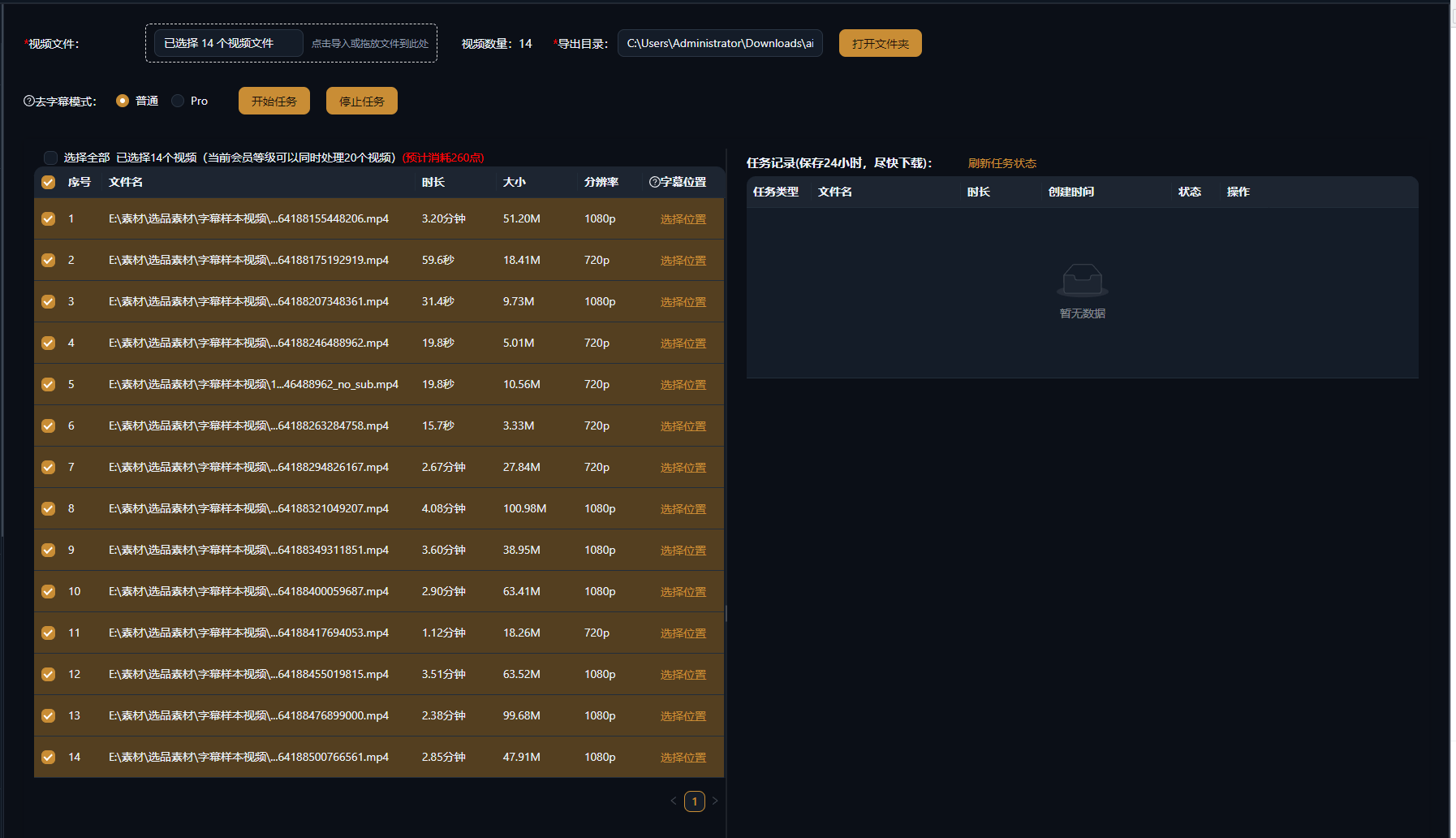
아래 사례는 AIMIX 데스크톱 앱에서 이 기능을 실제로 사용한 기록이며, 편집하지 않았습니다.
추천 대상: 번역·더빙, 다국어 리메이크 · 새겨진 자막이 있는 원본 영상
结构워크플로: 원본 영상 가져오기 → AI 원자막 삭제 → 재더빙·재자막 → 내보내기
더빙의 첫 단계는 언제나 원본 하드 자막 지우기입니다. 수동으로 클립 하나를 처리하는 데 수십 분이 걸리지만, AI 일괄 제거를 쓰면 더빙과 새 자막이 마침내 깨끗한 캔버스 위에서 시작됩니다.
고빈도 시나리오 세 가지입니다.
하드 자막을 지워 번역 더빙이나 리믹스를 위한 깨끗한 화면을 남깁니다.
모서리 워터마크와 채널 로고를 지웁니다. 작고 고정된 영역일수록 가장 안정적인 결과를 냅니다.
묶음 전체를 대기열에 넣어 처리하세요. 계정 매트릭스나 번역 채널의 일괄 사전 준비에 적격입니다.
먼저 클립 하나로 결과를 확인한 뒤 라이브러리 전체를 일괄 처리하세요.
검은 박스도 흐림도 없이 AI가 덮인 배경을 다시 그려 자연스러운 화면을 만듭니다.
클립 하나를 직접 지정해 정밀 조정하거나, 라이브러리 전체를 대기열에 넣고 반복 작업을 건너뛰세요.
제거 후 더빙과 자막 생성이 바로 이어져 한 번의 파이프라인으로 현지화가 끝납니다.
지워진 영역은 AI가 재구성하고 나머지 프레임은 그대로 둡니다. 정적인 배경에서 가장 좋고, 빠른 움직임이 많은 영역은 약간의 흔적이 남을 수 있습니다.
네. AI가 자막 위치를 추적해 프레임마다 지웁니다. 많이 튀는 자막은 직접 영역을 선택해 먼저 테스트해 보세요.
영역을 직접 지정해 다시 처리하세요. 복잡한 화면은 자동 감지와 수동 조정을 함께 쓰면 됩니다.
네. 여러 영상을 대기열에 추가해 함께 실행하세요. 시리즈 전체나 소스 라이브러리를 한 번에 정리하기에 좋습니다.
시도해 볼 가치가 있습니다. AI가 워터마크 뒤의 배경을 재구성하며, 장면에 깊이 블렌딩된 워터마크는 결과가 제한적일 수 있습니다.
길이 또는 작업 단위 과금이며 앱에 표시됩니다. 묶음 작업은 실행 전 예상 비용을 보여 줍니다.