AIMIX 데스크톱 영상 편집기

Batch Voiceover + Subtitles: Synthesize Multiple Scripts in One Click, With Voiceover and Subtitles Generated Together

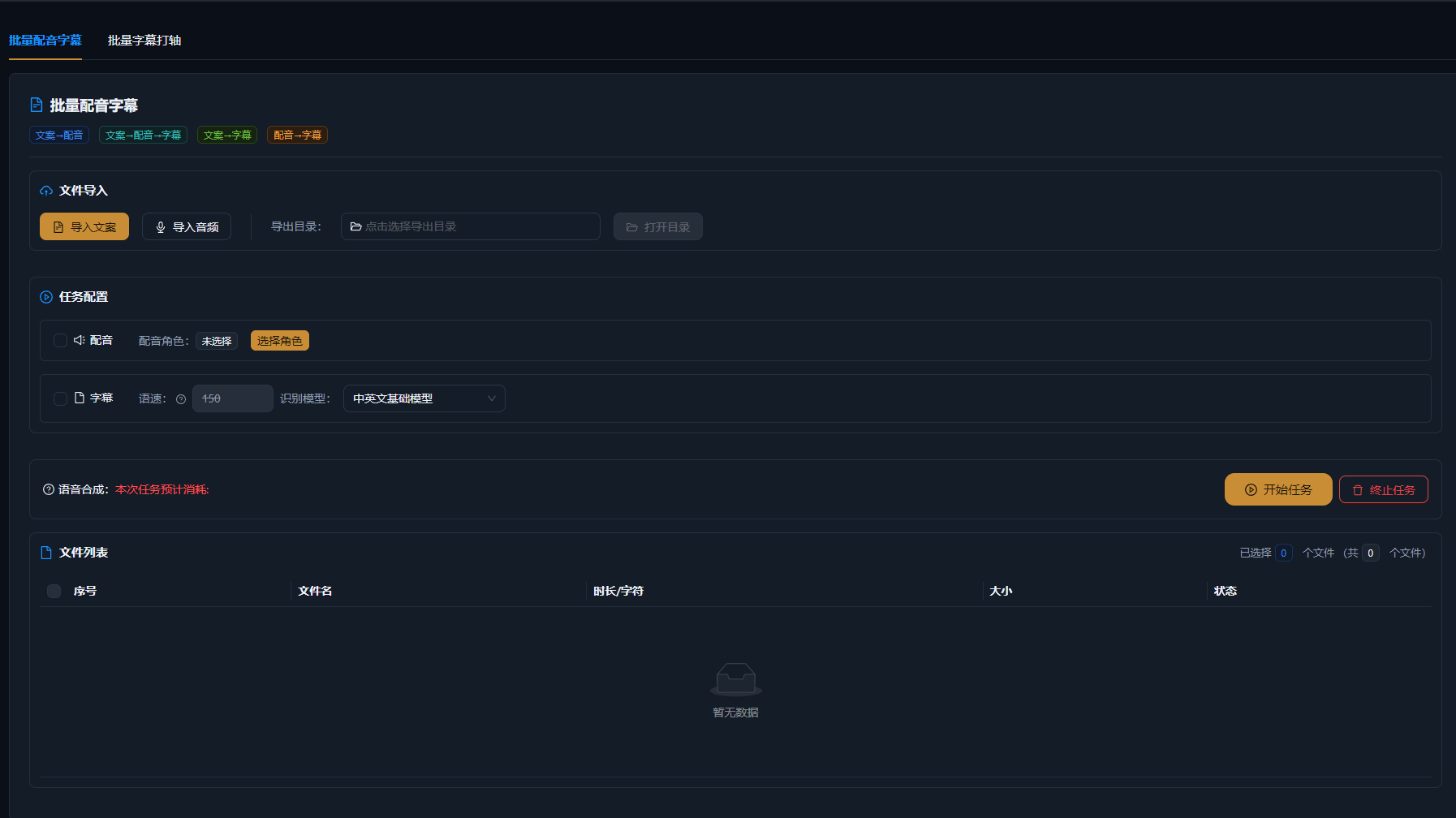
Turn multiple scripts into voiceovers and subtitles in one batch: pick voices and speaking rates, run once, and speech and subtitles are generated together — no separate timing pass. Multiple scripts and voice combinations process in bulk, audio files map to their storyboard clips, and everything feeds straight into batch remixing to export multiple finished versions.

AIMIX 다운로드

사용 방법

Running a video matrix means the most repetitive chore is voiceover plus subtitles: record each script, time each caption, and after a few dozen you go numb. Batch Voiceover + Subtitles collapses all of that into a single button: drop in multiple scripts, pick voices and speaking rates, and speech and subtitles are generated together — the exported audio files map one-to-one to storyboard clips, flow straight into batch remixing, and multiple versions come out in one run.

01

Prepare your scripts

Line up multiple scripts in Script Management, or paste copy directly. Each script maps to one version: different openings, different selling points, different languages — prepare as many combinations as you need.

02

Set voices and synthesize in batch

Choose voice, speaking rate, and pitch, then synthesize everything with one click. Subtitles are produced in sync as the speech is generated — no separate timing pass needed.

03

Import into batch remixing

Audio files are named to match their scripts and storyboard clips; import them straight into the audio and subtitle groups of batch remixing and export multiple finished versions in combination.

AIMIX 클라이언트 "스크립트 생성" 창: 영상 설명을 입력하면 AI가 스토리보드 표를 생성
AIMIX 클라이언트의 "스크립트 생성" 창: 설명으로 스토리보드를 생성한 뒤 길이와 문구를 바로 수정하고, 원클릭으로 더빙하거나 Excel로 내보낼 수 있습니다.

실제 사례

아래 5개의 스크립트는 AIMIX "AI 스크립트 생성"의 실제 결과입니다. 각 사례에 표기된 영상 설명을 입력해 생성했으며, 스토리보드 표는 수정 없이 그대로 옮겼고 길이는 생성값입니다. 화면 설명이 생성되지 않은 장면은 "—"로 표시했습니다.

Account matrix: one person handling daily voiceovers for 5 accounts

입력한 영상 설명

Best for: solo creators and small teams · heavy daily-output pressure across multiple accounts

结构Workflow: 5 scripts → batch voiceover + subtitles → import into batch remixing → multiple finished videos across accounts

  • Voiceover and subtitles generated in one step
  • Audio files auto-mapped to storyboard clips
  • Straight into batch remixing for multiple versions

One person managing 5 accounts meant daily voiceovers and subtitles for 10 videos — the single biggest burden. Now all 10 daily scripts go into Batch Voiceover + Subtitles at once, each account set to its usual voice with one click — voiceover and subtitles arrive together, and batch remixing exports every finished video in one go. The voiceover step went from a whole afternoon to ten minutes, and output doubled.

Ways to combine batch voiceover

Combos of multiple scripts × multiple voices:

M

u

O

n

M

u

We recommend saving a default "voice + speaking rate" preset for each account so batch tasks reuse it directly and the style never drifts.

편집 결과의 주도권 유지

Voiceover and subtitles generated together

Speech and captions come out in one pass — no timing each caption, so the workload is cut in half.

Multiple scripts in one run

No synthesizing one by one — all scripts run at once, with files named to match their storyboard clips.

Straight into multi-version batch remixes

Voiceovers and subtitles import directly into remix combinations, exporting multiple finished versions at once.

자주 묻는 질문

How is batch voiceover billed?

Credits are billed by the number of characters synthesized; a total estimate is shown before a batch task runs, per the client.

Do subtitles need to be generated separately?

No. Subtitles are generated in sync during batch voiceover, with the timeline already aligned — use them directly or tweak the styling.

How many scripts can one batch handle?

Multi-script batch tasks are supported, with the per-run limit shown in the client; larger sets can be split into batches.

Can different scripts use different voices?

Yes. Each task can have its own voice and speaking rate, enabling one script in multiple voices or multiple accounts with separate setups.

How do audio files map to storyboard clips?

Audio files are exported named after their scripts and storyboard clips; batch remixing matches them automatically by file name on import.

Is there a good selection of voices?

Built on the speech synthesis engine, it offers a large multilingual voice library, and you can batch-dub with your own custom cloned voice as well.

AIMIX 다운로드

AIMIX 다운로드