AIMIX 데스크톱 영상 편집기

AI Highlight Extraction: Automatically Cut the Best Moments Out of Long Videos

Four modes for pulling highlights from long videos: Smart Mode scores footage by visuals and audio to find the standout moments, while transition, fixed-duration, and voiceover modes split by structure. Turn livestream replays, interviews, and courses into ready-to-use clips in one click.

AIMIX 다운로드

사용 방법

Out of a three-hour livestream replay, maybe only ten minutes are actually worth anything—yet nobody has the patience to hunt for them frame by frame. AI Highlight Extraction breaks long videos into highlight clips with four modes: Smart Mode finds the highlights, the rest split by structure, and every clip flows straight into editing.

01

Choose an extraction mode

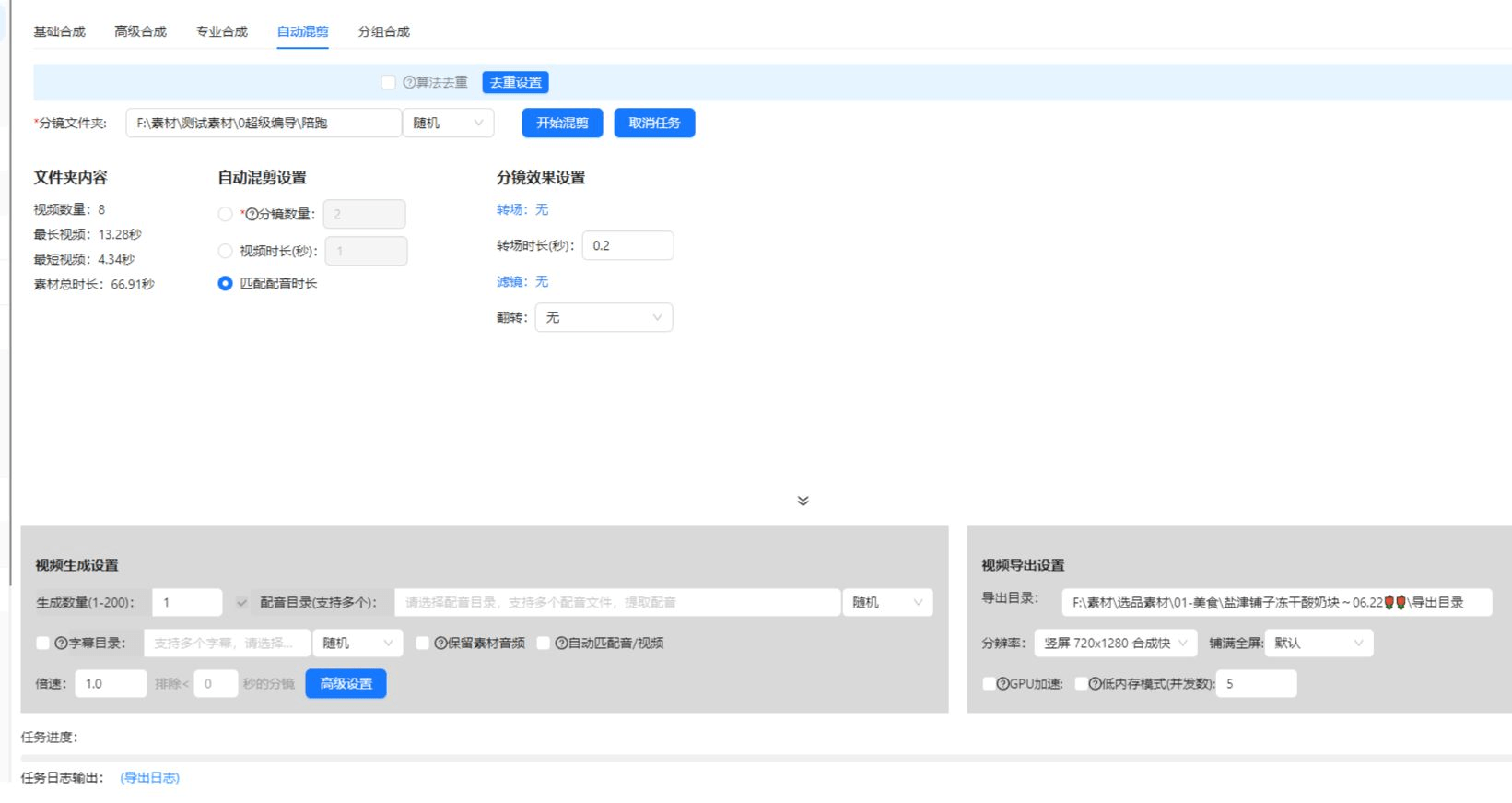
Smart Mode scores segments by visuals and audio to pick the best parts; transition, fixed-duration, and voiceover modes split by structure.

02

AI extracts automatically

After upload, candidate clips are cut automatically—preview and filter them, fine-tune the in and out points, and keep only the strongest.

03

Export or continue editing

Batch-export the clips you selected, or bring them into Super Edit to add subtitles and voiceover and package them as short videos.

AIMIX 클라이언트 "스크립트 생성" 창: 영상 설명을 입력하면 AI가 스토리보드 표를 생성
AIMIX 클라이언트의 "스크립트 생성" 창: 설명으로 스토리보드를 생성한 뒤 길이와 문구를 바로 수정하고, 원클릭으로 더빙하거나 Excel로 내보낼 수 있습니다.

실제 사례

아래 5개의 스크립트는 AIMIX "AI 스크립트 생성"의 실제 결과입니다. 각 사례에 표기된 영상 설명을 입력해 생성했으며, 스토리보드 표는 수정 없이 그대로 옮겼고 길이는 생성값입니다. 화면 설명이 생성되지 않은 장면은 "—"로 표시했습니다.

Livestream replays: cut 20 short videos from a 3-hour stream

입력한 영상 설명

Best for: commerce and gaming livestreams · long replays with scattered highlights

结构Workflow: livestream replay → Smart Mode extraction → filter clips → package and publish

  • AI auto-locates the peak moments
  • One stream fuels a week of clips
  • Clips go straight into the editing workflow

Half of the payoff from a livestream comes after the stream ends. Highlight explanations and standout scenes are pulled out automatically—one stream becomes a week of short videos.

How to choose among the four modes

Match the mode to your footage:

Smart Mode

AI scores segments by visuals and audio to pick the best parts—the first choice for livestream replays, sports, and vlogs.

By transition

Splits at detected shot changes—great for multi-camera footage with clear visual language.

By fixed duration

Cuts evenly at a set number of seconds—suited to surveillance feeds and slow streams with no natural rhythm.

By voiceover

Recognizes speech and splits at sentence breaks—ideal for interviews and courses, where each sentence is one knowledge point.

Not sure? Run Smart Mode first, then switch to a structural mode if needed.

편집 결과의 주도권 유지

Turn long content into assets

Livestreams, podcasts, and course replays become a short-video library—record once, monetize many times.

Four modes cover everything

Whether or not your footage has a clear rhythm, it can be split—no need to switch tools for different material types.

From extraction to editing

Highlight clips go straight into Super Edit, connecting seamlessly with subtitles, voiceover, and batch remixing.

자주 묻는 질문

What is the difference between the four modes?

Smart Mode uses AI scoring to find the highlights; the other three split by structure—the former finds the "moments," the latter preserves the "structure."

How long a video can it handle?

Typical livestream replays and course lengths are all supported; for extra-large files, check the duration limit first.

Are the extracted clips vertical?

Clips keep the original aspect ratio; pair them with video cropping to convert to 9:16 or other vertical formats before publishing.

Can it process videos in bulk?

Yes. Queue multiple long videos for extraction and the clips land in your library automatically—ideal for a serialized channel.

What if Smart Mode picks poorly?

Results support preview, filtering, and in/out fine-tuning; for flat, evenly paced speech, switch to voiceover mode instead.

Does highlight extraction cost points?

Billing is by duration or per task, as shown in the app; batch tasks display an estimated cost before they run.

AIMIX 다운로드

AIMIX 다운로드