
AI 하이라이트 추출: 긴 영상에서 최고의 순간을 자동으로 잘라내기
Author
Date Published

3시간짜리 라이브 다시보기에서 정말 가치 있는 건 열 분쯤일 겁니다. 그런데 프레임 단위로 찾아낼 인내심을 가진 사람은 없죠. AI 하이라이트 추출은 네 가지 모드로 긴 영상을 하이라이트 클립으로 쪼갭니다. 스마트 모드가 하이라이트를 찾고 나머지는 구조로 나누며, 모든 클립은 편집으로 곧장 흘러갑니다.
핵심 요점
- 긴 콘텐츠를 자산으로
- 네 가지 모드로 전부 커버
- 추출에서 편집까지
사용 방법
추출 모드 선택
스마트 모드는 화면과 오디오로 세그먼트를 채점해 최고의 부분을 고릅니다. 전환, 고정 길이, 내레이션 모드는 구조 기준으로 나눕니다.
AI 자동 추출
업로드하면 후보 클립이 자동으로 잘립니다. 미리보고 걸러내고, 인아웃 포인트를 미세 조정해 가장 강한 것만 남기세요.
내보내기 또는 이어서 편집
선택한 클립을 일괄 내보내거나 슈퍼 편집으로 가져와 자막과 내레이션을 더해 숏폼으로 포장하세요.
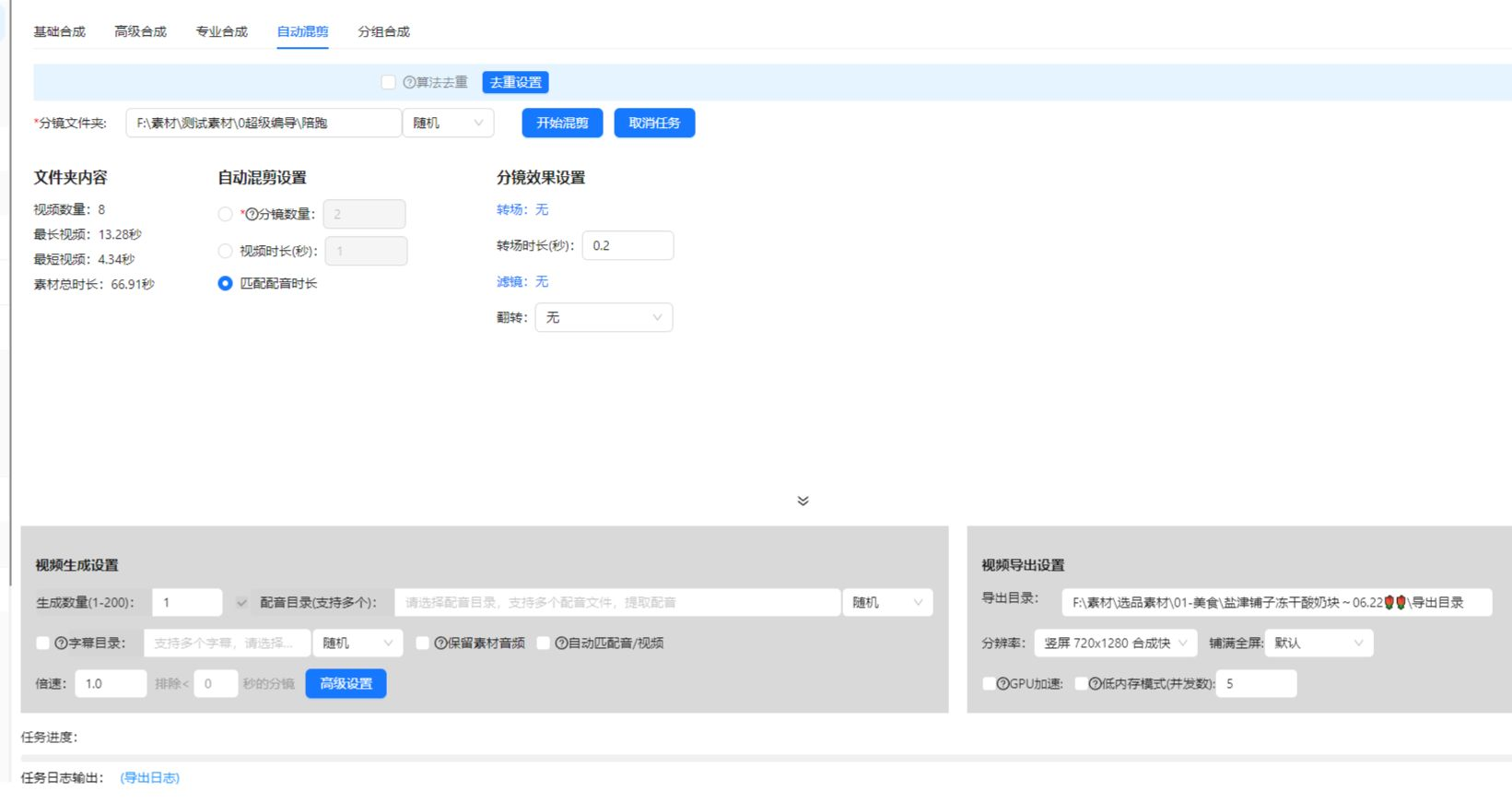
실제 사례
아래 사례는 AIMIX 데스크톱 앱에서 이 기능을 실제로 사용한 기록이며, 편집하지 않았습니다.
라이브 다시보기: 3시간 방송에서 숏폼 20개 잘라내기
추천 대상: 상업·게임 라이브 · 하이라이트가 흩어진 긴 다시보기
워크플로: 라이브 다시보기 → 스마트 모드 추출 → 클립 선별 → 패키징 후 발행
AI가 클라이맥스 순간을 자동으로 위치 · 방송 하나로 일주일 치 클립 · 클립이 편집 워크플로로 직행
라이브 방송의 수확 절반은 방송이 끝난 뒤에 나옵니다. 하이라이트 해설과 명장면이 자동으로 뽑혀 나와 방송 하나가 일주일 치 숏폼이 됩니다.
네 가지 모드 고르는 법
소스에 맞는 모드를 고르세요.
스마트 모드
AI가 화면과 오디오로 세그먼트를 채점해 최고의 부분을 고릅니다. 라이브 다시보기, 스포츠, 브이로그의 첫 선택입니다.
전환 기준
감지된 샷 전환 지점에서 나눕니다. 시각 언어가 또렷한 멀티캠 소스에 좋습니다.
고정 길이 기준
정해진 초 단위로 균일하게 자릅니다. 자연스러운 리듬이 없는 CCTV나 느린 스트림에 적합합니다.
내레이션 기준
음성을 인식해 문장 경계에서 나눕니다. 문장 하나가 지식 포인트 하나인 인터뷰와 강의에 딱입니다.
잘 모르겠다면 먼저 스마트 모드를 돌려 보고, 필요하면 구조 기반 모드로 바꾸세요.
편집 결과의 주도권 유지
긴 콘텐츠를 자산으로
라이브, 팟캐스트, 강의 다시보기가 숏폼 라이브러리가 됩니다. 한 번 녹화하고 여러 번 수익화하세요.
네 가지 모드로 전부 커버
소스에 리듬이 있든 없든 나눌 수 있어, 소재 유형마다 도구를 바꿀 필요가 없습니다.
추출에서 편집까지
하이라이트 클립은 슈퍼 편집으로 곧장 들어가 자막, 더빙, 일괄 리믹스와 매끄럽게 이어집니다.
자주 묻는 질문
네 가지 모드의 차이는 뭔가요?
스마트 모드는 AI 채점으로 하이라이트를 찾고 나머지 셋은 구조로 나눕니다. 전자는 "순간"을 찾고 후자는 "구조"를 보존합니다.
얼마나 긴 영상까지 되나요?
일반적인 라이브 다시보기와 강의 길이는 모두 지원됩니다. 초대형 파일은 먼저 길이 제한을 확인하세요.
추출된 클립은 세로형인가요?
클립은 원본 비율을 유지합니다. 발행 전 영상 자르기와 함께 써서 9:16 등 세로 형식으로 바꾸세요.
영상을 대량으로 처리할 수 있나요?
네. 긴 영상 여러 개를 대기열에 넣으면 클립이 보관함에 자동으로 쌓입니다. 시리즈 채널에 적격입니다.
스마트 모드 결과가 아쉬우면 어떻게 하나요?
결과는 미리보기, 필터, 인아웃 미세 조정을 지원합니다. 평탄하고 균일한 말하기라면 내레이션 모드로 바꾸세요.
하이라이트 추출은 포인트가 드나요?
길이 또는 작업 단위 과금이며 앱에 표시됩니다. 묶음 작업은 실행 전 예상 비용을 보여 줍니다.