
KI-Schnitt für Talking-Head-Videos: Der vollständige Rohschnitt-Workflow
Autor
Veröffentlicht

Ein klarer Schnitt eines Talking-Head-Videos beginnt mit der gesprochenen Argumentation: Behalten Sie die vollständige Aufnahme, entfernen Sie unnötige Wiederholungen und bringen Sie die Erklärung in eine Reihenfolge, der neue Zuschauer folgen können. Ein KI-Schnittassistent kann bei diesen Änderungen helfen, doch die entstandene Timeline müssen Sie weiterhin prüfen. Dieser Leitfaden zeigt, wie Sie die Quelle vorbereiten, überprüfbare Aufträge formulieren, Sprachschnitte verfeinern und anschließend ergänzende Bilder, Untertitel und Ton hinzufügen. Er enthält einen beispielhaften Rohschnitt und eine praktische Abnahmecheckliste für die fertige Datei.
Das Wichtigste
- Wählen Sie die vollständige und zutreffende Aufnahme, bevor Sie den Rhythmus verfeinern.
- Formulieren Sie jeden KI-Auftrag so konkret, dass er sich überprüfen lässt, einschließlich der Inhalte, die erhalten bleiben müssen.
- Prüfen Sie nach jeder inhaltlichen Änderung die Bedeutung, hörbare Schnittgrenzen und sinnvolle Pausen.
- Ergänzen Sie Bildmaterial und Untertitel zum stabilen Sprachschnitt und prüfen Sie anschließend den tatsächlichen Export.
Inhaltlichen Schnitt von Stilleentfernung und Gestaltung trennen
Entscheiden Sie anhand der gesprochenen Botschaft, was erhalten bleiben soll. Eine wiederholte Erklärung, eine stille Passage und eine fehlende Produktvorführung sind unterschiedliche Probleme. Das Entfernen jeder Pause entscheidet nicht darüber, welche Aufnahme vollständig ist, und zusätzliche Grafiken können eine widersprüchliche Erklärung nicht korrigieren.
| Aufgabe | Getroffene Entscheidung | Was weiterhin geprüft werden muss |
|---|---|---|
| Inhaltlicher Schnitt | Welche gesprochenen Passagen in welcher Reihenfolge erhalten bleiben | Bedeutung, Kontext und vollständige Argumentation |
| Stilleentfernung | Welche leisen Intervalle den gewählten Audioschwellenwert erfüllen | Leise Sprache, Atmung und sinnvolle Pausen |
| Visuelle Gestaltung | Wie ergänzendes Material, Text und Ton die Erklärung darstellen | Richtigkeit, Lesbarkeit und Ablenkung |
Die Übersicht zum Talking-Head-Schnitt beschreibt den Inhaltsworkflow. Berücksichtigen Sie die Verarbeitungswerkzeuge im Produktleitfaden bei Ihrer Planung separat: Eine schwellenwertbasierte Operation ersetzt keine redaktionelle Entscheidung.
Diese Reihenfolge hat auch einen praktischen Vorteil. Solange sich die gesprochene Abfolge noch ändert, können Untertitel und ergänzende Aufnahmen an Passagen hängen, die später verschoben werden oder entfallen. Stabilisieren Sie den Rohschnitt, bevor Sie diese Beziehungen verfeinern.
Quelle, Transkript und Schnittziel vorbereiten
Beginnen Sie mit der Originalaufnahme und einem in einem Satz formulierten Ziel für das geschnittene Video. Ein hilfreiches Ziel benennt Zielgruppe und Antwort: „Zeigen Sie einem Erstnutzer, wie sich der Reisebecher öffnen lässt, und erklären Sie, wann die Verriegelung gelöst werden muss.“ Halten Sie die Quelle während des Schnitts zugänglich.
Das gesprochene Material importieren und prüfen
- Importieren Sie das Material in die Schnittumgebung und öffnen Sie den KI-Assistenten.
- Schließen Sie die Transkription ab, wenn der Auftrag auf gesprochenen Inhalten basiert.
- Hören Sie die bedeutungsentscheidenden Wörter an: Namen, Zahlen, Verneinungen, Bedingungen und Fachbegriffe.
- Erkennen Sie wiederholte Aufnahmeversuche und entscheiden Sie, welcher die vollständige Erklärung enthält.
- Notieren Sie sichtbare Handlungen, die zusammen mit ihren gesprochenen Anweisungen erhalten bleiben müssen.
Nutzen Sie das Transkript zur Navigation und Planung, prüfen Sie wichtige Passagen jedoch anhand des Tons. Die W3C-Hinweise zu Untertiteln verlangen eine Genauigkeitsprüfung automatisch erzeugter Untertitel. Prüfen Sie die Wörter, die diesen Schnitt beeinflussen, statt flüssigen Text als Beleg für Richtigkeit anzusehen.
Vor dem ersten Auftrag sollte Ihr Plan den gewünschten Einstieg, die wesentliche Erklärung und deren Schlussfolgerung benennen. Wenn Sie nicht sagen können, was erhalten bleiben muss, lässt sich eine allgemeine Anweisung wie „straffen Sie es“ nur schwer bewerten.
KI-Schnittaufträge schreiben, die sich auf der Timeline prüfen lassen
Ein hilfreicher Auftrag benennt eine Passage, eine Aktion und eine Regel zum Erhalt von Inhalten. Sagen Sie dem Assistenten, was er behalten oder entfernen soll, und nennen Sie dann die Bedingung, die die Änderung überstehen muss. Prüfen Sie eine Änderungsart, bevor Sie eine weitere ergänzen.
| Schnittabsicht | Beispielauftrag | Prüfung |
|---|---|---|
| Zwischen Aufnahmeversuchen wählen | Behalten Sie die vollständige zweite Erklärung zum Öffnen des Deckels. Entfernen Sie den ersten Versuch, der mitten im Satz abbricht. | Der ausgewählte Versuch enthält die gesamte Handlung und Schlussfolgerung |
| Den Einstieg ändern | Beginnen Sie mit der Antwort und behalten Sie anschließend die Vorführung sowie die Bedingung zum Lösen der Verriegelung. | Der Einstieg ist schon vor der Vorführung verständlich |
| Wiederholungen entfernen | Entfernen Sie die wiederholte Zusammenfassung nach der Vorführung. Behalten Sie die erste Zusammenfassung und die Nutzungsbedingung. | Mit den wiederholten Wörtern ist keine notwendige Einschränkung entfallen |
Kombinieren Sie im ersten Auftrag nicht „alles neu ordnen, jede Pause entfernen, B-Roll hinzufügen und Untertitel fertigstellen“. Getrennte Änderungen zeigen, welche Aktion einen unerwünschten Schnitt verursacht hat. Ist die gemeinte Passage nicht eindeutig, verweisen Sie auf charakteristische Wörter oder ihre Quellposition, statt sich auf „den langweiligen Teil“ zu verlassen.
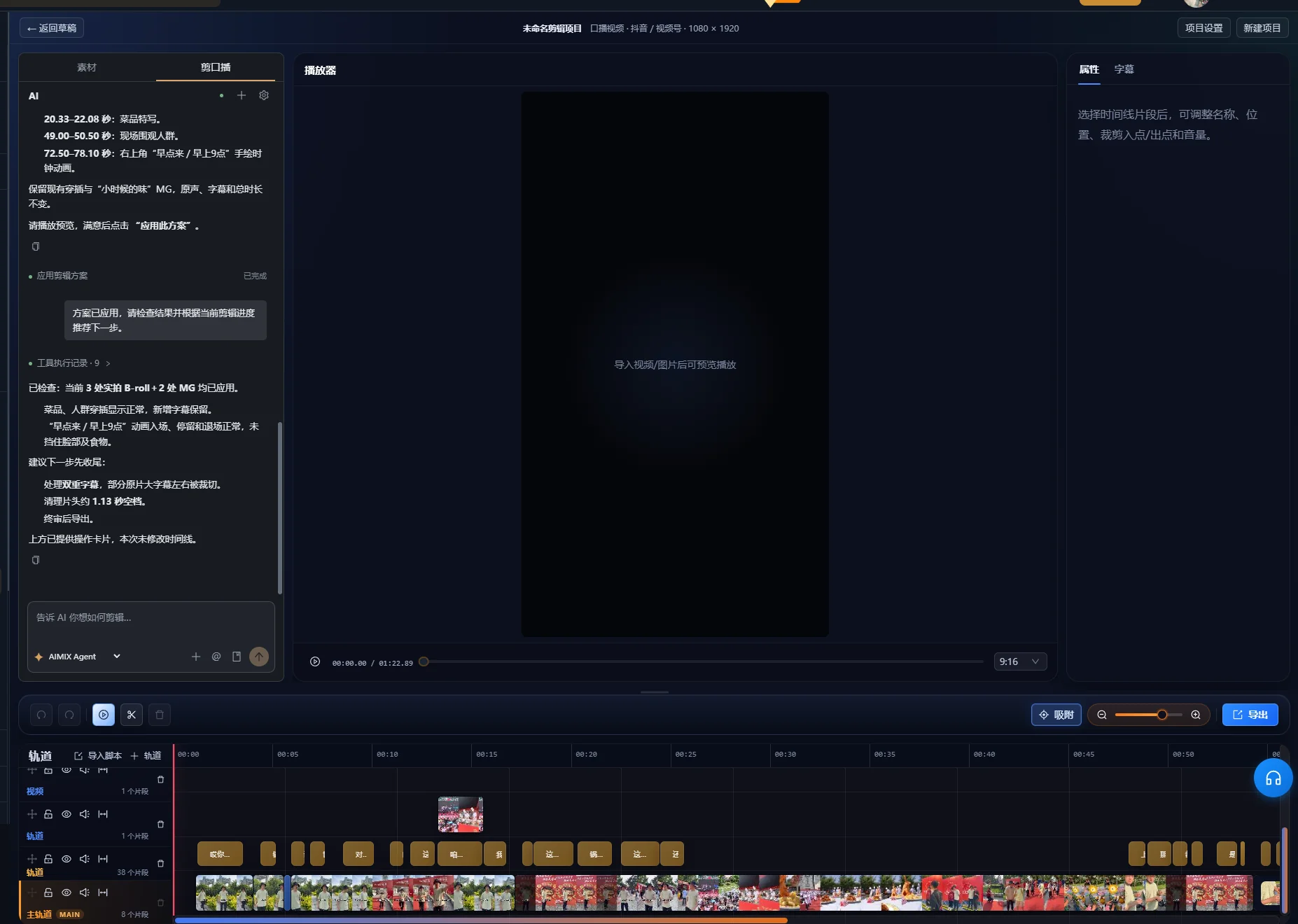
Prüfen Sie bei einem Vorschlag zur Sprachbereinigung die Vorschau, bevor Sie den Schnitt übernehmen. Ein ausstehender Vorschlag hat die Timeline noch nicht verändert. Die geprüfte Oberfläche gruppiert vorgeschlagene Änderungen wie Pausen, Füllwörter, Wiederholungen, Fehlstarts und Selbstkorrekturen mit Quellzeitbereichen sowie Punkten, die manuell geprüft werden müssen. Prüfen Sie die relevanten Bereiche in der Aufnahme und verwenden Sie die Übernahmefunktion erst nach Freigabe der Änderungen. Kennzeichnet die Oberfläche den Vorschlag als veraltet, erzeugen Sie über die entsprechende Funktion vor dem Übernehmen eine neue Vorschau auf Basis der aktuellen Timeline.
Prüfen Sie nach einem Auftrag die tatsächliche Timeline. Bestätigen Sie, dass das vorgesehene Segment verschoben wurde oder entfallen ist, und spielen Sie dann den Übergang im Kontext ab. Eine erfolgreiche Auftragsantwort ist nicht dasselbe wie ein freigegebener Schnitt.
Praxisbeispiel: Eine Aufnahme kürzen und die vollständige Antwort bewahren
Diese fiktive Aufnahme veranschaulicht eine Schnittentscheidung. Sie ist weder ein gemessener App-Durchlauf noch ein Kundenergebnis. Stellen Sie sich einen Präsentator vor, der mehrmals versucht, den Deckel eines Reisebechers zu erklären.
| Quellpassage | Beispielwortlaut | Schnittentscheidung |
|---|---|---|
| Unvollständiger Versuch | „Zum Öffnen drücken Sie hier, und dann ...“ | Entfernen, sofern hier keine einzigartige Anweisung vorkommt |
| Vollständiger Versuch | „Lösen Sie zuerst die Verriegelung. Drücken Sie dann den Knopf, um den Deckel zu öffnen.“ | Beide Sätze zusammen behalten |
| Vorführung | Der Präsentator löst die Verriegelung und drückt den Knopf | Genug Zeit beibehalten, um beide Handlungen zu sehen |
| Wiederholte Zusammenfassung | „Also drücken Sie den Knopf, um ihn zu öffnen.“ | Entfernen, wenn die vollständige Erklärung dies bereits abdeckt |
| Hilfreiche Bedingung | „Wenn die Verriegelung noch eingerastet ist, lösen Sie sie vor dem Drücken.“ | Dort behalten, wo die Bedingung die Handlung verdeutlicht |
Den ersten inhaltlichen Auftrag formulieren
Behalten Sie die vollständige Erklärung ab „Lösen Sie zuerst die Verriegelung“ zusammen mit der Vorführung und der Bedingung zur Verriegelung. Entfernen Sie den unvollständigen ersten Versuch und die wiederholte abschließende Zusammenfassung.
Prüfen Sie das Ergebnis vor dem Umordnen. Kontrollieren Sie, ob sich „zuerst“ weiterhin auf das Lösen der Verriegelung bezieht und die Vorführung dieselbe Abfolge zeigt. Wenn der Schnitt nur „drücken Sie den Knopf“ behält, wurde er durch das Entfernen einer notwendigen Anweisung kürzer.
Den Einstieg verfeinern, ohne neue Sprache zu erfinden
Sie könnten mit der vollständigen Erklärung beginnen und direkt in die Vorführung wechseln. Sehen Sie sie sich an, als hätten Sie das Produkt noch nie gesehen. Wissen die Zuschauer, welche Verriegelung und welchen Knopf der Sprecher meint? Fehlt dieser Kontext, behalten Sie einen einführenden Satz oder nutzen Sie einen sachlich korrekten sichtbaren Titel, der die Handlung benennt.
Das Erfolgskriterium des Beispiels ist Vollständigkeit, keine feste Dauer. Die fertige Sequenz muss die richtige Reihenfolge vermitteln, die Handlung zeigen und die relevante Bedingung bewahren. Eine flüssige spätere Aufnahme sollte nicht automatisch einer früheren vorgezogen werden, wenn die frühere Informationen enthält, die in der späteren fehlen.
Jeden Schnitt verfeinern und sinnvolle Pausen bewahren
Spielen Sie jede neue Schnittgrenze mit den Wörtern unmittelbar davor und danach ab. Das Transkript kann einen Satz lokalisieren, aber Ton und Bewegung bestimmen, ob der tatsächliche Übergang vollständig wirkt.
- Achten Sie auf abgeschnittene Wortanfänge, Wortenden und Atemzüge.
- Prüfen Sie, ob der verbleibende Satz weiterhin das beabsichtigte Subjekt und die beabsichtigte Bedeutung hat.
- Achten Sie auf Hand-, Gesichts- oder Produkthandlungen, die der Schnitt unterbricht.
- Behalten Sie eine Pause, wenn die Erklärung das Thema wechselt oder die Zuschauer eine Vorführung betrachten müssen.
- Verfeinern Sie die Grenze auf der Timeline, wenn das automatische Ergebnis zu knapp ist.
Die W3C-Hinweise zu Audio- und Videoinhalten empfehlen, Menschen Zeit zur Verarbeitung von Informationen zu geben und zwischen Themen Pausen einzulegen. Das spricht dafür, in einer Erklärung etwas Raum zu bewahren, selbst wenn die Rohaufnahme zugleich Pausen enthält, die entfernt werden sollten.
Wenn Sie Stilleentfernung nutzen, testen Sie den gewählten Schwellenwert an einer repräsentativen Passage mit leiser Sprache und einer bewussten Pause. Vergleichen Sie die Wiedergabe mit dem Original. Verschwindet ein leises Wort oder wirkt der Rhythmus gehetzt, ändern Sie die Einstellungen oder stellen Sie das betreffende Intervall wieder her. Dieser Leitfaden schreibt keinen einheitlichen Schwellenwert für Aufnahmen mit unterschiedlichen Geräuschpegeln und Mikrofonkonfigurationen vor.
Die intelligente Sprachbereinigung enthält auch Sicherheitsprüfungen für die Timeline. Die geprüfte Implementierung kann eine Bereinigung ablehnen, wenn überlappende Medien oder andere aktive Spuren sichere Schnitte verhindern. Lehnt der Auftrag eine Änderung ab, prüfen Sie die Spuranordnung und verfeinern Sie den Schnitt manuell, statt anzunehmen, dass jede Mehrspursequenz automatisch bereinigt werden kann. Ein Rohschnitt, der zuerst die Sprache bearbeitet, verringert die Anzahl ergänzender Ebenen, die spätere Änderungen betreffen.
B-Roll ergänzen, die den genauen gesprochenen Punkt zeigt
Wählen Sie ergänzendes Material nach seiner Erklärungsfunktion. Eine Nahaufnahme des richtigen Knopfs hilft Zuschauern, „drücken Sie den Knopf“ nachzuvollziehen. Eine schöne Aufnahme des ganzen Produkts kann dessen Erscheinungsbild zeigen, stellt aber nicht unbedingt die Handlung dar.
Medien dem stabilen Sprachschnitt zuordnen
- Listen Sie die gesprochenen Punkte auf, die eine visuelle Vorführung benötigen.
- Ordnen Sie Ihr Material und schließen Sie die für den Mediensuchworkflow erforderliche Analyse ab.
- Beschreiben Sie die benötigte Szene und prüfen Sie den vorgeschlagenen Kandidaten.
- Platzieren oder verfeinern Sie die ergänzende Aufnahme so, dass ihre Handlung mit der Erklärung zusammenfällt.
- Spielen Sie die gesamte Passage einschließlich der Rückkehr zum Sprecher ab.
Die Übersicht zum Medienworkflow erläutert die Rolle der Bibliothek. Suchergebnisse müssen weiterhin auf das richtige Produkt, die richtige Handlung und die richtige Perspektive geprüft werden. Fehlt der Bibliothek die benötigte Vorführung, ergänzen Sie geeignetes Material oder überarbeiten Sie den Gestaltungsplan.
Verwenden Sie B-Roll nicht bloß, um ein redaktionelles Problem zu verdecken. Das Abdecken eines Bildsprungs kann den visuellen Übergang verbessern; eine fehlende Bedingung in der gesprochenen Botschaft stellt es nicht wieder her. Prüfen Sie die Audioabfolge unabhängig, bevor Sie über den Umfang des ergänzenden Materials entscheiden.
Untertitel erstellen, sobald der Sprachschnitt stabil ist
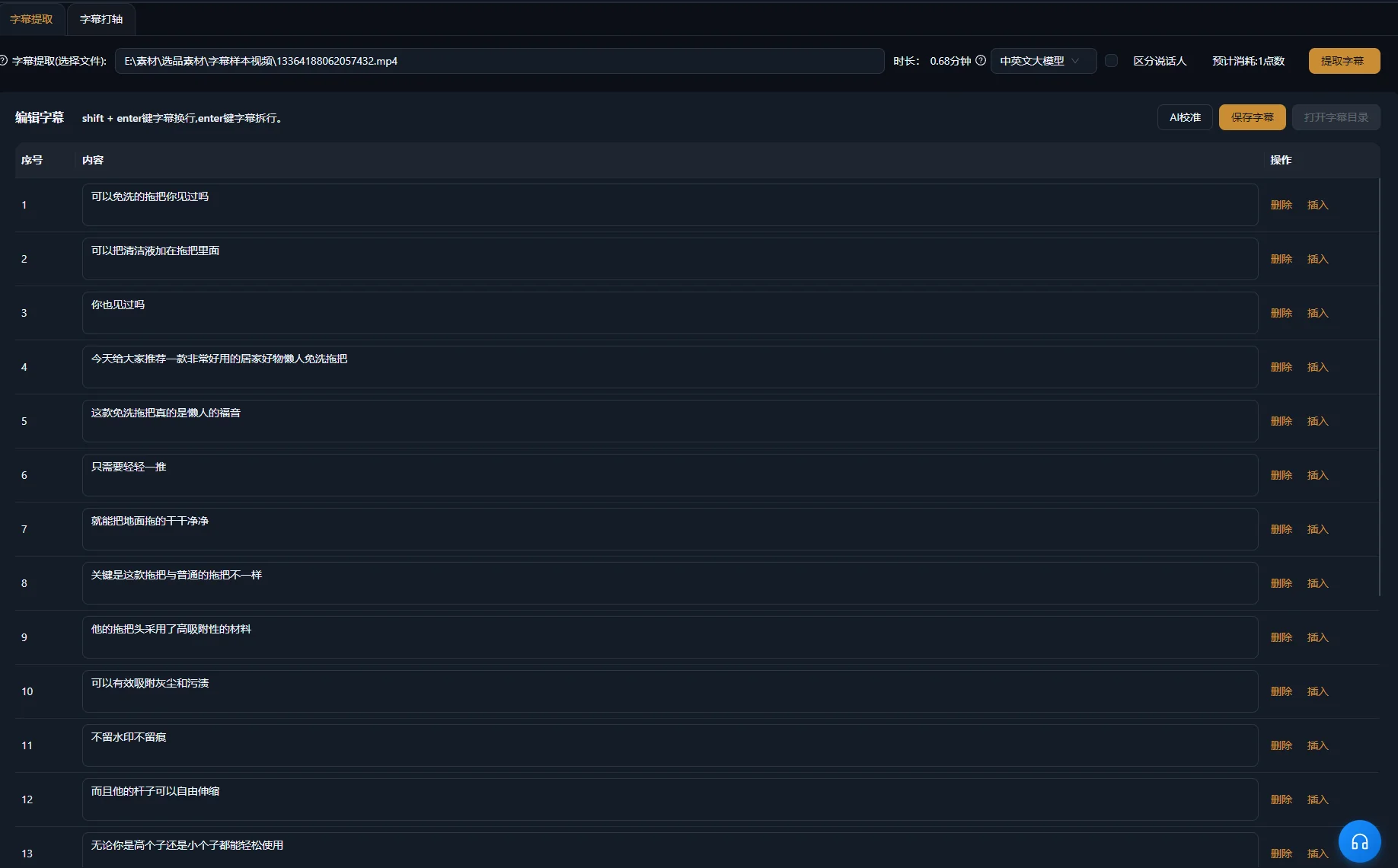
Untertiteln Sie die geschnittene Sequenz und gleichen Sie dann Text und Timing mit ihrem Ton ab. Quelltranskript und finale Untertitel erfüllen unterschiedliche Aufgaben: Das eine hilft bei der Passagenauswahl, die anderen müssen dem folgen, was auf dem Bildschirm erhalten bleibt.
Adobes Übersicht zur textbasierten Bearbeitung in Premiere trifft in ihrem eigenen Workflow dieselbe Unterscheidung und empfiehlt Untertitel aus der final geschnittenen Sequenz. Dies ist ein allgemeiner Workflow-Vergleich, keine Behauptung, dass beide Anwendungen identische Bedienelemente zur Textbearbeitung besitzen.
Wörter, Timing und Platzierung getrennt prüfen
- Vergleichen Sie Eigennamen, Mengenangaben, Verneinungen und Fachbegriffe mit den gesprochenen Wörtern.
- Stellen Sie sicher, dass jeder Untertitel mit der zugehörigen Passage beginnt und endet.
- Verwenden Sie lesbare Umbrüche, ohne eine Bedingung von der Aussage zu trennen, die sie einschränkt.
- Platzieren Sie Text außerhalb von Gesichtern, Bedienelementen und Produktdetails, die die Zuschauer betrachten müssen.
- Nehmen Sie bedeutungstragende Informationen außerhalb der Sprache auf, wenn sie zum Verständnis der Szene nötig sind.
Die W3C-Hinweise zu Untertiteln behandeln relevante Geräusche und die Sprecherkennzeichnung als Bestandteile barrierefreier Untertitel. Bei einer Produkterklärung kann ein hörbares Klicken wichtig sein, wenn es den Abschluss einer Handlung bestätigt. Entscheiden Sie, welche Geräusche Informationen vermitteln, statt jedes beiläufige Geräusch zu beschriften.
Die Untertitelerstellung beschreibt den Produktworkflow. Eine Änderung des Untertiteltexts korrigiert keinen gesprochenen Fehler. Prüfen Sie den Ton separat und bearbeiten oder ersetzen Sie die Passage, wenn die eigentliche Erklärung falsch ist.
Grafik und Ton abschließen, ohne die Erklärung zu verdecken
Ergänzen Sie einen Titel, Hervorhebungstext oder eine animierte Grafik nur, wenn dadurch ein tatsächlicher Punkt leichter verständlich wird. Halten Sie den Wortlaut mit der Sprache konsistent. Eine Grafik, die eine umfassendere Behauptung als der Präsentator aufstellt, verändert die Botschaft, statt sie lediglich zu gestalten.
Prüfen Sie die leiseste gesprochene Passage bei eingeschalteter Musik und Effekten. Werden die Wörter schwer verständlich, senken Sie das konkurrierende Audio ab oder entfernen Sie es. Die zuvor angeführten Hinweise zur Barrierefreiheit erläutern, warum Vordergrundsprache vom Hintergrundton unterscheidbar bleiben muss. Hören Sie sowohl auf Übergänge als auch auf den durchschnittlichen Pegel: Ein musikalischer Akzent oder Effekt kann ein einziges wichtiges Wort verdecken.
Sehen Sie sich das untertitelte Video einmal ohne Ton an, um die Verständlichkeit der visuellen Abfolge zu prüfen. Hören Sie es anschließend ohne Blick auf den Bildschirm an, um abrupte Übergänge oder einen fehlenden Bezug zu bemerken. Das sind ergänzende redaktionelle Prüfungen, keine Garantie, dass das fertige Video jede Anforderung an Barrierefreiheit erfüllt.
Verfeinern Sie die finale Timeline in der Schnittumgebung. Wenn Sie mehrere thematisch fokussierte Clips aus einer längeren Aufnahme benötigen, behandelt der Leitfaden zum Kürzen langer Videos die Themenauswahl und den Kontext vor der Gestaltung.
Probleme im Rohschnitt vor weiterem Feinschliff beheben
Beheben Sie das zugrunde liegende Inhalts- oder Timingproblem, bevor Sie eine Bildebene ergänzen. Die folgenden Symptome weisen auf unterschiedliche Prüfstellen hin. Sie sind diagnostische Möglichkeiten, keine gemessenen Fehlerquoten.
| Symptom | Mögliche Ursache | Nächster Schritt |
|---|---|---|
| Der falsche Aufnahmeversuch bleibt erhalten | Der Auftrag unterschied ähnliche Versuche nicht | Benennen Sie charakteristische Wörter oder Quellpositionen und legen Sie fest, was erhalten bleiben muss |
| Der Satz ist kürzer, aber irreführend | Mit wiederholten Inhalten entfiel eine Einschränkung | Vergleichen Sie den Schnitt mit der vollständigen Quellerklärung und stellen Sie die Bedingung wieder her |
| Ein Wort klingt abgeschnitten | Die Grenze liegt innerhalb des hörbaren Worts oder Atemzugs | Hören Sie über den Übergang hinweg und verfeinern Sie die Grenze manuell |
| Der Vortrag klingt gehetzt | Mit unerwünschten Lücken wurden sinnvolle Pausen entfernt | Stellen Sie Raum zwischen Gedanken und Vorführungen wieder her |
| Die B-Roll zeigt die falsche Handlung | Ein optisch ähnliches Medium wurde als passende Erklärung eingestuft | Prüfen Sie Produktidentität und Handlung und wählen Sie anschließend geeignetes Material |
| Untertitel laufen der Sprache voraus oder hinterher | Text oder Timing stammen aus einem früheren Schnitt | Vergleichen Sie die Untertitel mit der aktuellen finalen Sequenz |
| Der Text stimmt, aber die Sprache ist falsch | Nur der Untertitel wurde korrigiert | Prüfen und überarbeiten Sie die gesprochene Passage separat |
Die exportierte Datei anhand einer klaren Checkliste freigeben
Der Schnitt ist fertig, wenn neue Zuschauer die Erklärung verstehen können und die exportierte Datei der freigegebenen Timeline entspricht. Spielen Sie den tatsächlichen Export von Anfang bis Ende ab. Die Freigabe der Timeline allein belegt nicht, dass die ausgelieferte Datei korrekt ist.
- Der Einstieg benennt das Motiv und die Frage.
- Die beibehaltene Aufnahme enthält die notwendigen Bedingungen und die Schlussfolgerung.
- Jeder inhaltliche Schnitt wurde bei der Wiedergabe geprüft.
- Vorführungen zeigen das richtige Produkt und die richtige Handlung.
- Untertitel entsprechen der finalen Sprache und bleiben lesbar.
- Musik, Effekte und Grafiken unterstützen die Erklärung.
- Die exportierte Datei enthält das vorgesehene Bild, den Ton und den Text.
Bewahren Sie die Originalaufnahme und genügend Projektinformationen auf, um erklären zu können, was entfernt oder umgeordnet wurde. Beginnen Sie den nächsten Schnitt mit einem verbesserten Inhaltsbriefing, statt dieselben Schnitte mechanisch auf eine Aufnahme mit anderer Botschaft anzuwenden.
Häufige Fragen
Sollte ich jedes Füllwort entfernen?
Bewerten Sie das Wort im Kontext. Entfernen Sie ein unnötiges Zögern, wenn der entstehende Satz weiterhin vollständig klingt. Manche scheinbar verzichtbaren Wörter leiten einen Gegensatz ein oder bewahren den persönlichen Sprachstil. Prüfen Sie Ton und Bedeutung, statt eine pauschale Regel anzuwenden.
Kann ich nach einem KI-Auftrag weiter schneiden?
Ja. Prüfen Sie die Änderungen auf der Timeline und verfeinern Sie weiterhin Schnittgrenzen, ergänzendes Material, Untertitel und Ton. Ein Auftrag erzeugt einen vorgeschlagenen Schnitt, der noch Ihrer Freigabe bedarf.
Was ist, wenn der Sprecher einen Fehler in einer späteren Aufnahme korrigiert?
Vergleichen Sie die vollständigen Versuche und wählen Sie die zutreffende Erklärung. Prüfen Sie, ob die korrigierte Aufnahme auch die Bedingungen und Vorführung enthält, die die Zuschauer benötigen. Ein kürzerer oder flüssigerer Vortrag reicht nicht, wenn wesentliche Informationen fehlen.
Können Untertitel eine unklare Erklärung verständlich machen?
Untertitel können Sprache als Text zugänglich machen, liefern aber keine Argumentation, die der Schnitt entfernt hat. Stellen Sie fehlenden Kontext in der gesprochenen Sequenz wieder her oder verwenden Sie ein sachlich korrektes Erklärungselement, das hinzugefügte Informationen klar kennzeichnet.