

長尺動画を有用なショート動画にするには、1つの問いに答える区間、または1つの動作を完全に実演する区間を選び、元動画を見ていない視聴者に向けて編集します。AIは候補整理を支援できますが、最終選択では文脈と完全性の確認が必要です。このガイドではライブ配信、インタビュー、講座を対象に、切り抜きの制作指示から書き出しファイルまでを説明します。離れた抜粋を組み合わせると答えが伝わりやすくなる場合と、短くしたことで話者の本来の意味が変わる場合も解説します。
要点
- 単独で理解できる問いを選び、その答え、必要な条件、結論を残します。
- 境界や抜粋の組み合わせを承認する前に、候補クリップを元素材の文脈で確認します。
- 見える必要のある情報と、公開先の現在の要件に合わせて納品形式を決めます。
- 字幕を校正し、書き出したクリップをすべて再生します。ファイルが多くても、完全な話題が多いとは限りません。
尺を決める前に完全な話題を選ぶ
有用なショート動画には、明確な問いと完全な答えがあります。 最後に視聴者が理解する内容を書くことから始めます。「ノイズの多い収録で設定を変える理由を説明する」なら編集の評価基準になります。「よい瞬間を探す」だけでは、何を有用とするかがわかりません。
元素材の形式によって、適切な切り抜き単位は異なります。講座には前提条件付きの実演、インタビューには主張とその根拠、ライブ配信には動作を示しながら製品の質問に答える区間があるかもしれません。その答えを理解するための要素を残します。
| 元素材 | 単独で扱える話題の例 | 保持する文脈 |
|---|---|---|
| 講座 | 1つの設定を構成する方法 | 入力条件、手順、期待する結果 |
| インタビュー | 説明を伴う1つの主張 | 質問、証拠、限定条件 |
| ライブ配信 | 製品の動作または回答 | 表示中のモデルと、その動作が示す内容 |
ワークフローの理解には、 長尺動画の切り抜きの概要 を使います。1つの発話説明内で繰り返したテイクの処理は、 トーク動画編集ガイド で、より焦点を絞ったラフカットの判断を説明しています。
収録素材と切り抜きの制作指示を準備する
元素材を確認できる状態にし、候補を依頼する前に想定視聴者、話題、納品形式を定めます。音声認識を使う作業では、名前、数字、否定、条件で意味が変わる区間の前後の文字起こしを確認します。
確認できる要件を書く
- 対象視聴者:視聴者は何をすでに知っていますか?
- 話題:各クリップが答える問いは何ですか?
- 必須内容:どの問い、動作、条件、結論を残す必要がありますか?
- 表現:どの顔、製品の細部、操作部を見える状態にする必要がありますか?
- 納品:公開先にどのアスペクト比と尺の要件がありますか?
制作指示の例:この講座から、1クリップにつき1つの問いを扱う候補を整理してください。必要な背景、実演、結論を残してください。答えが当てはまる条件を保持してください。単独で理解するために前の文脈が必要な候補を示してください。
この依頼は計画用の例であり、アプリが特定の数や形式のクリップを返す保証ではありません。アプリ内で対応するワークフロー、タスクの利用可否、利用情報を確認します。代表的な素材から始め、作業を拡大する前に選択方法を確認できるようにします。
編集ワークスペースで候補クリップを整理する
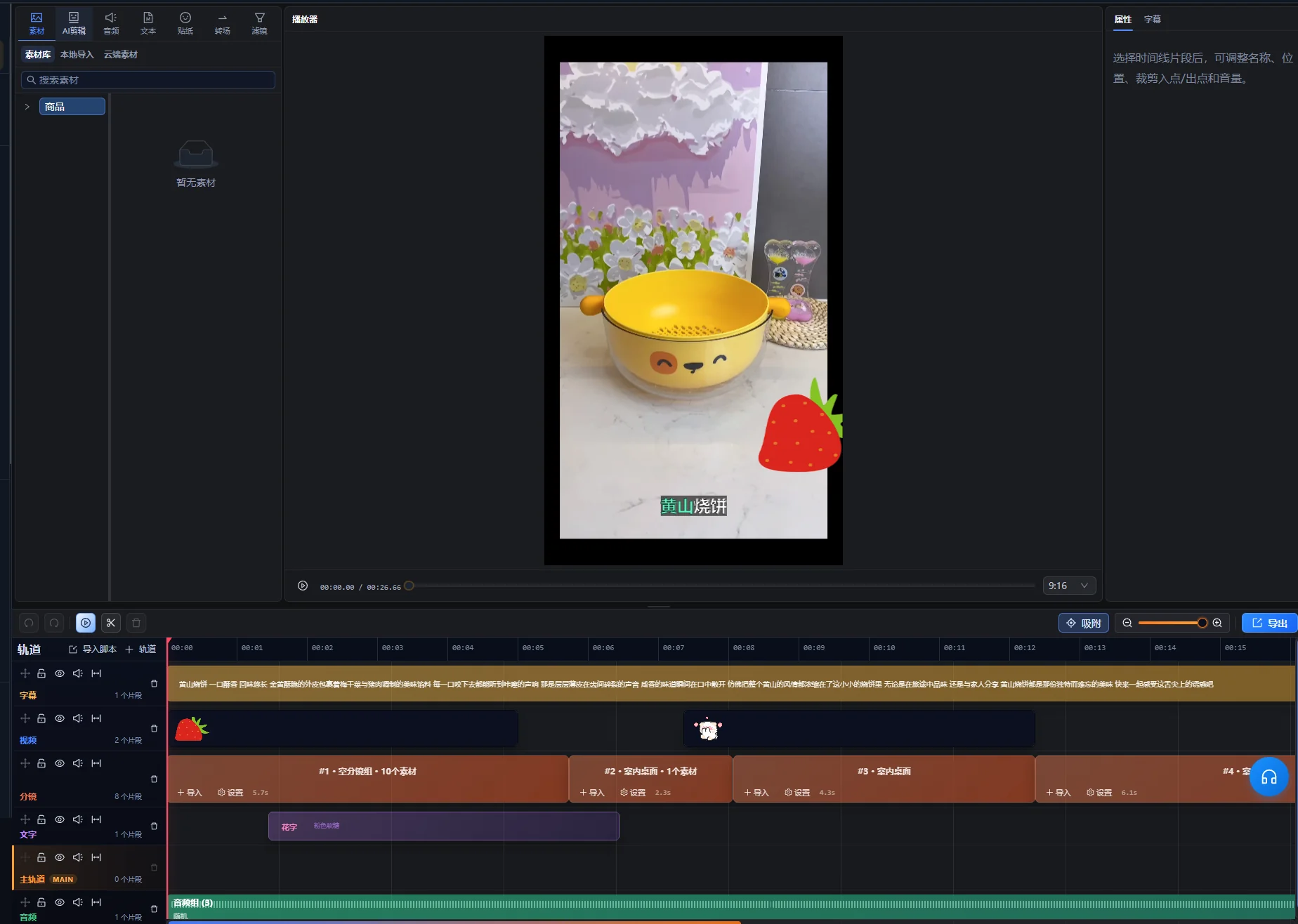
編集ワークスペースのAIアシスタントで候補クリップを依頼し、選択結果を確認の出発点として扱います。対応する長尺動画のワークフローでは、適切な場合は離れた区間も含め、抜粋と編集可能なタイムラインを整理できます。この柔軟性があるため、意味の確認が必要です。同じキーワードを持つ2つの区間でも、異なる問いに答えている場合があります。
- 長い収録を編集ワークスペースに読み込み、AIアシスタントを開きます。
- 切り抜きの目的と残すべき内容を伝えます。
- 候補プレビューを確認し、提案された話題をそれぞれ特定します。
- 選択区間と、その前後の元素材の文脈を再生します。
- 答えや順序が不完全な箇所は、提案の修正を依頼します。
- 確認後は提案の適用操作で承認済み編集を作成し、各クリップの調整を 編集ワークスペースで続けます。
候補プレビューは保留中の提案であり、すでに適用されたタイムライン編集ではありません。元素材やタイムラインの変更で提案が古くなった場合は、プレビュー再生成の操作を使い、新しい候補を確認してから適用します。画面の実際の操作名は言語によって異なります。ここでは英語のラベルを前提にせず、行う操作を示しています。
各候補に元素材の参照情報と、選んだ理由を短く残します。簡単な文書に、話題、元素材の位置、必要な文脈、未解決の問題を記録できます。このガイドは、別の自動クリップ確認ダッシュボードを想定していません。
短尺クリップの選択パネルには、候補のタイトル、尺、元素材の位置、選択部分を再生する操作があります。この情報で元素材を探し、実際の区間をプレビューします。提案タイトルは承認済みの公開見出しではなく、確認が必要なラベルとして扱います。
最初に確認するのは意味です。推測せずに問いと答えを示せるでしょうか。興味深い発言はあっても対象がわからない候補なら、採用を決める前に前の文脈を確認します。
導入、限定条件、結末を文脈とともに確認する
提案された開始点と終了点の外側も確認します。直前の1文が抜けると残る内容すべての意味が変わる場合があり、直後の結論が答えを完結させるために必要な場合もあります。
| 確認対象 | 聴く・見るポイント | 判断 |
|---|---|---|
| 導入 | 「これ」「その選択肢」、または問いのない答え | 前の素材を十分残すか、対象を明確にします。 |
| 条件 | 「〜の場合だけ」「〜でない限り」、主張に付く限定条件 | 限定する答えと一緒に条件を残します。 |
| 実演 | 準備や結果が欠けた動作 | 手順の理解に必要な部分を保持します。 |
| 結末 | 未完の考えや省かれた結論 | 終了点を延ばすか修正し、答えを完結させます。 |
| 抜粋の組み合わせ | 問い、製品、時期、話者の立場の変化 | 組み立てた並びが元の意味を保持するか確認します。 |
長い収録の記憶に頼らず、クリップを一度見ます。視聴中に「これ」が何か説明する必要があるなら、文脈が不足している可能性があります。正確なタイトルは話題を特定できますが、元素材が裏づける以上に強い主張を加えてはいけません。
離れた区間を組み合わせる場合は、新しい並びだけでなく、各区間を元の文脈でも視聴します。より単純な構成のほうが短くても、関連する記述に限定条件を付けたままにします。
具体例:講座の1つの答えをショート動画にする
選択と確認を説明する架空の講座区間です。実際の切り抜き結果や成果の事例ではありません。小声を失わずに不要な静かな空白を除く方法を、受講者が尋ねる場面です。
カット前に元素材の内容を整理する
| 元素材の要素 | 伝える情報 | 編集上の判断 |
|---|---|---|
| 質問 | 収録に空白と小声の語句があります。 | 問題を残すか、導入で正確に示します。 |
| 長い導入 | 講師が無関係な過去の演習に触れています。 | この答えに不要な素材を除外します。 |
| 実演 | 講師が代表的な区間で設定を試します。 | 手順と、判断できるだけの再生時間を残します。 |
| 条件 | 強い設定では小声の発話が削除される場合があります。 | 実演と並べて残します。 |
| 結論 | より多くの素材を処理する前に、サンプルを聴いて調整します。 | 提案を完結させる結論として残します。 |
始まりと終わりのある答えを組み立てる
問題か、作業を簡潔に示す文で始め、代表的なテストを見せます。小声についての講師の条件を保持し、広い範囲に設定を適用する前に聴くという提案で締めくくります。
実演と結論が元素材の離れた位置にある場合、同じ設定と入力について述べている場合に限り、有用な並びになります。間の素材で状況が変わっていないか確認します。静かな収録のテストを、明示的にノイズの多い収録を対象とする結論と組み合わせないでください。
初めて見る視聴者として確認する
視聴者が、解決する問題、重要な設定や操作、聴き取る点、有用な発話が削除された場合の対応を理解できる必要があります。「この値を上げる」としか言わないクリップなら、不足する対象の説明を残すか、より完全な区間を選びます。
合格基準は、講座の外でも答えが成り立つことです。尺は動作と条件を説明するために必要な情報から決まります。公開先に収まらなければ、制限条件を削除するのではなく、無関係な前置きを短くするか、実際に別の問いに分けます。
納品形式を設定し、重要なクロップをすべて確認する
視聴者が見る必要のある内容に合わせて最終画面を決めます。出演者の顔は残っても、実演している操作部が消える縦型クロップでは、元と同じ説明は伝わりません。
2026年10月10日の確認時点で、YouTubeの 3分間のYouTubeショートに関する説明 では、通常のYouTubeチャンネルについて、2024年10月15日以降にアップロードされた正方形または縦長で3分以内の動画をショート動画に分類するとしています。公式アーティストチャンネルには別の過去の適用日があります。納品の準備時は、リンク先で自分のチャンネルとアップロード日に対応する指針を確認してください。この分類規則はアプリの処理上限ではありません。
動作全体を通して画角を確認する
- 導入の構図を確認し、被写体を特定します。
- 顔、手、製品、実演する操作部の動きを追います。
- 画角変更後に画面収録の文字が小さくなりすぎないか確認します。
- 必要な情報を覆わずに字幕の場所を確保します。
- 異なる画角の区間をつなぐすべてのトランジションを確認します。
必要に応じて、 クロップのワークフロー とタイムラインの手動調整を使います。1つのクロップでは人物と幅広い実演を両方見せられない場合は、説明を保持できる別のレイアウトや元素材の区間を検討します。自動クロップが講座で重要な小さな操作部を判断できると想定しないでください。
最終クリップに字幕を付け、役立つ映像情報を保持する
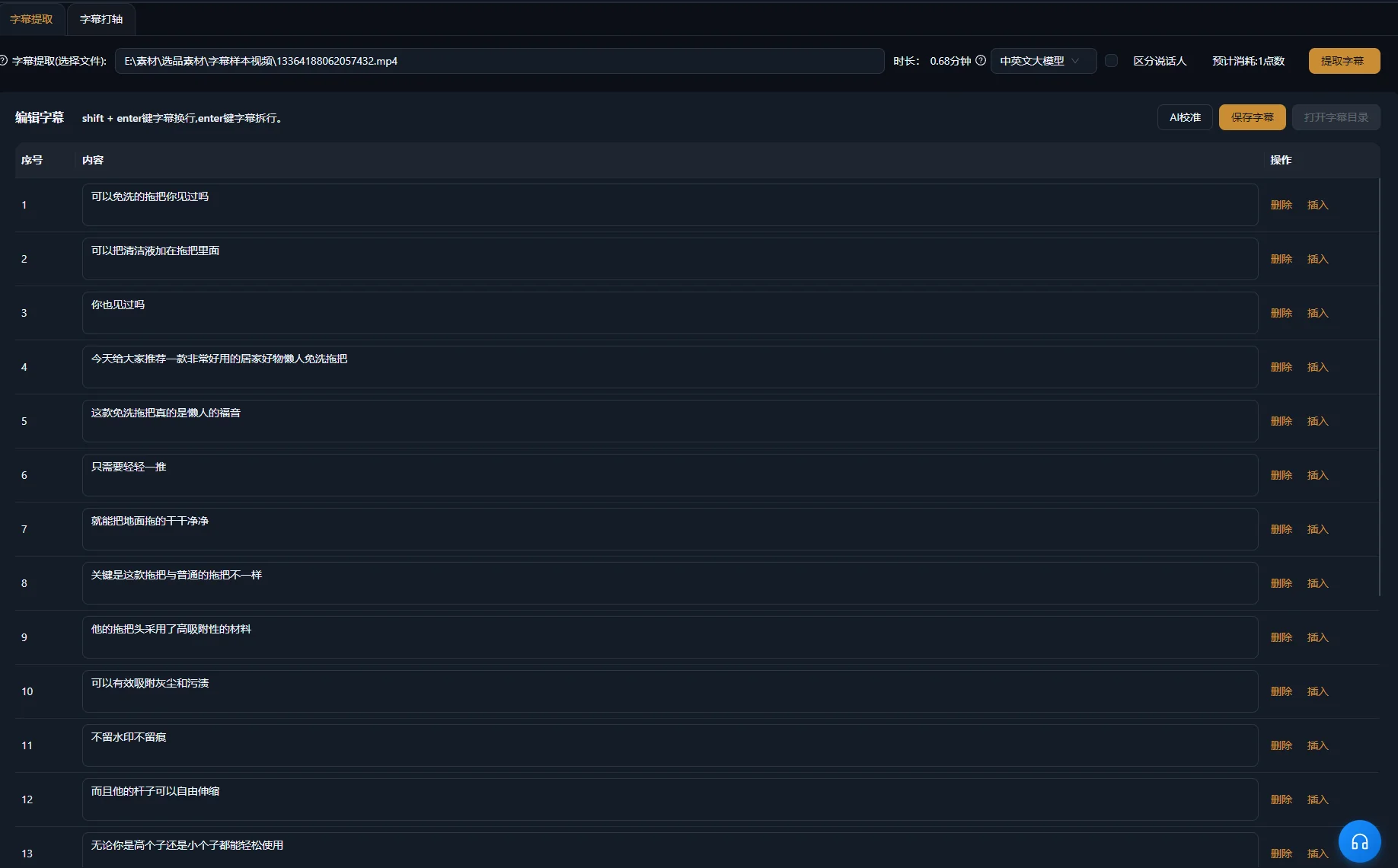
最終編集クリップの字幕を生成または修正し、発話に照らして確認します。区間を削除したり並べ替えたりすると、元の字幕は合わなくなることがあります。製品名、数量、条件、否定を特に注意して確認します。
W3Cの 字幕のガイダンス では、アクセシブルな字幕は関連する非発話音や話者の情報も伝えると説明しています。インタビューでは話者の識別が重要な場合があります。実演ではクリック音が動作完了を知らせる場合があります。理解に必要な情報を含めます。
W3Cの 音声コンテンツと動画コンテンツのガイダンス も、明瞭な音声、読みやすい重ね文字、情報を理解する時間を勧めています。ショート動画自体にこれらを適用します。クロップや速い展開によって、元は明確だった実演がわかりにくくなることがあります。
文字と音声を別のレイヤーとして確認する
- 最終音声と字幕を照合して校正します。
- タイミングと読みやすい区切りを確認します。
- 顔、操作部、製品の細部への重なりを確認します。
- つなぎ目をまたいで聴き、単語の途切れや音の急変を確認します。
- 答えが聴き取りにくくなる場合は、競合する音楽を小さくします。
関連する製品の手順は、 字幕生成の概要 で説明しています。字幕は発話内容を正確に表す必要があります。文字を変えても、誤った発話や不完全な答えは直せません。
単独では伝わらない候補の問題を解決する
完全な答えがない場合は選択を見直します。仕上げによって見せ方は改善できますが、無関係な抜粋で不足する説明の筋道を補うことはできません。
| 症状 | 原因の候補 | 次の確認・修正 |
|---|---|---|
| 導入が、わからない問いへの答えになっています。 | 問いや対象が除外されています。 | 前の元素材の文脈を確認し、必要な対象を残すか明示します。 |
| 主張が元素材より広く聴こえます。 | 制限条件がカットされています。 | 主張に付く限定条件を戻します。 |
| 実演が結果の前に終わります。 | 候補の境界が動作ではなく発話に従っています。 | 終点を延ばすか修正し、役立つ結果を見せます。 |
| 組み合わせた抜粋が互いに矛盾します。 | 異なる状況や問いについて述べています。 | 元の文脈を比較し、必要なら話題を分けます。 |
| 縦型クリップで操作部が隠れます。 | クロップが誤った領域を優先しています。 | 実演を通して画角を調整するか、適切なレイアウトを使います。 |
| 字幕が順序に合わなくなっています。 | 長い元動画や以前のカットを反映しています。 | 完成クリップに照らして確認します。 |
| 複数のクリップで同じ答えを繰り返しています。 | 異なる話題より似た区間が優先されています。 | 各候補の問いと要点を比較します。 |
多くの前置きがまだ必要な話題は、ショート動画より長尺の区間に向いている場合があります。候補を不採用にすることも有用な編集結果です。抽出ファイルの数は、それだけの異なる完全な答えが元素材にあった証拠ではありません。
書き出したクリップを確認し、元の文脈を記録する
書き出しファイルを1本ずつ承認します。共通設定で反復する準備を減らせても、境界、意味、見える動作は各クリップで異なります。最初の書き出しが良好でも、残りが完全だとは確認できません。
対応する切り抜きワークフローでは、個別書き出し用の独立したクリップを準備できます。納品対象の出力を確認し、結果の各ファイルを再生します。制作指示でまとめ動画を明示的に求めていなければ、独立した話題のクリップは別々にします。
- クリップが、特定できる1つの問いに答えています。
- 元素材を知らない人にも導入が伝わります。
- 必要な限定条件、実演、結論が残っています。
- 組み合わせた抜粋が元素材の意味を保持しています。
- 重要な被写体と動作が見え続けます。
- 書き出しファイルの字幕、発話、補助音声が正しくなっています。
- ファイルが選択した公開先の要件に合っています。
話題、元素材の位置、完成ファイル名、編集上の変更をプロジェクトと一緒に記録します。実際の答えに基づく正確なタイトルを付けます。後で配信データを確認する場合は、この記録から公開内容を把握します。制作量だけでは、選択が有効だったとは示せません。
次の素材では代表的な問いを1つ選び、まず全工程を進めます。選択、画角、字幕、書き出しを確認できるようになってから、他の異なる話題へ広げます。
よくある質問
1つの収録から何本のショート動画を作るべきですか?
単独で完全なクリップにできる異なる話題を選びます。有用な答えが多い収録もあれば、前の文脈に強く依存する収録もあります。収録の長さで本数の割り当てを決めず、話題の重複と完全性を評価してください。
元素材の離れた位置にある区間を1本に組み合わせられますか?
対応するワークフローでは離れた抜粋を整理できます。各区間を元の文脈で確認し、組み立てた意味を点検します。必要な条件を残し、異なる状況への答えを1つの記述のように組み合わせないでください。
すべてのショート動画を結論から始めるべきですか?
前置きがなくても理解でき、正確である場合は結論から始めます。答えより先に問題や条件が必要な実演もあります。すべての素材に同じ構成を適用せず、実際の話題を明確にする導入を選んでください。
同じ書き出しをすべてのプラットフォームに使えますか?
公開先の現在の形式要件を確認し、視聴画面でのクリップの見え方を点検します。同じファイルを複数の場所で使える場合もありますが、ある公開先で適切な尺やクロップが、他の場所でも同じように機能するとは限りません。