
Lang video til korte klip: Vælg og færdiggør selvstændige uddrag
Forfatter
Udgivet

For at gøre en lang video til brugbare korte klip skal du vælge passager, der besvarer ét spørgsmål eller demonstrerer én fuldstændig handling, og derefter redigere hver passage til en seer, der ikke har set originalen. AI kan organisere forslag, men den endelige udvælgelse kræver stadig kontrol af sammenhæng og fuldstændighed. Vejledningen dækker livestreams, interviews og kurser fra klipbrief til eksportfiler. Den forklarer også, hvornår kombination af separate uddrag hjælper et svar, og hvornår et kortere klip ændrer det, taleren faktisk mente.
Vigtigste pointer
- Vælg et selvstændigt spørgsmål, og bevar svaret, nødvendige betingelser og konklusionen.
- Gennemgå klipforslag i deres oprindelige kildekontekst, før du godkender grænser eller kombinerede uddrag.
- Vælg leveringsformat ud fra synlig information og destinationens aktuelle krav.
- Læs korrektur på undertekster, og afspil hvert eksporteret klip; flere filer betyder ikke flere fuldstændige emner.
Vælg et fuldstændigt emne før en varighed
Et brugbart kort klip har et tydeligt spørgsmål og et fuldstændigt svar. Begynd med at skrive, hvad en seer skal forstå til sidst. »Forklar, hvorfor indstillingen ændres ved en støjende optagelse« giver en redaktionel test. »Find de bedste øjeblikke« definerer ikke, hvad der er nyttigt.
Forskellige kildeformater giver forskellige enheder. En kursuspassage kan have en demonstration med en forudsætning. En interviewpassage kan indeholde en påstand og dens begrundelse. En livestream kan besvare et produktspørgsmål, mens handlingen vises. Bevar de dele, som gør netop det svar forståeligt.
| Kilde | Muligt selvstændigt emne | Sammenhæng, der skal bevares |
|---|---|---|
| Kursus | Sådan konfigureres én indstilling | Inputbetingelser, trin og forventet resultat |
| Interview | Én påstand med forklaring | Spørgsmålet, dokumentationen og eventuelle forbehold |
| Livestream | En produkthandling eller et svar | Den viste model og det, handlingen demonstrerer |
Brug oversigten over klip fra lange videoer til at forstå arbejdsgangen. Ved gentagne forsøg i én mundtlig forklaring dækker vejledningen til redigering af talevideo de mere fokuserede beslutninger i råklippet.
Forbered optagelsen og en redaktionel klipbrief
Hold kilden tilgængelig, og definér den tilsigtede målgruppe, emne og leveringsformat, før du beder om forslag. Hvis talegenkendelse understøtter opgaven, skal du undersøge transskriptionen omkring passager, hvis betydning afhænger af et navn, tal, en nægtelse eller betingelse.
Skriv krav, du kan kontrollere
- Målgruppe: Hvad ved seeren allerede?
- Emne: Hvilket spørgsmål skal hvert klip besvare?
- Væsentligt indhold: Hvilket spørgsmål, hvilken handling, hvilken betingelse eller hvilken konklusion skal blive?
- Præsentation: Hvilket ansigt, hvilken produktdetalje eller hvilket betjeningselement skal forblive synligt?
- Levering: Hvilket billedformat og varighedskrav gælder for destinationen?
Illustrativ brief: Organisér klipforslag fra dette kursus med ét spørgsmål pr. klip. Bevar nødvendig baggrund, demonstration og konklusion. Bevar betingelser, der forklarer, hvornår et svar gælder. Identificér forslag, som kræver tidligere sammenhæng for at stå alene.
Anmodningen er et planlægningseksempel, ikke et løfte om, at appen returnerer et bestemt antal eller format af klip. Kontrollér understøttet arbejdsgang, opgavetilgængelighed og forbrugsinformation i appen. Start med repræsentativt materiale, så du kan gennemgå udvælgelsesmetoden, før du udvider opgaven.
Organisér klipforslag i redigeringsområdet
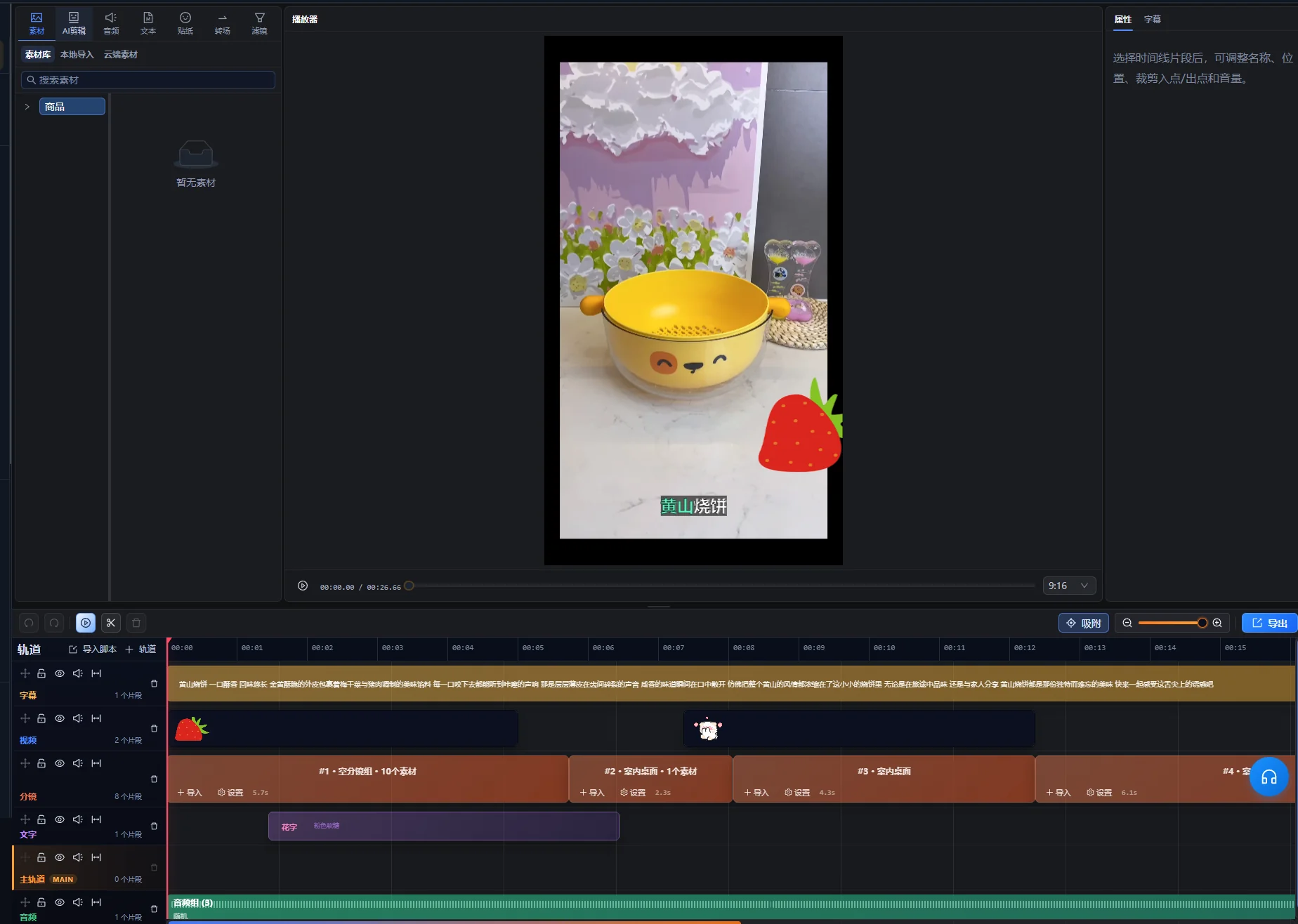
Brug AI-assistenten i redigeringsområdet til at bede om klipforslag, og behandl udvalget som et udgangspunkt for gennemgang. Den understøttede arbejdsgang til lange videoer kan organisere uddrag og redigerbare tidslinjer, også ikke-sammenhængende passager, når det er relevant. Fleksibiliteten gør betydningskontrol nødvendig: To passager med samme nøgleord kan stadig besvare forskellige spørgsmål.
- Importér den lange optagelse i redigeringsområdet, og åbn AI-assistenten.
- Angiv klipmålet og det indhold, der skal bevares.
- Undersøg forhåndsvisningen, og identificér hvert foreslået emne.
- Afspil de valgte passager og den omkringliggende kildekontekst.
- Bed om et revideret forslag, når svaret eller rækkefølgen er ufuldstændig.
- Efter gennemgang skal du bruge kontrollen til at anvende forslaget til at oprette den godkendte redigering og derefter fortsætte med at finjustere hvert klip i redigeringsområdet.
Forhåndsvisningen er et afventende forslag, ikke en allerede anvendt tidslinjeredigering. Hvis ændringer i kilden eller tidslinjen gør forslaget forældet, skal du bruge kontrollen til at generere forhåndsvisningen igen og gennemgå de nye forslag, før du anvender dem. Kontrollernes præcise ordlyd afhænger af grænsefladens sprog; instruktionerne identificerer handlingerne frem for at antage en engelsk betegnelse.
Gem en kildehenvisning og en kort begrundelse for hvert forslag. Et enkelt dokument kan notere emne, kildepositioner, nødvendig sammenhæng og uløste problemer. Vejledningen antager ikke et separat automatisk klipgennemgangspanel.
Panelet til valg af korte klip giver titel, varighed og kildepositioner for forslaget samt en handling til afspilning af udvalget. Brug oplysningerne til at finde kilden, og forhåndsvis derefter den faktiske passage. Behandl den foreslåede titel som en etiket, der skal kontrolleres, ikke en godkendt udgivelsesoverskrift.
Den første kontrol handler om betydning: Kan du navngive spørgsmål og svar uden at gætte? Hvis et forslag har et interessant citat, men intet forståeligt emne, skal du undersøge tidligere sammenhæng, før du beslutter, om det skal bevares.
Gennemgå åbninger, forbehold og afslutninger i sammenhæng
Kontrollér uden for de foreslåede ind- og udpunkter. En manglende sætning lige før klippet kan ændre betydningen af alt det bevarede, mens en konklusion lige efter kan være nødvendig for at fuldende svaret.
| Kontrol | Hvad du skal lytte eller se efter | Beslutning |
|---|---|---|
| Åbning | »Dette«, »den mulighed« eller et svar uden spørgsmål | Bevar nok tidligere materiale, eller identificér emnet tydeligt |
| Betingelse | »Kun når«, »medmindre« eller et forbehold knyttet til påstanden | Bevar betingelsen sammen med det svar, den begrænser |
| Demonstration | En handling, hvis optakt eller resultat mangler | Bevar delene, der er nødvendige for at forstå trinnet |
| Afslutning | En ufærdig tanke eller udeladt konklusion | Forlæng eller revidér afslutningen, så svaret fuldendes |
| Kombinerede uddrag | Ændret spørgsmål, produkt, tidsperiode eller talerstandpunkt | Kontrollér, at den samlede sekvens bevarer den oprindelige betydning |
Gennemgå klippet én gang uden at støtte dig til hukommelsen om den lange optagelse. Hvis du skal forklare, hvad »den her« betyder undervejs, kræver klippet sandsynligvis mere sammenhæng. En korrekt titel kan identificere emnet, men bør ikke tilføje en stærkere påstand, end kilden understøtter.
Når separate passager kombineres, skal du se dem både i deres oprindelige sammenhæng og i den nye sekvens. Bevar forbeholdet ved den relevante påstand, selv når en enklere samling ville være kortere.
Eksempel: Gør ét kursussvar til et kort klip
Denne fiktive kursuspassage illustrerer udvælgelse og gennemgang. Det er ikke et reelt klipresultat eller en resultatcase. En deltager spørger, hvordan uønskede stille mellemrum fjernes fra en optagelse uden at miste svag tale.
Kortlæg kilden før klipning
| Kildekomponent | Informationen den giver | Redaktionel beslutning |
|---|---|---|
| Spørgsmål | Optagelsen har mellemrum og svage ord | Bevar problemet, eller identificér det korrekt i åbningen |
| Lang introduktion | Underviseren diskuterer tidligere, uvedkommende øvelser | Udeluk materiale, der ikke kræves til dette svar |
| Demonstration | Underviseren tester indstillingen på en repræsentativ passage | Bevar trinnet og nok afspilning til at vurdere det |
| Betingelse | En aggressiv indstilling kan fjerne svag tale | Bevar den ved demonstrationen |
| Konklusion | Lyt til prøven, og justér før behandling af mere materiale | Bevar den som den fuldstændige anbefaling |
Byg et svar med en begyndelse og en slutning
Åbn med problemet eller en kort beskrivelse af opgaven, og vis derefter den repræsentative test. Bevar underviserens betingelse om svag tale, og slut med anbefalingen om at lytte før bredere anvendelse af indstillingerne.
Hvis demonstration og konklusion findes på separate kildepositioner, kan de kun danne en nyttig sekvens, når de handler om samme indstilling og input. Undersøg materialet imellem for et ændret scenarie. Kombinér ikke en test på en stille optagelse med en konklusion, der udtrykkeligt handlede om en støjende optagelse.
Kontrollér klippet som en ny seer
Seeren skal kende problemet, den vigtige kontrol eller handling, hvad der skal lyttes efter, og hvordan man reagerer, når indstillingen fjerner nyttig tale. Hvis klippet blot siger »øg denne værdi«, skal du bevare den manglende identifikation eller vælge en mere fuldstændig passage.
Godkendelsestesten er, om svaret fungerer uden for kurset. Længden følger af informationen, der er nødvendig for handling og betingelse. Hvis det ikke passer til destinationen, skal du forkorte uvedkommende optakt eller dele det i reelt separate spørgsmål i stedet for at fjerne begrænsningen.
Vælg leveringsformat, og kontrollér alle vigtige beskæringer
Vælg den færdige billedramme ud fra det, seeren skal se. En lodret beskæring, der bevarer værtens ansigt, men fjerner det demonstrerede betjeningselement, leverer ikke samme forklaring som originalen.
Som kontrolleret den 10. oktober 2026 siger YouTubes vejledning til tre minutter lange YouTube Shorts at kvadratiske eller lodrette videoer uploadet fra den 15. oktober 2024 med en varighed på op til tre minutter kategoriseres som Shorts på almindelige YouTube-kanaler. Officielle kunstnerkanaler har en separat historisk skæringsdato. Kontrollér den linkede vejledning for din kanal og uploaddato, når du forbereder levering. Klassificeringsreglen er ikke en behandlingsgrænse i appen.
Gennemgå billedrammen gennem hele handlingen
- Kontrollér åbningskompositionen, og identificér motivet.
- Følg ansigter, hænder, produkter og demonstrerede kontroller, når de bevæger sig.
- Undersøg skærmoptagelser for tekst, der bliver for lille når billedudsnittet ændres.
- Reservér plads til undertekster uden at dække nødvendig information.
- Gennemgå alle overgange mellem forskelligt indrammede passager.
Brug arbejdsgangen til beskæring og manuel tidslinjefinjustering efter behov. Hvis én beskæring ikke kan vise både en person og en bred demonstration, skal du overveje et andet layout eller en kildepassage, der bevarer forklaringen. Antag ikke, at automatisk beskæring kan afgøre, hvilket lille betjeningselement der er vigtigt for lektionen.
Tekst det færdige klip, og bevar nyttig visuel information
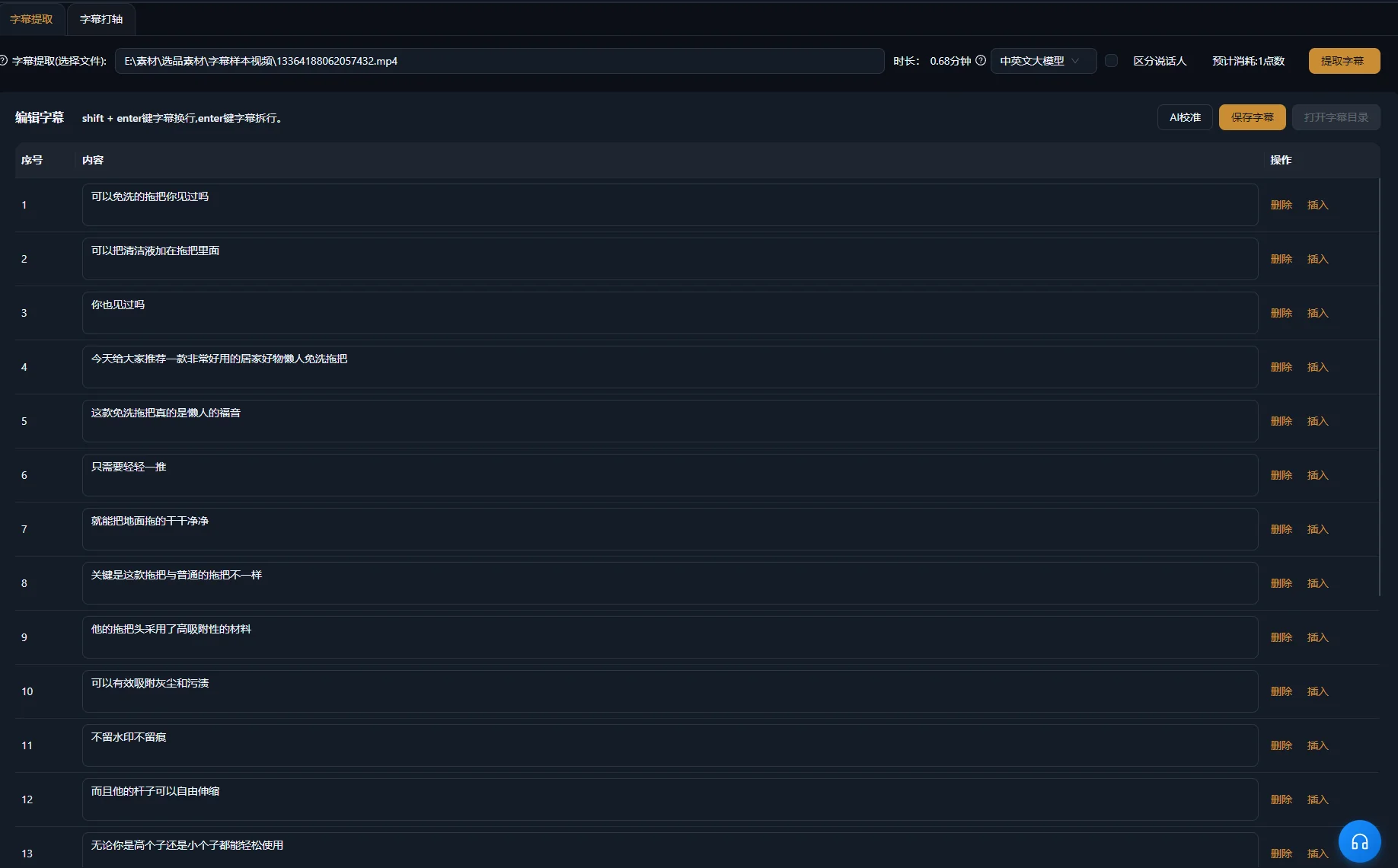
Generér eller revidér undertekster til det færdige redigerede klip, og kontrollér dem mod talen. Kildens undertekster passer måske ikke længere, efter at passager er fjernet eller flyttet. Vær særlig opmærksom på produktnavne, mængder, betingelser og nægtelser.
W3C's vejledning om undertekster forklarer, at tilgængelige undertekster også formidler relevante lyde uden tale og talerinformation. I et interview kan taleridentifikation være vigtig. I en demonstration kan et hørbart klik bekræfte, at en handling er fuldført. Medtag den information, der kræves for forståelsen.
W3C's vejledning om lyd- og videoindhold anbefaler også tydelig lyd, læsbar overlejret tekst og tid til at bearbejde information. Anvend kontrollerne på selve klippet: En beskæring eller hurtig sekvens kan gøre en tidligere tydelig demonstration svær at følge.
Kontrollér tekst og lyd som separate lag
- Læs korrektur på undertekster mod den færdige lyd.
- Kontrollér timing og læsbare brud.
- Undersøg placering over ansigter, kontroller og produktdetaljer.
- Lyt over samlinger efter afklippede ord eller bratte lydændringer.
- Dæmp konkurrerende musik, når den skjuler svaret.
Oversigten over generering af undertekster dækker produktets relaterede arbejdsgang. En undertekst skal gengive det talte indhold korrekt; en ændring kan ikke reparere et forkert eller ufuldstændigt talt svar.
Find fejl i klipforslag, der ikke kan stå alene
Genovervej udvælgelsen, når klippet mangler et fuldstændigt svar. Præsentation kan forbedres, men kan ikke få et uvedkommende uddrag til at tilføre manglende begrundelse.
| Symptom | Mulig årsag | Næste kontrol eller rettelse |
|---|---|---|
| Åbningen besvarer et ukendt spørgsmål | Spørgsmålet eller emnet blev udeladt | Undersøg tidligere kildekontekst, og bevar eller identificér det nødvendige emne |
| Påstanden lyder bredere end kilden | En begrænsning blev klippet væk | Genskab forbeholdet ved påstanden |
| Demonstrationen slutter før resultatet | Forslagets grænse følger talen frem for handlingen | Forlæng eller revidér afslutningen for at vise resultatet |
| Kombinerede uddrag modsiger hinanden | De vedrører forskellige scenarier eller spørgsmål | Sammenlign oprindelige sammenhænge, og adskil emnerne efter behov |
| Det lodrette klip skjuler et betjeningselement | Beskæringen prioriterer det forkerte område | Tilpas billedudsnittet gennem hele demonstrationen, eller brug et passende layout |
| Undertekster passer ikke længere til rækkefølgen | De afspejler den lange kilde eller et tidligere klip | Kontrollér dem mod det færdige klip |
| Flere klip gentager samme svar | Udvælgelsen favoriserede lignende passager frem for forskellige emner | Sammenlign spørgsmål og hovedpointe i hvert forslag |
Når et emne stadig kræver for meget tidligere forklaring, passer det måske bedre som en længere passage end som et kort klip. At afvise et forslag er et nyttigt redaktionelt resultat. Antallet af udtrukne filer dokumenterer ikke, at kilden gav så mange forskellige, fuldstændige svar.
Gennemgå eksportklip, og notér deres kildekontekst
Godkend hver eksporteret fil individuelt. Fælles indstillinger kan mindske gentagen forberedelse, men hvert klip har egne grænser, betydning og synlig handling. En ren første eksport dokumenterer ikke, at resten er fuldstændige.
Den understøttede kliparbejdsgang kan forberede selvstændige klip til separate eksporter. Bekræft, hvilke output der leveres, og afspil hver resultatfil. Hold selvstændige emneklip adskilt, medmindre leveringsbriefen udtrykkeligt kræver en samlevideo.
- Klippet besvarer ét identificerbart spørgsmål.
- Åbningen fungerer for en person, der ikke kender kilden.
- Det nødvendige forbehold, demonstrationen og konklusionen bevares.
- Kombinerede uddrag bevarer kildens betydning.
- Det vigtige motiv og handlingen forbliver synlige.
- Undertekster, tale og støttende lyd er korrekte i den eksporterede fil.
- Filen matcher kravene til den valgte destination.
Notér emne, kildepositioner, færdigt filnavn og eventuelle redaktionelle ændringer ved projektet. Giv klippet en korrekt titel ud fra det faktiske svar. Hvis du senere gennemgår distributionsdata, skal du bruge oplysningerne til at forstå, hvilket indhold der blev udgivet; produktionsmængde alene viser ikke, at udvælgelsen var effektiv.
Vælg ét repræsentativt spørgsmål til næste kilde, og før det først gennem hele processen. Når du kan kontrollere udvælgelse, indramning, undertekster og eksport, kan du udvide til flere forskellige emner.
Ofte stillede spørgsmål
Hvor mange korte klip skal jeg lave fra én optagelse?
Vælg de forskellige emner, der kan blive fuldstændige selvstændige klip. Nogle optagelser har mange brugbare svar; andre afhænger stærkt af tidligere sammenhæng. Vurdér emneoverlap og fuldstændighed frem for at sætte en kvote ud fra optagelsens varighed.
Kan et kort klip kombinere passager fra forskellige kildepositioner?
Understøttede arbejdsgange kan organisere adskilte uddrag. Kontrollér hver passage i dens oprindelige sammenhæng, og undersøg den samlede betydning. Bevar nødvendige betingelser, og undgå at samle svar om forskellige scenarier, som om de var én udtalelse.
Skal alle korte klip begynde med konklusionen?
Brug konklusionen først, når den er forståelig og korrekt uden den tidligere optakt. Nogle demonstrationer kræver problemet eller betingelsen før svaret. Vælg den åbning, der gør det faktiske emne tydeligt, frem for at anvende samme struktur på alle kilder.
Kan jeg bruge samme eksport på alle platforme?
Kontrollér destinationens aktuelle formatkrav, og undersøg, hvordan visningsgrænsefladen præsenterer klippet. Samme fil kan være brugbar flere steder, men en passende varighed eller beskæring ét sted dokumenterer ikke, at den fungerer lige så godt andre steder.