
Upload videoen
Importér videoen, hvis billedformat skal justeres, eller sæt flere klip i kø sammen i en batchopgave.
Fjern sorte bjælker, skift billedformat, og tilpas én master til hver platform
Fjern sorte bjælker, og skift billedformat med ét klik, med AI-emnesporing, der holder ansigter i billedet ved konvertering mellem liggende og stående format. Batchbehandling understøttes, så ét indhold passer til Douyin, WeChat Channels, YouTube og flere.
Download AIMIXLæg liggende materiale op på Douyin, og skærmen fyldes med sorte bjælker; upload en stående video til YouTube, og kun en smal stribe overlever — billedformatet er den første forhindring ved distribution på flere platforme. Videobeskæring håndterer fjernelse af sorte bjælker, frit formatskift og AI-emnesporing til smart omramning, så én video virker alle steder.
Importér videoen, hvis billedformat skal justeres, eller sæt flere klip i kø sammen i en batchopgave.
Fjernelse af sorte bjælker opdager og trimmer automatisk bjælkerne i toppen og bunden; formatskift tilbyder 9:16, 1:1, 16:9 og flere; AI-sporing holder emnet centreret, så konvertering fra liggende til stående aldrig klipper ansigter af.
Forhåndsvis indramningen, og eksportér derefter — output flere formatversioner på én gang, så ét indhold dækker alle platforme.
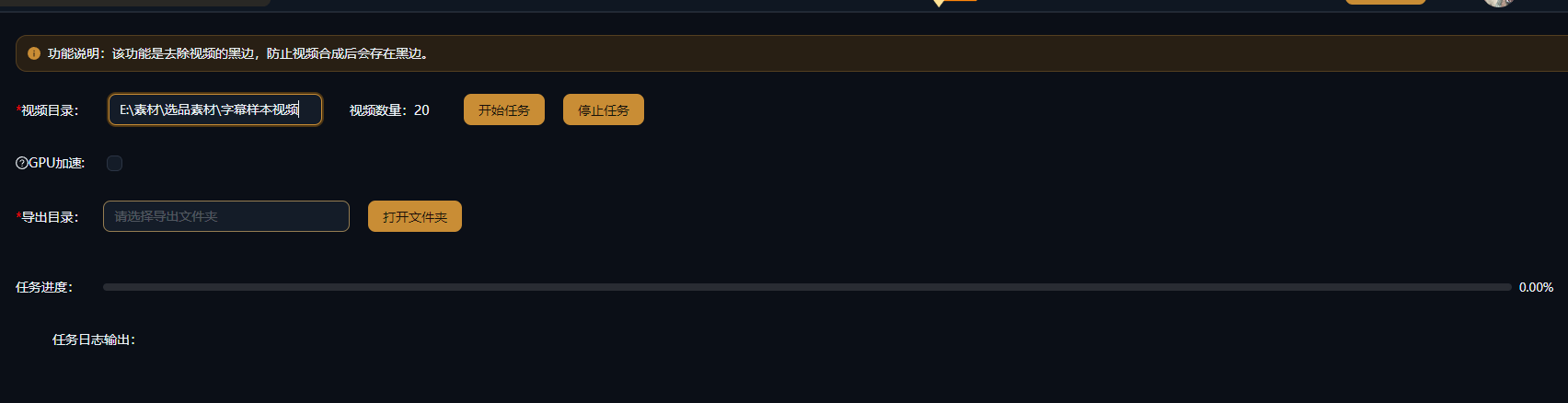
Nedenstående cases er ægte, uændrede brugsregistreringer af denne funktion i AIMIX-appen.
Bedst til: Videns-talking-head-videoer, kurser, interviews · kildemateriale i 16:9 liggende format
结构Forløb: liggende master → beskær versioner i 9:16 / 1:1 / 16:9 → udgiv pr. platform
Drift på flere platforme betyder ikke at klippe om tre gange — det betyder at beskære tre gange. AI-sporing holder ansigtet centreret i enhver konvertering fra liggende til stående, så det samme indhold lander perfekt på hver platform.
Hvert af dem matcher et andet distributionsbehov:
Opdager automatisk det aktive billedområde og trimmer bjælkerne i toppen og bunden — en redningsplanke for gammelt materiale og skærmoptagelser.
Skift mellem 9:16, 1:1, 16:9, 4:3 og flere, med præcist output til hver platforms specifikation.
Emnegenkendelse plus dynamisk indramning holder personer inden for billedets sikre område, når du skifter mellem orienteringer.
Ved distribution på flere platforme: Eksportér flere formatversioner på én gang, og slip for de gentagne eksporter.
Indramningen fra liggende til stående bedømmes af AI segment for segment, og billedet følger emnet, efterhånden som personerne bevæger sig.
Output den samme video i flere formater på én gang, og løs enhver platformsspecifikation i én gennemgang.
Konvertér en hel batch materiale til ét måformat — ideelt til seriel, matrixagtig produktionskadence.
Nej. Beskæring trimmer et område af billedet i samme format uden at strække materialet; kombiner den om nødvendigt med baggrundssløring eller lignende effekter.
AI identificerer hovedemnet i billedet (f.eks. et ansigt) segment for segment og justerer dynamisk beskæringsrammen, så emnet forbliver i midten af kompositionen efter formatskiftet.
Almindelige formater som 9:16, 1:1, 16:9 og 4:3 samt brugerdefinerede beskæringsområder.
Ja. Indstil ét måformat for flere videoer, og eksportér dem alle i én enkelt kørsel.
Beskæring ændrer kun billedets synlige område; opløsningen følger dine eksportindstillinger. Færre effektive pixels, når der klippes et stående klip ud af liggende materiale, er normalt.
Afregningen sker pr. opgave, som vist i prompten i appen; batchopgaver viser et estimeret beløb inden kørsel.