
AI-redigering af talevideo: En komplet arbejdsgang til råklip
Forfatter
Udgivet

En tydelig redigering af en person, der taler til kameraet, begynder med den mundtlige argumentation: Bevar den fuldstændige optagelse, fjern unødige gentagelser, og arrangér forklaringen, så en ny seer kan følge den. En AI-redigeringsassistent kan hjælpe med ændringerne, men du skal stadig kontrollere den resulterende tidslinje. Vejledningen viser, hvordan du forbereder kilden, skriver anmodninger, der kan gennemgås, finjusterer taleklip og derefter tilføjer støttebilleder, undertekster og lyd. Den indeholder et illustrativt råklip og en praktisk godkendelsesliste til den færdige fil.
Vigtigste pointer
- Vælg den fuldstændige og korrekte optagelse, før du finpudser tempoet.
- Gør hver AI-anmodning konkret nok til at kontrollere, og angiv det indhold, der skal bevares.
- Kontrollér betydning, hørbare grænser og nyttige pauser efter hver indholdsredigering.
- Tilføj støtteoptagelser og undertekster til den stabile taleredigering, og gennemgå derefter den faktiske eksport.
Adskil indholdsredigering fra stilhedsfjernelse og præsentation
Brug det talte budskab til at beslutte, hvad der skal bevares. En gentaget forklaring, et stille interval og en manglende produktdemonstration er forskellige problemer. At fjerne alle pauser kan ikke afgøre, hvilken optagelse der er fuldstændig, og grafik kan ikke reparere en selvmodsigende forklaring.
| Opgave | Beslutningen den træffer | Hvad der stadig skal gennemgås |
|---|---|---|
| Indholdsredigering | Hvilke talepassager der skal bevares, og i hvilken rækkefølge | Betydning, sammenhæng og fuldstændig argumentation |
| Stilhedsfjernelse | Hvilke stille intervaller der opfylder den valgte lydtærskel | Svag tale, vejrtrækning og nyttige pauser |
| Visuel præsentation | Hvordan støtteoptagelser, tekst og lyd præsenterer forklaringen | Nøjagtighed, læsbarhed og distraktion |
Oversigten over redigering af talevideo beskriver indholdsarbejdsgangen. Hold behandlingsværktøjerne i produktvejledningen adskilt i din planlægning: En tærskelbaseret operation erstatter ikke en redaktionel beslutning.
Rækkefølgen har også en praktisk fordel. Når talesekvensen stadig ændres, kan undertekster og støtteoptagelser blive knyttet til passager, der senere flyttes eller fjernes. Stabilisér råklippet, før du finpudser disse forbindelser.
Forbered kilde, transskription og redigeringsmål
Begynd med den oprindelige optagelse og et mål på én sætning for den redigerede video. Et nyttigt mål navngiver målgruppe og svar: »Vis en førstegangsbruger, hvordan rejsekruset åbnes, og forklar, hvornår låsen skal frigøres.« Hold kilden tilgængelig under redigeringen.
Importér og kontrollér talematerialet
- Importér optagelserne i redigeringsområdet, og åbn AI-assistenten.
- Gennemfør transskription, når opgaven afhænger af talt indhold.
- Lyt til de ord, der bestemmer betydningen: navne, tal, nægtelser, betingelser og fagudtryk.
- Identificér gentagne optagelsesforsøg, og beslut, hvilket der indeholder den fuldstændige forklaring.
- Notér visuelle handlinger, som skal forblive sammen med deres talte instruktioner.
Brug transskriptionen til at finde rundt og planlægge, men kontrollér vigtige passager mod lyden. W3C's vejledning om undertekster siger, at automatisk genererede undertekster skal kontrolleres for nøjagtighed. Kontrollér de ord, der påvirker redigeringen, frem for at behandle flydende tekst som bevis for korrekthed.
Før den første anmodning skal planen angive den ønskede åbning, den nødvendige forklaring og dens konklusion. Hvis du ikke kan sige, hvad der skal blive, er en bred instruktion om at »gøre det strammere« svær at vurdere.
Skriv AI-anmodninger, der kan kontrolleres på tidslinjen
En nyttig anmodning identificerer en passage, en handling og en bevaringsregel. Fortæl assistenten, hvad den skal beholde eller fjerne, og angiv derefter den betingelse, der skal overleve ændringen. Gennemgå én type redigering, før du tilføjer en anden.
| Redigeringshensigt | Illustrativ anmodning | Kontrol |
|---|---|---|
| Vælg mellem forsøg | Behold den fuldstændige anden forklaring af lågets åbning. Fjern første forsøg, der stopper midt i sætningen. | Det valgte forsøg indeholder hele handlingen og konklusionen |
| Ændr åbningen | Start med svaret, og behold demonstrationen og betingelsen om at frigøre låsen. | Åbningen er forståelig før demonstrationen |
| Fjern gentagelse | Fjern det gentagne resumé efter demonstrationen. Behold det første resumé og brugsbetingelsen. | Intet nødvendigt forbehold forsvandt sammen med de gentagne ord |
Undgå at kombinere »omarrangér alt, fjern alle pauser, tilføj B-roll og færdiggør undertekster« i den første anmodning. Adskilte ændringer gør det muligt at finde den handling, der skabte et uønsket klip. Hvis passagen er uklar, skal du henvise til karakteristiske ord eller kildeposition i stedet for »den kedelige del«.
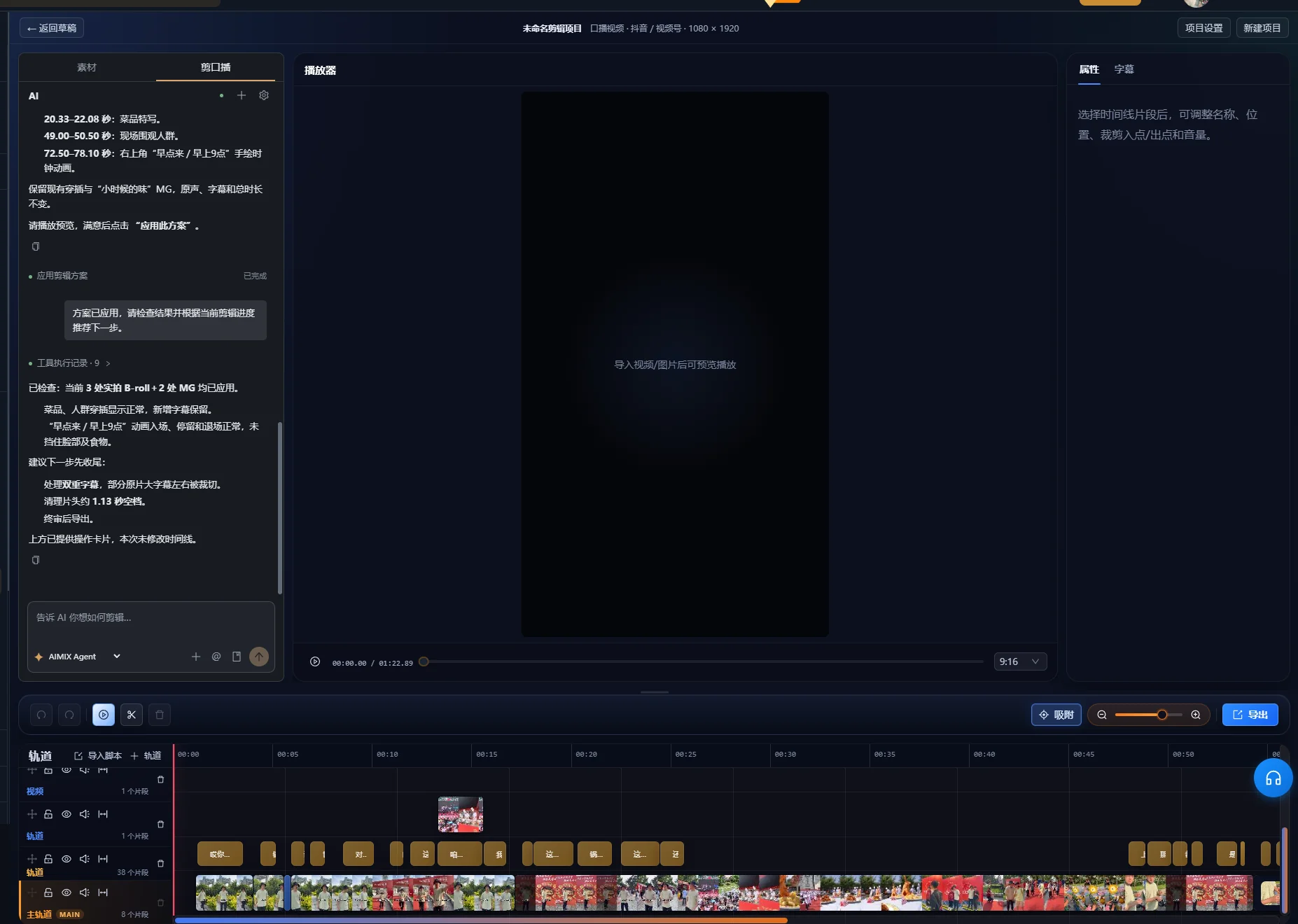
Ved et forslag til taleoprydning skal du gennemgå forhåndsvisningen, før du anvender redigeringen. Et afventende forslag har endnu ikke ændret tidslinjen. Den gennemgåede grænseflade grupperer foreslåede ændringer som pauser, fyldord, gentagelser, fejlstarter og selvrettelser med kildeintervaller og punkter til manuel gennemgang. Kontrollér de relevante områder i optagelsen, og brug først kontrollen til at anvende forslaget efter godkendelse af ændringerne. Hvis grænsefladen markerer forslaget som forældet, skal du bruge kontrollen til at generere forhåndsvisningen igen og lave et nyt forslag ud fra den aktuelle tidslinje, før du anvender det.
Efter en anmodning skal du undersøge den faktiske tidslinje. Bekræft, at det ønskede segment blev flyttet eller fjernet, og afspil derefter overgangen i sammenhæng. Et vellykket opgavesvar er ikke det samme som en godkendt redigering.
Eksempel: Bevar et fuldstændigt svar i en kortere optagelse
Dette er en fiktiv optagelse, der illustrerer en redigeringsbeslutning. Det er ikke en målt appkørsel eller et kunderesultat. Forestil dig en vært, der gør flere forsøg på at forklare låget på et rejsekrus.
| Kildepassage | Illustrativ ordlyd | Redigeringsbeslutning |
|---|---|---|
| Ufærdigt forsøg | »For at åbne det trykker du på den her del og så ...« | Fjern det, forudsat at ingen unik instruktion findes her |
| Fuldt forsøg | »Frigør først låsen. Tryk derefter på knappen for at åbne låget.« | Behold begge sætninger sammen |
| Demonstration | Værten frigør låsen og trykker på knappen | Behold tid nok til at se begge handlinger |
| Gentaget resumé | »Så tryk på knappen for at åbne det.« | Fjern det, hvis den fulde forklaring allerede dækker det |
| Nyttig betingelse | »Hvis låsen stadig er aktiveret, frigør den før trykket.« | Behold den, hvor betingelsen tydeliggør handlingen |
Lav den første indholdsanmodning
Behold den fuldstændige forklaring, der begynder »Frigør først låsen«, sammen med demonstrationen og betingelsen om låsen. Fjern det ufærdige åbningsforsøg og det gentagne afsluttende resumé.
Undersøg resultatet før omarrangering. Kontrollér, at »først« stadig handler om at frigøre låsen, og at demonstrationen viser samme rækkefølge. Hvis klippet kun beholder »tryk på knappen«, er det blevet kortere ved at fjerne en nødvendig instruktion.
Finjustér åbningen uden at opfinde ny tale
Du kan begynde med den fuldstændige forklaring og gå direkte til demonstrationen. Se den, som om du aldrig har set produktet. Ved seeren, hvilken lås og knap taleren mener? Hvis sammenhængen mangler, skal du beholde en etablerende replik eller bruge en korrekt synlig titel til at identificere handlingen.
Eksemplets succeskriterium er fuldstændighed, ikke en fast varighed. Den færdige sekvens skal formidle den rigtige rækkefølge, vise handlingen og bevare den relevante betingelse. Et senere, flydende forsøg bør ikke automatisk vinde over et tidligere forsøg, der indeholder information, det senere udelader.
Finjustér hvert klip, og bevar nyttige pauser
Afspil hen over hver ny redigeringsgrænse, inklusive ordene lige før og efter. Transskriptionen kan lokalisere en sætning, men lyd og bevægelse bestemmer, om den faktiske overgang virker fuldstændig.
- Lyt efter afklippede begyndelser og slutninger af ord samt åndedrag.
- Kontrollér, at den resterende sætning stadig har det tilsigtede grundled og den tilsigtede betydning.
- Se efter en hånd-, ansigts- eller produkthandling, som klippet afbryder.
- Behold en pause, hvor forklaringen skifter emne, eller seeren skal undersøge en demonstration.
- Finjustér grænsen på tidslinjen, når det automatiske resultat er for tæt.
W3C's vejledning om lyd- og videoindhold anbefaler at give tid til at bearbejde information og holde pauser mellem emner. Det er en grund til at bevare lidt plads i en forklaring, selv når råoptagelsen også har pauser, der bør fjernes.
Hvis du bruger stilhedsfjernelse, skal du teste den valgte tærskel på en repræsentativ passage med både svag tale og en bevidst pause. Sammenlign afspilningen med originalen. Hvis et svagt ord forsvinder, eller rytmen bliver forjaget, skal du ændre indstillingerne eller genskabe det relevante interval. Vejledningen anbefaler ikke én tærskel til optagelser med forskellige støjniveauer og mikrofonopsætninger.
Smart taleoprydning har også sikkerhedskontroller for tidslinjen. Den gennemgåede implementering kan afvise oprydning, når overlappende materiale eller andre aktive spor forhindrer sikre klip. Hvis opgaven afviser en ændring, skal du undersøge sporarrangeringen og finjustere manuelt frem for at antage, at alle flersporede sekvenser kan renses automatisk. Et råklip med talen først mindsker antallet af støttelag, der berøres af senere ændringer.
Tilføj B-roll, der viser netop den talte pointe
Vælg støtteoptagelser efter deres forklarende rolle. Et nærbillede af den rigtige knap hjælper seeren med at følge »tryk på knappen«. Et flot billede af hele produktet kan etablere udseendet, men viser ikke nødvendigvis handlingen.
Match materiale til den stabile taleredigering
- Lav en liste over talte pointer, der kræver en visuel demonstration.
- Organisér optagelserne, og gennemfør den analyse, materialesøgningen kræver.
- Beskriv den ønskede scene, og undersøg det foreslåede materiale.
- Placér eller finjustér støtteoptagelsen, så dens handling falder sammen med forklaringen.
- Afspil hele passagen, inklusive tilbagevenden til taleren.
Oversigten over materialearbejdsgangen forklarer bibliotekets rolle. Søgeresultater skal stadig undersøges for det rigtige produkt, handling og synsvinkel. Når biblioteket mangler den nødvendige demonstration, skal du tilføje egnet materiale eller revidere præsentationsplanen.
Brug ikke B-roll blot til at skjule et redaktionelt problem. Dækning af et springklip kan forbedre den visuelle overgang; det kan ikke genskabe en manglende betingelse i det talte budskab. Kontrollér lydsekvensen selvstændigt, før du beslutter, hvor meget støttemateriale der skal tilføjes.
Generér undertekster, når taleredigeringen er stabil
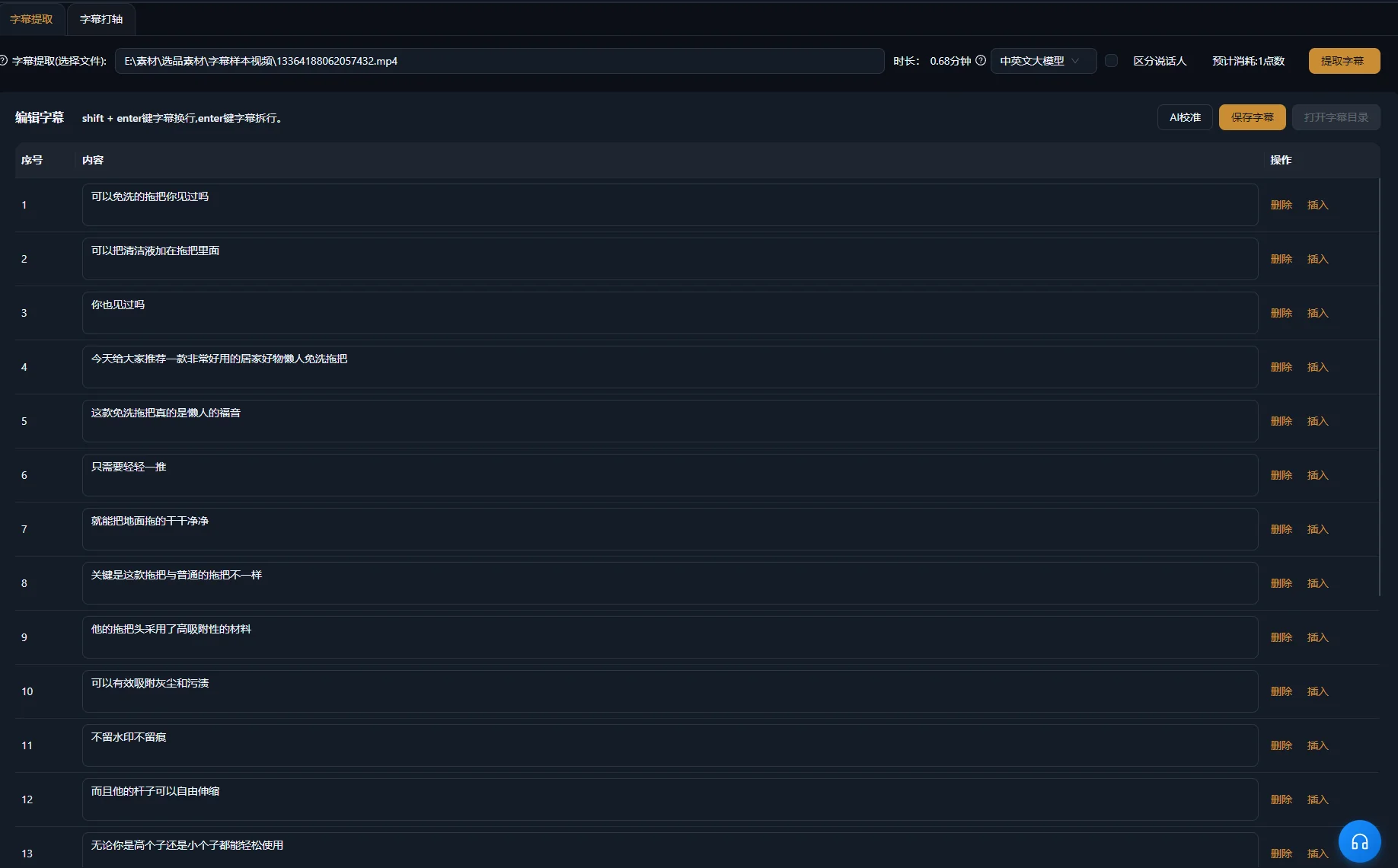
Tekst den redigerede sekvens, og kontrollér derefter tekst og timing mod lyden. En kildetransskription og færdige undertekster har forskellige formål: Den ene hjælper med at vælge passager, mens de andre skal følge det, der bliver på skærmen.
Adobes oversigt over tekstbaseret redigering i Premiere har samme adskillelse i sin arbejdsgang og anbefaler undertekster fra den færdige redigerede sekvens. Det er en generel sammenligning af arbejdsgange, ikke en påstand om, at de to apps har identiske tekstredigeringskontroller.
Gennemgå ord, timing og placering hver for sig
- Kontrollér egennavne, mængder, nægtelser og fagudtryk mod de talte ord.
- Sørg for, at hver undertekst begynder og slutter med den passage, den repræsenterer.
- Brug læsbare brud uden at adskille en betingelse fra den påstand, den begrænser.
- Hold tekst fri af ansigter, kontroller og produktdetaljer, som seeren skal undersøge.
- Medtag meningsbærende information uden tale, når den er nødvendig for sceneforståelsen.
W3C's vejledning om undertekster behandler relevante lyde og taleridentifikation som del af tilgængelige undertekster. I en produktforklaring kan et hørbart klik være vigtigt, når det bekræfter, at en handling er fuldført. Vælg de lyde, der formidler information, frem for at mærke alle tilfældige lyde.
Se generering af undertekster for produktarbejdsgangen. At ændre undertekst retter ikke en talt fejl; undersøg lyden separat, og redigér eller erstat passagen, når den faktiske forklaring er forkert.
Færdiggør grafik og lyd uden at skjule forklaringen
Tilføj kun en titel, fremhævet tekst eller bevægelsesgrafik, når den gør en reel pointe lettere at følge. Hold ordlyden i overensstemmelse med talen. En grafik, der fremsætter en bredere påstand end værten, ændrer budskabet frem for blot at dekorere det.
Gennemgå den svageste talepassage med musik og effekter slået til. Hvis ordene bliver svære at forstå, skal du dæmpe eller fjerne konkurrerende lyd. Den tidligere nævnte tilgængelighedsvejledning forklarer, hvorfor talen skal kunne skelnes fra baggrundslyd. Lyt til overgange såvel som det gennemsnitlige niveau: Et musikslag eller en effekt kan skjule ét vigtigt ord.
Se den undertekstede video én gang uden lyd for at kontrollere, om den visuelle sekvens forbliver forståelig. Lyt derefter uden at se skærmen for at finde bratte samlinger eller en manglende henvisning. Det er supplerende redaktionelle kontroller, ikke en garanti for, at videoen opfylder alle tilgængelighedskrav.
Finjustér den færdige tidslinje i redigeringsområdet. Hvis du har brug for flere fokuserede klip fra en længere optagelse, behandler vejledningen til klip fra lange videoer emnevalg og sammenhæng før præsentation.
Find fejl i råklippet før yderligere finpudsning
Ret det underliggende indholds- eller timingproblem, før du tilføjer et visuelt lag. Symptomerne nedenfor peger på forskellige steder at undersøge; de er diagnostiske muligheder, ikke målte fejlrater.
| Symptom | Mulig årsag | Næste handling |
|---|---|---|
| Den forkerte optagelse bevares | Anmodningen adskilte ikke lignende forsøg | Angiv karakteristiske ord eller kildepositioner, og præcisér, hvad der skal bevares |
| Sætningen er kortere, men vildledende | Et forbehold forsvandt med gentaget indhold | Sammenlign med den fulde kildeforklaring, og genskab betingelsen |
| Et ord lyder afklippet | Grænsen ligger inde i et hørbart ord eller åndedrag | Lyt over samlingen, og finjustér grænsen manuelt |
| Talen lyder forjaget | Nyttige pauser blev fjernet med uønskede mellemrum | Genskab plads mellem tanker og demonstrationer |
| B-roll viser den forkerte handling | Et visuelt lignende materiale blev forvekslet med et forklarende match | Gennemgå produktidentitet og handling, og vælg egnet materiale |
| Undertekster er foran eller efter talen | Tekst eller timing afspejler en tidligere redigering | Kontrollér undertekster mod den aktuelle færdige sekvens |
| Teksten er rigtig, men talen forkert | Kun underteksten blev rettet | Undersøg og revidér den talte passage separat |
Godkend den eksporterede fil med en tydelig tjekliste
Redigeringen er klar, når en ny seer kan forstå forklaringen, og den eksporterede fil matcher den godkendte tidslinje. Afspil den faktiske eksport fra start til slut; tidslinjegodkendelse alene dokumenterer ikke, at den leverede fil er korrekt.
- Åbningen identificerer motiv og spørgsmål.
- Den bevarede optagelse indeholder de nødvendige betingelser og konklusionen.
- Alle indholdsklip er kontrolleret ved afspilning.
- Demonstrationer viser det rigtige produkt og den rigtige handling.
- Undertekster matcher den færdige tale og er læsbare.
- Musik, effekter og grafik understøtter forklaringen.
- Den eksporterede fil indeholder den ønskede video, lyd og tekst.
Behold den oprindelige optagelse og nok projektinformation til at forklare, hvad der blev fjernet eller flyttet. Start næste redigering med at forbedre indholdsbriefen frem for mekanisk at anvende samme klip på en optagelse med et andet budskab.
Ofte stillede spørgsmål
Skal jeg fjerne alle fyldord?
Vurdér ordet i sammenhæng. Fjern en unødvendig tøven, når den resulterende sætning stadig lyder fuldstændig. Nogle tilsyneladende overflødige ord indfører en kontrast eller bevarer talerens stil. Gennemgå lyd og betydning frem for at bruge en generel regel.
Kan jeg fortsætte med at redigere efter en AI-anmodning?
Ja. Undersøg ændringerne på tidslinjen, og fortsæt med at finjustere grænser, støtteoptagelser, undertekster og lyd. En anmodning giver et redigeringsforslag, som stadig kræver din godkendelse.
Hvad hvis taleren retter en fejl i en senere optagelse?
Sammenlign de fulde forsøg, og vælg den korrekte forklaring. Kontrollér, om det rettede forsøg også har de betingelser og den demonstration, seeren behøver. Kortere eller mere flydende tale er utilstrækkelig, når vigtig information udelades.
Kan undertekster gøre en uklar forklaring forståelig?
Undertekster kan gøre tale tilgængelig som tekst, men kan ikke tilføre argumentation, som redigeringen fjernede. Genskab manglende sammenhæng i talesekvensen, eller brug et korrekt forklarende element, der tydeligt identificerer tilføjet information.