
Importér dine optagelser
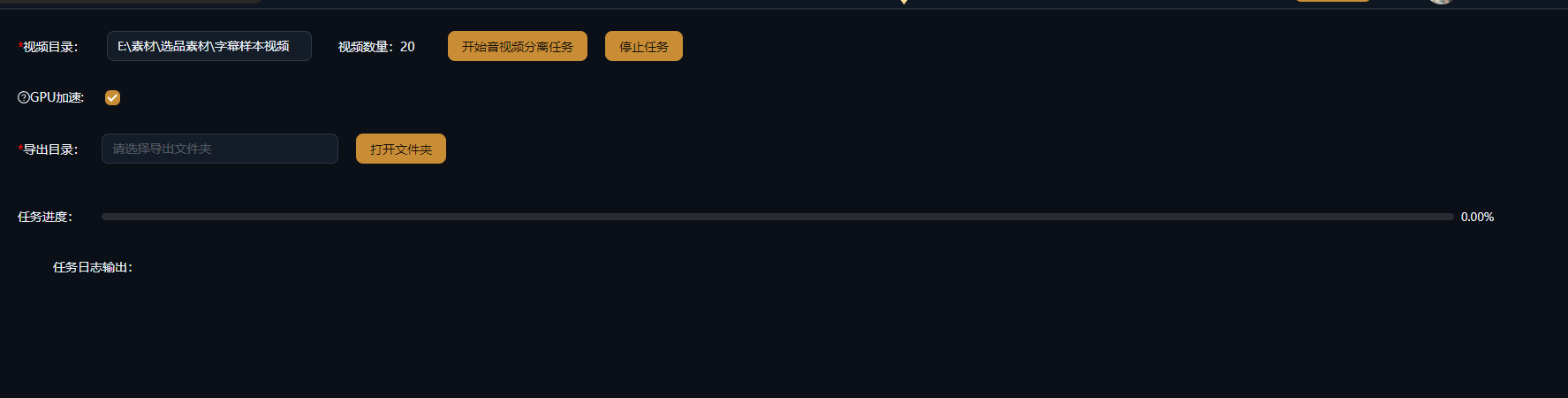
Indlæs de videoer, du vil opdele, i Lyd-video-separation: egne optagelser, downloadede klip eller udgivne videoer, du vil bearbejde — batchbehandling understøttes.
Opdel video- og lydspor med ét klik, helt tabsfrit
Opdel enhver video i uafhængige video- og lydspor: udtræk baggrundsmusik, speak eller rene billeder — separationen genindkoder aldrig, så outputtet er helt tabsfrit. Genbrug den udtrukne lyd i andre remixprojekter, læg ny speak på den stumme video med det samme, og giv hvert videoklip et nyt liv.
Download AIMIXIndbygget lyd kommer ofte i vejen: For at lægge ny speak på egne optagelser skal du først fjerne den originale lyd, og for at genbruge baggrundsmusik, du hører i en video, må du trække lyden ud. Lyd-video-separation opdeler enhver video i uafhængige billed- og lydspor med ét klik — opdelingen er tabsfri uden genindkodning, billedet er præcis lige så skarpt som før, og lyden bevares, som den er. Efter adskillelsen kan du fjerne den originale lyd, skifte til en ny speak eller udtrække baggrundsmusikken og kombinere, som du vil.
Indlæs de videoer, du vil opdele, i Lyd-video-separation: egne optagelser, downloadede klip eller udgivne videoer, du vil bearbejde — batchbehandling understøttes.
Klik på Separér, og videoen opdeles i et selvstændigt videospor og lydspor: Der sker ingen genindkodning, så både billede og lyd beholder deres originale kvalitet.
Læg ny speak eller ny musik på det stumme videospor; gem det udtrukne lydspor (baggrundsmusik, stemme) i dit bibliotek, og genbrug det i andre remixprojekter.
Nedenstående cases er ægte, uændrede brugsregistreringer af denne funktion i AIMIX-appen.
Bedst til: e-handelsvideoer, vlogmateriale · optagelser med original lyd, der skal have ny speak
结构Arbejdsgang: optagelsesvideo → separér til et stumt videospor → læg speak på og tilføj undertekster → remix til en færdig video
Nyetagede optagelser indeholder omgivelsesstøj og snak fra optagelsesdagen, der får rå klip til at virke rodede. Kør dem først gennem Lyd-video-separation for at få et stumt videospor i samme kvalitet som originalen; tilføj derefter en speak genereret fra din tekst i Manuskriptstyringen samt automatiske undertekster, og en version med speak tager form. Smid heller ikke den fjernede originale lyd ud — den kan af og til bruges som materiale fra bag kameraet.
Hvert af de to spor har sin egen anvendelse:
t
e
e
Vi anbefaler at arkivere den baggrundsmusik og de omgivelseslyde, du udtrækker oftest, ét samlet sted, så du gradvist opbygger dit eget lydbibliotek.
Separationen genindkoder aldrig, så billedkvaliteten forbliver identisk med det originale materiale.
Separér flere klip i én batch — ikke mere eksport og genimport ét ad gangen for at fjerne lyden.
De adskilte video- og lydspor sendes direkte ind i dit bibliotek og dine storyboard-grupper og driver nye kreationer.
Nej. Opdelingen er tabsfri uden genindkodning, så både billede og lyd beholder deres originale kvalitet.
Den hentes direkte fra det originale lydspor, så formatet matcher kildematerialet — ingen transkodning nødvendig.
Lyd-video-separation opdeler kun billedet fra lydsporet; for også at adskille vokal fra instrumental skal den bruges sammen med stemmeseparationsfunktionerne.
Ja. Flere videoer kan separeres i én batch, og resultaterne gemmes automatisk i dit bibliotek — ideelt til forbehandling af materiale.
Ja. Separationen tager blot sporene fra hinanden; den originale lyd forbliver i dit bibliotek og kan sættes sammen igen når som helst.
Lyd-video-separation kører som lokal behandling og bruger ikke AI-analysescredits; hvis du bagefter tilføjer AI-funktioner som stemmeseparation, afregnes de efter deres egne regler.