
Importér videoer
Bring de videoer, der skal have undertekster, ind i Undertekstgenerering: Talking-head-klip, færdige remix og kursusoptagelser virker alle, og batchopgaver behandler flere på én gang.
AI genkender speaket og kalibrerer automatisk underteksttidslinjen
AI genkender talen i dine videoer og genererer undertekster automatisk, afstemt sætning for sætning uden manuel synkronisering. Flersproget genkendelse, stilskabeloner og placeringsjusteringer er indbygget, batchopgaver håndterer flere videoer på én gang, og de genererede undertekster lægges direkte på tidslinjen til finjustering.
Download AIMIXEn kortvideo uden undertekster bliver swipet væk i det øjeblik seerne scroller forbi på mute — undertekster er baseline nu. Men manuel synkronisering er arbejdsgangens mest kedelige trin: Lyt til en linje, skriv en linje, synkronisér et tidsstempel. Undertekstgenerering giver det til AI: Den genkender talen i videoen, genererer undertekster afstemt sætning for sætning, kalibrerer tidslinjen, og efter en hurtig stilskabelon er du klar til eksport. Undertekster til én video skrumper fra en halv time til ét minut.
Bring de videoer, der skal have undertekster, ind i Undertekstgenerering: Talking-head-klip, færdige remix og kursusoptagelser virker alle, og batchopgaver behandler flere på én gang.
AI genkender talen, genererer undertekstteksten og synkroniserer den automatisk ved sætningspauser — hver undertekstlinje starter og slutter i sync med stemmen, uden manuel afstemning.
Vælg en stilskabelon til underteksterne, og justér skrifttype, farve, kontur og placering (midt, nederst eller title-safe). Når det ser rigtigt ud, eksportér — eller hop ind på tidslinjen for mere finpudsning.
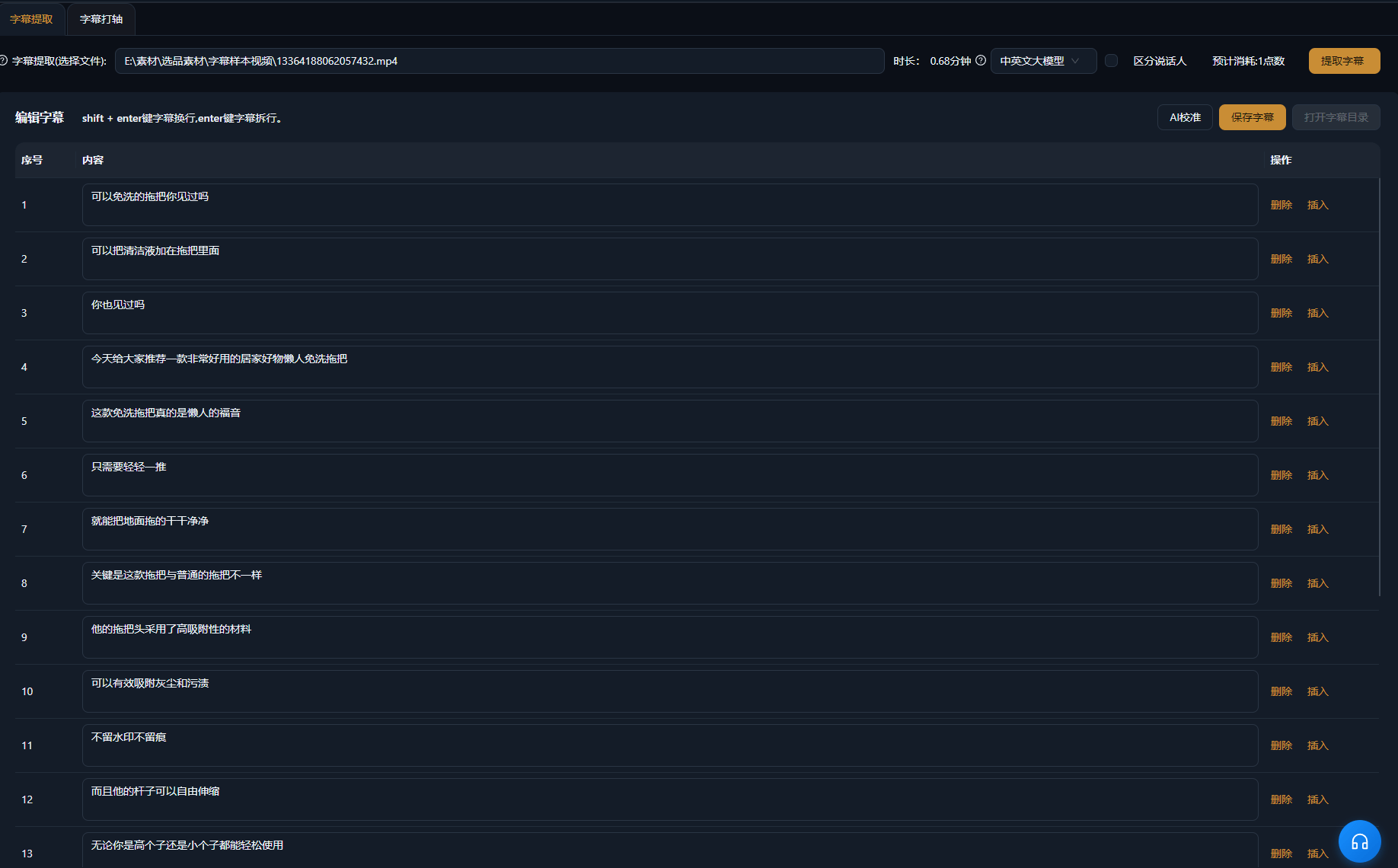
Nedenstående cases er ægte, uændrede brugsregistreringer af denne funktion i AIMIX-appen.
Bedst til: Videns-talking-heads, salgsvideoer · færdige videoer, der hurtigt skal have undertekster
结构Arbejdsgang: færdig talking-head-video → AI genererer og synkroniserer undertekster → anvend en stilskabelon → eksportér
Efter klipningen af en talking-head-video er undertekster det sidste pligtarbejde. Smid den ind i Undertekstgenerering: AI genkender talen, genererer undertekster linje for linje og afstemmer tidslinjen automatisk — anvend en stilskabelon, der matcher din kanal, og eksportér direkte. En halv times manuelt synkroniseringsarbejde bliver til ét minuts arbejde, og én batchkørsel dækker alle videoer, du har lagt op i dag.
Hver platform hælder mod sit eget undertekstlook:
a
i
i
Vælg én standard-undertekstskabelon til din kanal, og genbrug den på alle videoer for at holde looket ensartet.
Underteksternes ind- og udgangspunkter følger stemmen linje for linje og eliminerer den mest tidskrævende manuelle synkronisering.
Ikke mere én ad gangen — batchopgaver færdiggør undertekster til alle dagens videoer i én kørsel.
Skrifttype, farve, kontur og placering kommer som skabeloner, så undertekststilen forbliver konsistent med din kanalidentitet.
AI-genkendelse bruger point baseret på videolængden, som vist i appen; et estimeret forbrug vises, før genereringen starter.
Klart talt speak opnår høj præcision; til indhold med mange egennavne anbefales en hurtig korrekturlæsning efter generering.
AI synkroniserer undertekster automatisk ved sætningspauser, og i de fleste tilfælde er ingen justering nødvendig; enkelte pauser kan finjusteres på tidslinjen.
Kinesisk, engelsk og flere sprog genkendes og bliver til matchende undertekster; den præcise sprogliste følger appen.
Ja. Skrifttype, størrelse, farve, kontur og placering kan alle justeres og gemmes som skabeloner til genbrug.
Brænding af undertekster ind i den eksporterede video understøttes; eksport af selvstændige undertekstfiler afhænger af den aktuelle appversion.