
Importeer te verwerken videos
Importeer in batch het materiaal dat je wilt distribueren; verwerk één clip of een hele set.
verwerk materiaal in batch om markeringen als duplicaatcontent te verlagen
Pas gecombineerde verwerking toe zoals spiegelen, bijsnijden, snelheidswijzigingen, ruis en kleurcorrectie om in batch meerdere gedifferentieerde versies te genereren, wat het risico op duplicaatmarkeringen verkleint bij distributie over je accountmatrix.
AIMIX downloadenHetzelfde materiaal naar meerdere accounts of platforms distribueren is een recept voor "herplaatst duplicaat"-markeringen en beperkingen. Video-deduplicatie bundelt een set behandelingen in één batchproces: elk account ontvangt een visueel gedifferentieerde versie, waarmee een basisstap van matrixdistributie wordt geautomatiseerd.
Importeer in batch het materiaal dat je wilt distribueren; verwerk één clip of een hele set.
Combineer vrij spiegeling, bijsnijden, snelheidswijzigingen, ruis en kleuraanpassingen, elk met instelbare intensiteit.
Eén klik verwerkt en levert meerdere versies in batch af; combineer met batchmontage om elke versie naar zijn account te sturen.
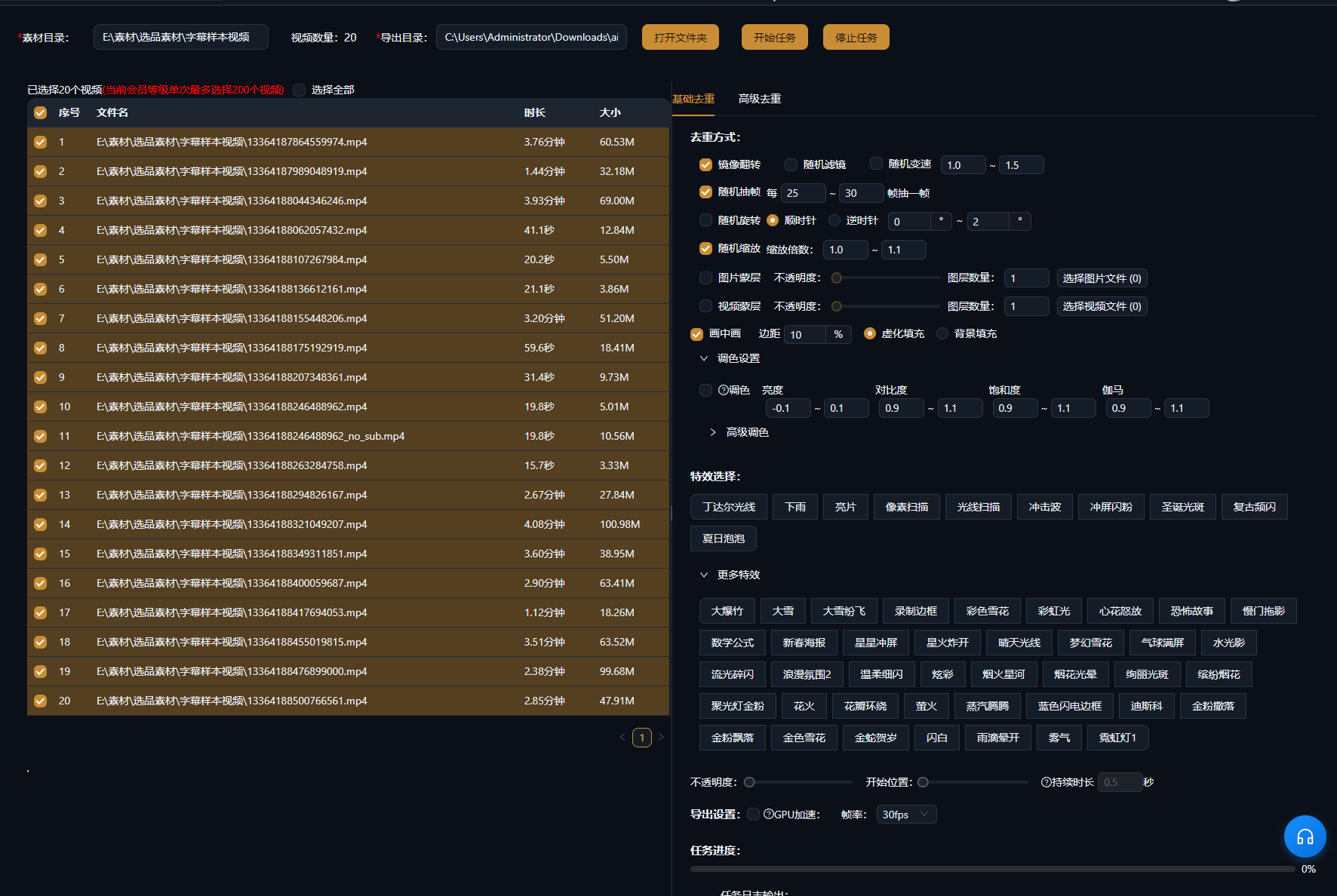
De onderstaande cases zijn echte, onbewerkte gebruiksrecords van deze functie in de AIMIX-app.
Ideaal voor: local-life-content, productaanbevelingen, zakelijke accountmatrixen · één bronvideo distribueren over vele accounts
结构Workflow: eindmontage → deduplicatiebatch → distributie per account → data verzamelen
De realiteit van matrixoperaties: output is eindig, accounts niet. Deduplicatie laat één set kwaliteitsmateriaal meer accounts dekken, terwijl elke versie zijn "onafhankelijke content"-vingerafdruk behoudt.
Elke techniek beïnvloedt de kijkervaring anders; combineren werkt het best:
Spiegelt het beeld van links naar rechts; gebruik met zorg op tekstzware of sterk gerichte shots.
Trimt de randen licht aan om de kaderverhouding te veranderen met vrijwel geen zichtbare impact.
Microsnelheidsverschuivingen tussen 0,9x en 1,1x zijn voor het oog onzichtbaar maar veranderen de vingerafdruk van het bestand.
Lichte ruis plus subtiele witbalans- en helderheidsaanpassingen vergroot het verschil tussen versies.
We raden aan minstens drie technieken te combineren en vóór export steekproefsgewijs te controleren of de versies er consistent uitzien.
Geen handmatig per clip sleutelen — configureer één keer en exporteer de hele batch.
Jij bepaalt de verwerkingsintensiteit en balanceert differentiatie tegen beeldkwaliteit.
Combineert met batchmontage en batch-voice-over voor een complete contentpijplijn over meerdere accounts.
Lichte verwerking raakt de kwaliteit nauwelijks; overmatige ruis of bijsnijden degradeert haar, dus houd de combinatie gematigd.
Deduplicatie verlaagt het risico op duplicaatmarkeringen, maar platformregels veranderen voortdurend en een absolute garantie is niet mogelijk.
Ja — video- en audioverwerking zijn onafhankelijk, dus kies alleen wat je nodig hebt.
Verschillende parametercombinaties leveren meerdere versies op; zie de batchinstellingen van de desktopclient voor bijzonderheden.
Ja — beide leven in de batchworkflow, en eerst monteren, daarna dedupliceren is de gebruikelijke volgorde.
Batchtaken draaien als een wachtrij; korte videos van gebruikelijke lengte ronden de hele batch doorgaans snel af.