
Registra i campioni vocali
Leggi ad alta voce il testo fornito per pochi minuti in un ambiente silenzioso: bastano una dizione chiara e un ritmo costante, senza bisogno di attrezzatura professionale.
registra pochi minuti di campioni, poi doppiaggio in batch con la tua voce
Registra pochi minuti di campioni e l'IA clona la tua voce inconfondibile. Clona una volta e usala senza limiti: ogni voce fuori campo è la tua voce, con supporto per il parlato multilingue.
Scarica AIMIXLa parte più costosa di un personal brand è ripetere le registrazioni: pochi video talking-head al giorno e la gola cede per prima. La clonazione della voce riproduce il tuo timbro da appena pochi minuti di campioni chiari: da quel momento scrivi lo script, sintetizzi con un clic e lasci lavorare la tua voce al posto tuo.
Leggi ad alta voce il testo fornito per pochi minuti in un ambiente silenzioso: bastano una dizione chiara e un ritmo costante, senza bisogno di attrezzatura professionale.
Carica i campioni e una voce clonata viene addestrata automaticamente. Salvala quando l'anteprima ti convince, oppure registra di nuovo per perfezionarla.
Seleziona la voce clonata nella sintesi vocale da testo, incolla lo script e sintetizza con un clic: sono supportati il doppiaggio in batch e i sottotitoli.
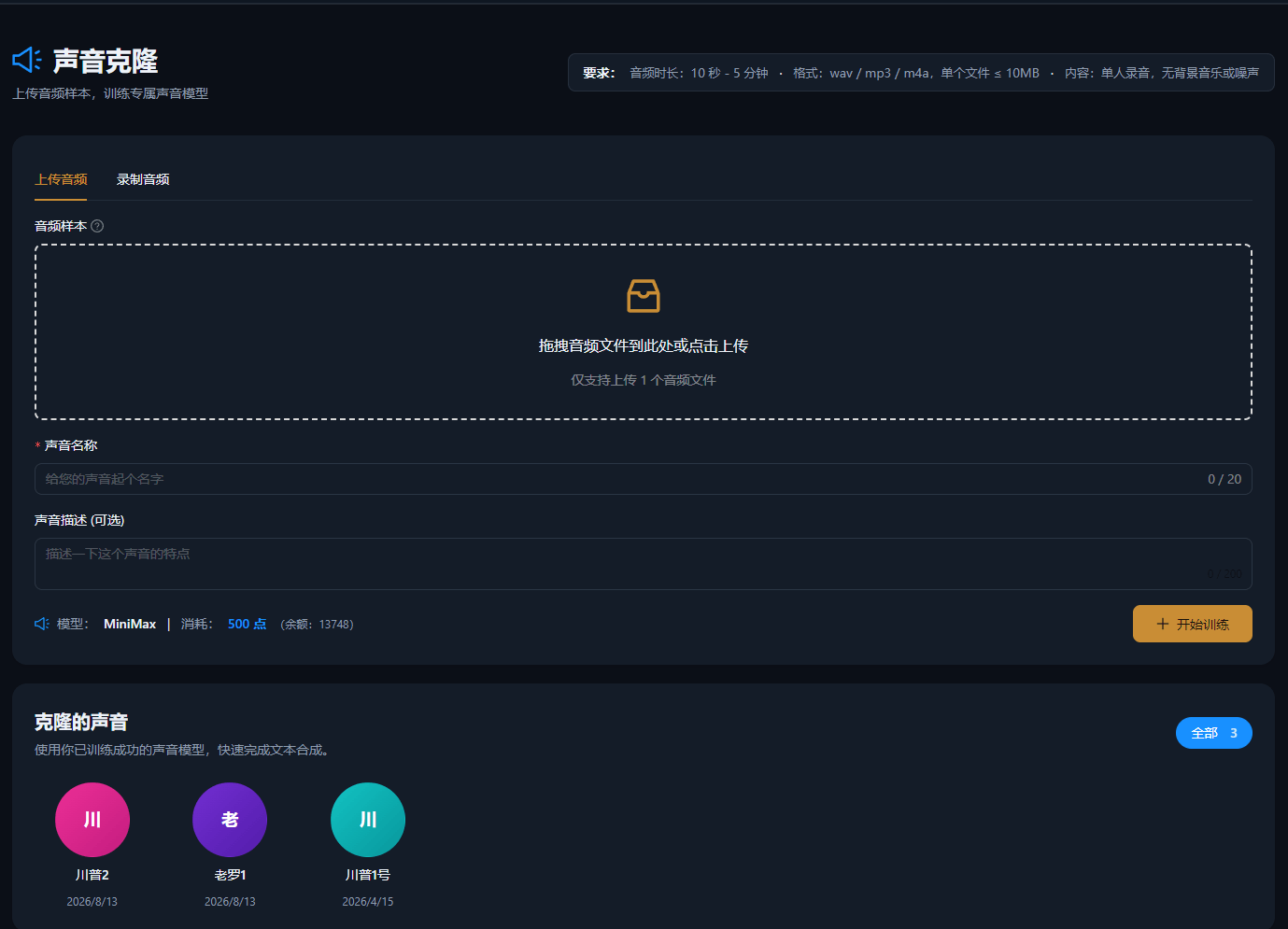
I casi seguenti sono registrazioni reali di questa funzione nell'app AIMIX, non modificati.
Ideale per: personal brand e blogger di conoscenza · mantenere una voce coerente con un'alta frequenza di pubblicazione
结构Flusso: registra i campioni → clona la voce → sintetizza gli script in batch → consegna i video
Pubblicare ogni giorno significa trasformare la tua voce in un asset: clona il timbro una volta e ogni contenuto successivo nasce da lì, mentre la frequenza di pubblicazione sale e la tua gola resta in silenzio.
La qualità dei campioni determina la qualità della clonazione. Attenzione a tre cose:
Spegni gli elettrodomestici rumorosi come condizionatori e ventilatori, evita le stanze con eco e tieni il telefono a circa 20 centimetri dalla bocca.
Leggi al tuo volume e al tuo ritmo abituale: evita la voce da speaker forzata, perché il clone cattura il tuo stato naturale.
Registra per l'intera durata consigliata così da coprire la tua intonazione quotidiana: più i campioni sono completi, più alta è la fedeltà.
Prova prima con un campione breve e avvia il doppiaggio ufficiale quando il risultato soddisfa le tue aspettative.
I follower continuano a sentire sempre lo stesso te, quindi il tuo personal brand non viene mai diluito da una voce diversa.
Niente più registrazioni ripetute: ogni revisione dello script ottiene la versione audio corrispondente, portando i costi di produzione di massa verso lo zero.
Abbinala alla sintesi multilingue per produrre contenuti in lingua straniera con il tuo timbro ed espanderti sui mercati esteri.
Pochi minuti di audio chiaro bastano per completare il clone: più i campioni sono puliti e completi, più alta è la fedeltà.
I campioni registrati in un ambiente silenzioso suonano molto vicini all'originale; un audio rumoroso o una lettura rigida riducono la somiglianza.
Sì. Con la sintesi multilingue la voce clonata può produrre voci fuori campo in più lingue: ideale per la distribuzione su più mercati.
I campioni servono solo ad addestrare la voce sul tuo account e possono essere gestiti o eliminati in qualsiasi momento.
Sì. Come per le voci standard, velocità, tonalità e volume sono tutte regolabili: affina prima di esportare.
Entrambi sono fatturati in base all'utilizzo, come indicato nel messaggio dell'app; il doppiaggio in batch mostra un costo stimato prima dell'esecuzione.