
Carica i video
Importa uno o più video con sottotitoli impressi, watermark o loghi; le attività in batch si mettono semplicemente in coda ed eseguono.
cancella con un clic sottotitoli impressi, watermark e loghi con l'IA
L'IA rileva e rimuove automaticamente sottotitoli impressi, watermark e loghi di canale, ripristinando un frame pulito. È supportata l'elaborazione in batch: un passaggio di preparazione essenziale prima di doppiaggio, traduzione e remix.
Scarica AIMIXPer i sottotitoli e i watermark impressi nel frame, il montaggio ordinario può solo ritagliare o sfocare, danneggiando l'immagine e lasciando tracce. La rimozione sottotitoli usa l'IA per localizzare la sovrimpressione e riparare lo sfondo coperto fotogramma per fotogramma; dopo la rimozione il risultato è quasi invisibile e il girato torna pulito e utilizzabile.
Importa uno o più video con sottotitoli impressi, watermark o loghi; le attività in batch si mettono semplicemente in coda ed eseguono.
Le aree di sottotitoli e watermark vengono localizzate automaticamente e lo sfondo riparato fotogramma per fotogramma; se il rilevamento manca qualcosa, delimita manualmente l'area e rielabora.
Anteprima, conferma ed esporta: pronto per doppiaggio di traduzione, remix o per il passo successivo del tuo flusso di montaggio.
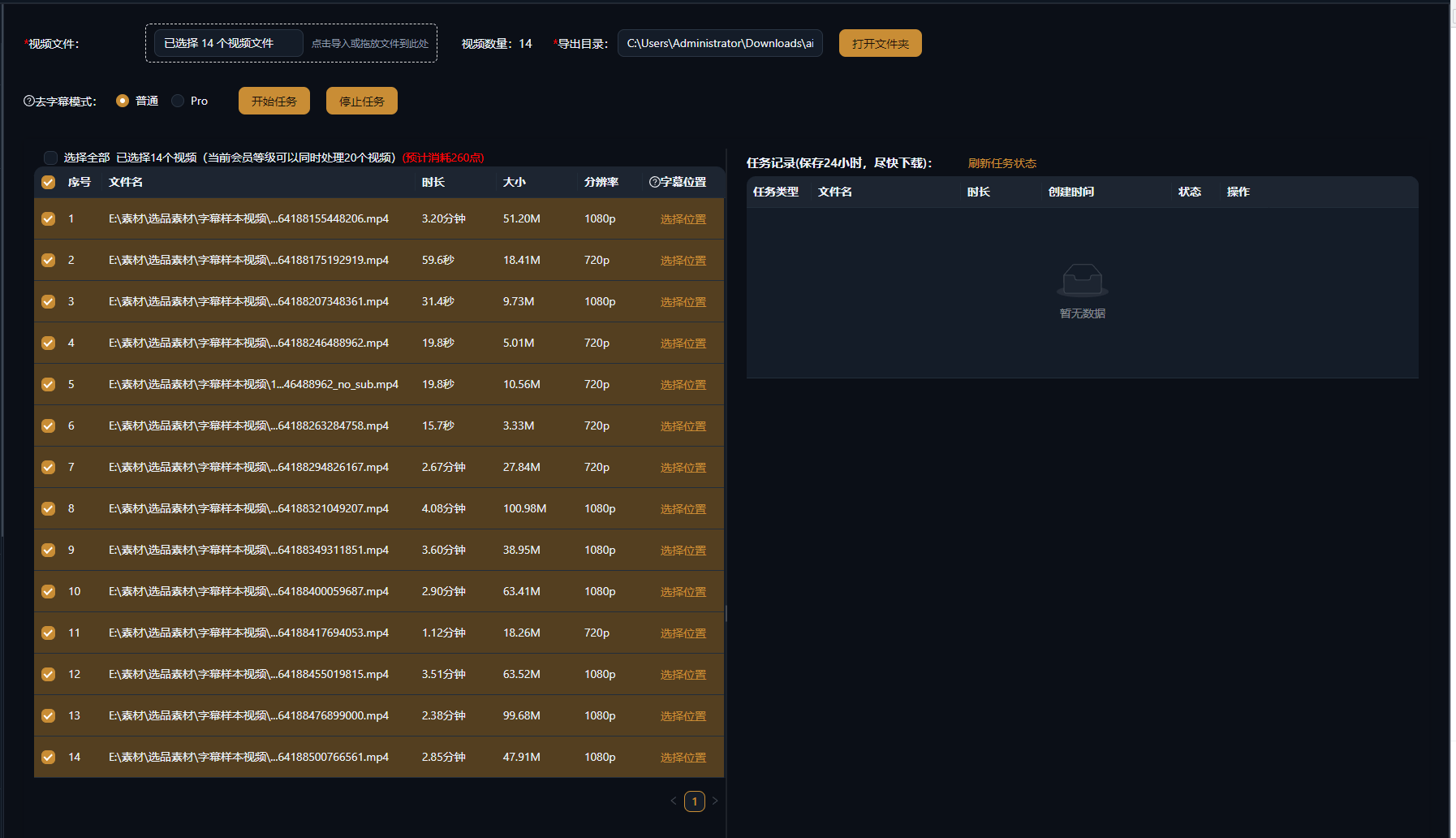
I casi seguenti sono registrazioni reali di questa funzione nell'app AIMIX, non modificati.
Ideale per: traduzione e doppiaggio, remake multilingue · video sorgente con sottotitoli impressi
结构Flusso: importa il video sorgente → l'IA cancella i sottotitoli originali → ridoppia e rimetti i sottotitoli → esporta
Il primo passo di qualsiasi doppiaggio è sempre cancellare i sottotitoli impressi originali. Una clip manuale richiede decine di minuti; con la rimozione in batch con IA, doppiaggio e nuovi sottotitoli finalmente ottengono una tela pulita.
Tre scenari ad alta frequenza:
Cancella i sottotitoli impressi per lasciare un'immagine pulita per doppiaggio di traduzione o remix.
Cancella watermark d'angolo e loghi di canale: le aree piccole e fisse producono i risultati più stabili.
Metti in coda interi batch per l'elaborazione, ideale per la preparazione in un passaggio di una rete di account o di un canale di traduzione.
Prova prima una clip per confermare il risultato, poi elabora in batch l'intera libreria.
Niente riquadri neri né sfocature: l'IA ricostruisce lo sfondo coperto per un'immagine dall'aspetto naturale.
Delimita e rifinisci manualmente una singola clip, oppure metti in coda un'intera libreria e salta il lavoro ripetitivo.
Dopo la rimozione, doppiaggio e generazione sottotitoli ripartono subito: un'unica pipeline completa la localizzazione.
Le aree cancellate vengono ricostruite dall'IA mentre il resto del frame resta intatto; gli sfondi statici rendono al meglio e le aree di movimento rapido possono mostrare lievi tracce.
Sì. L'IA traccia la posizione del sottotitolo e lo cancella fotogramma per fotogramma; per sottotitoli che saltano molto, prova prima con una selezione manuale.
Delimita manualmente l'area e rielabora; per frame complessi combina rilevamento automatico e rifinitura manuale.
Sì. Aggiungi più video alla coda ed eseguili insieme: ideale per pulire intere serie o una libreria di girato in un passaggio.
Vale la pena provarci. L'IA ricostruisce lo sfondo dietro il watermark; i watermark profondamente fusi nella scena danno risultati limitati.
La fatturazione è per durata o per attività, come mostrato nell'app; le attività in batch mostrano un costo stimato prima dell'esecuzione.