
Text Extraction: Convert Video or Audio to Text in One Click and Get Voiceover Scripts in Seconds
Date Published

Found a viral video and want to borrow its voiceover script, but transcribing it line by line takes half an hour? Text extraction compresses that to about a minute: upload the video or audio, AI converts the speech into a text script, and every spoken word lands as editable text — copying viral structures, organizing course notes, or writing up interviews all shift from manual transcription to upload-and-done.
Come funziona
Upload your media
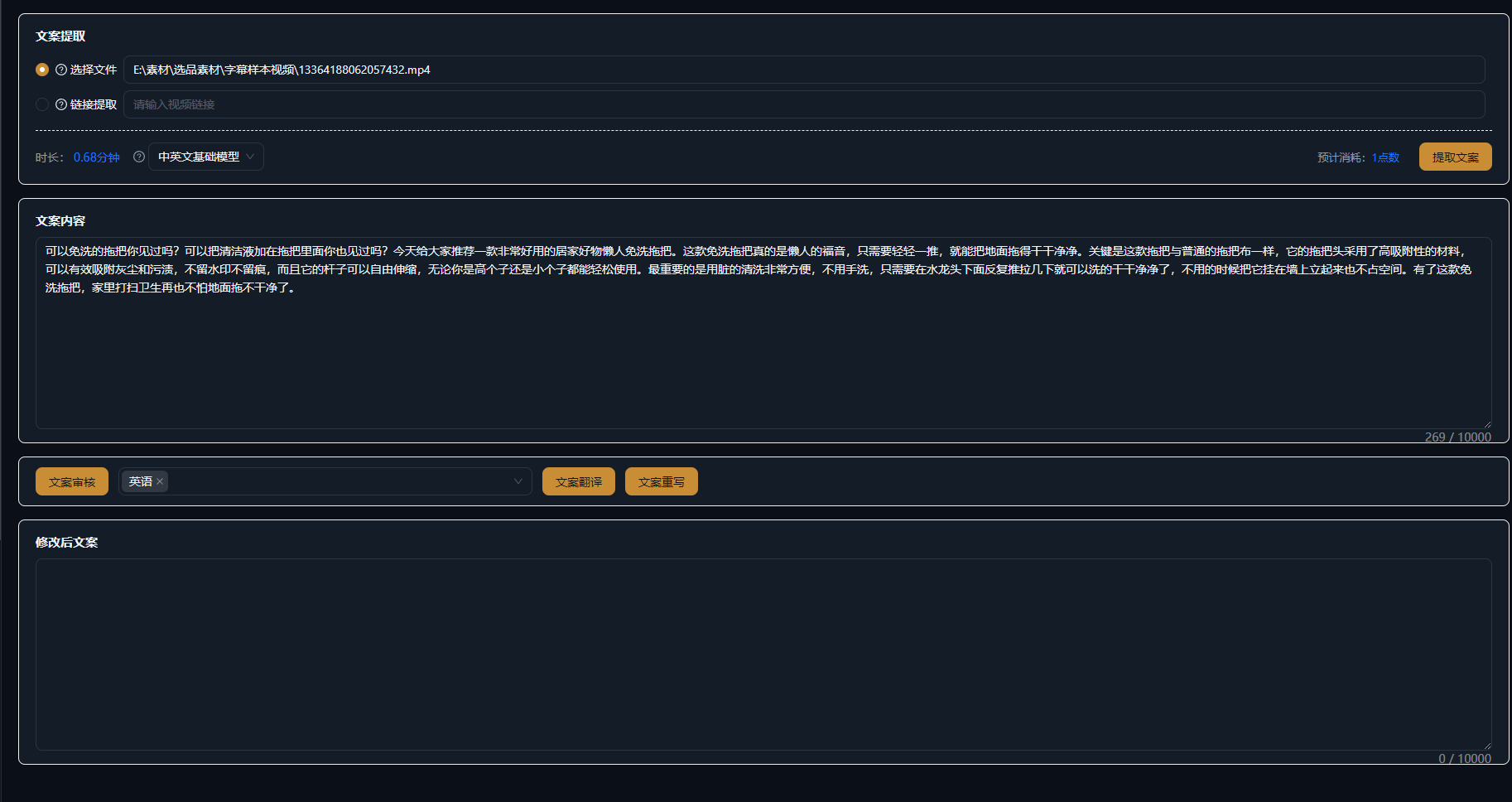
Drag the video or audio you want to extract into Text Extraction: common video and audio formats are supported, long videos, livestream recordings, and podcast audio all work, and you can upload multiple files to run together.
AI recognition and extraction
AI transcribes the speech automatically, adding sentence breaks and punctuation, and mixed-language content is recognized too. Talking-head videos, interviews, and course recordings with clear speech get high accuracy.
Edit and export
Refine the extracted text online and export it as a text file, or save it into Script Management with one click as material for viral deconstruction or new scripts.
Esempi reali
I cinque script qui sotto sono risultati reali della creazione script IA di AIMIX, generati dal prompt indicato in ogni esempio. Sono stati generati in cinese; le tabelle sono tradotte senza modifiche e le durate sono quelle generate. Una scena senza descrizione visiva generata è segnata con «—».
Viral teardown: batch-extract voiceover scripts from benchmark accounts
Best for: content planners and paid-traffic teams · systematically deconstructing benchmark hits
Flow: collect benchmark videos → batch-extract scripts → analyze structure and hooks → distill script templates
Batch extraction across dozens of benchmark videos · Scripts become text you can analyze line by line · Results go straight into Script Management
You cannot deconstruct a viral video without its script. Drop the top-performing videos of benchmark accounts into Text Extraction, and within minutes you hold every voiceover script — analyze how the opening hook is written, how selling points are ordered, and how the ending drives engagement, then distill the findings into your own script template and simply fill in the blanks for new content.
Typical ways to use Text Extraction
The same extracted text serves different stages of your workflow:
V
i
R
e
C
o
Save the extraction results of your go-to benchmark accounts into Script Management and gradually build your own library of proven scripts.
Tieni il controllo del montaggio
A complete script in about a minute
No more line-by-line transcription — upload and extract; even long videos yield scripts in seconds, dozens of times faster.
Batch processing at volume
Not one file at a time — extract multiple videos and audio files in bulk, deconstructing benchmarks and organizing material in one step.
A direct line into scripting and editing
Save results into Script Management for further work, or use them directly for dubbing, subtitles, and other downstream steps.
Domande frequenti
Does Text Extraction consume credits?
AI recognition credits are billed by media duration; the exact cost follows the in-app prompt, and an estimate is shown before extraction.
Which languages are supported?
Chinese, English, Japanese, and other languages plus a number of dialects; mixed Chinese-English content is recognized as well.
How accurate is the recognition?
Clear speech such as talking-head videos and courses gets high accuracy; with heavy background noise or overlapping speakers, denoise first or proofread manually.
How long a video can it handle?
Long videos and livestream recordings are supported; the duration limit follows the in-app prompt, and extra-long media can be uploaded in segments.
Can the extracted text be exported?
Yes. Results can be edited online and exported as text, or saved into Script Management with one click.
Can it separate multiple speakers?
Yes, speakers are distinguished automatically, so interviews and conversations can be split by person; actual performance depends on audio quality.