
Síntese de Voz: Narrações com IA e Mais de 100 Vozes, Saída Multilíngue em Um Clique
Author
Date Published

A narração é a etapa mais subestimada da produção de vídeos curtos: contratar locutores é caro, gravar a própria voz gera inconsistência e as bibliotecas gratuitas de voz soam todas iguais. A Síntese de Voz põe a biblioteca de vozes, o ajuste de parâmetros e a síntese em lote em uma interface só — no momento em que o roteiro fica pronto, a voz também está.
Pontos principais
- Custo de narração quase zero
- Capacidade de narração multilíngue
- A síntese em lote liberta as suas mãos
Como funciona
Cole o seu roteiro
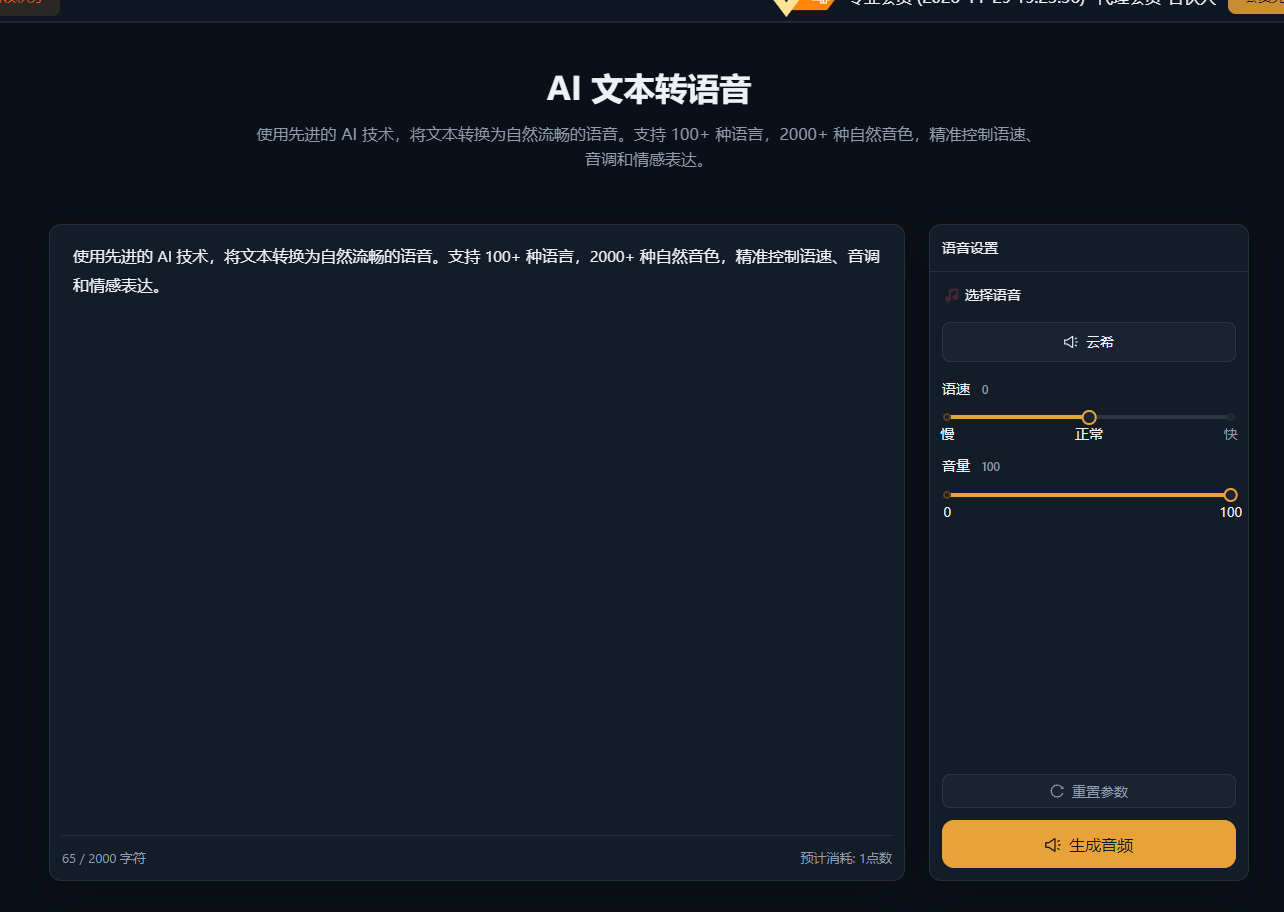
Cole o roteiro de narração na caixa de síntese — uma linha ou uma coluna inteira funcionam; roteiros longos são divididos automaticamente.
Escolha uma voz e pré-visualize
Filtre vozes por gênero, estilo e idioma; pré-visualize e compare, depois favorite as que você mais usa.
Ajuste e sintetize
Refine velocidade, tom e volume até soar bem e sintetize; as tarefas em lote renderizam tudo em um clique.
Exemplos reais
Os casos abaixo são registros reais deste recurso no app AIMIX, sem edições.
Contas de rosto falado: narre uma planilha de 30 roteiros em uma passada
Ideal para: vídeos educativos de rosto falado, contas de notícias e informação, explicadores de produto · alta demanda de narração
Fluxo de trabalho: planilha de roteiros → síntese em lote → revisar clipe a clipe → importar para a edição
Favorites vozes para reuso · Tarefas em lote rodam sem supervisão · Modelos de parâmetros mantêm o estilo consistente
O gargalo da narração nunca foi a gravação em si — é o exportar e pré-visualizar sem fim. Com uma voz fixa e modelos de parâmetros, narrar 30 roteiros é só um clique.
Como escolher uma voz que combine com o conteúdo
Quando a voz combina com o tom do conteúdo, o espectador fica concentrado:
Conteúdo educativo
Escolha uma voz jovem adulta, calma e clara, em ritmo levemente acelerado para reforçar a sensação de densidade de informação.
Recomendações de produto
Escolha uma voz calorosa e conversacional com um pouco mais de variação de tom para criar a sensação de recomendação pessoal.
Notícias e atualidades
Escolha uma voz padrão estilo locução, em ritmo estável e claro, para transmitir profissionalismo.
Assim que decidir, favorite a voz e mantenha-a — a sua voz vira parte da identidade da sua conta.
Como ela funciona junto com a Clonagem de Voz
A Síntese de Voz é a biblioteca de vozes compartilhada; a Clonagem de Voz é a sua voz exclusiva:
Use vozes predefinidas no começo
A biblioteca funciona pronta para uso, garantindo produção rápida enquanto você valida direções de conteúdo.
Mude para uma voz clonada ao escalar
Unifique o som de todas as suas contas e afie o seu reconhecimento pessoal.
Expansão multilíngue
Ao sintetizar um roteiro em vários idiomas, uma voz clonada mantém o timbre consistente.
Alterne entre as duas na mesma interface de síntese — sem mudança no fluxo de trabalho.
Mantenha o controle da edição
Custo de narração quase zero
Sem locutores, sem estúdio — pague apenas pelos créditos que realmente usar.
Capacidade de narração multilíngue
Transforme um roteiro em versões em vários idiomas e lance conteúdo global em simultâneo.
A síntese em lote liberta as suas mãos
Uma coluna inteira de roteiros vira áudio em um clique — a narração deixa de ser o gargalo da produção.
Perguntas frequentes
Quantas vozes estão disponíveis?
Centenas de vozes predefinidas cobrindo vozes masculinas e femininas comuns, estilos e idiomas; veja a biblioteca de vozes do cliente desktop para detalhes.
As vozes sintetizadas soam naturais?
As vozes principais já estão próximas da fala humana real; escolha o estilo e a velocidade certos e o ouvinte não precisará de tempo para se adaptar.
Dá para sintetizar sotaques regionais ou idiomas estrangeiros?
Vozes multilíngues são suportadas — para narrações em idioma estrangeiro, basta escolher a voz daquele idioma.
Com que nível de detalhe velocidade e tom podem ser ajustados?
Velocidade, tom e volume são ajustáveis com fino controle; pré-visualize um trecho curto antes de sintetizar o roteiro completo.
Como funciona a síntese em lote?
Envie várias linhas de roteiro como uma tarefa em lote; cada linha é gerada e exportada junto.
A narração pode se alinhar às legendas?
Com o recurso de narração em lote + legendas, legendas alinhadas são geradas automaticamente após a síntese.