
Importe o material
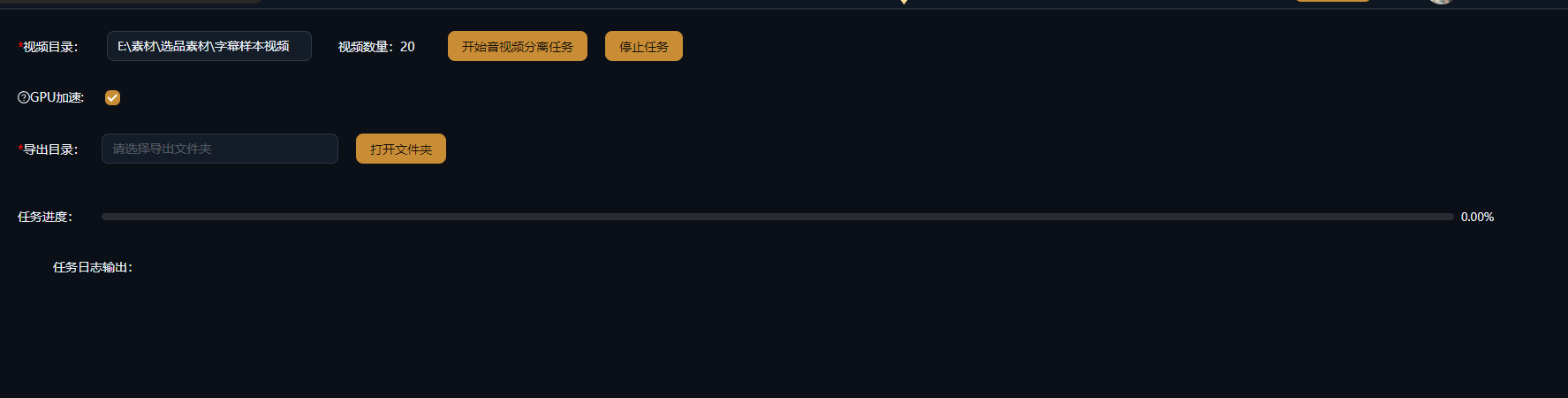
Carregue na Separação de Áudio e Vídeo os vídeos que deseja dividir: material de ação real, clipes baixados ou vídeos publicados que você quer retrabalhar — há suporte a processamento em lote.
Divida as Trilhas de Vídeo e Áudio em Um Clique, Totalmente sem Perdas
Divida qualquer vídeo em trilhas independentes de vídeo e áudio: extraia a música de fundo, a narração ou imagens limpas — a separação nunca recodifica, então a saída é totalmente sem perdas. Reutilize o áudio extraído em outros projetos de remix, reduble o vídeo sem som na hora e dê uma segunda vida a cada material.
Baixar AIMIXO áudio embutido muitas vezes atrapalha: para redubar material de ação real é preciso primeiro remover o som original, e para reutilizar uma música de fundo ouvida em um vídeo é necessário extrair o áudio. A Separação de Áudio e Vídeo divide qualquer vídeo em trilhas independentes de imagem e som em um clique — a divisão é sem perdas e sem recodificação, a imagem permanece exatamente tão nítida quanto antes e o áudio é preservado como está. Depois de separar, remova o som original, insira uma nova narração ou extraia a música de fundo e combine como quiser.
Carregue na Separação de Áudio e Vídeo os vídeos que deseja dividir: material de ação real, clipes baixados ou vídeos publicados que você quer retrabalhar — há suporte a processamento em lote.
Clique em Separar e o vídeo é dividido em uma trilha de vídeo e uma trilha de áudio independentes: não há recodificação, então imagem e som mantêm a qualidade original.
Reduble a trilha de vídeo sem som ou insira uma nova trilha; guarde a trilha de áudio extraída (música, voz) na sua biblioteca e reutilize-a em outros projetos de remix.
Os casos abaixo são registros reais deste recurso no app AIMIX, sem edições.
Ideal para: ação real de e-commerce, filmagens de vlog · material com som original que precisa de nova narração
结构Fluxo de trabalho: vídeo de ação real → separar em uma trilha muda → redubar e adicionar legendas → remixar em vídeo final
Filmagem recém-gravada vem com ruído ambiente e conversa de bastidores que deixam os cortes crus bagunçados. Passe-a primeiro pela Separação de Áudio e Vídeo para obter uma trilha muda com qualidade idêntica à original; depois adicione uma narração gerada a partir do seu texto do Gerenciamento de Roteiros mais legendas automáticas, e a versão narrada toma forma. Não descarte o áudio original removido — ele pode eventualmente servir como material de bastidores.
Cada uma das duas trilhas tem o seu destino:
r
e
e
Recomendamos arquivar em um só lugar as músicas e sons ambientes que você mais extrai, construindo aos poucos uma biblioteca de áudio própria.
A separação nunca recodifica, então a qualidade da imagem permanece idêntica à do material original.
Separe vários clipes em um único lote — chega de exportar e reimportar um por um para remover o áudio.
As trilhas de vídeo e áudio separadas vão direto para a sua biblioteca e os grupos de storyboard, alimentando criações derivadas.
Não. A divisão é sem perdas e sem recodificação, então imagem e som mantêm a qualidade original.
Ele é retirado diretamente da trilha de áudio original, então o formato corresponde ao do material de origem — sem transcodificação.
A Separação de Áudio e Vídeo apenas divide a imagem da trilha de áudio; para separar ainda as vozes do instrumental, use-a junto com os recursos de separação de voz.
Sim. Vários vídeos podem ser separados em um único lote e os resultados são salvos automaticamente na sua biblioteca — ideal para pré-processar material.
Sim. A separação apenas desmonta as trilhas; o áudio original fica na sua biblioteca e pode ser recombinado a qualquer momento.
A Separação de Áudio e Vídeo roda como processamento local e não consome créditos de análise de IA; se você empilhar recursos de IA como separação de voz depois, eles são cobrados pelas próprias regras.