
Przygotuj skrypty
Ustaw wiele skryptów w Zarządzaniu skryptami albo wklej teksty bezpośrednio. Każdy skrypt odpowiada jednej wersji: różne otwarcia, różne argumenty sprzedażowe, różne języki — przygotuj tyle kombinacji, ile potrzebujesz.
syntetyzuj wiele skryptów jednym kliknięciem, z lektorem i napisami tworzonymi razem
Zamień wiele skryptów na lektora i napisy w jednej serii: wybierz głosy i tempo mowy, uruchom raz, a mowa i napisy powstają razem — bez osobnego timowania. Wiele skryptów i kombinacji głosów przetwarzanych masowo, pliki audio mapują się na klipy storyboardowe, a wszystko trafia prosto do wsadowego remiksu, żeby wyeksportować wiele gotowych wersji.
Pobierz AIMIXProwadzenie sieci wideo oznacza, że najbardziej powtarzalnym obowiązkiem jest lektor plus napisy: nagraj każdy skrypt, zsynchronizuj każdy podpis, a po kilkudziesięciu idziesz na automat. Lektor + napisy wsadowo zwija to wszystko w jeden przycisk: wrzuć wiele skryptów, wybierz głosy i tempo mowy, a mowa i napisy generują się razem — wyeksportowane pliki audio mapują się jeden do jednego na klipy storyboardowe, trafiają prosto do wsadowego remiksu i wiele wersji wychodzi w jednym przebiegu.
Ustaw wiele skryptów w Zarządzaniu skryptami albo wklej teksty bezpośrednio. Każdy skrypt odpowiada jednej wersji: różne otwarcia, różne argumenty sprzedażowe, różne języki — przygotuj tyle kombinacji, ile potrzebujesz.
Wybierz głos, tempo mowy i wysokość, po czym zsintetyzuj wszystko jednym kliknięciem. Napisy powstają synchronicznie w trakcie generowania mowy — nie potrzeba osobnego przebiegu timowania.
Pliki audio dostają nazwy pasujące do skryptów i klipów storyboardowych; zaimportuj je wprost do grup audio i napisów remiksu wsadowego i eksportuj wiele gotowych wersji w kombinacjach.
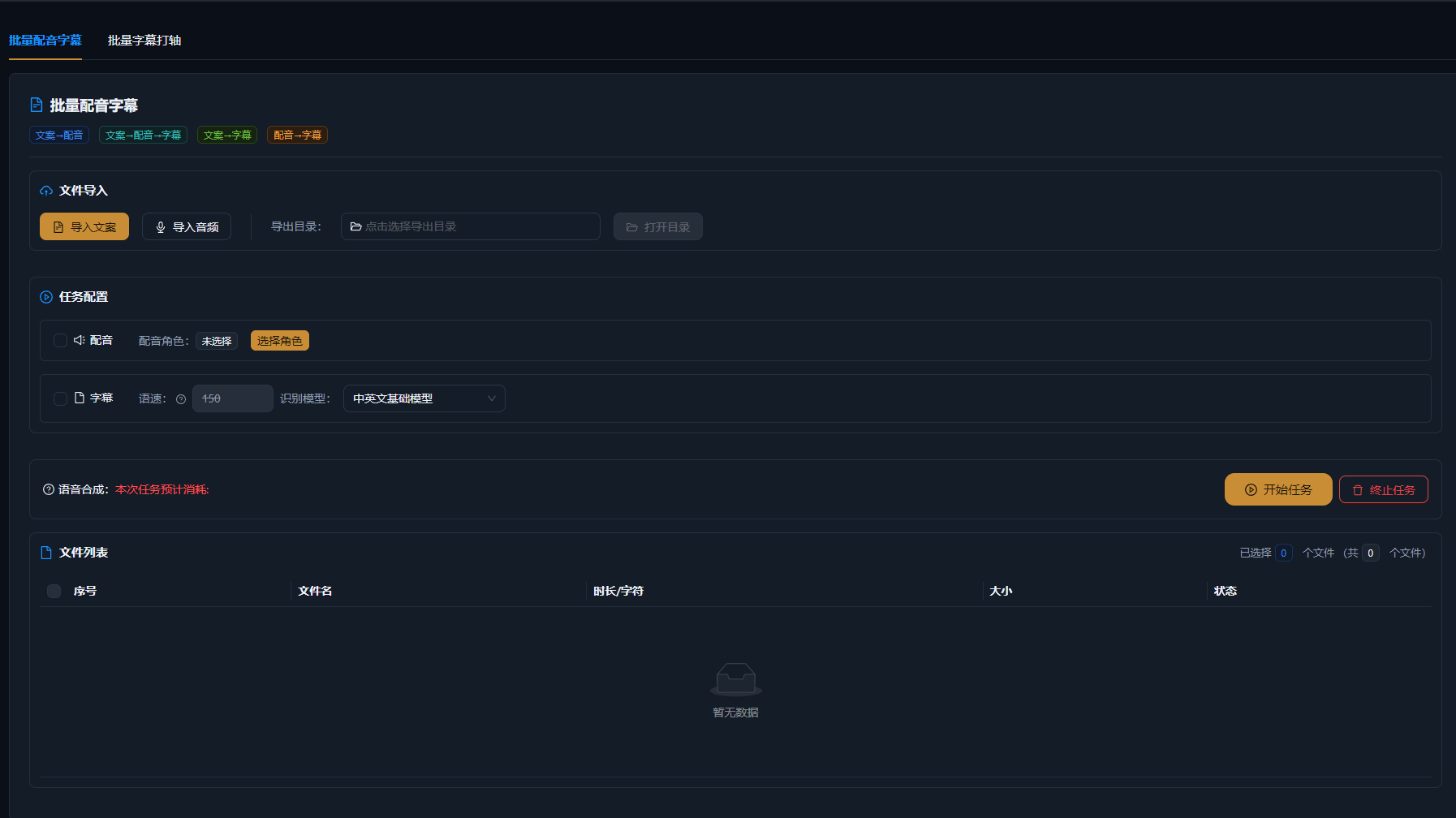
Poniższe przypadki to rzeczywiste, niezmienione zapisy użycia tej funkcji w aplikacji AIMIX.
Najlepsze dla: twórców solo i małych zespołów · duża presja codziennej produkcji na wielu kontach
结构Schemat: 5 skryptów → lektor + napisy hurtowo → import do remiksu wsadowego → wiele gotowych wideo na kontach
Jedna osoba prowadząca 5 kont oznaczała codziennego lektora i napisy do 10 wideo — największe obciążenie w pojedynkę. Teraz wszystkie 10 codziennych skryptów wchodzi do Lektora + napisów wsadowo naraz, każde konto ustawione na swój stały głos jednym kliknięciem — lektor i napisy przychodzą razem, a remiks wsadowy eksportuje każde gotowe wideo za jednym zamachem. Etap lektora spadł z całego popołudnia do dziesięciu minut, a produkcja podwoiła się.
Kombinacje wielu skryptów × wielu głosów:
i
e
e
Zalecamy zapisanie domyślnego presetu „głos + tempo mowy” dla każdego konta, żeby zadania wsadowe używały go od razu, a styl nigdy nie odpływał.
Mowa i podpisy wychodzą w jednym przebiegu — bez timowania każdego podpisu, więc nakład pracy spada o połowę.
Koniec z syntezą pojedynczo — wszystkie skrypty przetwarzają się naraz, a pliki dostają nazwy pasujące do klipów storyboardowych.
Lektor i napisy importują się bezpośrednio do kombinacji remiksu, eksportując wiele gotowych wersji za jednym razem.
Kredyty naliczane są według liczby syntetyzowanych znaków; łączny szacunek pokazuje się przed uruchomieniem zadania wsadowego, zgodnie z klientem.
Nie. Napisy powstają synchronicznie podczas lektora wsadowego, z już wyrównaną osią czasu — używaj ich bezpośrednio lub dostrój stylizację.
Zadania wsadowe z wieloma skryptami są obsługiwane, a limit jednego przebiegu widać w kliencie; większe zbiory można podzielić na partie.
Tak. Każde zadanie może mieć własny głos i tempo mowy, co pozwala jeden skrypt w wielu głosach albo wiele kont z osobnymi ustawieniami.
Pliki audio są eksportowane z nazwami skryptów i klipów storyboardowych; remiks wsadowy dopasowuje je automatycznie po nazwie pliku przy imporcie.
Funkcja zbudowana na silniku syntezy mowy oferuje dużą, wielojęzyczną bibliotekę głosów, a dodatkowo możesz dubbingować hurtowo własnym sklonowanym głosem.