
Импортируйте видео на обработку
Пакетно импортируйте материал, который планируете распространять; обрабатывайте один клип или весь набор.
пакетная обработка материала для снижения отметок дубликатов
Применяйте комбинированную обработку — зеркалирование, кадрирование, смену скорости, шум и цветокоррекцию — чтобы пакетно генерировать несколько дифференцированных версий и снижать риск отметок дубликатов при дистрибуции по матрице аккаунтов.
Скачать AIMIXРаздавать один и тот же материал на несколько аккаунтов или платформ — верный рецепт отметок «повторная загрузка» и понижения охвата. Дедупликация видео собирает набор обработок в один пакетный процесс: каждый аккаунт получает визуально отличающуюся версию, автоматизируя базовый шаг матричной дистрибуции.
Пакетно импортируйте материал, который планируете распространять; обрабатывайте один клип или весь набор.
Свободно комбинируйте зеркальное отражение, кадрирование, смену скорости, шум и цветовые правки — у каждой техники настраиваемая интенсивность.
Один клик обрабатывает пакет и выводит несколько версий; в паре с пакетным монтажом отправляйте каждую версию на свой аккаунт.
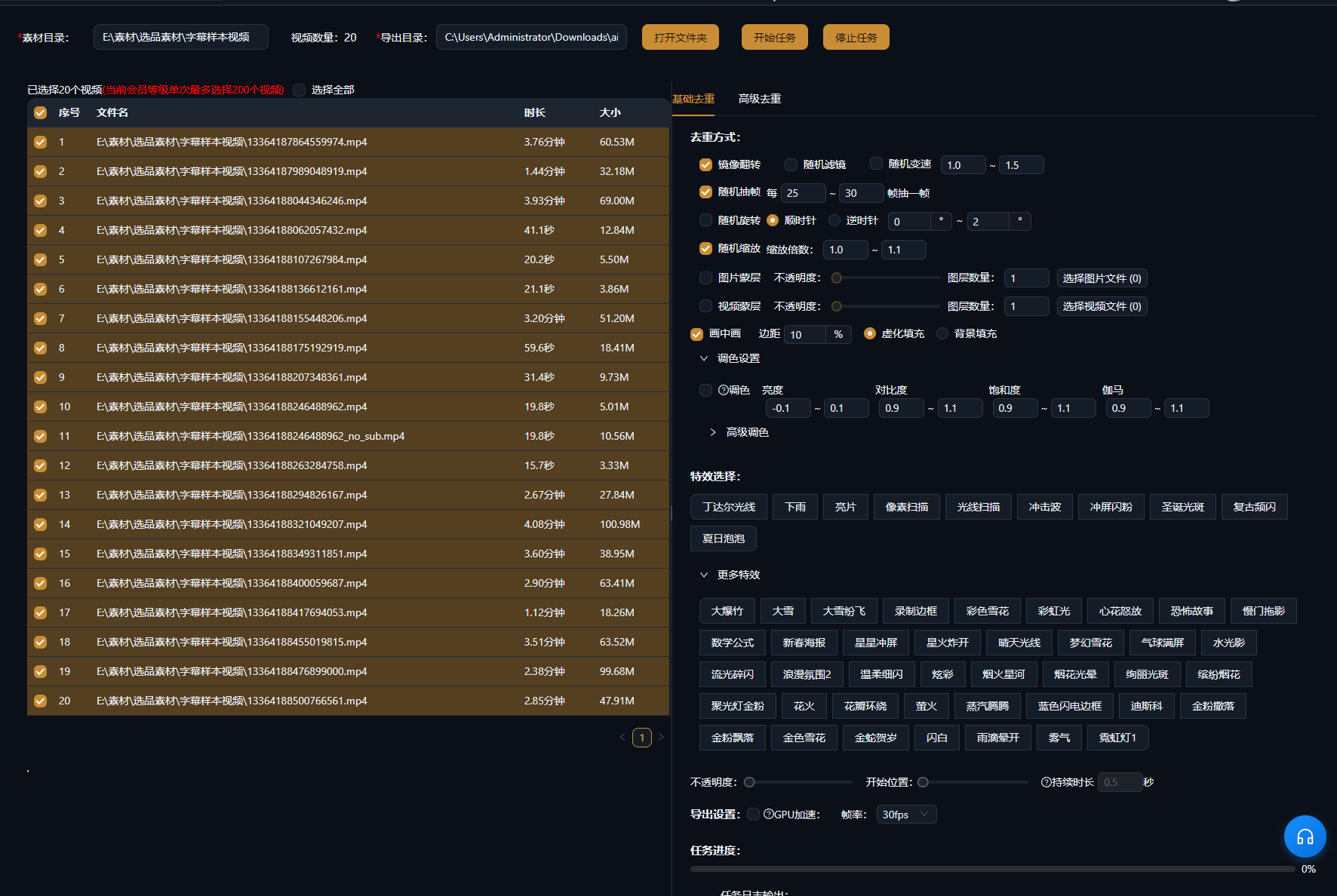
Ниже приведены реальные примеры использования этой функции в приложении AIMIX без изменений.
Кому подходит: локальный контент, обзоры товаров, матрицы бизнес-аккаунтов · дистрибуция одного исходного видео на множество аккаунтов
结构Процесс: финальная версия → пакетная дедупликация → дистрибуция по аккаунтам → сбор данных
Реальность матричного ведения: выпуск ограничен, аккаунты — нет. Дедупликация позволяет одному набору качественного материала закрывать больше аккаунтов, при этом каждая версия сохраняет отпечаток «независимого контента».
Каждая техника по-своему влияет на впечатление от просмотра; лучше всего работает комбинация:
Отражает кадр слева направо; осторожно применяйте к кадрам, насыщенным текстом или выраженной направленностью движения.
Слегка подрезает края, меняя компоновку кадра практически без видимого эффекта.
Микросдвиги скорости между 0.9x и 1.1x незаметны глазу, но меняют отпечаток файла.
Легкий шум плюс тонкие правки баланса белого и яркости расширяют различия между версиями.
Рекомендуем комбинировать минимум три техники и перед экспортом выборочно проверять версии на единообразный вид.
Без ручной подстройки каждого клипа — настройте один раз и экспортируйте всю партию.
Вы управляете интенсивностью обработки, балансируя между отличиями и качеством картинки.
Работает в паре с пакетным монтажом и пакетной озвучкой, образуя полный конвейер мультиаккаунтного контента.
Легкая обработка почти не влияет на качество; чрезмерный шум или кадрирование ухудшат его, поэтому держите комбинацию умеренной.
Дедупликация снижает риск отметок дубликатов, но правила платформ меняются постоянно, и абсолютных гарантий нет.
Да — обработка видео и аудио независимы, выбирайте только то, что нужно.
Разные комбинации параметров дают несколько версий; детали — в настройках пакетной обработки десктоп-приложения.
Да — обе живут в пакетном рабочем процессе, и обычный порядок такой: сначала монтаж, потом дедупликация.
Пакетные задания идут очередью; короткие видео типичной длительности обычно обрабатываются всей партией быстро.