
Импортируйте видео
Загрузите видео, которым нужны субтитры, в генерацию субтитров: клипы с говорящей головой, готовые ремиксы и записи курсов подходят, а пакетные задачи обрабатывают несколько за раз.
ИИ распознает озвучку и автоматически калибрует таймлайн субтитров
ИИ распознает речь в ваших видео и генерирует субтитры автоматически, выравнивая их предложение за предложением без ручного тактирования. Встроены многоязычное распознавание, шаблоны стиля и настройка позиции, пакетные задачи обрабатывают несколько видео сразу, а готовые субтитры попадают прямо на таймлайн для доводки.
Скачать AIMIXКороткое видео без субтитров пролистывают, как только зритель встречает его на беззвучном скролле — субтитры сегодня обязательны. Но ручное тактирование — самый нудный этап процесса: прослушал строку, напечатал строку, выставил метку. Генерация субтитров отдает это ИИ: он распознает речь в видео, генерирует субтитры, выровненные по предложениям, калибрует таймлайн — и после быстрого выбора шаблона стиля вы готовы к экспорту. Субтитры для одного видео сжимаются с получаса до минуты.
Загрузите видео, которым нужны субтитры, в генерацию субтитров: клипы с говорящей головой, готовые ремиксы и записи курсов подходят, а пакетные задачи обрабатывают несколько за раз.
ИИ распознает речь, генерирует текст субтитров и автоматически тактирует его по границам предложений — каждая строка субтитров начинается и заканчивается синхронно с голосом, без ручного выравнивания.
Выберите шаблон стиля субтитров и настройте шрифт, цвет, обводку и позицию (по центру, снизу или в безопасной зоне). Когда все устраивает — экспортируйте или перейдите на таймлайн для дополнительной полировки.
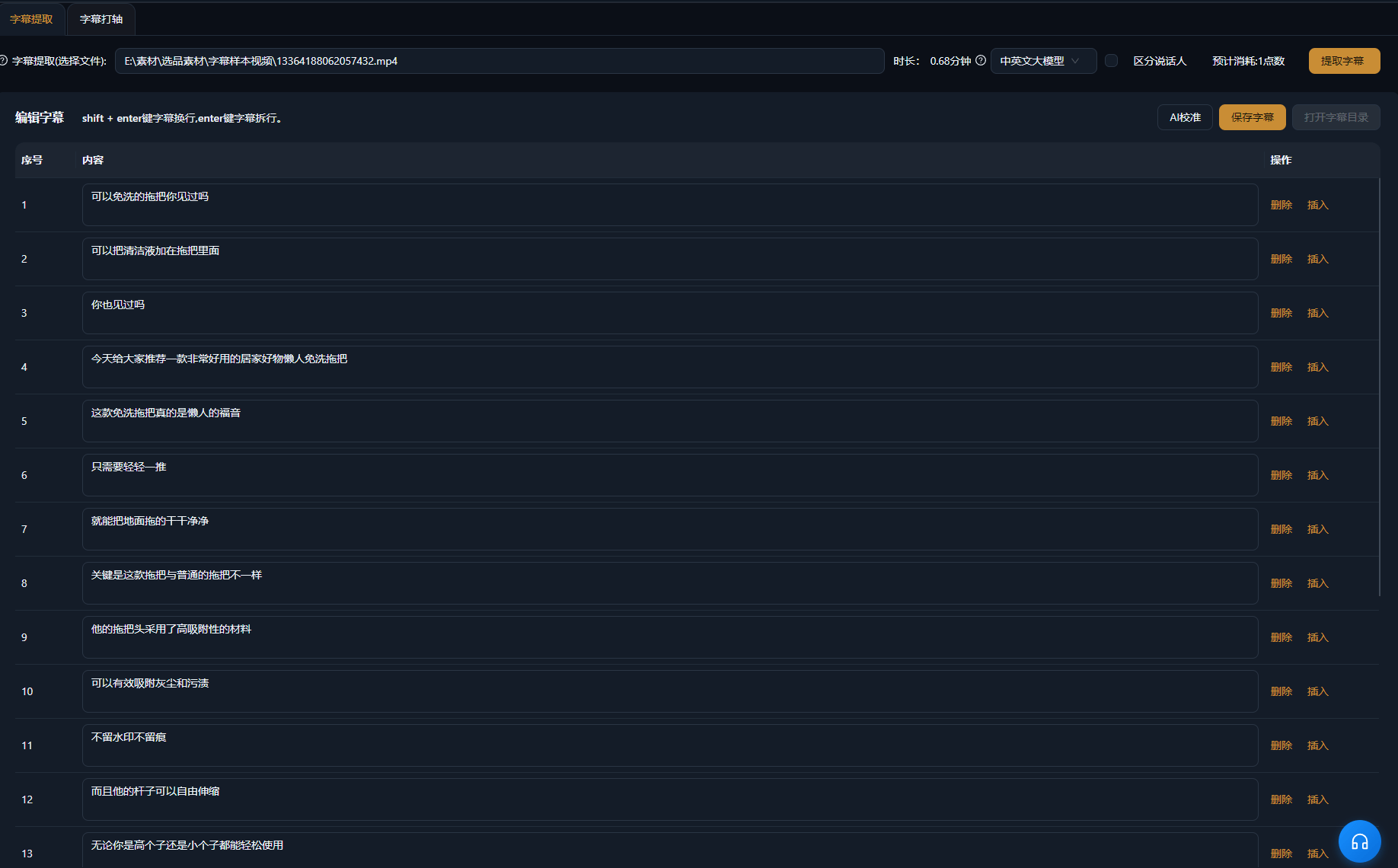
Ниже приведены реальные примеры использования этой функции в приложении AIMIX без изменений.
Кому подходит: экспертные говорящие головы, продающие видео · готовые видео, которым быстро нужны субтитры
结构Процесс: готовое видео с говорящей головой → ИИ генерирует и тактирует субтитры → применить шаблон стиля → экспорт
После монтажа видео с говорящей головой субтитры — последняя рутина. Отправьте его в генерацию субтитров: ИИ распознает речь, генерирует субтитры строка за строкой и автоматически выравнивает таймлайн — примените шаблон стиля под свой канал и экспортируйте напрямую. Полчаса ручного тактирования превращаются в минуту работы, а пакетный прогон закрывает все видео, выпущенные за день.
У каждой платформы свои представления об «идеальных» субтитрах:
р
о
у
Выберите один шаблон субтитров по умолчанию для своего канала и применяйте его к каждому видео, чтобы сохранить единый вид.
Точки входа и выхода субтитров совпадают с голосом строка за строкой, убирая самое времязатратное ручное тактирование.
Без «по одному» — пакетные задачи закрывают субтитры для всех видео дня за один прогон.
Шрифт, цвет, обводка и позиция идут комплектом в шаблонах, сохраняя оформление субтитров в стиле вашего канала.
ИИ-распознавание расходует баллы по длительности видео, как показано в приложении; перед стартом генерации отображается оценка стоимости.
Четкая озвучка распознается с высокой точностью; для контента, насыщенного именами собственными, рекомендована быстрая вычитка после генерации.
ИИ тактирует субтитры автоматически по границам предложений, и в большинстве случаев правки не нужны; отдельные разрывы можно уточнить на таймлайне.
Распознаются китайский, английский и другие языки и превращаются в соответствующие субтитры; точный список языков — по данным приложения.
Да. Шрифт, размер, цвет, обводка и позиция настраиваются и сохраняются как шаблоны для повторного использования.
Поддерживается вшивание субтитров в экспортируемое видео; экспорт отдельного файла субтитров зависит от текущей версии приложения.