
Video Panjang ke Klip Pendek: Pilih dan Selesaikan Klip Mandiri
Penulis
Tanggal terbit

Untuk mengubah video panjang menjadi klip pendek yang berguna, pilih bagian yang menjawab satu pertanyaan atau memperagakan satu aksi lengkap, lalu edit setiap bagian untuk penonton yang belum menonton sumbernya. AI dapat menyusun calon klip, tetapi pilihan akhir tetap memerlukan pemeriksaan konteks dan kelengkapan. Panduan ini mencakup siaran langsung, wawancara, dan kursus, dari brief pemilihan klip hingga file ekspor. Dijelaskan juga kapan penggabungan cuplikan terpisah membantu jawaban dan kapan potongan lebih singkat mengubah maksud pembicara sebenarnya.
Poin utama
- Pilih pertanyaan mandiri dan pertahankan jawaban, syarat wajib, serta kesimpulannya.
- Periksa calon klip dalam konteks sumber aslinya sebelum menyetujui batas atau cuplikan gabungan.
- Tentukan format penyerahan berdasarkan informasi yang terlihat dan persyaratan tujuan saat ini.
- Koreksi subtitle dan putar setiap klip ekspor; lebih banyak file tidak berarti lebih banyak topik lengkap.
Pilih topik lengkap sebelum memilih durasi
Klip pendek yang berguna memiliki pertanyaan jelas dan jawaban lengkap. Mulai dengan menulis apa yang harus dipahami penonton di akhir. “Jelaskan mengapa pengaturan berubah untuk rekaman bising” memberi uji editorial. “Temukan momen terbaik” tidak menjelaskan apa yang dianggap berguna.
Format sumber berbeda menyarankan unit berbeda. Bagian kursus dapat memuat demonstrasi dengan prasyarat. Bagian wawancara dapat memuat klaim dan penalaran pendukung. Bagian siaran langsung dapat menjawab pertanyaan produk sambil memperagakan aksi. Pertahankan bagian yang membuat jawaban tertentu itu dapat dipahami.
| Sumber | Kemungkinan topik mandiri | Konteks yang dipertahankan |
|---|---|---|
| Kursus | Cara mengatur satu pengaturan | Kondisi masukan, langkah, dan hasil yang diharapkan |
| Wawancara | Satu klaim dengan penjelasan | Pertanyaan, bukti, dan syarat terkait |
| Siaran langsung | Aksi produk atau jawaban | Model yang ditampilkan dan yang dibuktikan aksi |
Gunakan ringkasan klip video panjang untuk memahami alur kerja. Untuk percobaan berulang dalam satu penjelasan lisan, panduan edit video berbicara membahas keputusan rough cut yang lebih terfokus.
Siapkan rekaman dan brief editorial pemilihan klip
Simpan sumber agar tersedia dan tentukan audiens, topik, serta format penyerahan sebelum meminta calon klip. Jika pengenalan ucapan mendukung tugas, periksa transkrip di sekitar bagian yang maknanya bergantung pada nama, angka, negasi, atau syarat.
Tulis persyaratan yang dapat diverifikasi
- Audiens: apa yang sudah diketahui penonton?
- Topik: pertanyaan apa yang harus dijawab setiap klip?
- Isi penting: pertanyaan, aksi, syarat, atau kesimpulan apa yang wajib tetap ada?
- Penyajian: wajah, detail produk, atau kontrol apa yang harus tetap terlihat?
- Penyerahan: rasio aspek dan persyaratan durasi apa yang berlaku untuk tujuan?
Contoh brief: Susun calon klip dari kursus ini, dengan satu pertanyaan per klip. Pertahankan latar belakang wajib, demonstrasi, dan kesimpulan. Jaga syarat yang menjelaskan kapan jawaban berlaku. Identifikasi calon klip yang memerlukan konteks sebelumnya agar dapat berdiri sendiri.
Permintaan ini contoh perencanaan, bukan janji aplikasi menghasilkan jumlah atau format klip tertentu. Periksa alur yang didukung, ketersediaan tugas, dan informasi penggunaan dalam aplikasi. Mulai dengan materi perwakilan agar pendekatan pemilihan dapat diperiksa sebelum memperluas tugas.
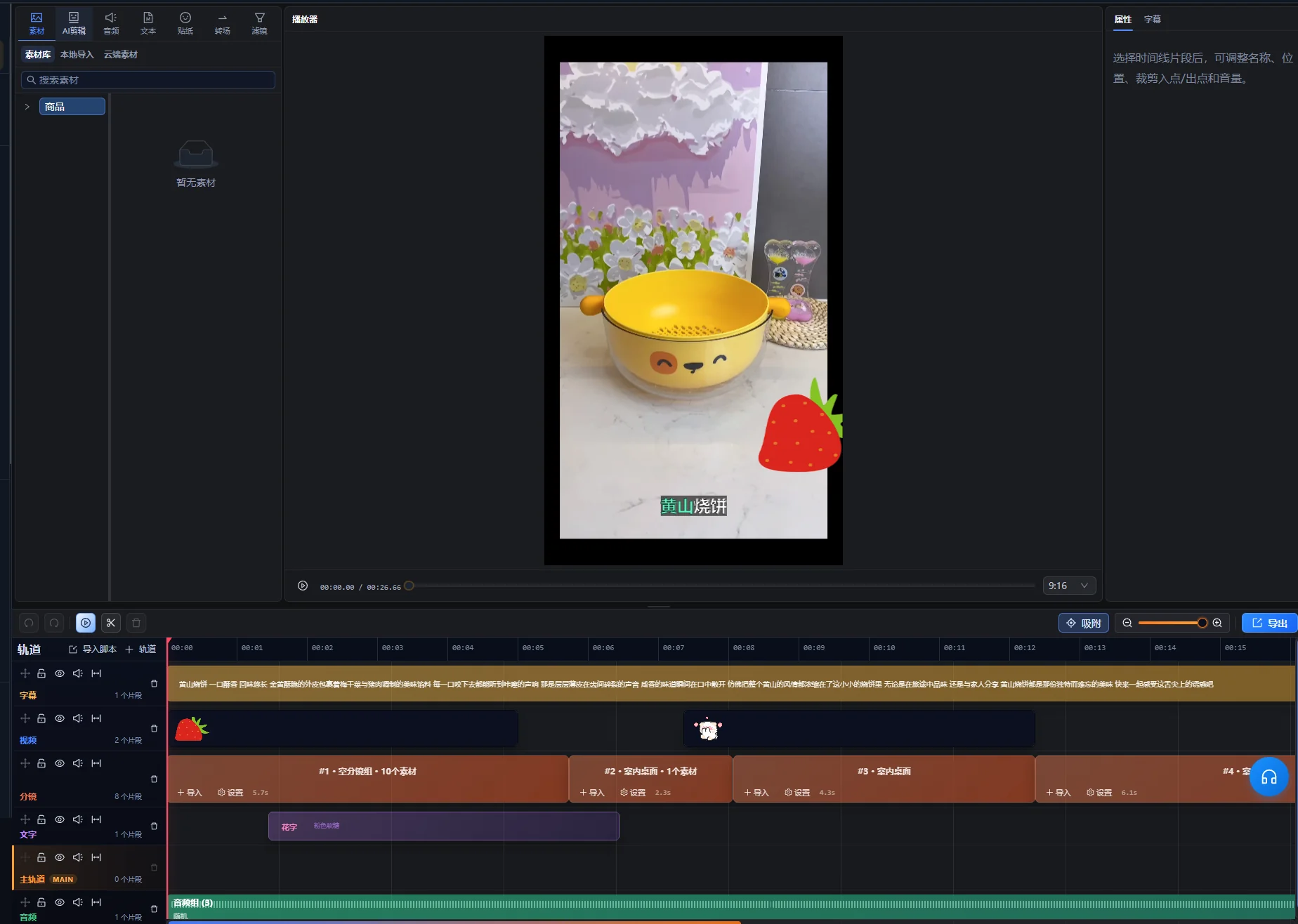
Susun calon klip dalam ruang pengeditan
Gunakan asisten AI dalam ruang pengeditan untuk meminta calon klip, lalu perlakukan pilihannya sebagai kumpulan awal untuk diperiksa. Alur video panjang yang didukung dapat menyusun cuplikan dan timeline yang dapat diedit, termasuk bagian tidak berurutan jika sesuai. Fleksibilitas ini membuat pemeriksaan makna penting: dua bagian dengan kata kunci sama masih dapat menjawab pertanyaan berbeda.
- Impor rekaman panjang ke ruang pengeditan dan buka asisten AI.
- Berikan tujuan pemilihan klip serta isi yang wajib tetap ada.
- Periksa pratinjau calon klip dan identifikasi setiap topik usulan.
- Putar bagian pilihan dan konteks sumber di sekitarnya.
- Minta usulan revisi ketika jawaban atau urutan belum lengkap.
- Setelah pemeriksaan, gunakan kontrol penerapan usulan untuk membuat edit yang disetujui, lalu lanjutkan perbaikan setiap klip dalam ruang pengeditan.
Pratinjau calon klip merupakan usulan yang masih menunggu, bukan edit timeline yang telah diterapkan. Jika perubahan sumber atau timeline membuat usulan kedaluwarsa, gunakan kontrol pembuatan ulang pratinjau dan periksa calon klip baru sebelum menerapkan. Kata pada kontrol antarmuka bergantung pada bahasanya; instruksi ini menjelaskan tindakan, bukan menganggap label berbahasa Inggris.
Untuk setiap calon klip, simpan referensi sumber dan alasan singkat pemilihannya. Dokumen sederhana dapat mencatat topik, posisi sumber, konteks wajib, dan masalah yang belum teratasi. Panduan ini tidak menganggap ada dasbor pemeriksaan klip otomatis yang terpisah.
Panel pemilihan klip pendek menyediakan judul, durasi, dan posisi sumber calon klip, beserta tindakan pemutaran pilihan. Gunakan informasi tersebut untuk menemukan sumber, lalu pratinjau bagian sebenarnya. Perlakukan judul usulan sebagai label yang perlu diperiksa, bukan judul publikasi yang disetujui.
Verifikasi pertama berkaitan dengan makna: dapatkah pertanyaan dan jawaban disebutkan tanpa menebak? Jika calon klip memuat kutipan menarik tetapi subjek tidak dapat dipahami, periksa konteks sebelumnya sebelum menentukan apakah akan dipertahankan.
Periksa pembuka, syarat, dan penutup dalam konteks
Periksa melewati titik masuk dan keluar usulan. Kalimat yang hilang tepat sebelum klip dapat mengubah makna semua yang tersisa, sementara kesimpulan tepat sesudahnya dapat diperlukan untuk melengkapi jawaban.
| Pemeriksaan | Yang perlu didengar atau dilihat | Keputusan |
|---|---|---|
| Pembuka | “Ini,” “opsi itu,” atau jawaban tanpa pertanyaan | Pertahankan materi sebelumnya secukupnya atau identifikasi subjek dengan jelas |
| Syarat | “Hanya ketika,” “kecuali,” atau syarat yang terkait klaim | Pertahankan syarat bersama jawaban yang dibatasinya |
| Demonstrasi | Aksi yang persiapan atau hasilnya hilang | Pertahankan bagian wajib untuk memahami langkah |
| Penutup | Gagasan belum selesai atau kesimpulan hilang | Perpanjang atau revisi penutup untuk melengkapi jawaban |
| Cuplikan gabungan | Perubahan pertanyaan, produk, periode, atau posisi pembicara | Pastikan urutan gabungan mempertahankan makna asli |
Periksa klip sekali tanpa mengandalkan ingatan tentang rekaman panjang. Jika perlu menjelaskan arti “yang ini” saat menonton, klip mungkin membutuhkan lebih banyak konteks. Judul akurat dapat mengidentifikasi topik, tetapi tidak boleh menambahkan klaim lebih kuat daripada yang didukung sumber.
Saat menggabungkan bagian terpisah, tonton dalam konteks asli dan dalam urutan baru. Pertahankan syarat melekat pada pernyataan terkait meskipun susunan lebih sederhana akan lebih pendek.
Contoh: ubah satu jawaban kursus menjadi klip pendek
Bagian kursus fiktif ini mengilustrasikan pemilihan dan pemeriksaan. Bukan hasil pembuatan klip nyata atau studi kasus kinerja. Peserta bertanya cara menghapus celah hening yang tidak diinginkan dari rekaman tanpa kehilangan ucapan pelan.
Petakan sumber sebelum memotong
| Komponen sumber | Informasi yang diberikan | Keputusan editorial |
|---|---|---|
| Pertanyaan | Rekaman memiliki celah dan kata pelan | Pertahankan masalah atau identifikasi dengan akurat pada pembuka |
| Pengantar panjang | Pengajar membahas latihan sebelumnya yang tidak terkait | Singkirkan materi yang tidak diperlukan untuk jawaban ini |
| Demonstrasi | Pengajar menguji pengaturan pada bagian perwakilan | Pertahankan langkah dan pemutaran cukup untuk menilainya |
| Syarat | Pengaturan agresif dapat menghapus ucapan pelan | Pertahankan di samping demonstrasi |
| Kesimpulan | Dengarkan sampel dan sesuaikan sebelum memproses lebih banyak materi | Pertahankan sebagai rekomendasi lengkap |
Bangun jawaban dengan awal dan akhir
Mulai dengan masalah atau pernyataan tugas yang ringkas, lalu tampilkan uji perwakilan. Pertahankan syarat pengajar tentang ucapan pelan dan akhiri dengan rekomendasi mendengarkan sebelum menerapkan pengaturan lebih luas.
Jika demonstrasi dan kesimpulan berada pada posisi sumber terpisah, keduanya dapat membentuk urutan berguna hanya ketika menyangkut pengaturan dan masukan sama. Periksa materi di antaranya untuk perubahan skenario. Jangan menggabungkan uji pada rekaman hening dengan kesimpulan yang secara eksplisit membahas rekaman bising.
Periksa klip sebagai penonton baru
Penonton perlu tahu masalah yang diselesaikan, kontrol atau tindakan yang penting, apa yang perlu didengarkan, dan respons ketika pengaturan menghapus ucapan berguna. Jika klip hanya mengatakan “naikkan nilai ini,” pertahankan identifikasi yang hilang atau pilih bagian lebih lengkap.
Uji penerimaan adalah apakah jawaban tetap utuh di luar kursus. Durasinya berasal dari informasi wajib untuk menjelaskan aksi dan syarat. Jika tidak sesuai tujuan, persingkat persiapan yang tidak berkaitan atau bagi menjadi pertanyaan yang benar-benar terpisah, bukan menghapus batasannya.
Atur format penyerahan dan periksa setiap crop penting
Pilih frame akhir berdasarkan yang perlu dilihat penonton. Crop vertikal yang mempertahankan wajah presenter tetapi menghilangkan kontrol demonstrasi tidak menyampaikan penjelasan yang sama dengan sumber.
Menurut pemeriksaan pada 10 Oktober 2026, panduan YouTube Memahami YouTube Shorts berdurasi tiga menit menyatakan bahwa untuk channel YouTube standar, video persegi atau vertikal yang diunggah mulai 15 Oktober 2024 dengan durasi hingga tiga menit dikategorikan sebagai Shorts. Channel Artis Resmi memiliki tanggal batas historis terpisah. Periksa panduan tertaut sesuai channel dan tanggal unggah saat menyiapkan penyerahan. Aturan klasifikasi ini bukan batas pemrosesan aplikasi.
Periksa frame sepanjang aksi lengkap
- Periksa komposisi pembuka dan identifikasi subjek.
- Ikuti wajah, tangan, produk, dan kontrol yang diperagakan saat bergerak.
- Periksa rekaman layar untuk teks yang menjadi terlalu kecil setelah framing diubah.
- Sisakan ruang subtitle tanpa menutupi informasi wajib.
- Periksa setiap transisi antar-bagian dengan framing berbeda.
Gunakan alur cropping dan perbaikan timeline manual bila diperlukan. Jika satu crop tidak dapat menampilkan orang dan demonstrasi lebar sekaligus, pertimbangkan tata letak atau bagian sumber lain yang mempertahankan penjelasan. Jangan menganggap crop otomatis dapat menentukan kontrol kecil yang penting bagi pelajaran.
Beri subtitle pada klip akhir dan jaga informasi visual berguna
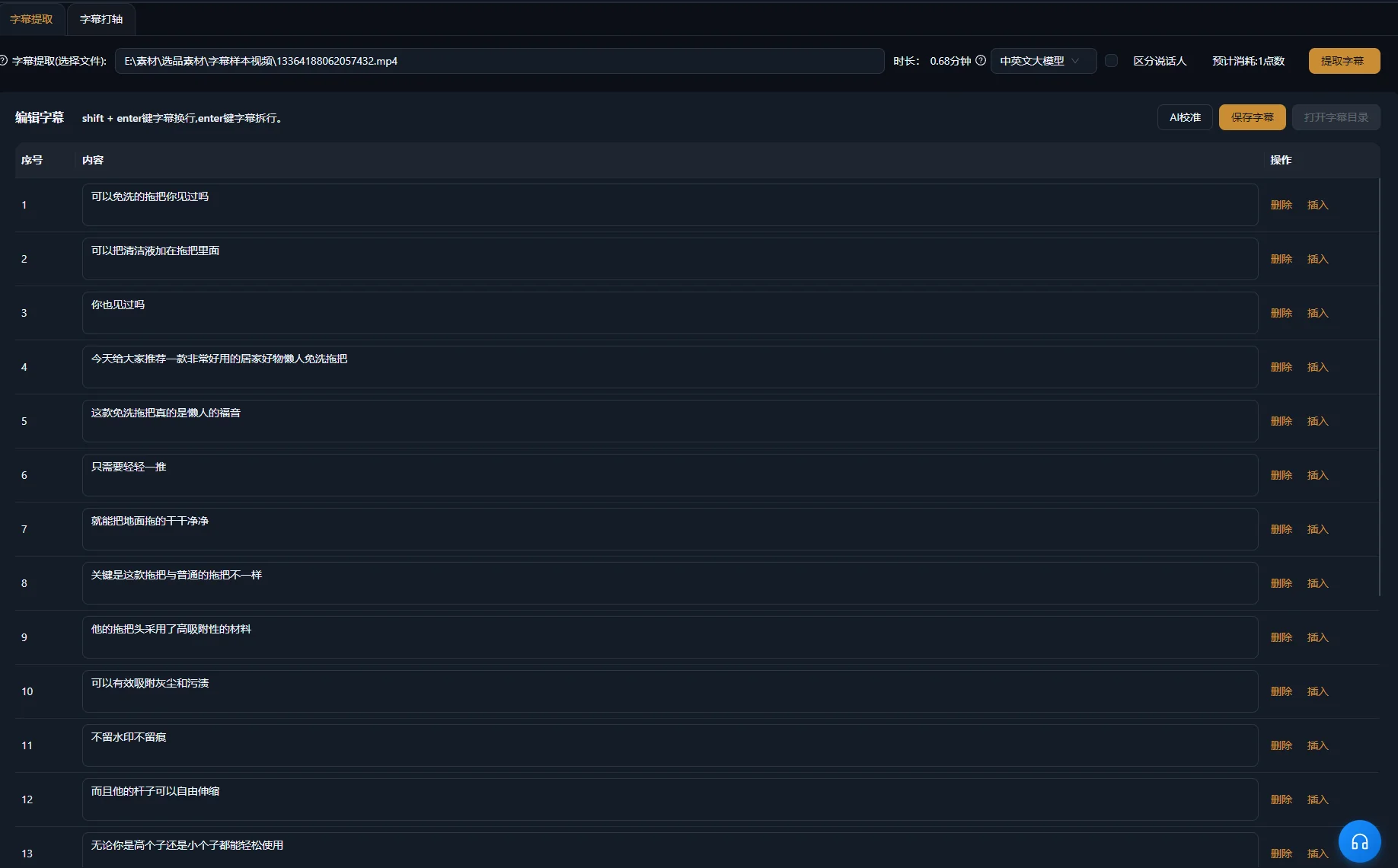
Buat atau revisi subtitle untuk klip akhir hasil edit, lalu periksa terhadap ucapan. Subtitle sumber mungkin tidak sesuai setelah bagian dihapus atau diatur ulang. Perhatikan khusus nama produk, jumlah, syarat, dan negasi.
Panduan W3C tentang Caption/Subtitle menjelaskan bahwa subtitle aksesibel juga menyampaikan suara nonucapan relevan dan informasi pembicara. Dalam wawancara, identifikasi pembicara dapat penting. Dalam demonstrasi, klik terdengar dapat menegaskan aksi telah selesai. Sertakan informasi yang diperlukan untuk memahami isi.
Panduan W3C tentang Konten Audio dan Konten Video juga menyarankan audio jelas, teks overlay terbaca, dan waktu untuk memproses informasi. Terapkan pemeriksaan tersebut pada klip pendek itu sendiri: crop atau urutan cepat dapat membuat demonstrasi yang sebelumnya jelas sulit diikuti.
Periksa teks dan suara sebagai lapisan terpisah
- Koreksi subtitle terhadap audio akhir.
- Periksa waktu dan pemenggalan yang mudah dibaca.
- Periksa penempatan di atas wajah, kontrol, dan detail produk.
- Dengarkan sambungan untuk kata terpotong atau perubahan suara mendadak.
- Kurangi musik yang bersaing ketika menutupi jawaban.
Ringkasan pembuatan subtitle membahas alur produk terkait. Subtitle harus mewakili isi ucapan dengan akurat; mengubahnya tidak dapat memperbaiki jawaban lisan yang salah atau tidak lengkap.
Diagnosis calon klip yang tidak dapat berdiri sendiri
Tinjau ulang pilihan ketika klip tidak memiliki jawaban lengkap. Penyajian dapat diperbaiki, tetapi tidak dapat membuat cuplikan yang tidak terkait menyediakan penalaran yang hilang.
| Gejala | Kemungkinan penyebab | Pemeriksaan atau perbaikan berikutnya |
|---|---|---|
| Pembuka menjawab pertanyaan yang tidak diketahui | Pertanyaan atau subjek dikecualikan | Periksa konteks sumber sebelumnya dan pertahankan atau identifikasi subjek wajib |
| Klaim terdengar lebih luas daripada sumber | Batasan dipotong | Pulihkan syarat di samping klaim |
| Demonstrasi berakhir sebelum hasilnya | Batas calon klip mengikuti ucapan, bukan aksi | Perpanjang atau revisi penutup untuk memperlihatkan hasil berguna |
| Cuplikan gabungan saling bertentangan | Menyangkut skenario atau pertanyaan berbeda | Bandingkan konteks asli dan pisahkan topik bila diperlukan |
| Klip vertikal menyembunyikan kontrol | Crop mengutamakan area yang salah | Ubah framing selama demonstrasi atau gunakan tata letak sesuai |
| Subtitle tidak lagi sesuai urutan | Mencerminkan sumber panjang atau potongan sebelumnya | Periksa terhadap klip akhir |
| Beberapa klip mengulang jawaban sama | Pilihan mengutamakan bagian mirip daripada topik berbeda | Bandingkan pertanyaan dan poin utama setiap calon klip |
Ketika topik tetap membutuhkan terlalu banyak penjelasan sebelumnya, mungkin lebih cocok sebagai bagian panjang daripada klip pendek. Menolak calon klip merupakan hasil editorial yang berguna. Jumlah file yang diekstrak bukan bukti bahwa sumber menghasilkan sebanyak itu jawaban berbeda dan lengkap.
Periksa klip ekspor dan catat konteks sumbernya
Setujui setiap file ekspor satu per satu. Pengaturan bersama dapat mengurangi persiapan berulang, tetapi setiap klip memiliki batas, makna, dan aksi visual sendiri. Ekspor pertama yang rapi tidak membuktikan kelengkapan sisanya.
Alur pembuatan klip yang didukung dapat menyiapkan klip mandiri untuk ekspor terpisah. Pastikan keluaran yang diserahkan dan putar setiap file hasil. Jaga klip topik mandiri tetap terpisah kecuali brief penyerahan secara eksplisit meminta kompilasi.
- Klip menjawab satu pertanyaan yang dapat diidentifikasi.
- Pembuka sesuai untuk orang yang tidak mengenal sumber.
- Syarat wajib, demonstrasi, dan kesimpulan tetap ada.
- Cuplikan gabungan mempertahankan makna sumber.
- Subjek penting dan aksi tetap terlihat.
- Subtitle, ucapan, dan suara pendukung benar dalam file ekspor.
- File memenuhi persyaratan tujuan pilihan.
Catat topik, posisi sumber, nama file akhir, dan perubahan editorial bersama proyek. Beri judul akurat berdasarkan jawaban sebenarnya. Jika meninjau data distribusi kemudian, gunakan catatan ini untuk memahami isi yang dipublikasikan; volume produksi saja tidak membuktikan pemilihan efektif.
Untuk sumber berikutnya, pilih satu pertanyaan perwakilan dan selesaikan seluruh proses terlebih dahulu. Setelah pemilihan, framing, subtitle, dan ekspor dapat diperiksa, perluas ke topik berbeda lainnya.
Pertanyaan umum
Berapa klip pendek yang sebaiknya dibuat dari satu rekaman?
Pilih topik berbeda yang dapat menjadi klip mandiri lengkap. Beberapa rekaman memiliki banyak jawaban berguna; yang lain sangat bergantung pada konteks sebelumnya. Nilai tumpang tindih topik dan kelengkapan, bukan menetapkan kuota berdasarkan durasi rekaman.
Bisakah klip pendek menggabungkan bagian dari posisi sumber berbeda?
Alur yang didukung dapat menyusun cuplikan tidak berurutan. Periksa setiap bagian dalam konteks asli dan tinjau makna gabungan. Pertahankan syarat wajib dan jangan menggabungkan jawaban tentang skenario berbeda seolah satu pernyataan.
Apakah setiap klip pendek perlu dimulai dengan kesimpulan?
Mulai dengan kesimpulan jika dapat dipahami dan akurat tanpa persiapan sebelumnya. Beberapa demonstrasi memerlukan masalah atau syarat sebelum jawaban. Pilih pembuka yang memperjelas topik sebenarnya, bukan menerapkan struktur sama pada semua sumber.
Bisakah ekspor sama digunakan untuk semua platform?
Periksa persyaratan format terkini tujuan dan cara antarmuka penayangannya menampilkan klip. File sama mungkin dapat digunakan di beberapa tempat, tetapi durasi atau crop yang sesuai satu tujuan tidak membuktikan hasilnya sama baik di tempat lain.