
Video Crop: Remove Black Bars, Change Aspect Ratios, and Fit One Master to Every Platform
Date Published

Post landscape footage to Douyin and the screen fills with black bars; upload a portrait video to YouTube and only a narrow strip survives — aspect ratio is the first hurdle of multi-platform distribution. Video Crop handles black-bar removal, free ratio switching, and AI subject tracking for smart reframing, so one video works everywhere.
Cómo funciona
Upload the video
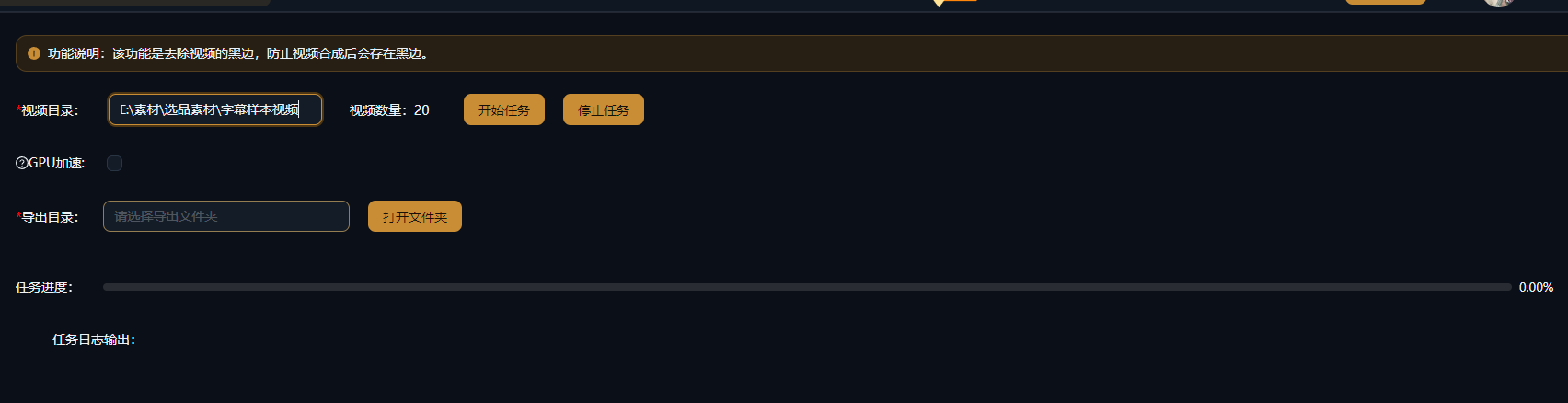
Import the video whose aspect ratio needs adjusting, or queue multiple clips together in a batch task.
Choose a cropping method
Black-bar removal auto-detects and trims the top and bottom bars; ratio switching offers 9:16, 1:1, 16:9, and more; AI tracking keeps the subject centered so landscape-to-portrait never cuts off faces.
Preview and export
Preview the framing, then export — output several ratio versions at once so one piece of content covers every platform.
Ejemplos reales
Los cinco guiones de abajo son resultados reales de la creación de guiones con IA de AIMIX, generados a partir del prompt indicado en cada ejemplo. Se generaron en chino; las tablas están traducidas sin edición y las duraciones son las generadas. Una escena sin descripción visual generada se marca con «—».
Multi-platform distribution for landscape content: export three ratios in one pass
Best for: talking-head knowledge videos, courses, interviews · source footage in 16:9 landscape
Flow: landscape master → crop 9:16 / 1:1 / 16:9 versions → publish per platform
Landscape to portrait without cutting faces · One master, three versions, full coverage · Batch-process entire columns of footage
Multi-platform operation does not mean re-editing three times — it means cropping three times. AI tracking keeps the face centered in every landscape-to-portrait conversion, so the same content lands perfectly on each platform.
Three high-frequency cropping scenarios
Each one maps to a different distribution need:
Black-bar removal
Auto-detects the active picture area and trims the top and bottom bars — a lifesaver for old footage and screen recordings.
Aspect ratio switching
Switch between 9:16, 1:1, 16:9, 4:3, and more, with precise output to each platform spec.
AI smart tracking
Subject recognition plus dynamic framing keeps people inside the safe area of the frame when flipping between orientations.
For multi-platform distribution, export multiple ratio versions in one go and skip the repeated exports.
Mantén el control del montaje
AI tracking keeps subjects intact
Landscape-to-portrait framing is judged by AI segment by segment, and the frame follows the subject as people move.
One master, many versions
Output the same video in multiple ratios at once and solve every platform spec in a single pass.
Batch aspect conversion
Convert an entire batch of footage to one target ratio — ideal for serialized, matrix-style production cadence.
Preguntas frecuentes
Does cropping distort the picture?
No. Cropping trims an area of the frame at the same ratio without stretching the footage; pair it with background blur or similar effects when needed.
How does AI smart tracking work?
AI identifies the main subject in the frame (such as a face) segment by segment and dynamically adjusts the crop box, so the subject stays at the center of the composition after the ratio change.
Which aspect ratios are supported?
Common ratios including 9:16, 1:1, 16:9, and 4:3, plus custom crop regions.
Can it process videos in bulk?
Yes. Set one target ratio for multiple videos and export them all in a single run.
Does cropping reduce image quality?
Cropping only changes the visible area of the frame; resolution follows your export settings. Fewer effective pixels when cutting a portrait clip from landscape footage is normal.
Does Video Crop consume credits?
Billing is per task as shown in the in-app prompt; batch tasks display an estimated cost before running.