
Sube vídeos
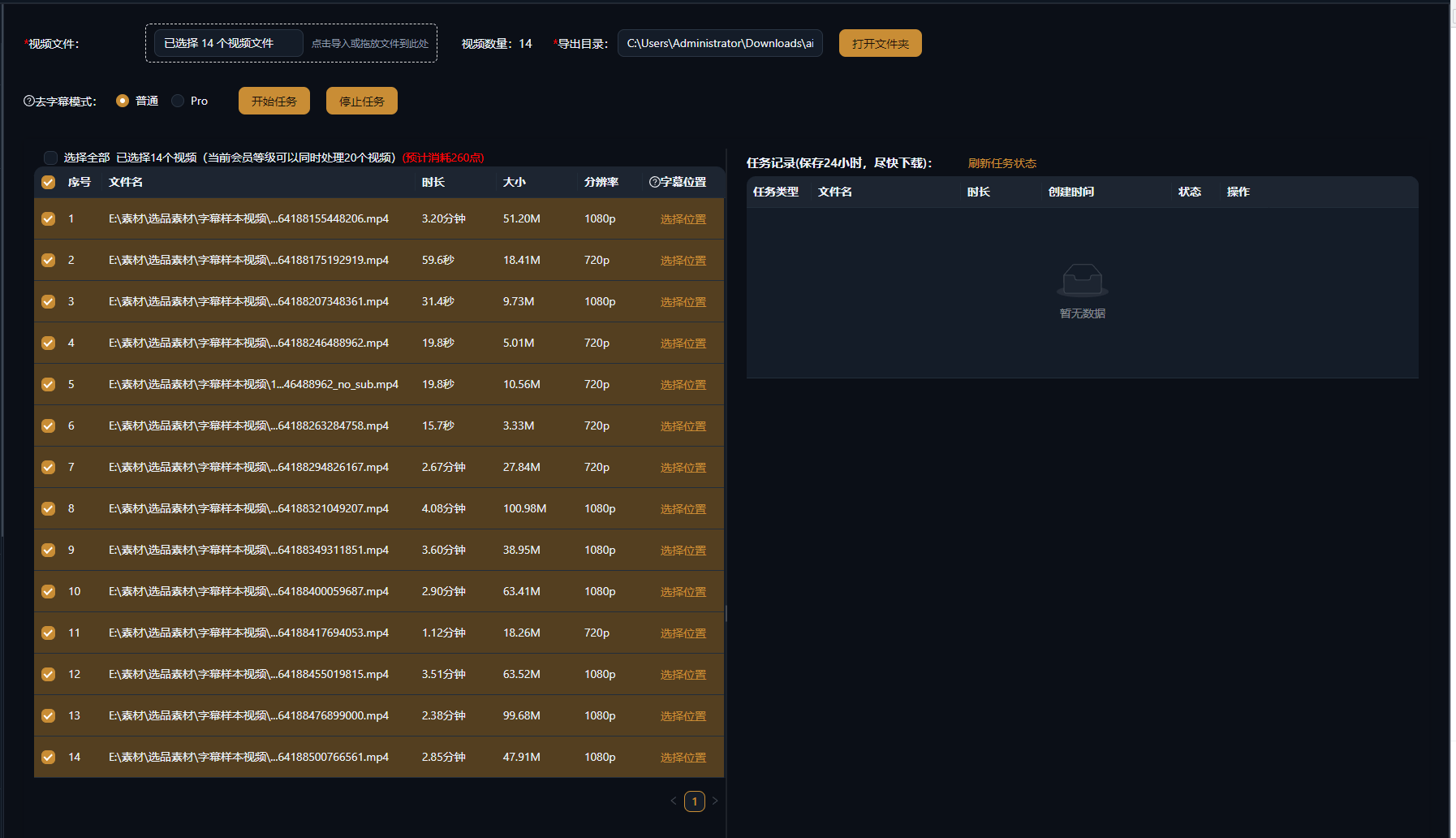
Importa uno o muchos vídeos con subtítulos incrustados, marcas de agua o logotipos; las tareas por lotes simplemente se ponen en cola y se ejecutan.
borra subtítulos incrustados, marcas de agua y logotipos en un clic con IA
La IA detecta y elimina automáticamente subtítulos incrustados, marcas de agua y logotipos de canal, restaurando un encuadre limpio. Se admite el procesamiento por lotes: un paso de preparación esencial antes del doblaje, la traducción y la remezcla.
Descargar AIMIXPara los subtítulos y marcas de agua incrustados en el encuadre, la edición corriente solo puede recortar o difuminar, dañando la imagen y dejando rastros. La eliminación de subtítulos usa IA para localizar la capa superpuesta y reparar el fondo cubierto fotograma a fotograma; tras la eliminación el resultado es casi invisible y el metraje queda limpio y utilizable de nuevo.
Importa uno o muchos vídeos con subtítulos incrustados, marcas de agua o logotipos; las tareas por lotes simplemente se ponen en cola y se ejecutan.
Las zonas de subtítulos y marcas de agua se localizan automáticamente y el fondo se repara fotograma a fotograma; si la detección falla, marca el área manualmente y reprocesa.
Previsualiza, confirma y exporta: listo para el doblaje de traducción, la remezcla o el siguiente paso de tu flujo de edición.
Los casos siguientes son registros reales de esta función en la app AIMIX, sin editar.
Ideal para: traducción y doblaje, remakes multilingües · vídeos fuente con subtítulos incrustados
结构Flujo: importar el vídeo fuente → la IA borra los subtítulos originales → re-doblar y re-subtitular → exportar
El primer paso de cualquier doblaje siempre es borrar los subtítulos duros originales. Un clip a mano lleva decenas de minutos; con la eliminación por lotes con IA, el doblaje y los nuevos subtítulos por fin reciben un lienzo limpio.
Tres escenarios de alta frecuencia:
Borra los subtítulos duros para dejar una imagen limpia de cara al doblaje de traducción o la remezcla.
Borra las marcas de agua de esquina y los logotipos de canal: las áreas pequeñas y fijas dan los resultados más estables.
Pone lotes enteros en cola para procesar, ideal para una preparación en una sola pasada en una matriz de cuentas o un canal de traducción.
Prueba primero un clip para confirmar el resultado y luego procesa por lotes toda la biblioteca.
Sin cajas negras ni difuminados: la IA reconstruye el fondo cubierto para una imagen de aspecto natural.
Marca y afina manualmente un clip suelto, o pon toda una biblioteca en cola y sáltate el trabajo repetitivo.
Tras la eliminación, el doblaje y la generación de subtítulos retoman al instante: una sola cadena completa la localización.
Las zonas borradas se reconstruyen con IA mientras el resto del encuadre queda intacto; los fondos estáticos se ven mejor y las áreas de movimiento rápido pueden mostrar leves rastros.
Sí. La IA rastrea la posición del subtítulo y lo borra fotograma a fotograma; para subtítulos que saltan mucho, prueba primero con una selección manual.
Marca el área manualmente y reprocesa; para encuadres complejos, combina la detección automática con el ajuste fino manual.
Sí. Añade varios vídeos a la cola y ejecútalos juntos: ideal para limpiar series enteras o una biblioteca de metraje en una sola pasada.
Merece la pena probar. La IA reconstruye el fondo tras la marca de agua; las marcas profundamente fundidas con la escena dan resultados limitados.
La facturación es por duración o por tarea, según se muestra en la app; las tareas por lotes muestran un costo estimado antes de ejecutarse.