
Script Management: Generate Scripts with AI, Deconstruct Viral Copy, and Import Into Editing in One Click
Date Published

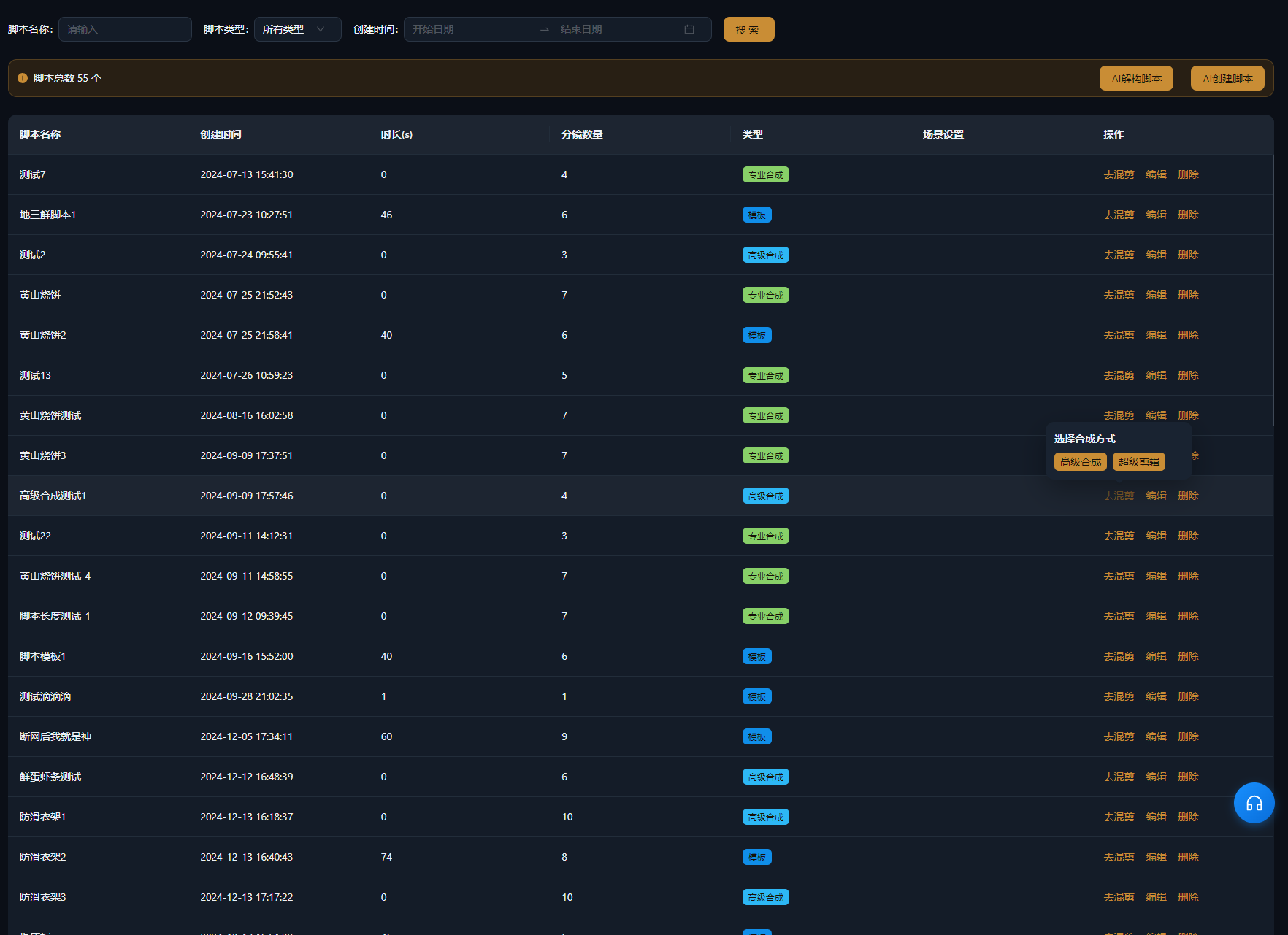
When you produce videos in volume, the bottleneck is rarely editing—it is "where do scripts come from." Script Management solves exactly that: stuck for copy? AI writes a complete voiceover script from your topic. Spotted a viral video? The deconstruction feature breaks its copy into a storyboard table. Every script is saved to the cloud and organized by category, and when it is time to produce, one click imports it into editing—you never switch tools along the script pipeline.
Cómo funciona
Generate scripts with AI
Enter a topic, product selling points, or target audience, and AI generates a complete voiceover script: opening hook, selling-point buildup, and call to action—a full structure you can use as-is or after a quick rewrite.
Deconstruct viral copy
Paste in the viral copy you pulled with Text Extraction and deconstruct it into a storyboard table in one click: each block of copy maps to a shot, with suggested visuals, duration, and voiceover text laid out clearly.
Save and import into editing
Save scripts by category to your cloud script library and reuse them anytime. During production, select a script and import it into Super Edit in one click—shots land on the timeline automatically and you start adding footage right away.
Ejemplos reales
Los cinco guiones de abajo son resultados reales de la creación de guiones con IA de AIMIX, generados a partir del prompt indicado en cada ejemplo. Se generaron en chino; las tablas están traducidas sin edición y las duraciones son las generadas. Una escena sin descripción visual generada se marca con «—».
Single-product short videos: from selling points to a shootable script
Best for: e-commerce operators, live-selling creators · one product, many scripts needed
Workflow: enter product selling points → AI generates voiceover script → deconstruct and adjust shots → import into editing to produce
AI drafts straight from selling points · Deconstruct into a storyboard table, then fine-tune · Scripts import into editing in one click
One product needs five short videos from different angles: pain-point openers, scenario showcases, price-driven closers... Writing every script by hand eats too much time. Generate a first draft with AI for each angle in Script Management, tweak a few lines into spoken language, deconstruct into a storyboard table, and import into editing with one click—the script stage shrinks from half a day to half an hour, and a script assembly line takes shape.
How to get the most out of your script library
Run the script library as a content asset library:
A
r
D
e
K
e
The library gets more valuable with use—the more validated structures you accumulate, the faster new content takes off.
Mantén el control del montaje
Two ways in: AI generation + viral deconstruction
Stuck for words, generate a script; found a viral hit, deconstruct it—script sourcing never stalls again.
Scripts go straight to the timeline
Deconstructed storyboard scripts import into Super Edit in one click—no more copying and pasting shot by shot.
A cloud library that compounds
Scripts are categorized, saved, and reusable—validated structures pay off again and again, and the library grows more efficient over time.
Preguntas frecuentes
Are AI-generated scripts sloppy?
You get a structurally complete first draft—hook, selling points, and call to action included. Rewriting it in your own voice works even better.
Does deconstruction require a specific copy format?
Any voiceover copy can be deconstructed; copy with clear paragraphs deconstructs into more accurate storyboard structures.
Is there a limit on saved scripts?
Scripts are saved to the cloud; limits depend on the current version, and category management stays available long term.
Which editing steps can scripts feed into?
Import into Super Edit in one click to generate storyboard tracks, or start voiceover from Script Management and turn the script text directly into speech.
Can I edit an AI-generated draft?
Yes. Generated results support inline editing—save the edited version to the library or import it straight into editing.
Can scripts be shared with a team?
Scripts are managed per account for now; team collaboration is on the product roadmap.