
AI Film Generation: From a Single Topic to a Finished Video
Date Published

In the traditional workflow, scripting, filming, editing, voiceover, and subtitles are five separate stages. AI Film Generation compresses them into one: give it a topic, wait for the finished video. Not every output will be a masterpiece, but first drafts this fast let you spend your energy on selecting and refining — in the mass-production era, the right approach is "generate first, pick later."
Nasıl çalışır
Enter a topic or pick a script
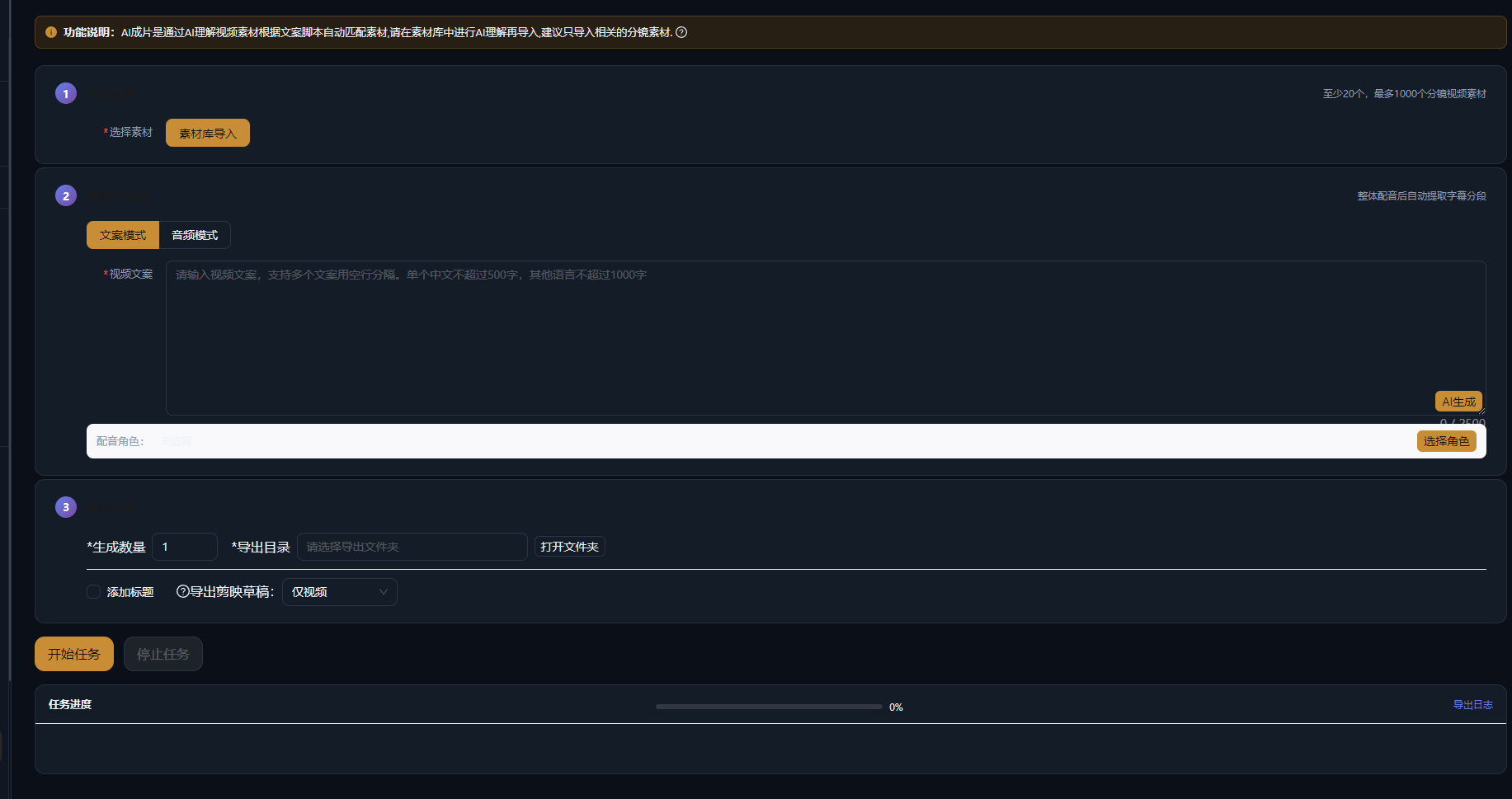
Type a video topic directly, or choose a finished script from script management; you can also generate a script with AI first and then move on to film generation.
AI generates storyboard and footage
AI breaks the script into shots and generates visuals shot by shot; the style is set once before generation to keep the whole video visually consistent.
Auto-compose the final cut
Voiceover, subtitles, and background music are generated and aligned automatically to output the final video; regenerate or replace individual shots you are not happy with.
Gerçek örnekler
Aşağıdaki beş senaryo, her örnekte gösterilen komut ile AIMIX AI senaryo oluşturmanın gerçek çıktılarıdır. Çince üretilmiştir; tablolar değiştirilmeden çevrilmiş, süreler üretildiği gibidir. Görsel açıklaması üretilmeyen bir sahne «—» ile işaretlenmiştir.
Account Matrix: One Person Tests 20 Content Directions a Day
Best for: Account matrices, head-to-head content testing, cold-starting new accounts · Need lots of first drafts to validate directions
Workflow: Batch topics → AI film generation → Publish and collect data → Double down on the winners
Output no longer depends on filming · Data-driven topic elimination · First drafts regenerated in seconds
The biggest waste when launching accounts is betting every resource on one direction that "feels like a hit." AI Film Generation drives the cost per video to nearly zero so data can filter your directions — and only the winners get premium production.
Who Should Use AI Film Generation
It does not replace fine editing — it fills in the "mass-produced first draft" piece of the puzzle:
Matrix operators
Multiple accounts need a steady content supply; AI Film Generation keeps every account from going dark.
Ad testing teams
Generate multiple versions of the same selling point for A/B tests, then add manual polish once the data comes in.
Solo beginners
No filming gear or editing experience required — get content running first, then upgrade production step by step.
Flagship projects that demand top-tier polish still follow a professional workflow; AI Film Generation covers the volume half.
Three Keys to Output Quality
Same feature, different results — the gap comes down to the effort put into these three steps:
Script quality
AI generates visuals from the script, so the script's information density directly determines the video's.
Style settings
Set unified style keywords before generating so every shot does not look like it came from a different video.
Shot-by-shot review
Regenerating individual weak shots is far more efficient than redoing the entire video.
Think of AI Film Generation as the videographer who delivers instant first drafts — you are still the gatekeeper.
Kurgu üzerinde kontrolü sürdür
From hours to minutes per video
Skip the handoffs between filming, editing, voiceover, and subtitles for an order-of-magnitude boost in output.
Zero filming barrier
No equipment, no on-camera talent, no stock-footage hunting — one computer handles the entire production.
Very low cost to test directions
Validate new niches and new accounts on a small budget first, then invest where the data points.
Sık sorulan sorular
Can the generated videos be used commercially?
Copyright and usage rules for AI-generated footage follow the official terms; please review the relevant clauses before commercial use.
Is there a length limit for generated videos?
Limits follow the current desktop client's generation parameters; typical short-video lengths (tens of seconds to a few minutes) are all covered.
Can I mix AI footage with my own live-action clips?
Yes — import the finished video into Super Edit and fine-cut it together with live-action footage.
How long does one video take, and how many credits does it use?
Generation time and credit usage are shown in the desktop client; before batch generating, produce one video first to confirm the result.
What styles are supported?
Style is controlled by prompts — live-action looks, animation, 3D, and other common styles can all be set with style keywords.
Are voiceover and subtitles added automatically?
They are generated and aligned automatically by default; you can also switch to a cloned voice for the voiceover or restyle the subtitles later.