
AI-redigering av snakkevideo: Komplett arbeidsflyt for grovklipp
Forfatter
Publisert

En tydelig video med en person som snakker til kamera, begynner med den muntlige argumentasjonen: Behold hele opptaket, fjern unødvendige gjentakelser og organiser forklaringen slik at en ny seer kan følge den. En AI-redigeringsassistent kan hjelpe med disse endringene, men du må fortsatt kontrollere tidslinjen som blir laget. Denne veiledningen viser hvordan du forbereder kilden, skriver kontrollerbare forespørsler, justerer talekutt og deretter legger til støttebilder, undertekster og lyd. Den omfatter et illustrativt grovklipp og en praktisk godkjenningssjekkliste for den ferdige filen.
Viktige punkter
- Velg det fullstendige og korrekte opptaket før du finpusser tempoet.
- Gjør hver AI-forespørsel presis nok til å kunne kontrolleres, også når det gjelder innhold som må bli værende.
- Kontroller mening, hørbare grenser og nyttige pauser etter hver innholdsendring.
- Legg støtteopptak og undertekster til en stabil taleredigering, og kontroller deretter den faktiske eksporten.
Skill innholdsredigering fra fjerning av stillhet og visuell ferdigstilling
Bruk det muntlige budskapet til å avgjøre hva som skal bli værende. En gjentatt forklaring, et stille intervall og en manglende produktdemonstrasjon er ulike problemer. Å fjerne hver pause avgjør ikke hvilket opptak som er fullstendig, og grafikk kan ikke reparere en selvmotsigende forklaring.
| Oppgave | Beslutningen den tar | Det som fortsatt må kontrolleres |
|---|---|---|
| Innholdsredigering | Hvilke muntlige passasjer som beholdes, og i hvilken rekkefølge | Mening, sammenheng og fullstendig resonnement |
| Fjerning av stillhet | Hvilke stille intervaller som oppfyller valgt lydterskel | Svak tale, pust og nyttige pauser |
| Visuell ferdigstilling | Hvordan støtteopptak, tekst og lyd presenterer forklaringen | Nøyaktighet, lesbarhet og forstyrrelser |
Oversikten over redigering av snakkevideo beskriver innholdsarbeidsflyten. Hold behandlingsverktøyene i produktveiledningen atskilt i planleggingen: En terskelbasert operasjon erstatter ikke en redaksjonell beslutning.
Denne rekkefølgen har også en praktisk fordel. Når den muntlige sekvensen fortsatt endres, kan undertekster og støtteopptak være knyttet til passasjer som senere flyttes eller forsvinner. Stabiliser grovklippet før du finpusser disse forbindelsene.
Forbered kilden, transkripsjonen og redigeringsmålet
Begynn med originalopptaket og et mål på én setning for den redigerte videoen. Et nyttig mål navngir målgruppe og svar: «Vis en førstegangsbruker hvordan reisekoppen åpnes, og forklar når låsen må frigjøres.» Hold kilden tilgjengelig mens du arbeider med redigeringen.
Importer og kontroller talematerialet
- Importer opptakene til redigeringsområdet og åpne AI-assistenten.
- Fullfør transkripsjonen når oppgaven bygger på muntlig innhold.
- Lytt til ordene som avgjør meningen: navn, tall, negasjoner, vilkår og faguttrykk.
- Identifiser gjentatte opptak og avgjør hvilket som inneholder hele forklaringen.
- Noter visuelle handlinger som må bli værende ved de muntlige instruksjonene.
Bruk transkripsjonen til å navigere og planlegge, men kontroller viktige passasjer mot lyden. W3Cs veiledning om undertekster sier at automatisk genererte undertekster må kontrolleres for nøyaktighet. Kontroller ordene som påvirker denne redigeringen, fremfor å behandle flytende tekst som bevis for nøyaktighet.
Før den første forespørselen bør planen identifisere ønsket åpning, den vesentlige forklaringen og konklusjonen. Hvis du ikke kan angi hva som må bli værende, blir en bred instruks om å «stramme den opp» vanskelig å vurdere.
Skriv AI-redigeringsforespørsler som kan kontrolleres på tidslinjen
En nyttig forespørsel identifiserer en passasje, en handling og en bevaringsregel. Fortell assistenten hva som skal beholdes eller fjernes, og angi deretter vilkåret som må overleve endringen. Kontroller én endringstype før du legger til en annen.
| Redigeringshensikt | Illustrativ forespørsel | Kontroll |
|---|---|---|
| Velg mellom forsøk | Behold den fullstendige andre forklaringen om lokkåpning. Fjern første forsøk som stopper midt i setningen. | Det valgte forsøket inneholder hele handlingen og konklusjonen |
| Endre åpningen | Begynn med svaret, og behold deretter demonstrasjonen og vilkåret om å frigjøre låsen. | Åpningen er forståelig før demonstrasjonen |
| Fjern gjentakelse | Fjern den gjentatte oppsummeringen etter demonstrasjonen. Behold første oppsummering og bruksvilkåret. | Ingen nødvendig presisering forsvant med de gjentatte ordene |
Unngå å kombinere «omorganiser alt, fjern hver pause, legg til støtteopptak og ferdigstill undertekster» i første forespørsel. Separate endringer lar deg identifisere hvilken handling som førte til et uønsket kutt. Hvis den tiltenkte passasjen er tvetydig, henviser du til særpreget ordlyd eller kildeplassering fremfor å stole på «den kjedelige delen».
For et forslag til taleopprydding må du undersøke forhåndsvisningen før du tar redigeringen i bruk. Et ventende forslag har ennå ikke endret tidslinjen. Det gjennomgåtte grensesnittet grupperer foreslåtte endringer som pauser, fyllord, gjentakelser, avbrutte starter og selvrettelser, med kildeområder og elementer som krever manuell kontroll. Kontroller de relevante områdene i opptaket, og bruk forslagets kontroll for å ta endringene i bruk først etter at du har godkjent dem. Hvis grensesnittet merker forslaget som utdatert, bruker du kontrollen for å generere forhåndsvisningen på nytt mot den gjeldende tidslinjen før du tar den i bruk.
Etter en forespørsel undersøker du den faktiske tidslinjen. Bekreft at det tiltenkte segmentet ble flyttet eller fjernet, og spill deretter overgangen i sammenheng. Et vellykket oppgavesvar er ikke det samme som en godkjent redigering.
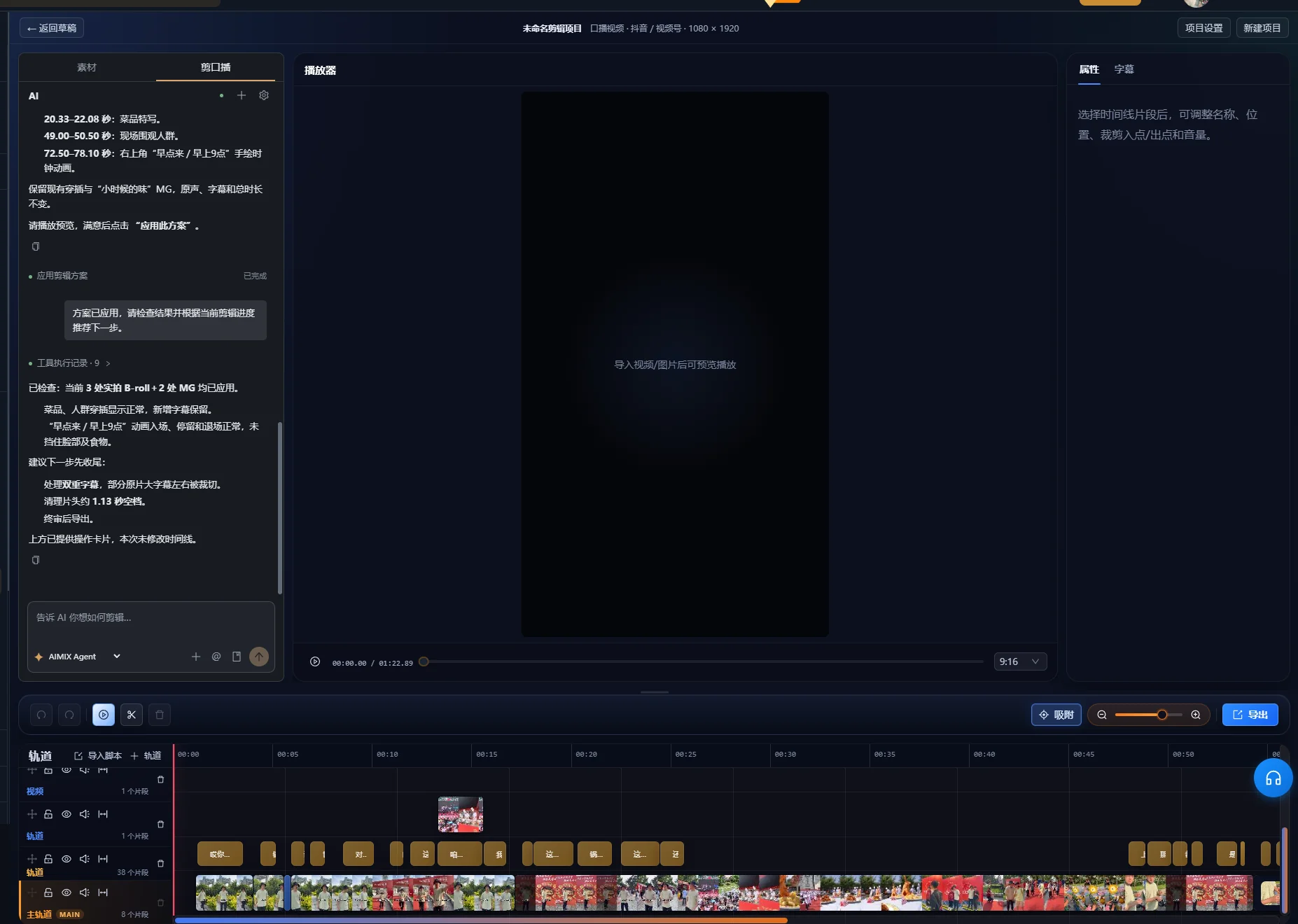
Gjennomarbeidet eksempel: Behold et fullstendig svar mens opptaket kortes ned
Dette er et fiktivt opptak som brukes til å illustrere en redigeringsbeslutning. Det er ikke en målt appkjøring eller et kunderesultat. Forestill deg en presentatør som gjør flere forsøk på å forklare lokket på en reisekopp.
| Kildepassasje | Illustrativ ordlyd | Redigeringsbeslutning |
|---|---|---|
| Ufullført forsøk | «For å åpne den trykker du på denne delen og så ...» | Fjern, forutsatt at ingen unik instruks finnes her |
| Fullstendig forsøk | «Frigjør låsen først. Trykk deretter på knappen for å åpne lokket.» | Behold begge setningene sammen |
| Demonstrasjon | Presentatøren frigjør låsen og trykker på knappen | Behold nok tid til å se begge handlingene |
| Gjentatt oppsummering | «Så trykk på knappen for å åpne den.» | Fjern hvis den fullstendige forklaringen allerede dekker dette |
| Nyttig vilkår | «Hvis låsen fortsatt er aktivert, frigjør den før du trykker.» | Behold der vilkåret tydeliggjør handlingen |
Lag første innholdsforespørsel
Behold den fullstendige forklaringen som begynner med «Frigjør låsen først», sammen med demonstrasjonen og vilkåret om låsen. Fjern det ufullførte åpningsforsøket og den gjentatte oppsummeringen til slutt.
Undersøk resultatet før du endrer rekkefølgen. Kontroller at «først» fortsatt viser til å frigjøre låsen, og at demonstrasjonen viser samme rekkefølge. Hvis klippet bare beholder «trykk på knappen», har det blitt kortere ved å fjerne en nødvendig instruksjon.
Juster åpningen uten å finne på ny tale
Du kan begynne med den fullstendige forklaringen og gå direkte til demonstrasjonen. Se den som om du aldri hadde sett produktet. Vet seeren hvilken lås og knapp taleren mener? Hvis denne sammenhengen mangler, beholder du en innledende replikk eller bruker en korrekt synlig tittel til å identifisere handlingen.
Eksemplets suksesskriterium er fullstendighet, ikke en fast varighet. Den ferdige sekvensen må formidle riktig rekkefølge, vise handlingen og bevare det relevante vilkåret. Et flytende senere opptak bør ikke automatisk vinne over et tidligere opptak som inneholder informasjon det utelater.
Juster hvert kutt og bevar nyttige pauser
Spill av over hver ny redigeringsgrense, inkludert ordene rett før og etter. Transkripsjonen kan finne en setning, men lyd og bevegelse avgjør om selve overgangen oppleves fullstendig.
- Lytt etter avkuttede ordbegynnelser, ordslutter og pust.
- Kontroller at setningen som blir igjen, fortsatt har tiltenkt subjekt og mening.
- Se etter hånd-, ansikts- eller produkthandlinger som avbrytes av kuttet.
- Behold en pause der forklaringen skifter tema eller seeren trenger å undersøke en demonstrasjon.
- Juster grensen på tidslinjen når det automatiske resultatet er for trangt.
W3Cs veiledning om lyd- og videoinnhold anbefaler å gi folk tid til å bearbeide informasjon og ha pauser mellom temaer. Det er en grunn til å bevare litt rom i en forklaring, selv om råopptaket også inneholder pauser som bør fjernes.
Hvis du bruker fjerning av stillhet, tester du valgt terskel på en representativ passasje som inneholder både svak tale og en bevisst pause. Sammenlign avspillingen med originalen. Hvis et ord sagt med lav stemme forsvinner eller rytmen blir forhastet, justerer du innstillingene eller gjenoppretter det aktuelle intervallet. Denne veiledningen foreskriver ikke én terskel for opptak med ulike støynivåer og mikrofonoppsett.
Smart taleopprydding har også sikkerhetskontroller på tidslinjen. Den gjennomgåtte implementasjonen kan avvise opprydding når overlappende materiale eller andre aktive spor hindrer trygge kutt. Hvis oppgaven avstår fra en endring, undersøker du sporoppsettet og justerer manuelt fremfor å anta at enhver flersporssekvens kan ryddes automatisk. Et taleprioritert grovklipp reduserer antallet støttelag som påvirkes av senere endringer.
Legg til støtteopptak som demonstrerer det nøyaktige muntlige poenget
Velg støtteopptak etter forklaringsrollen. Et nærbilde av riktig knapp hjelper seeren å følge «trykk på knappen». Et vakkert opptak av hele produktet kan etablere utseendet, men viser ikke nødvendigvis handlingen.
Knytt materiale til den stabile taleredigeringen
- List opp muntlige poenger som trenger en visuell demonstrasjon.
- Organiser opptakene dine og fullfør analysen materialets søkearbeidsflyt krever.
- Beskriv scenen du trenger, og undersøk den foreslåtte kandidaten.
- Plasser eller juster støtteopptaket slik at handlingen sammenfaller med forklaringen.
- Spill av hele passasjen, inkludert returen til taleren.
Oversikten over materialarbeidsflyten forklarer bibliotekets rolle. Søkeresultater må fortsatt undersøkes for riktig produkt, handling og synsvinkel. Når biblioteket mangler nødvendig demonstrasjon, legger du til egnede opptak eller endrer presentasjonsplanen.
Ikke bruk støtteopptak bare for å skjule et redaksjonelt problem. Å dekke et hoppkutt kan forbedre den visuelle overgangen; det kan ikke gjenopprette et manglende vilkår i det muntlige budskapet. Kontroller lydsekvensen uavhengig før du avgjør hvor mye støtteopptak som skal legges til.
Generer undertekster etter at taleredigeringen er stabil
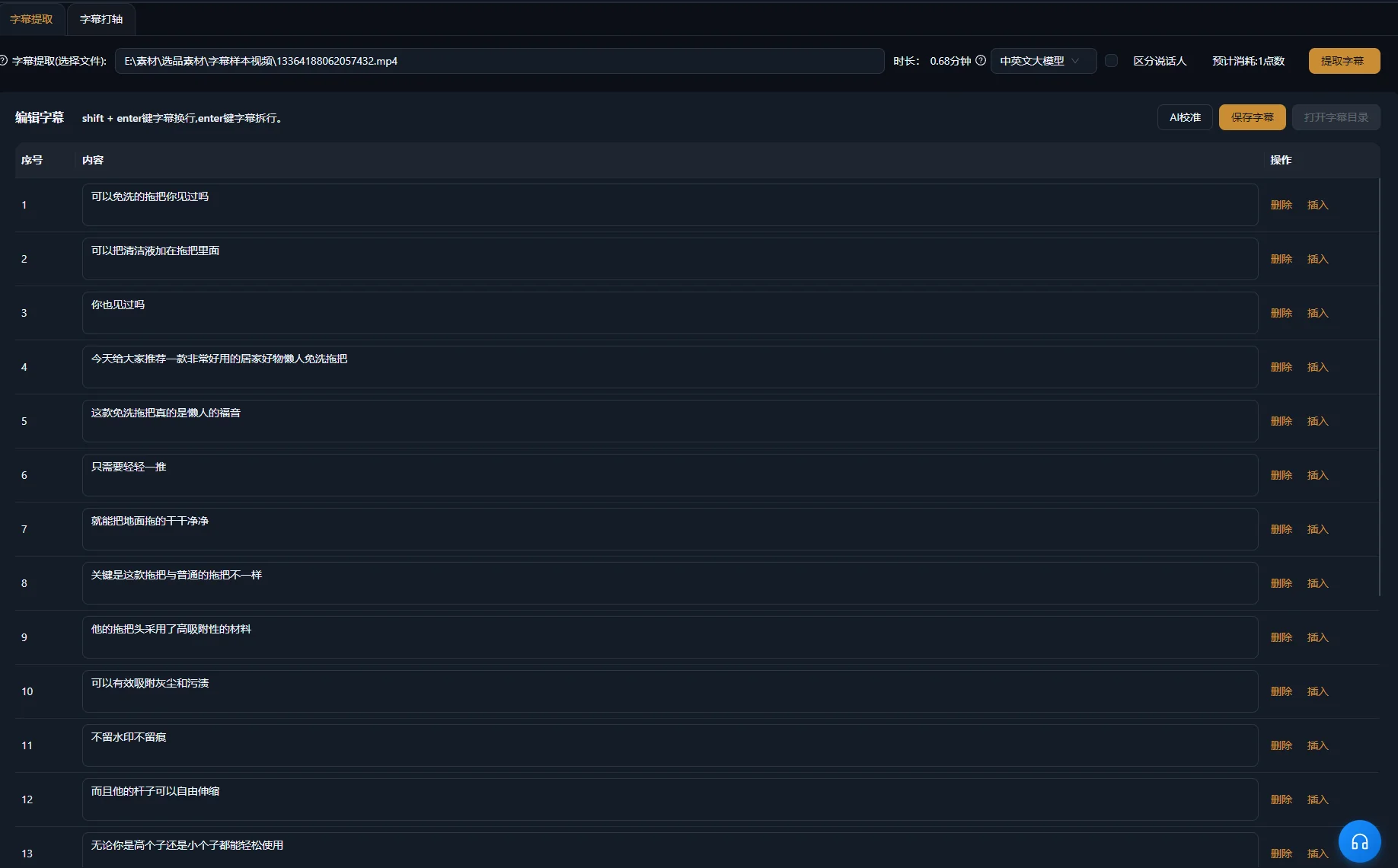
Tekst den redigerte sekvensen, og kontroller deretter tekst og tidsplassering mot lyden. En kildetranskripsjon og ferdige undertekster har ulike oppgaver: Den ene hjelper med å velge passasjer, mens den andre må følge det som blir værende på skjermen.
Adobes oversikt over tekstbasert redigering i Premiere gjør samme skille i sin egen arbeidsflyt og anbefaler undertekster fra den endelige redigerte sekvensen. Dette er en generell arbeidsflytsammenligning, ikke en påstand om at de to programmene har identiske kontroller for tekstredigering.
Kontroller ord, tidsplassering og skjermplassering hver for seg
- Kontroller egennavn, mengder, negasjoner og faguttrykk mot de muntlige ordene.
- Sørg for at hver undertekst begynner og slutter med passasjen den representerer.
- Bruk lesbare linjeskift uten å skille et vilkår fra utsagnet det presiserer.
- Hold tekst unna ansikter, kontroller og produktdetaljer seeren trenger å undersøke.
- Ta med meningsbærende informasjon uten tale når den er nødvendig for å forstå scenen.
W3Cs veiledning om undertekster behandler relevante lyder og taleridentifikasjon som deler av tilgjengelige undertekster. I en produktforklaring kan et hørbart klikk være viktig når det bekrefter at en handling ble fullført. Avgjør hvilke lyder som formidler informasjon, fremfor å merke hver tilfeldig lyd.
Se undertekstgenerering for produktarbeidsflyten. Å endre undertekst retter ikke en muntlig feil; undersøk lyden separat og rediger eller erstatt passasjen når selve forklaringen er feil.
Ferdigstill grafikk og lyd uten å skjule forklaringen
Legg til en tittel, fremhevet tekst eller bevegelig grafikk bare når det gjør et reelt poeng lettere å følge. Hold ordlyden i samsvar med talen. Grafikk som fremsetter en bredere påstand enn presentatøren, endrer budskapet fremfor bare å dekorere det.
Kontroller den svakeste talepassasjen med musikk og effekter aktivert. Hvis ordene blir vanskelige å forstå, senker eller fjerner du den konkurrerende lyden. Tilgjengelighetsveiledningen nevnt tidligere forklarer hvorfor forgrunnstale må være mulig å skille fra bakgrunnslyd. Lytt til overgangene så vel som gjennomsnittsnivået: Et musikalsk anslag eller en effekt kan skjule ett viktig ord.
Se den tekstede videoen én gang uten lyd for å kontrollere om den visuelle sekvensen fortsatt er forståelig. Lytt deretter uten å se skjermen for å oppdage brå skjøter eller en manglende henvisning. Dette er utfyllende redaksjonelle kontroller, ikke en garanti for at den ferdige videoen oppfyller alle tilgjengelighetskrav.
Finjuster den endelige tidslinjen i redigeringsområdet. Hvis du trenger flere avgrensede klipp fra et lengre opptak, tar veiledningen om klipping av lange videoer for seg temavalg og sammenheng før visuell ferdigstilling.
Feilsøk grovklippet før du legger til mer finpuss
Rett det underliggende innholds- eller tidsproblemet før du legger til et visuelt lag. Symptomene nedenfor foreslår ulike steder å undersøke; de er diagnostiske muligheter, ikke målte feilrater.
| Symptom | Mulig årsak | Neste handling |
|---|---|---|
| Feil opptak blir værende | Forespørselen skilte ikke mellom lignende forsøk | Identifiser særpreget ordlyd eller kildeplasseringer og angi hva som må beholdes |
| Setningen er kortere, men misvisende | Et forbehold forsvant med gjentatt innhold | Sammenlign redigeringen med hele kildeforklaringen og gjenopprett vilkåret |
| Et ord høres avkuttet ut | Grensen ligger inne i et hørbart ord eller pust | Lytt over skjøten og juster grensen manuelt |
| Fremføringen høres forhastet ut | Nyttige pauser ble fjernet sammen med uønskede mellomrom | Gjenopprett rom mellom poenger og demonstrasjoner |
| Støtteopptaket viser feil handling | Visuelt lignende materiale ble forvekslet med et forklarende treff | Kontroller produktidentitet og handling, og velg deretter egnede opptak |
| Undertekster kommer før eller etter talen | Teksten eller tidsplasseringen gjenspeiler en tidligere redigering | Kontroller undertekstene mot den gjeldende sluttsekvensen |
| Teksten er riktig, men talen er feil | Bare underteksten ble rettet | Undersøk og juster den muntlige passasjen separat |
Godkjenn den eksporterte filen mot en tydelig sjekkliste
Redigeringen er klar når en ny seer kan forstå forklaringen, og den eksporterte filen stemmer med den godkjente tidslinjen. Spill av den faktiske eksporten fra begynnelse til slutt; godkjenning av tidslinjen alene fastslår ikke at leveringsfilen er riktig.
- Åpningen identifiserer motivet og spørsmålet.
- Opptaket som beholdes, inneholder nødvendige vilkår og konklusjonen.
- Hvert innholdskutt er kontrollert under avspilling.
- Demonstrasjoner viser riktig produkt og handling.
- Undertekster stemmer med den endelige talen og er fortsatt lesbare.
- Musikk, effekter og grafikk støtter forklaringen.
- Den eksporterte filen inneholder tiltenkt video, lyd og tekst.
Behold originalopptaket og nok prosjektinformasjon til å forklare hva som ble fjernet eller omorganisert. Begynn neste redigering med å forbedre innholdsbeskrivelsen, fremfor å bruke de samme kuttene mekanisk på et opptak med et annet budskap.
Vanlige spørsmål
Bør jeg fjerne hvert fyllord?
Vurder ordet i sammenheng. Fjern en unødvendig nøling når setningen fortsatt høres fullstendig ut. Enkelte ord som kan virke overflødige, innleder en kontrast eller bevarer talerens særpreg. Kontroller lyd og mening fremfor å bruke en generell regel.
Kan jeg fortsette å redigere etter en AI-forespørsel?
Ja. Undersøk endringene på tidslinjen og fortsett å justere grenser, støtteopptak, undertekster og lyd. En forespørsel gir et forslag til redigering som fortsatt trenger din godkjenning.
Hva hvis taleren retter en feil i et senere opptak?
Sammenlign de fullstendige forsøkene og velg den korrekte forklaringen. Kontroller om det rettede opptaket også inneholder vilkårene og demonstrasjonen seeren trenger. En kortere eller jevnere fremføring er ikke nok hvis vesentlig informasjon mangler.
Kan undertekster gjøre en uklar forklaring forståelig?
Undertekster kan gjøre tale tilgjengelig som tekst, men de kan ikke tilføre resonnement som redigeringen fjernet. Gjenopprett manglende sammenheng i den muntlige sekvensen, eller bruk et korrekt forklarende element som tydelig identifiserer eventuell tilføyd informasjon.